
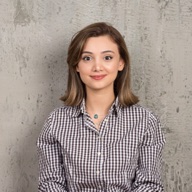
直接回答:好的图生视频提示词写的是动作,而不是画面。模型已经看到了你的图片,所以把字数花在一个主体动作、一个镜头运动、节奏,以及镜头最后停在哪里。下面是 Yovid 图生视频 AI 的 6 个示例,每个都附有起始画面、提示词和参考视频。
**这些示例是怎么做的:**视频片段来自 Yovid 模板库,以及 Seedance 2.5、Seedance 2.0 和 Kling 3.0 模型页上的生成结果。我们截取每段视频的开场画面,再写出描述其动作的图生视频提示词,方便你看清写法、套用到自己的图片上。它们是参考视频,并不是用这张截图重新生成的结果,所以你的成片会有所不同。提示词保留英文原文。
目录
五段式写法
下面每个提示词都按同样的顺序来写。不必每次都写全五段,但漏掉镜头或结尾,是视频跑偏最常见的原因。
| 部分 | 写什么 | 示例 |
|---|---|---|
| 主体动作 | 主体做什么,一个动词短语 | “She walks out past the café tables” |
| 次要动作 | 随动作而动的头发、布料、光线、粒子 | “coat and hair moving in the breeze” |
| 镜头 | 一个运镜,用直白的镜头语言 | “slow tracking shot”“low orbit”“push in” |
| 节奏和光线 | 多快,光线怎么变化 | “golden-hour light”“slow push-in” |
| 结尾 | 镜头停在哪里,或用第二张图作为尾帧 | “end on the close-up of the model” |
不要描述照片里已经有的东西(比如“一个穿蓝大衣的女人”)。重复画面内容几乎没有帮助,还会占用描述动作的字数。
1. 微距细节:雏菊上的露珠
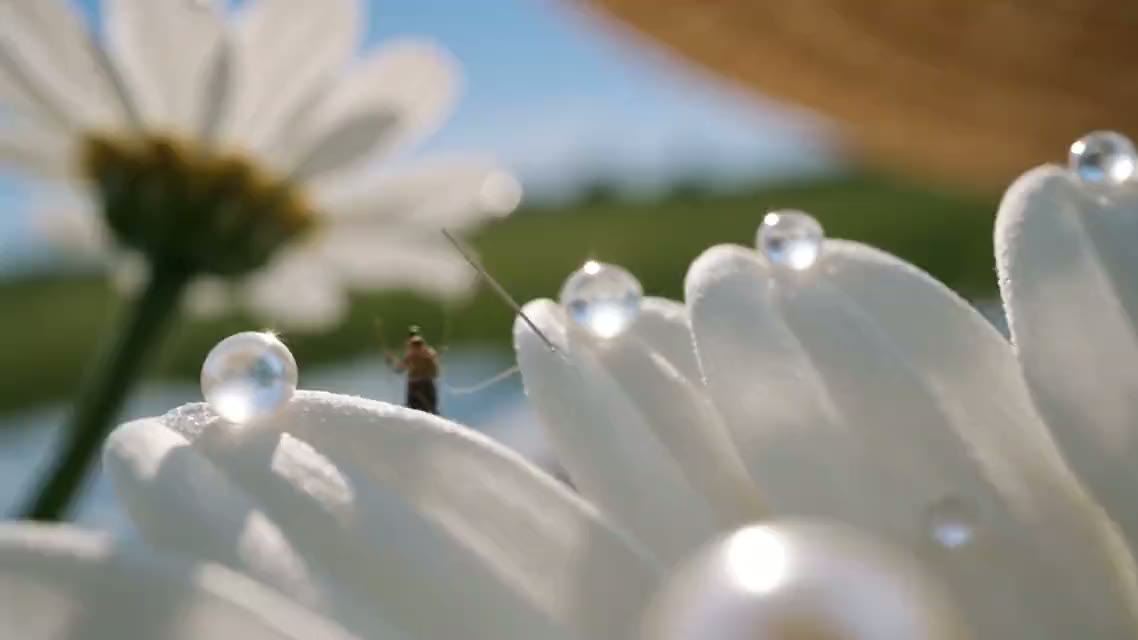
Extreme macro: dew glows like glass beads on the daisy petals while tiny artisans carry pearls across the lace, then glide along the gingham ribbon to the model's blurred smile. Slow push-in, warm side light, film grain.**用法:**把上图作为首帧 · Seedance 2.5 · 16:9 · 1080p · 开启声音
为什么有效:提示词点明了要保留的质感(露珠、蕾丝、格纹),只给镜头一个缓慢的运动,模型就会把力气花在细节上,而不是凭空编造动作。
2. 自然动作:走出巴黎咖啡馆
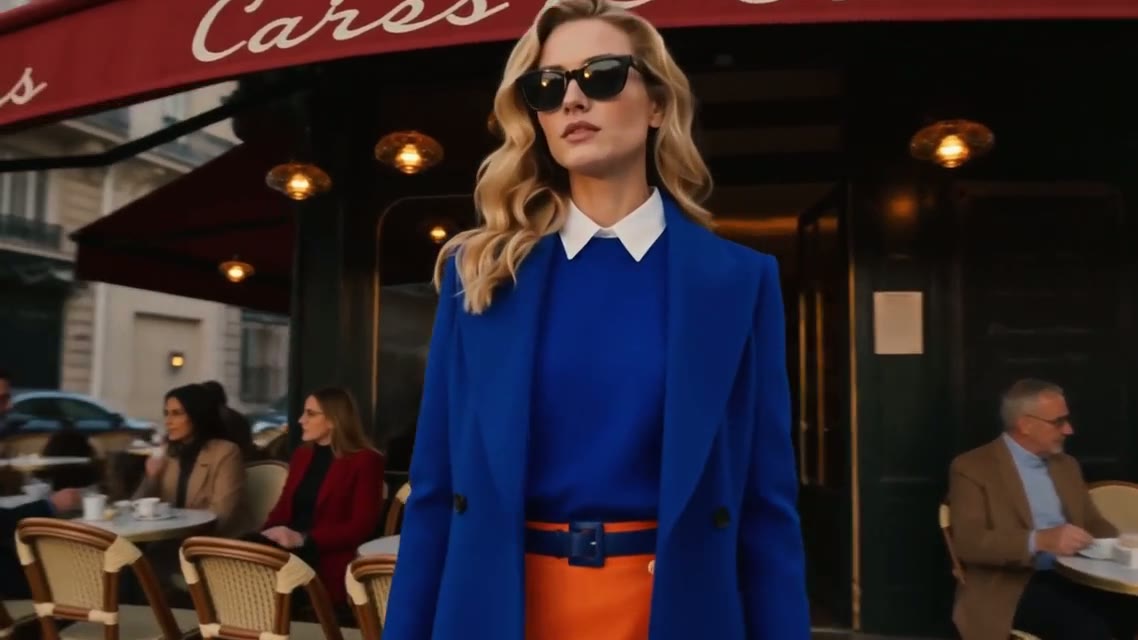
She walks out past the café tables, coat and hair moving naturally in the breeze. Cut to a close-up of her sunglasses, then her blue heels on the cobblestones. Golden-hour light, slow tracking shots.**用法:**把上图作为首帧 · Seedance 2.5 · 16:9 · 1080p · 开启声音
为什么有效:一个动作(走出来),然后明确写出切镜。Seedance 2.5 擅长多镜头提示词,把下一个镜头写清楚,她的脸和大衣就能保持一致,而不是让模型去猜。
3. 首尾帧:从纱帘到人像
这里要上传两张图:首帧,以及视频必须停在的那一帧。
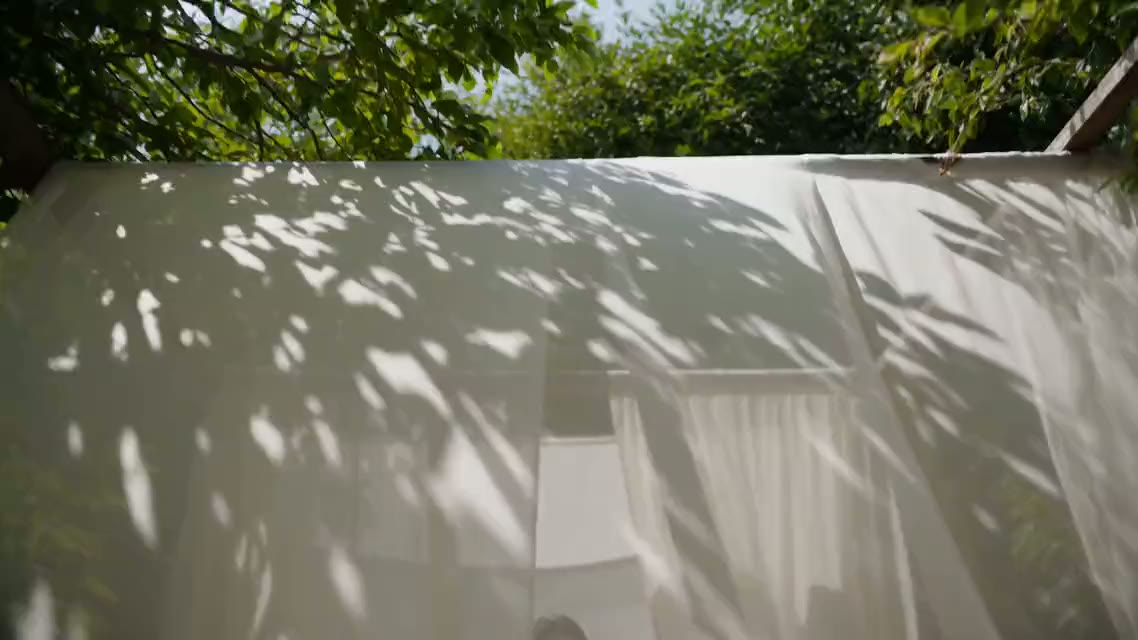
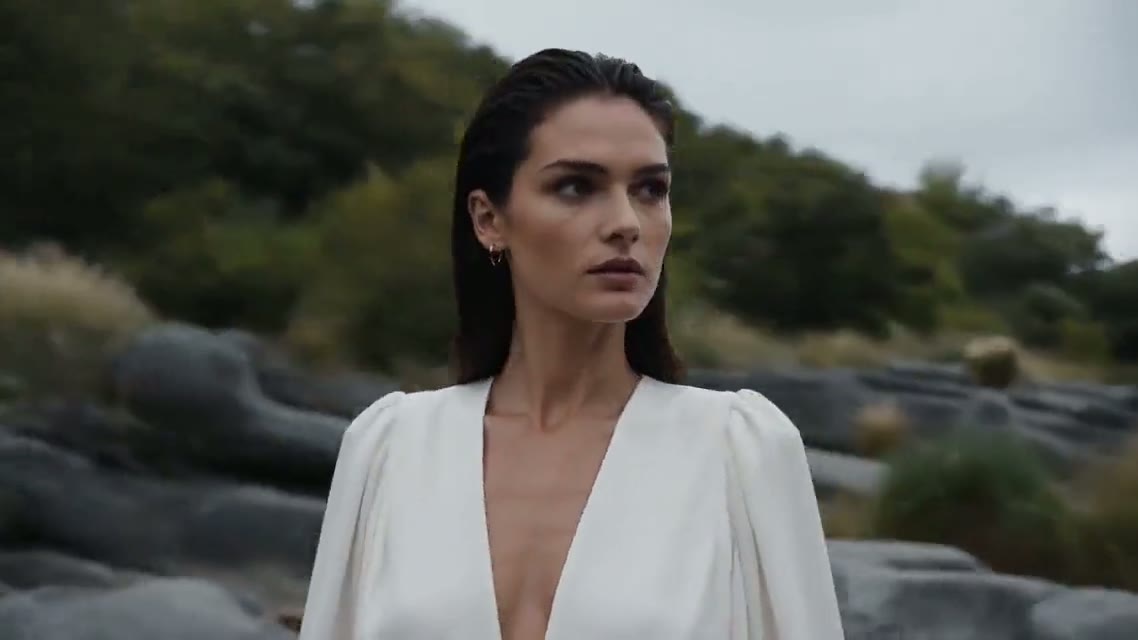
Start on the leaf shadows over the white curtains and end on the close-up of the model by the stream. Sunlight drifts across the fabric, the gauze sweeps the lens to reveal her, and the camera tilts up as she lifts her gaze.**用法:**两张图分别作为首帧和尾帧 · Seedance 2.5 · 16:9 · 1080p · 开启声音
为什么有效:提示词描述的是两张图之间的过程,而不是图片本身。Yovid 上的大多数模型都支持首尾帧;SeeDance 1 Pro Fast 和 Sora 2 系列只支持首帧。
4. 参考图:披萨师傅
用几张参考图(披萨师傅、披萨盒、店面)代替单张首帧,这里展示其中一张。
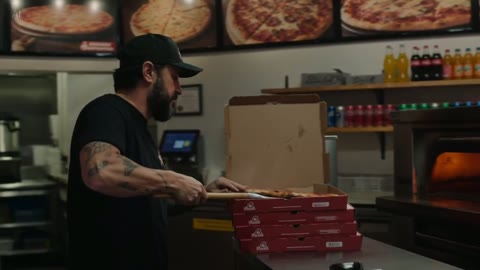
Use the references for the pizza maker and his shop. Seen through the window at night, he slides a pizza from the oven, boxes it and hands it over the counter with a smile. Same face, cap and shirt in every shot, warm neon light.**用法:**上传角色和场景的参考图 · Seedance 2.0 · 16:9 · 1080p · 关闭声音
为什么有效:提示词说明了每张参考图的用途,并写明一致性要求(“同一张脸、帽子和衣服”)。Seedance 2.5 最多支持 30 张参考图,Wan 3.0 最多 10 张,Seedance 2.0 和 MiniMax H3 最多 9 张。
5. 声音:雨夜超跑
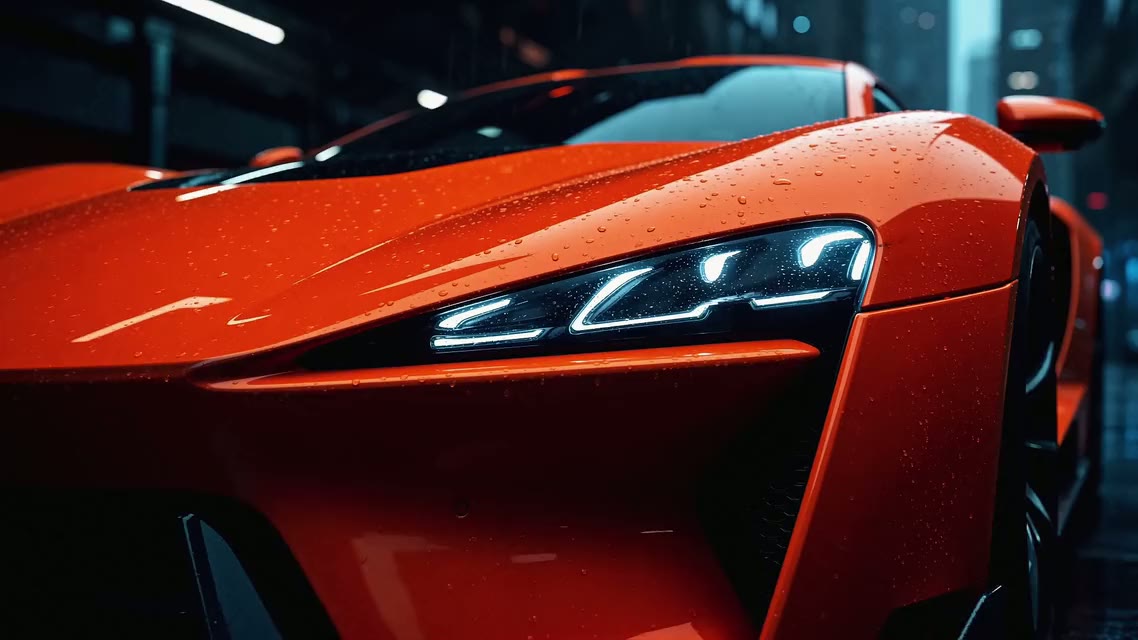
The headlights flicker on and the camera orbits low around the wet body, then pushes in on the front. Rain on the street, a deep engine rumble and tyres hissing on wet asphalt.**用法:**把上图作为首帧 · Seedance 2.5 · 16:9 · 1080p · 开启声音
为什么有效:声音像光线一样,被写成和动作绑定的具体事件(引擎轰鸣、轮胎嘶声)。打开声音开关后,Seedance 会在同一次生成中生成配乐,所以声音能对上动作。取消静音就能听到。
6. 大幅动作:京剧脸谱
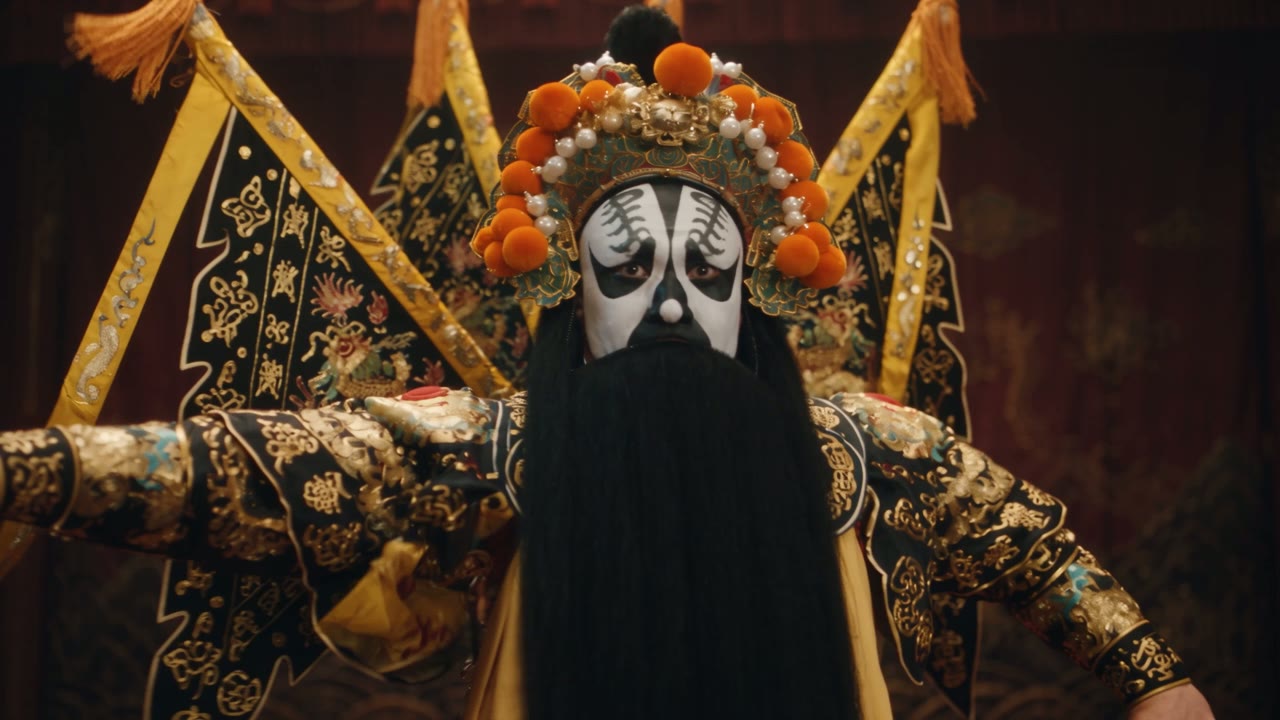
Bring the mask to life: the performer spins and his silk sleeves sweep across the frame while the camera circles fast. Keep the lantern light and the dark stage.**用法:**把上图作为首帧 · Kling 3.0 · 16:9 · 1080p · 开启声音
为什么有效:快速、大幅度的动作最能看出模型之间的差别。如果某一条把脸拖花了,换个模型重跑同一段提示词,比重写提示词更快。结尾那句简短的“保留”能保住原图的光线。
让照片跑偏的常见错误
- 一个镜头里写两个动作。“她走出来、挥手、再转身”会分散动作预算,选一个就好。
- **描述照片内容。**模型已经看到了,把字数留给动作和镜头。
- **小图或模糊图配大幅动作。**最先跑偏的是脸。尽量用最清晰的图片;Seedance 系列要求每边至少 300 像素。
- **没有结尾。**没有结束状态或尾帧,长视频容易跑偏。写明最后的构图。
- **模型选错。**需要准确的结尾,就用支持首尾帧的模型;需要角色在多个镜头里保持一致,就用支持参考图的模型。图生视频页面上的模型对比表列出了每个模型能做什么。
常见问题
图生视频提示词应该包含什么?
主体动作、次要动作、一个运镜、节奏和光线,以及结尾。图片里已经能看到的内容不用写。
图生视频提示词可以用中文写吗?
可以,Yovid 上的模型支持中文等多种语言的提示词。镜头术语尽量写得简单具体(如“推近”“环绕”“跟拍”),如果某个运镜没被理解,可以换成英文术语再试。
应该先用哪个模型?
先用免费积分在 Seedance 2.0 Mini 上测试想法;长视频或多镜头用 Seedance 2.5,快速动作用 Kling 3.0,需要 4K 时用 Veo 3.1 Fast。
图生视频一次最长能生成多久?
Seedance 2.5 和 Wan 3.0 单次最长 30 秒,Seedance 2.0、Kling 3.0 和 MiniMax H3 最长 15 秒,Veo 3.1 最长 8 秒。
想在自己的照片上试试这套写法?打开 Yovid 图生视频 AI,上传图片,粘贴提示词即可。新账号送免费积分,免费生成的视频没有水印。