
Kling 4.0 免费在线 AI 视频生成器
一次生成 3–30 秒的有声视频:可以只用提示词,也可以用首帧和尾帧,或者最多 10 张参考图和 5 段参考视频。可选 720p 或 1080p,画面比例 16:9、9:16、1:1 或 21:9 超宽屏。 现在就在 Yovid 上用 Kling 4.0 开始创作。

Kling 4.0 能拍出什么画面
为什么在 Yovid 上用 Kling 4.0 做视频
- 一条提示词,最长 30 秒:3 到 30 秒任选,并逐秒安排每一个节拍。
- 开头和结尾,都由你来定:添加首帧,也可以再加尾帧,中间的一切由 Kling 4.0 补全。
- 照着参考视频复刻动作:添加一段视频,Kling 4.0 会把它的动作编排和节奏用到你自己的角色身上。
- 沿用任意视频的运镜路径:借用一段视频的运镜和节奏,主体和场景换成你自己的。
- 把分镜图和角色设定图当参考:交给它一张分镜图定镜头顺序、一张角色设定图定外观,Kling 4.0 会把两者都动起来。
- 九种语言的对白,口型同步:写明谁用哪种语言说什么,声音、口型和环境音一起生成。
- 按时长和分辨率计算积分:按秒计费,生成前在输入框里就能看到。
- 所有设置,一处搞定:四种画面比例、两档分辨率、3–30 秒,可用文字、画面帧或参考素材生成。
一条提示词,最长 30 秒
Kling 4.0 单次最长生成 30 秒,是 Kling 3.0 的两倍,足够一个场景铺垫、升级再收尾。你可以写成一镜到底,也可以规划几个带剪辑的镜头;Kling 会按提示词里的结构来拍。
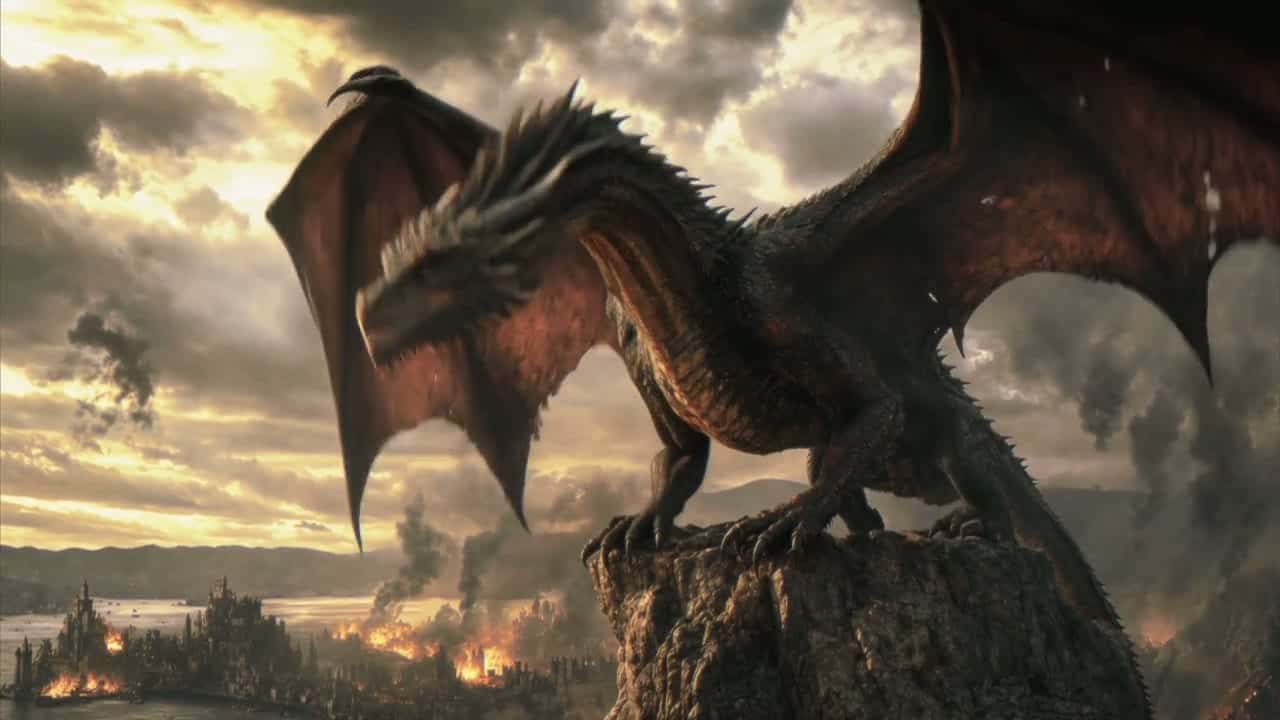
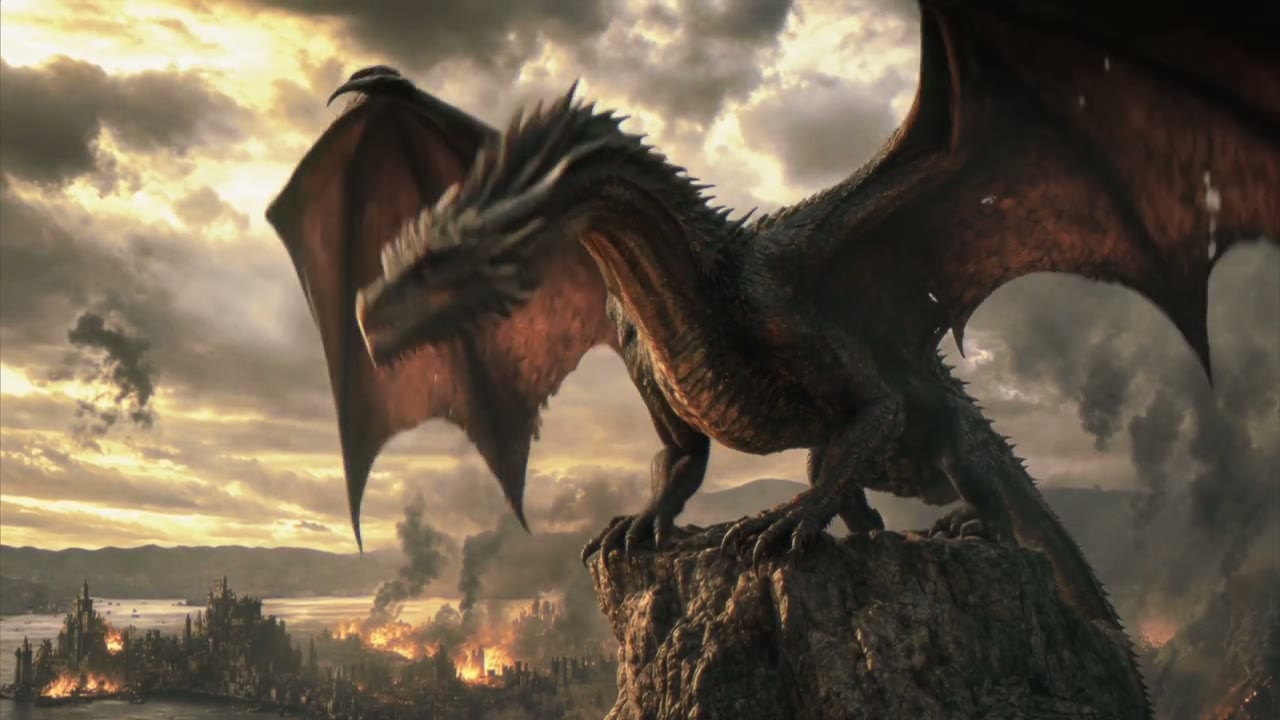
在下面这段 Kling 的演示里,两张参考图定下了燃烧的城市和巨龙,提示词为六个镜头排好了时间,从山巅上的咆哮,一直到在火海上空攀升。


 Kling 4.0
开头和结尾,都由你来定
上传视频开头的那张图,需要的话再上传结尾的那张。Kling 4.0 会保留两张图的样子,自己算出中间的动作、运镜路径和声音,跨度最长可达 30 秒。
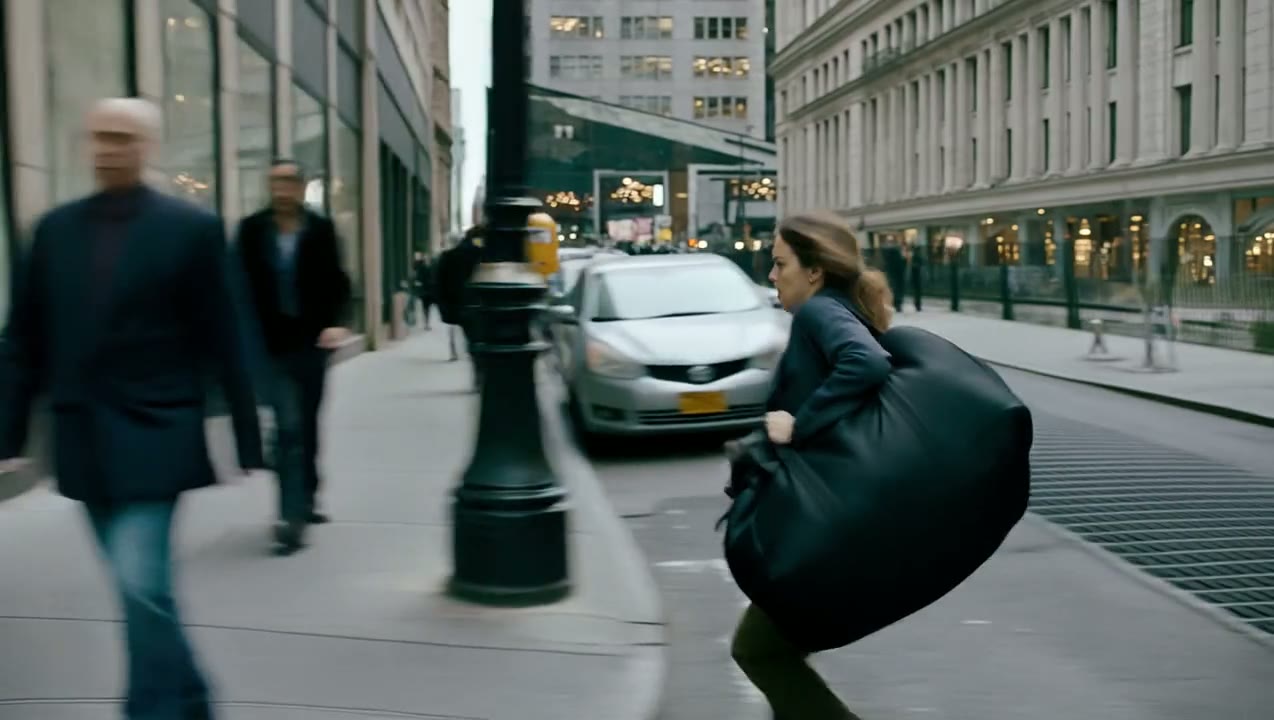
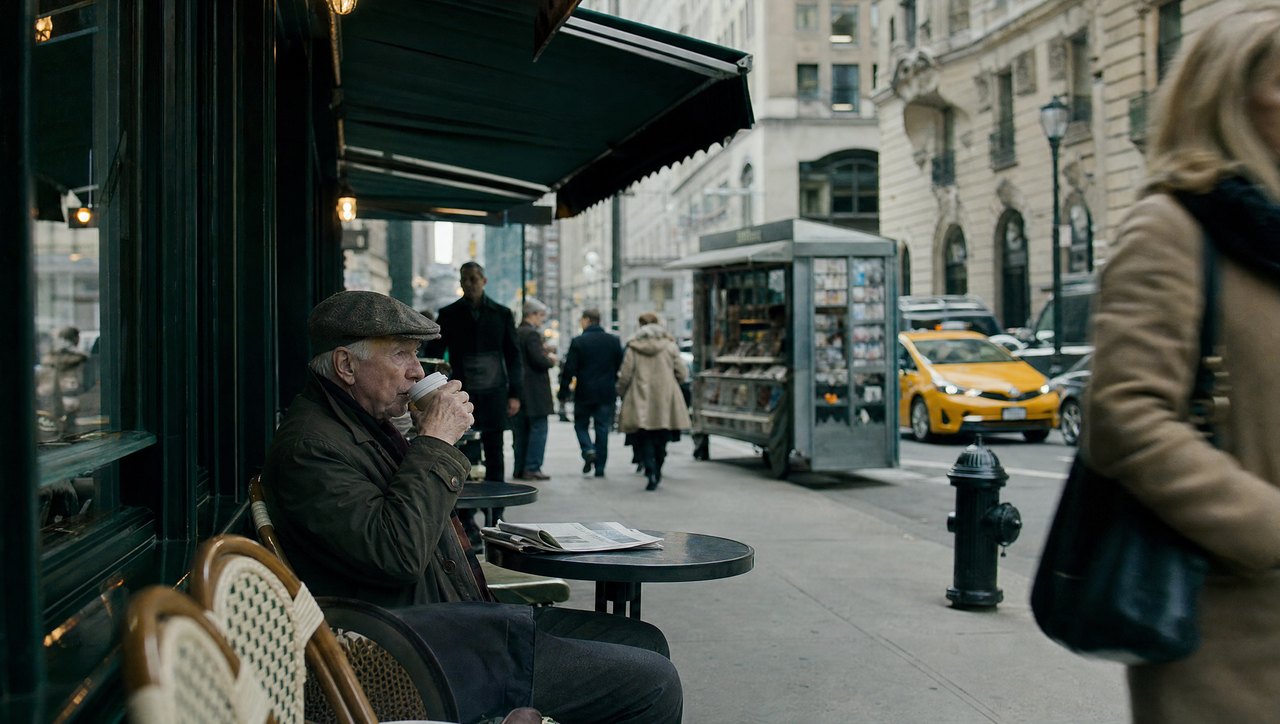
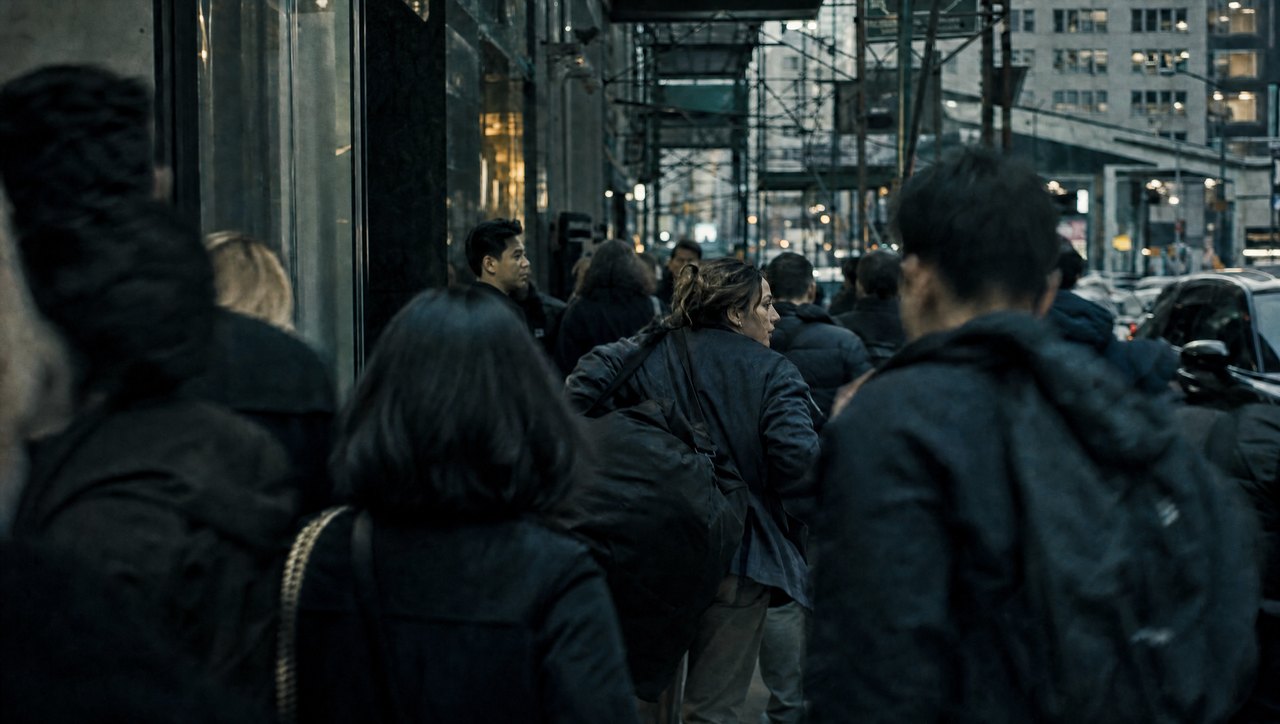
只要添加了画面帧,Yovid 就会把生成转到 Kling 的图生视频接口,视频的画面比例以你的首帧为准。这里由一条咖啡馆街道开场、一片人群收尾,中间是一段 20 秒的横向跟拍追逐。
 Kling 4.0
照着参考视频复刻动作
参考视频能告诉 Kling 4.0 文字很难描述的东西:一场打斗、一段舞蹈或一个特技动作的确切节奏。最多可添加 5 段视频(总长 30 秒),外加最多 10 张图片,并在提示词里说明每一个的用途。在 Yovid 上,每个上传的文件都会有一个标签,比如 @Image 1 或 @Video 1,直接写进提示词即可。
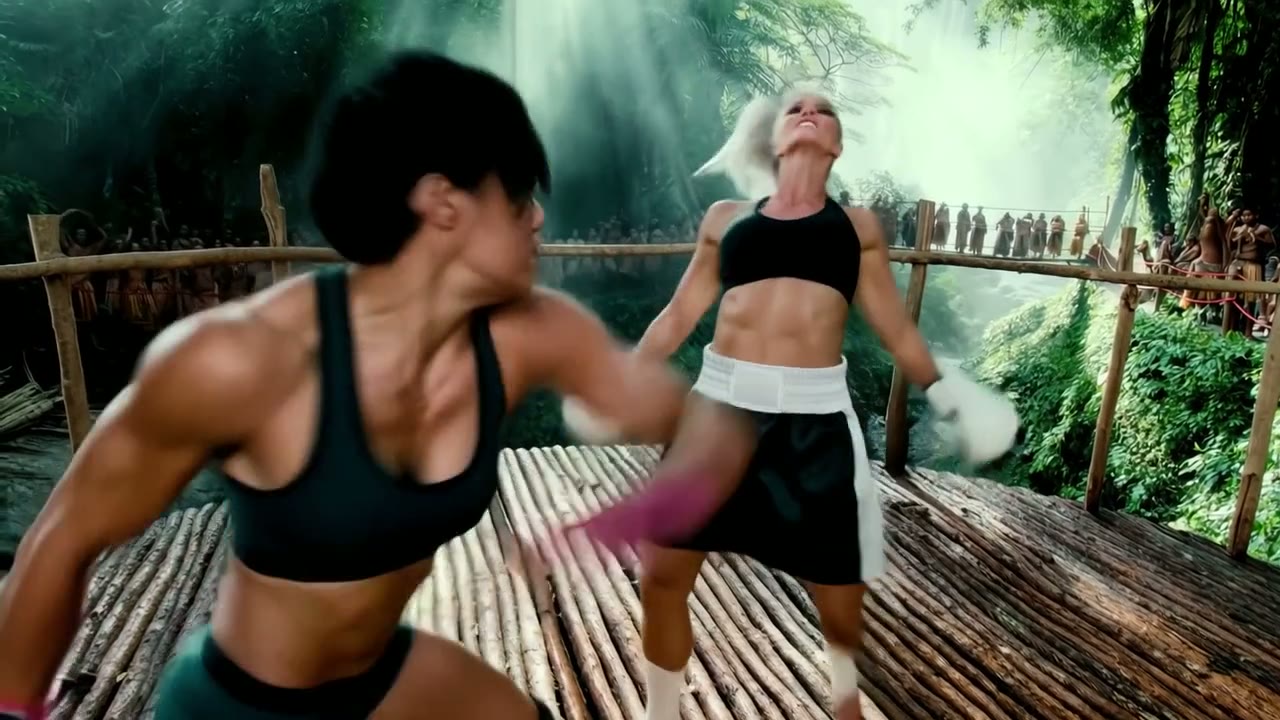
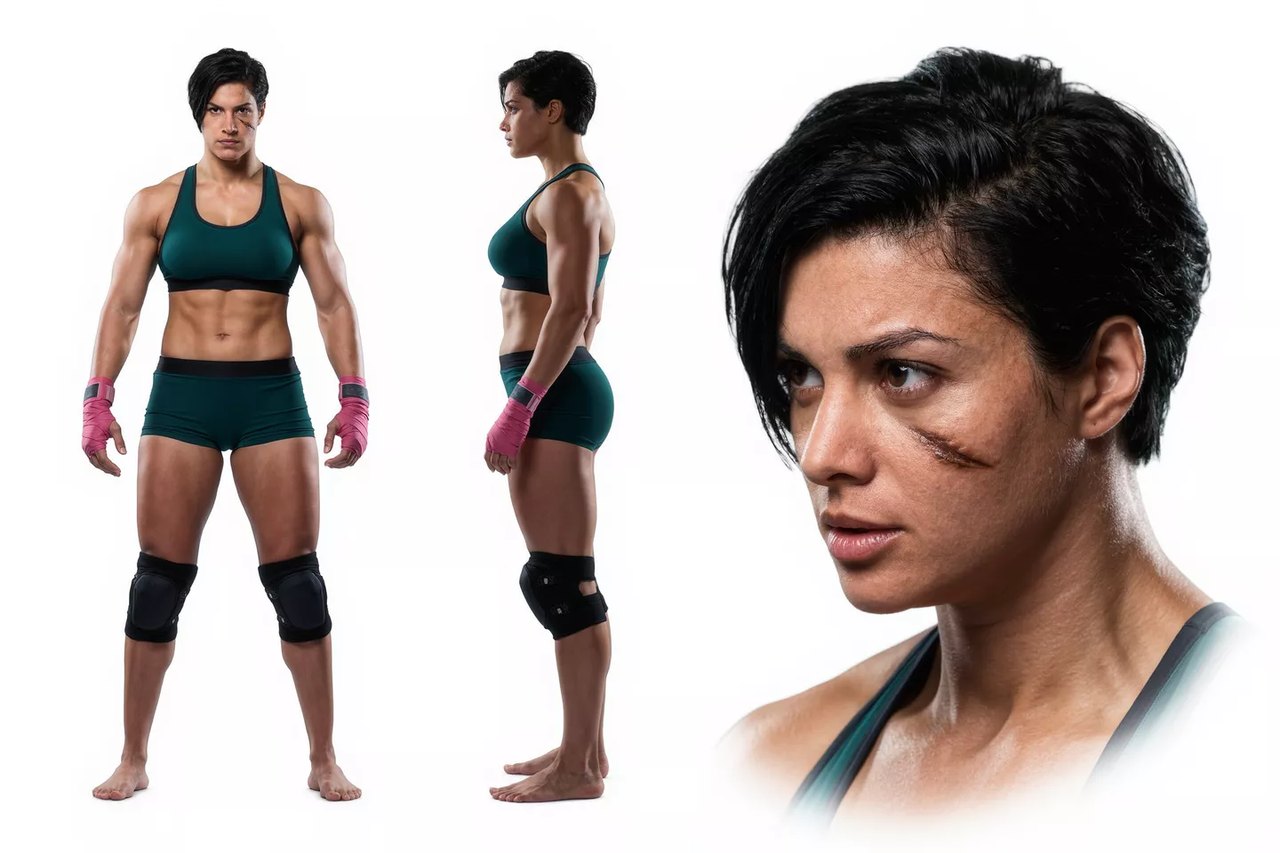
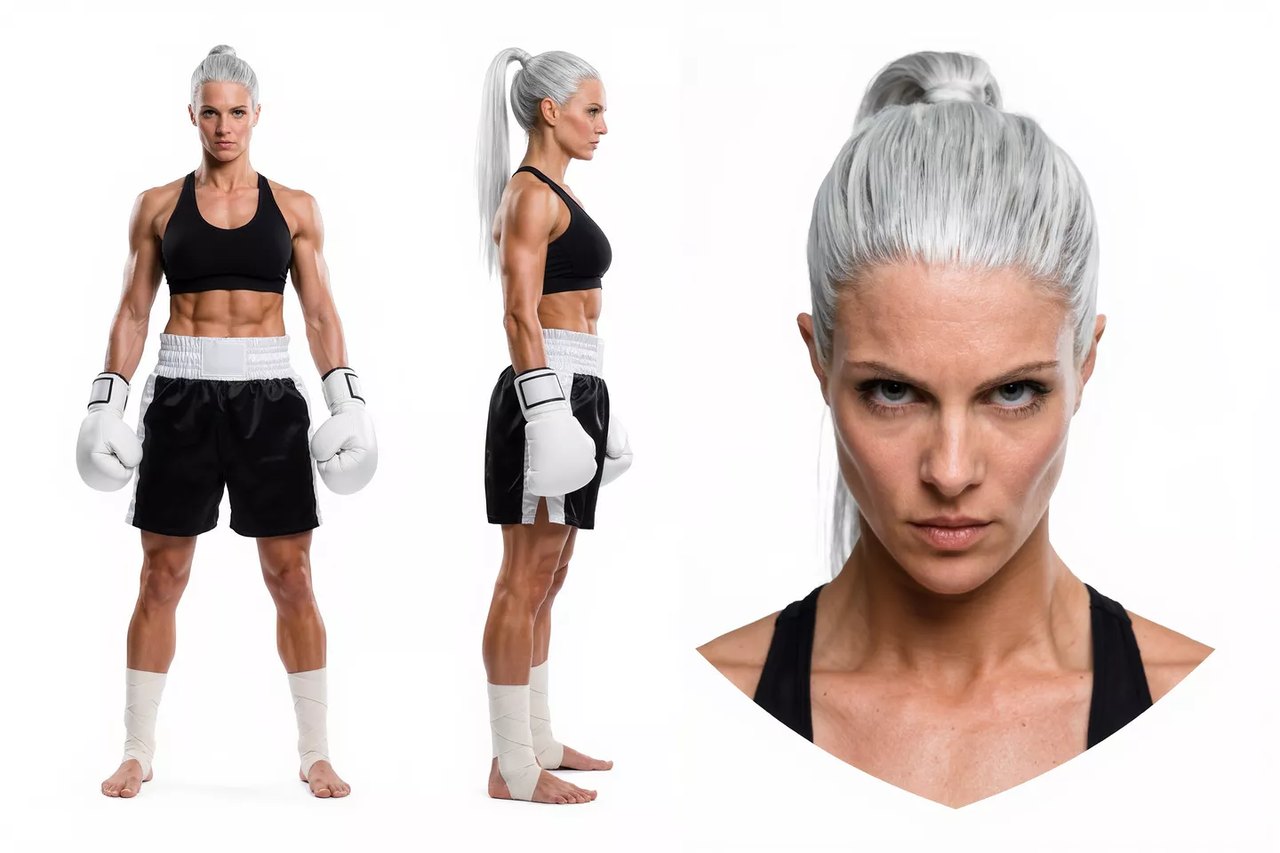
这段演示里,Kling 从一场拳击比赛中取了出拳动作和节奏,从角色设定图中取了两位拳手,再把这场对决搬到了新的场景里。
 Kling 4.0
沿用任意视频的运镜路径
Kling 4.0 能从参考视频里读出推镜、拉镜、摇镜、跟拍和环绕,所以你喜欢的一段无人机航拍或追逐镜头,可以成为完全不同内容的模板。
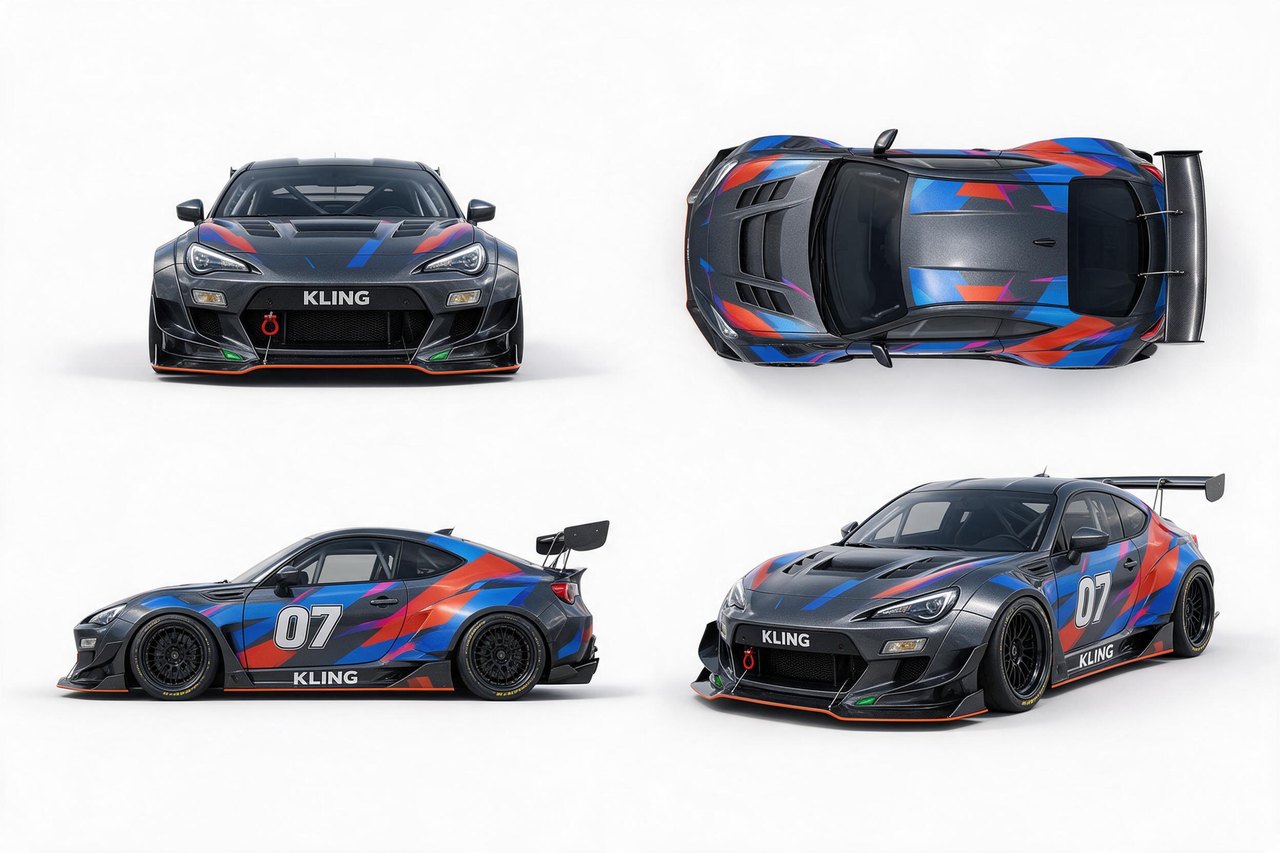
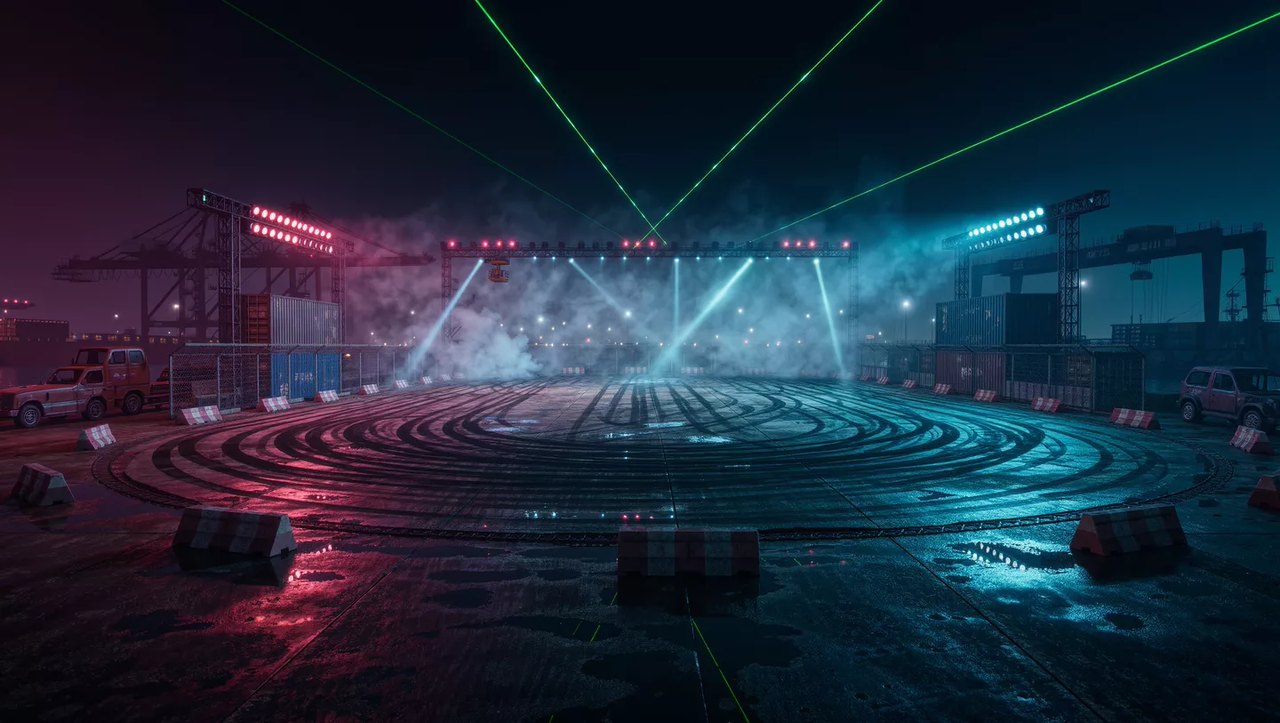
这里,一架无人机在盐滩上环绕一辆车,定下了运镜路径和节奏;四张不同角度的产品图提供赛车,另一张图提供夜晚的赛场。

 Kling 4.0
把分镜图和角色设定图当参考
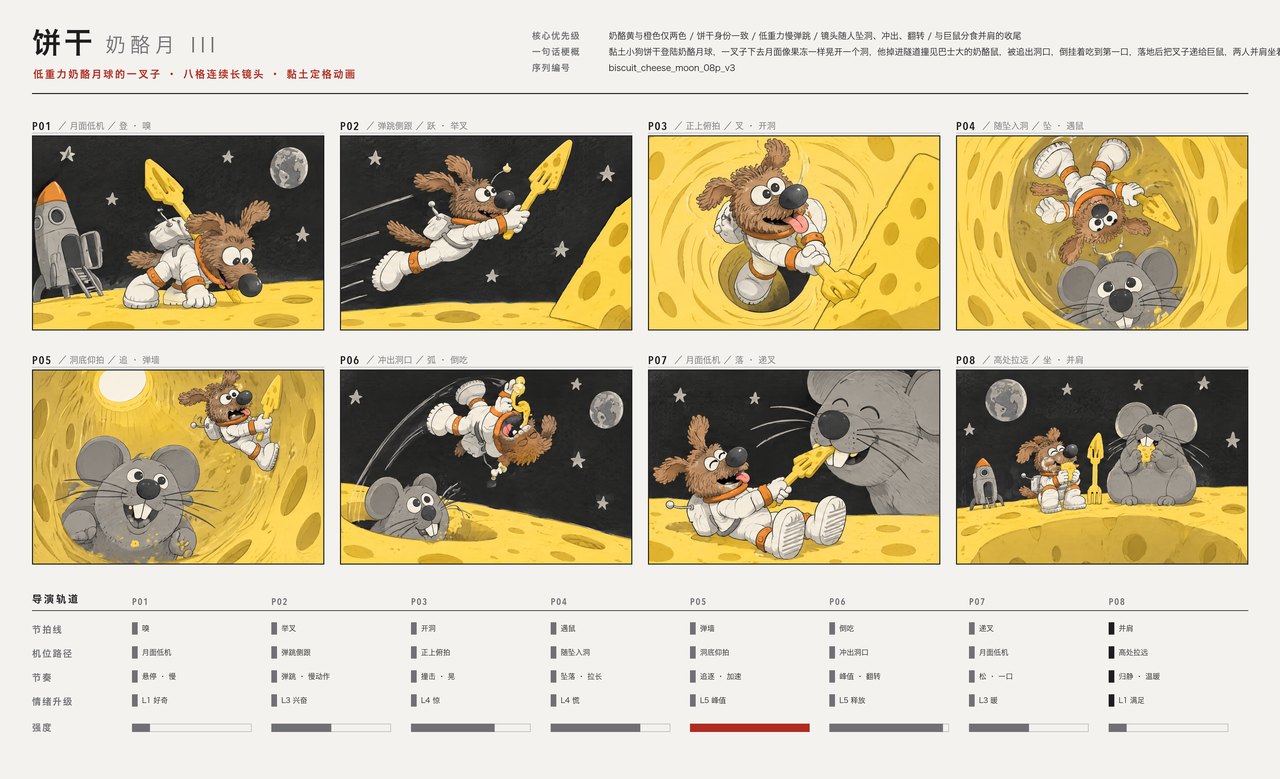
参考图不只是人脸和产品。Kling 4.0 还能读懂分镜图、三视图角色设定、宫格图和线框图,你手上已有的前期策划可以直接用来引导生成。
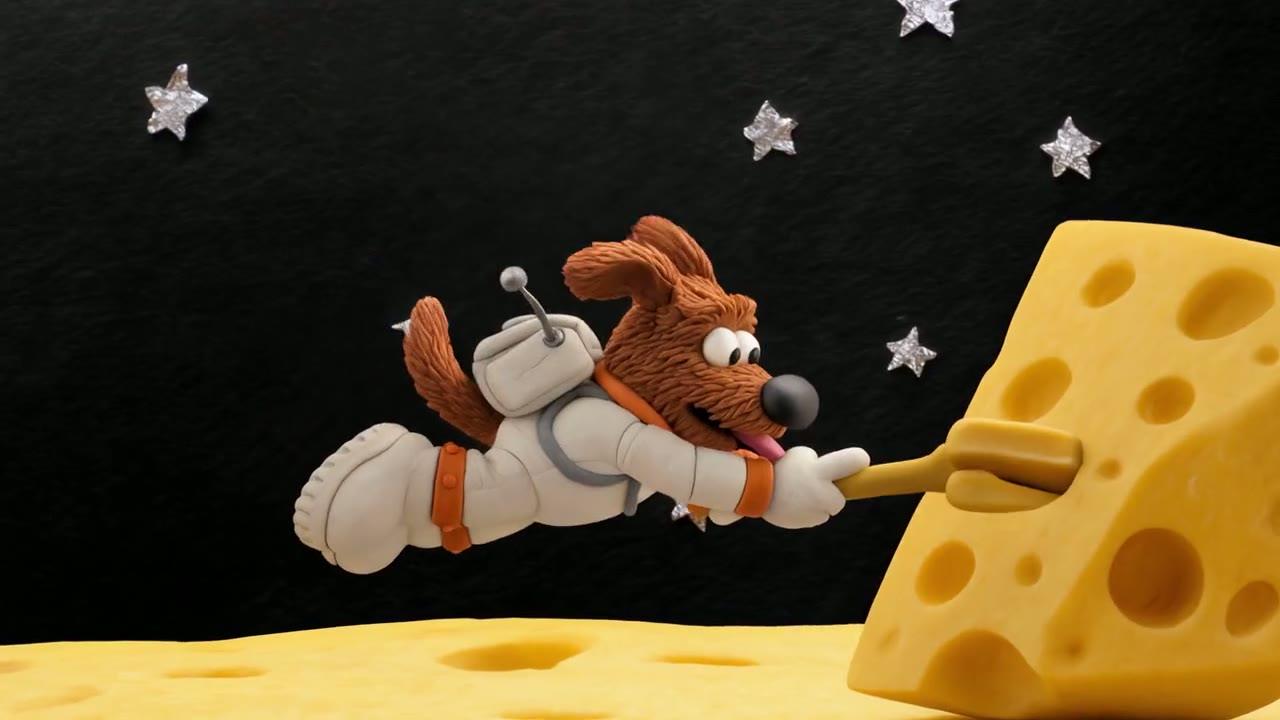
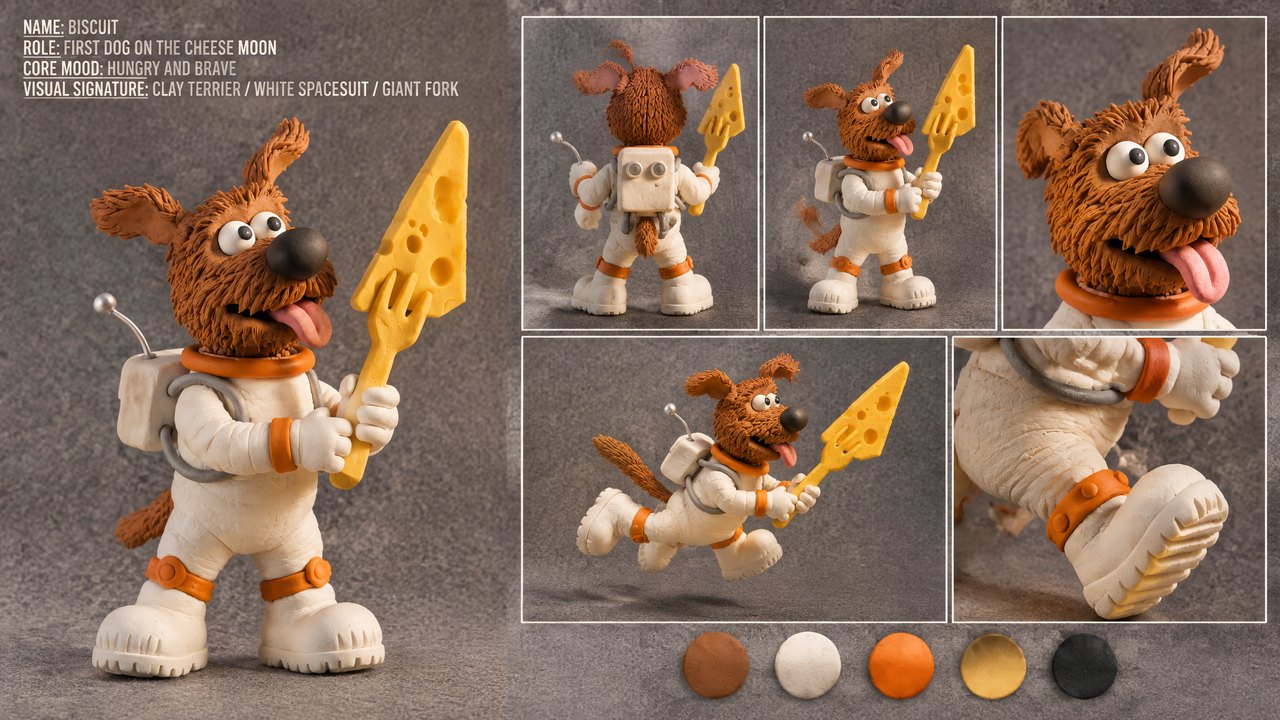
这段 15 秒的黏土动画按一张八格分镜逐拍推进,全程一个连续运镜;角色设定图则让这只小㹴犬、它的宇航服和那把超大的叉子在每一帧都保持一致。
 Kling 4.0
九种语言的对白,口型同步
每条 Kling 4.0 视频都带有与画面同时生成的立体声:对白、音效、环境音,你要求时还有音乐。Kling 列出的对白语言有中文、英语、日语、韩语、西班牙语、葡萄牙语、德语、法语和印地语,另外支持英式或印度英语等口音,以及粤语等方言。
这段演示里,一位游客用西班牙语问路,口译员把问题译成中文,再把回答译回西班牙语;三位说话人各有不同的声音,口型也和各自说的语言对得上。

 Kling 4.0
按时长和分辨率计算积分
积分按视频的秒数计费,声音始终包含在内,不额外收费。参考图免费;使用参考视频时,计费方式见下方。
| 720p | 每秒 3 积分5 秒 15 积分,30 秒 90 积分。 |
|---|---|
| 1080p | 每秒 5 积分5 秒 25 积分,完整 30 秒 150 积分。 |
| 使用参考视频 | 每秒 1.8 或 3 积分分别对应 720p 和 1080p,按输出时长加上参考视频与输出两者中较长的时长计费。 |
| 参考图 | 不额外收费 |
| 订阅用户 | 每秒消耗更少Lite、Pro 和 Premium 比积分包费率更低。 |
所有设置,一处搞定
先选好画面比例再写提示词,动作和运镜路径都能按这个画面来构图。21:9 适合宽银幕场景和提案样片;图生视频的画面比例以你的首帧为准。
| 时长 | 3 到 30 秒默认 5 秒。 |
|---|---|
| 分辨率 | 720p 或 1080p默认 720p;所有解锁 Kling 4.0 的套餐都支持 1080p。 |
| 画面比例 | 16:9、9:16、1:1 或 21:9 |
| 输入方式 | 文字、画面帧或参考素材首帧加可选的尾帧,或最多 10 张图片和 5 段视频(总长 30 秒)。 |
| 提示词 | 最长 2,500 字符 |
| 声音 | 始终开启每条视频都有立体声的对白、音效和环境音。 |
| 输出格式 | MP4 |
Kling 4.0 最适合谁用
每条最长 30 秒、角色和运镜都能用参考素材来定,再加上超宽画幅,让它很适合这些工作:
- 广告与品牌团队:用你自己拍的产品、模特和场地照片,一起排进一条 30 秒的广告片,不用补拍。
- 短剧与故事创作者:更长的场景在一条视频里铺垫、转折、落地,靠参考图让同一批角色在各集之间保持一致。
- 电影人与预演美术:从参考视频复制运镜,用 21:9 超宽画幅做宽银幕提案和分镜。
- 短视频与社媒创作者:9:16 竖屏视频,长度足以讲完一个完整的节拍,可以从提示词开始,也可以从你已经发布过的一张图开始。
- 电商与产品团队:产品照作首帧、商品主图作尾帧,中间的运动以 1080p 生成。
Kling 4.0 vs Kling 3.0、Seedance 2.5、Wan 3.0、Veo 3.1 对比
除最后一行外,每一格都直接读取各模型目前在 Yovid 生成器里提供的设置,花积分之前就能按时长、参考素材和价格做选择。
| 功能 / 模型 |  Kling 4.0 Kling 4.0 | Kling 3.0 |  Seedance 2.5 Seedance 2.5 |  Wan 3.0 Wan 3.0 |  Veo 3.1 Fast Veo 3.1 Fast |
|---|---|---|---|---|---|
| 最长时长 | 30 秒 | 15 秒 | 30 秒 | 30 秒 | 8 秒 |
| 最高分辨率 | 1080p | 4K | 1080p | 1080p | 4K |
| 画面比例 | 16:9, 9:16, 1:1, 21:9 | 16:9, 9:16, 1:1 | 16:9, 9:16, 1:1, 4:3, 3:4, 21:9 | 16:9, 9:16, 1:1, 4:3, 3:4 | 16:9, 9:16 |
| 参考图 | 10 | — | 30 | 10 | — |
| 参考视频 | 5 | — | 10 | 5 | — |
| 5 秒 720p 所需积分 | 15 | 13 | 31 | 12 | 15 |
| 最适合 | 用图片和视频参考来引导的 30 秒视频,也支持 21:9。 | 会说话的角色和多语言对白,费率更低,还支持 4K。 | 单次可用的参考素材最多,还能编辑或延长已有视频。 | 积分预算偏紧时生成最长 30 秒的视频。 | 最高 4K 的电影感短镜头。 |
积分为积分包标准价下生成 5 秒 720p 视频的消耗,随 Yovid 实时价格更新;订阅用户每秒消耗更少。
Kling 4.0 的优势与局限
它在 Yovid 的模型阵容里凭什么占一席之地,哪些情况换个模型或设置更合适。
优势
- 时长:单次最长 30 秒,是 Kling 3.0 的 15 秒的两倍,并且自带声音。
- 参考素材:每次最多 10 张图片和 5 段视频,在提示词里按名字调用。
- 画幅:除 16:9、9:16 和 1:1 外还有 21:9 超宽屏,分辨率 720p 或 1080p。
- 一个模型,三种路径:文字、画面帧或参考素材都在同一个模型选项里;Yovid 会替你切换 Kling 的接口。
局限
- 分辨率:在 Yovid 上最高 1080p;快手已宣布 4K 和 10-bit HDR,但这里还用不了。Kling 3.0 可以输出 4K。
- 关键帧与编辑:Yovid 只接受首帧和尾帧,不支持 Kling 的中间关键帧,也没有 Kling 4.0 的编辑或延长模式;要编辑或延长视频,请用 Seedance 2.5。
- 参考视频更贵:使用参考视频时,按输出时长加上参考视频与输出中较长的时长计费,所以通常比纯文字生成更贵。
- 套餐权限:免费版不可用;Lite 及以上套餐,或 Creator 及以上的积分包可解锁。
如何在 Yovid 上使用 Kling 4.0
- 第 1 步
选择 Kling 4.0
打开视频生成器;本页已默认选好 Kling 4.0,也可以在模型菜单的 Kling 筛选下找到它。
- 第 2 步
添加素材
写下场景,然后添加首帧和尾帧,或者添加参考图和参考视频,并在提示词里用 @Image 1 或 @Video 2 调用它们。再设置时长、画面比例和分辨率。
- 第 3 步
生成并下载
看完这条视频,需要的话调整提示词或参考素材再来一遍,然后下载 MP4。
Kling 4.0 入门提示词
Kling 自己为这些演示写的提示词,旁边就是它们生成的视频;较长的有删减。调用 @Image 或 @Video 的提示词,需要先在输入框里上传你自己的素材再生成。
英国街头的重逢
仅文字 · 7 秒A continuous 7-second shot set in the UK. Two friends who have not seen each other for a long time meet at the corner of a quiet street at dusk, surrounded by a diverse crowd going about their daily lives. They smile, walk quickly toward each other, and share a warm embrace. Their facial expressions and body movements are natural. A handheld camera follows them with subtle camera shake. Soft, warm lighting with a nostalgic cinematic film look. Include natural footsteps, street ambience, background music, and English dialogue.
来源:Kling AI · Kling 4.0 release page
试试这条提示词照着视频编排打斗
参考视频 + 2 张图 · 7 秒Use @Video 1 as the reference for the fight choreography and attack timing. Use @Image 1 and @Image 2 as the references for the character designs.
来源:Kling AI · Kling 4.0 user guide
试试这条提示词沿用无人机镜头的运镜
参考视频 + 2 张图 · 7 秒Use @Video 1 as the reference for camera movements and shot pacing. Replace the Element with the car from @Image 1 and the background with @Image 2.
来源:Kling AI · Kling 4.0 user guide
试试这条提示词一镜到底的街头出逃
首帧 + 尾帧 · 20 秒Generate a 20-second, horizontal 16:9 realistic cinematic street escape video. The entire video must be one continuous lateral side-tracking long take, filmed in a single shot with no cuts. The scene takes place on a busy Manhattan-style street with outdoor restaurant seating, yellow taxis, newspaper stands and white steam rising from subway grates. The camera moves laterally to the left while following a young woman running with a large, heavy travel bag that thuds against her leg. A taxi briefly blocks the view, the camera loses her and finds her again, and she finally disappears into the crowd at the entrance to a pedestrian street.
来源:Kling AI · Kling 4.0 user guide
试试这条提示词Biscuit 登上奶酪月球
分镜图 + 角色设定图 · 15 秒Strictly follow the attached storyboard (Image 1) and use the character design sheet (Image 2) for BISCUIT, a small clay terrier in a white spacesuit holding a fork larger than himself. 15 seconds, 16:9, one continuous master shot with no cuts, in handcrafted clay stop-motion style. Biscuit hops across a wobbling cheese moon, falls through a hole past a giant clay cheese mouse, is chased back out, takes a blissful bite of cheese midair, and ends sitting beside the mouse as Earth rises.
来源:Kling AI · Kling 4.0 user guide
试试这条提示词
Yovid 上的更多视频模型
用好 Kling 4.0 的进阶指南
提示词公式、图生视频示例,以及 Yovid 上所有视频模型的横向对比。