
Kling 4.0 免費線上 AI 影片生成器
一次生成 3–30 秒的有聲影片:可以只用提示詞,也可以用首影格和尾影格,或最多 10 張參考圖和 5 段參考影片。可選 720p 或 1080p,畫面比例 16:9、9:16、1:1 或 21:9 超寬螢幕。 馬上在 Yovid 用 Kling 4.0 開始創作。

Kling 4.0 能生成什麼畫面
為什麼在 Yovid 用 Kling 4.0 做影片
- 一段提示詞,最長 30 秒:3 到 30 秒任選,並逐秒安排每個節拍。
- 開場和結尾,由你挑選的畫面決定:附上首影格,也可以加尾影格,中間的一切交給 Kling 4.0 補上。
- 照著參考影片複製動作:附上一段影片,Kling 4.0 就會把它的動作編排和節奏套用到你自己的角色身上。
- 沿用任何影片的運鏡路徑:借用一段影片的運鏡和節奏,主體和場景換成你自己的。
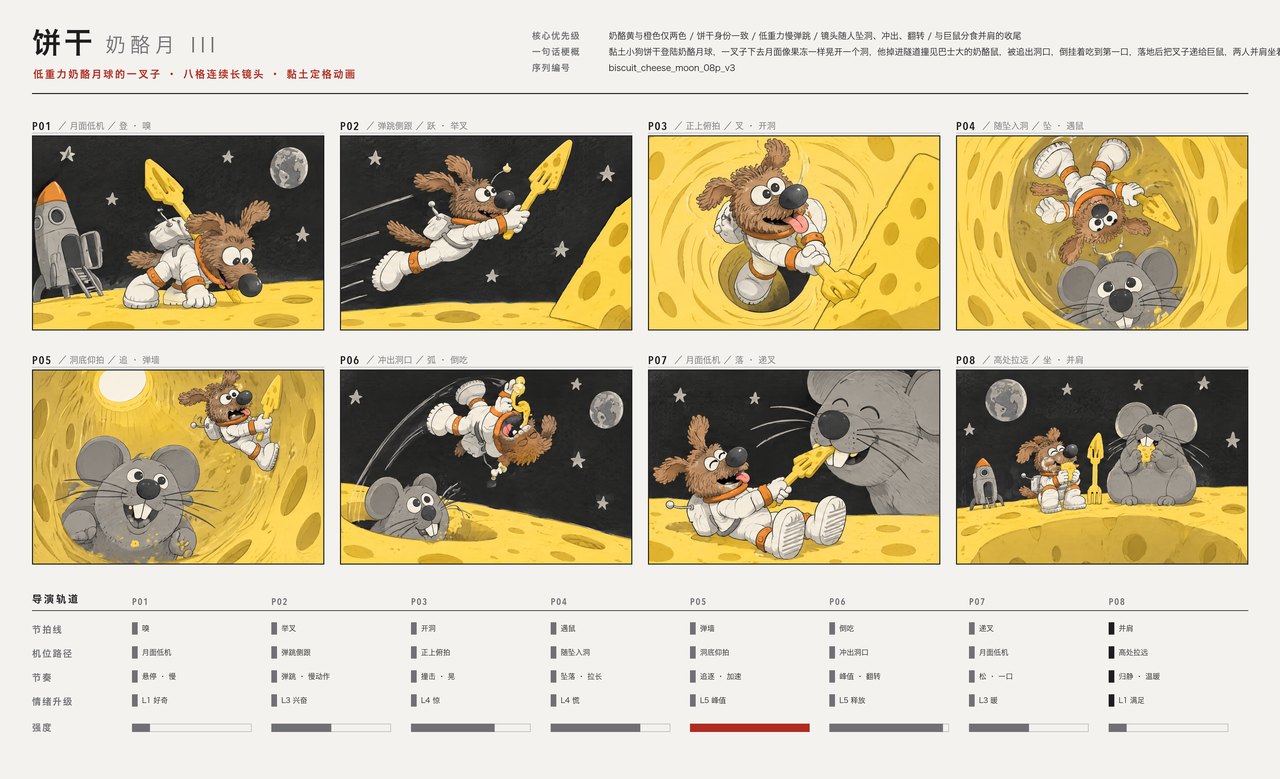
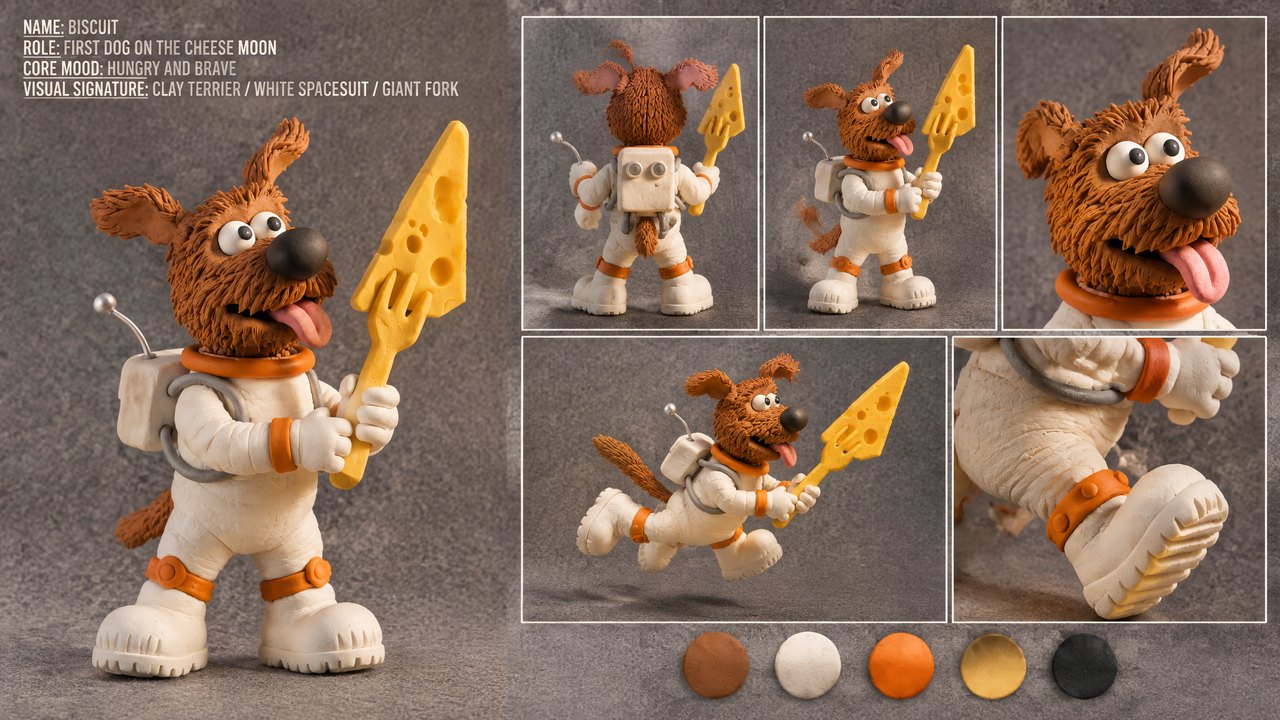
- 把分鏡圖和角色設定圖當作參考:交給它一張分鏡圖定鏡頭順序、一張角色設定圖定外觀,Kling 4.0 會讓兩者一起動起來。
- 九種語言的對白,嘴型同步:寫明誰用哪種語言說什麼,聲音、嘴型和環境音會一起生成。
- 依長度和解析度計算積分:按秒計費,生成前就會顯示在輸入框裡。
- 所有設定,一次看清:4 種畫面比例、2 種解析度、3–30 秒,可從文字、影格或參考素材開始。
一段提示詞,最長 30 秒
Kling 4.0 單次生成最長 30 秒,是 Kling 3.0 的兩倍,足夠讓一個場景鋪陳、升高衝突、再收尾。你可以寫成一鏡到底,也可以規劃幾個有剪接的鏡頭;Kling 會依照提示詞安排的結構來拍。
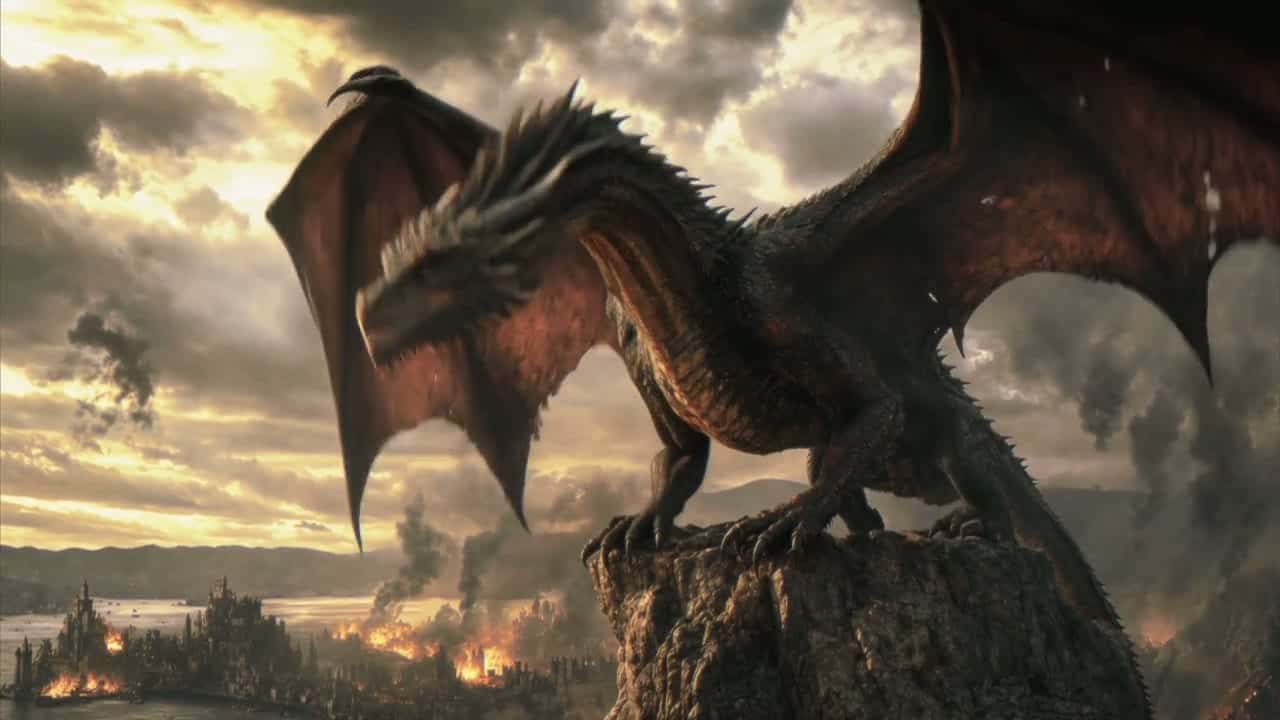
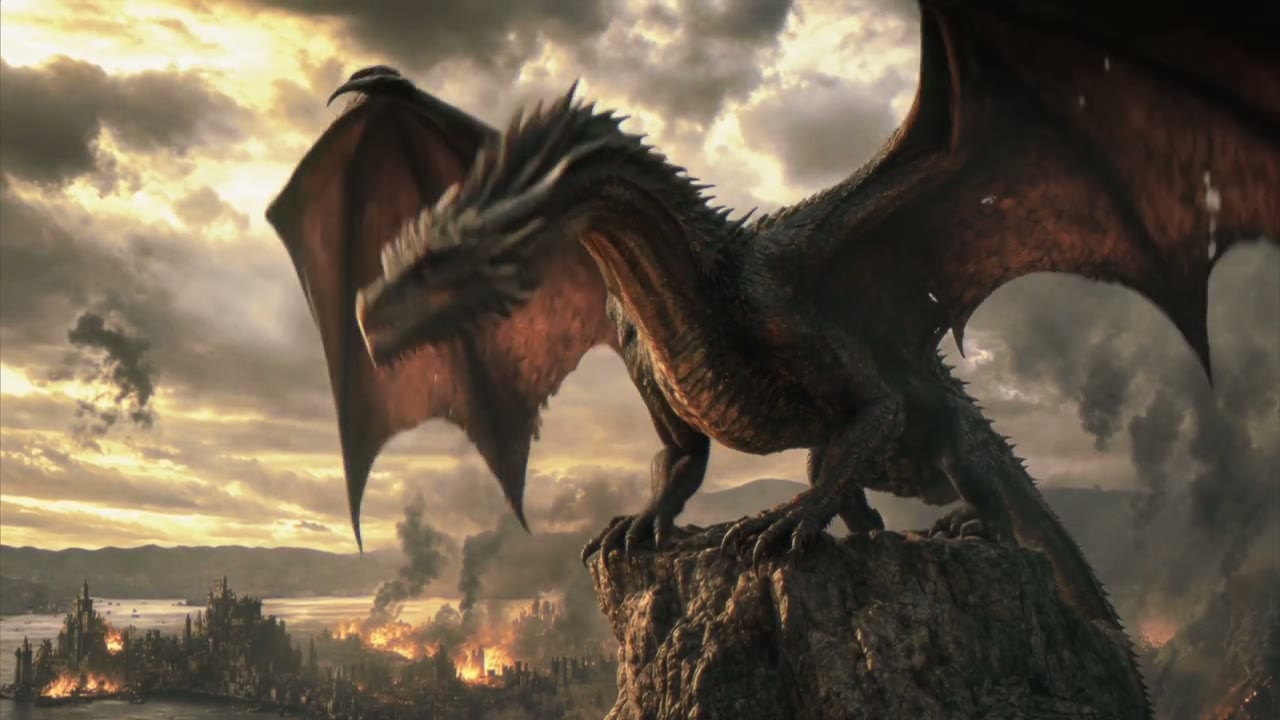
在下方這段 Kling 示範中,兩張參考圖定下了燃燒的城市和巨龍,提示詞替六個鏡頭排好時間,從山巔上的怒吼,一路到巨龍在火海上空爬升。


 Kling 4.0
開場和結尾,由你挑選的畫面決定
上傳影片要開始的那張圖,想要的話再上傳結束的那張。Kling 4.0 會保留兩張圖的樣貌,自行算出中間的動作、運鏡路徑和聲音,長度最多可達 30 秒。
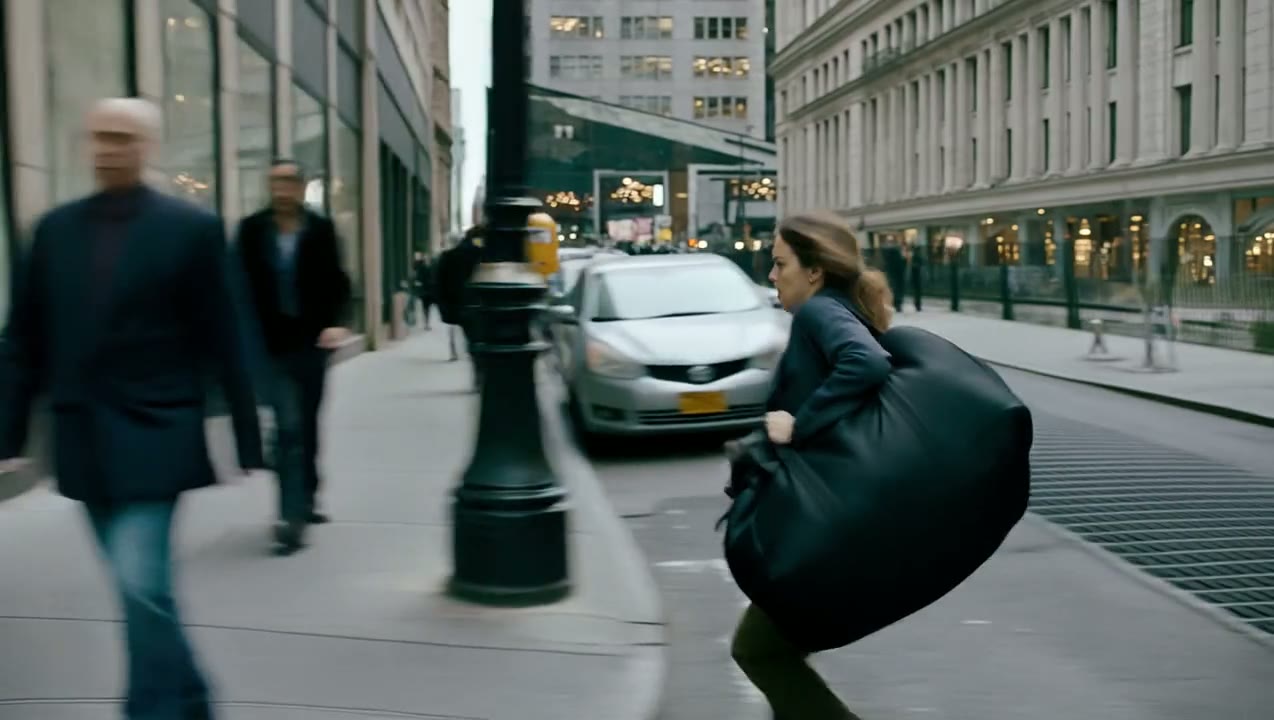
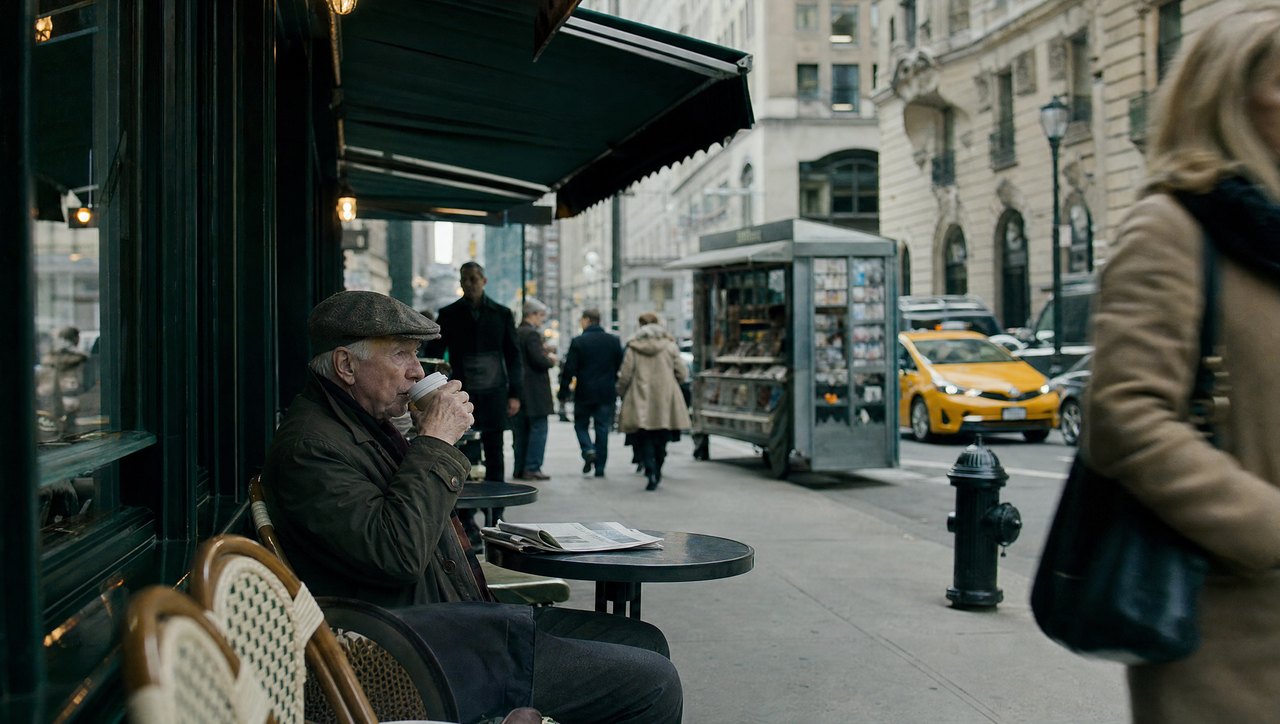
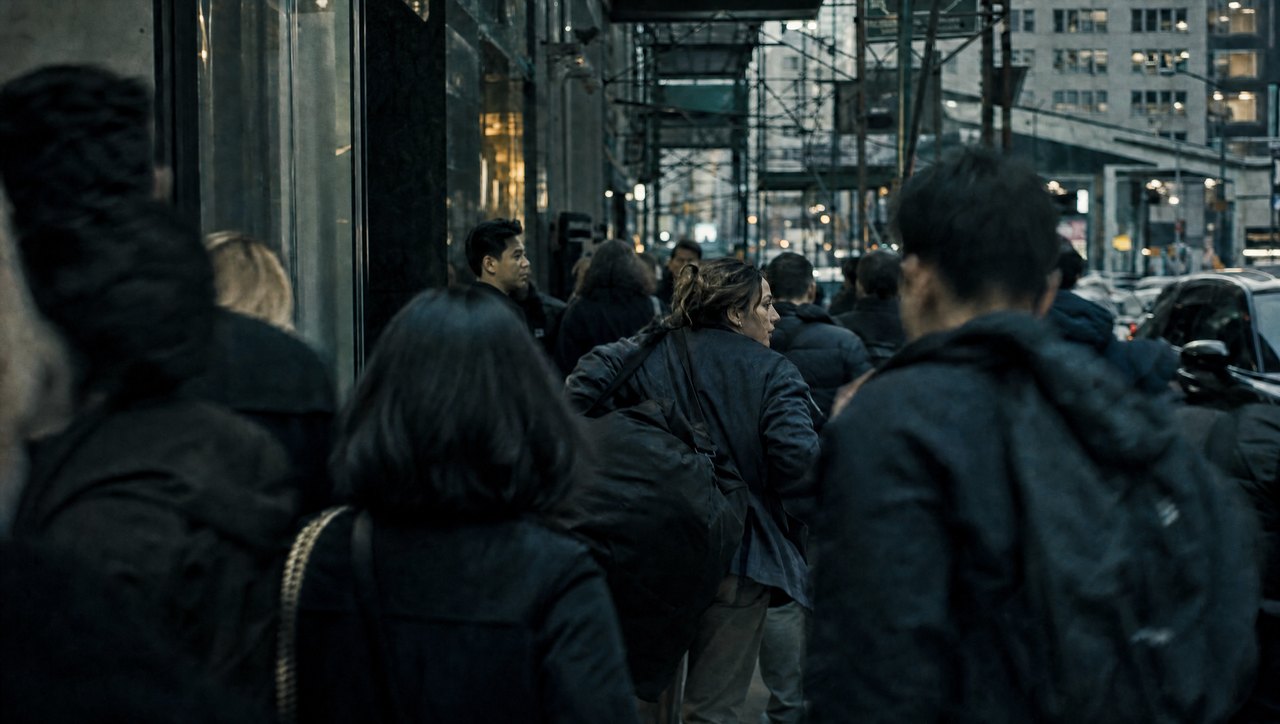
只要附上影格,Yovid 就會把生成轉到 Kling 的圖片轉影片路徑,影片的畫面比例以你的首影格為準。這裡由一條咖啡館街道開場、一片人潮收尾,中間是一段 20 秒的橫向跟拍追逐。
 Kling 4.0
照著參考影片複製動作
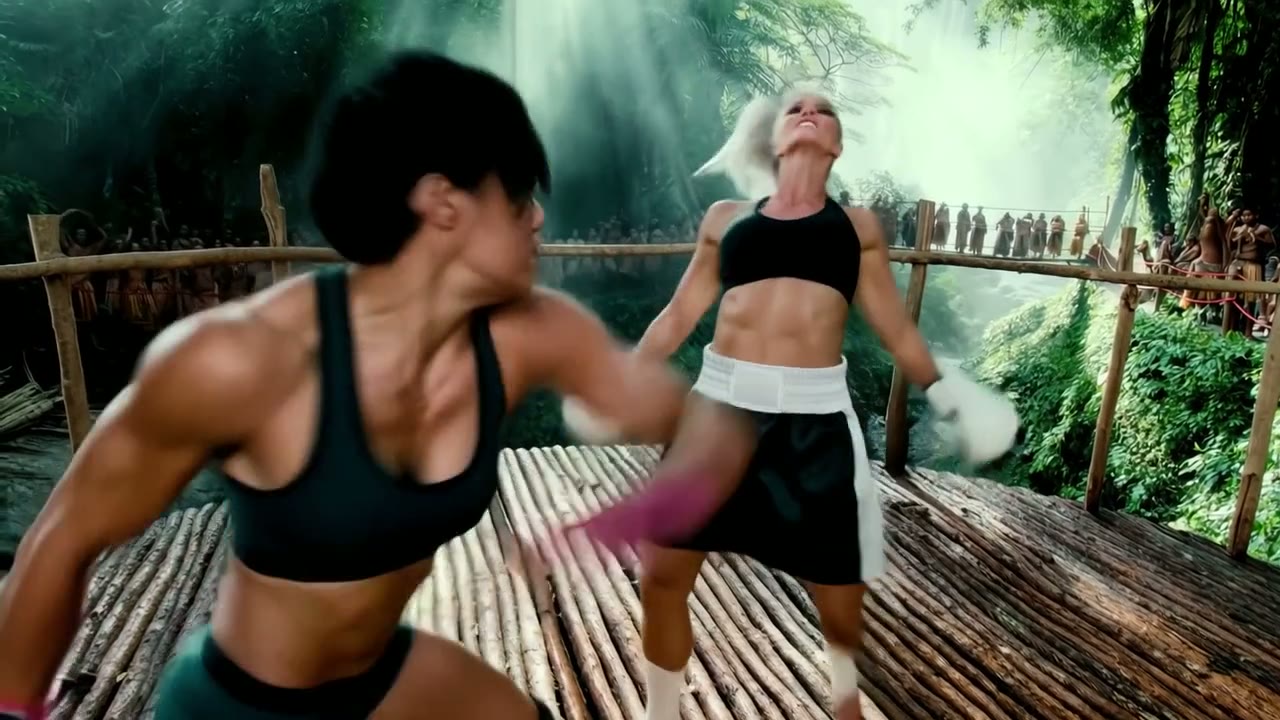
參考影片能告訴 Kling 4.0 文字難以描述的東西:一場打鬥、一段舞蹈或一個特技動作的確切節奏。最多可加入 5 段影片(總長 30 秒),再加上最多 10 張圖片,並在提示詞裡說明每一個的用途。在 Yovid 上,每個上傳的檔案都會有一個標籤,例如 @Image 1 或 @Video 1,可以直接打進提示詞。
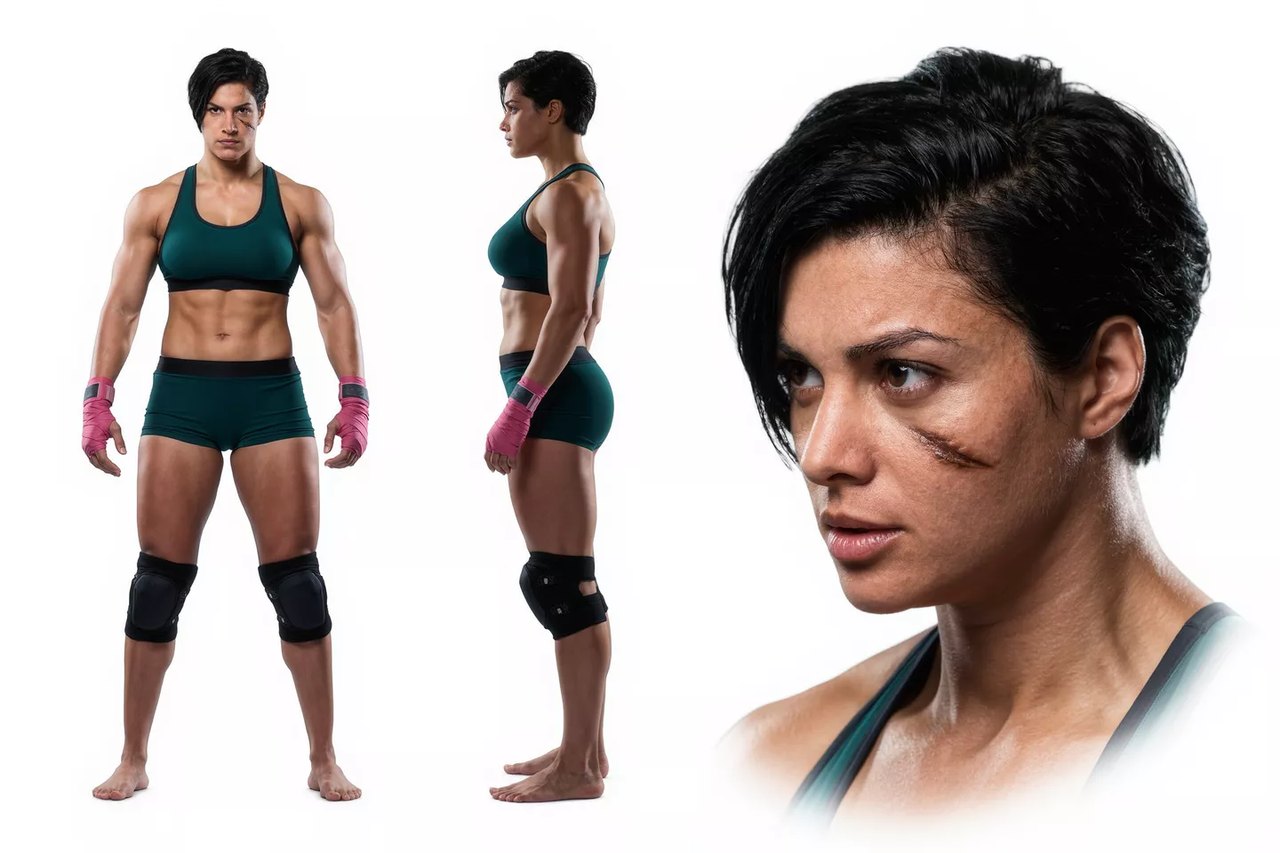
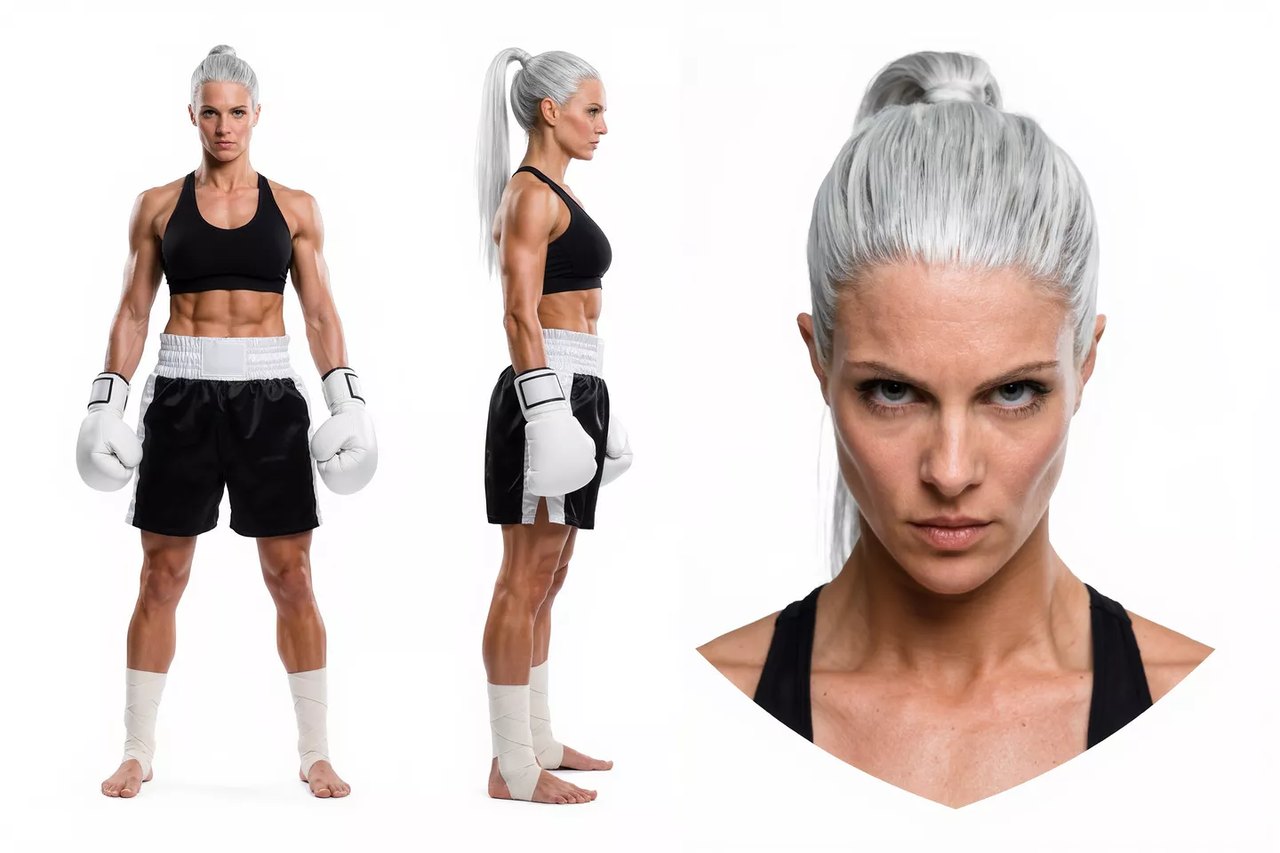
在這段示範中,Kling 從一場拳擊賽取用了出拳動作和節奏,從角色設定圖取用了兩位拳手,再把這場對決搬到全新的場景裡。
 Kling 4.0
沿用任何影片的運鏡路徑
Kling 4.0 能從參考影片讀出推鏡、拉鏡、搖鏡、跟拍和環繞運鏡,所以你喜歡的一段空拍掠過或追逐鏡頭,都能變成完全不同內容的模板。
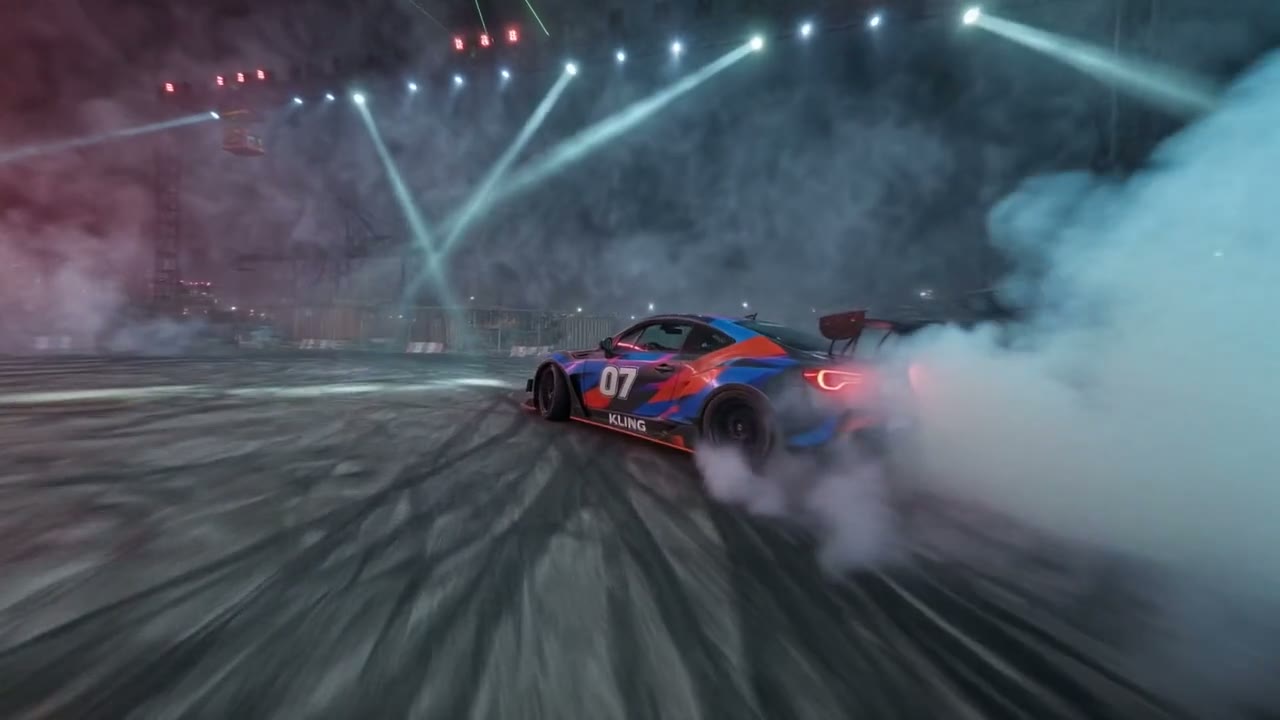
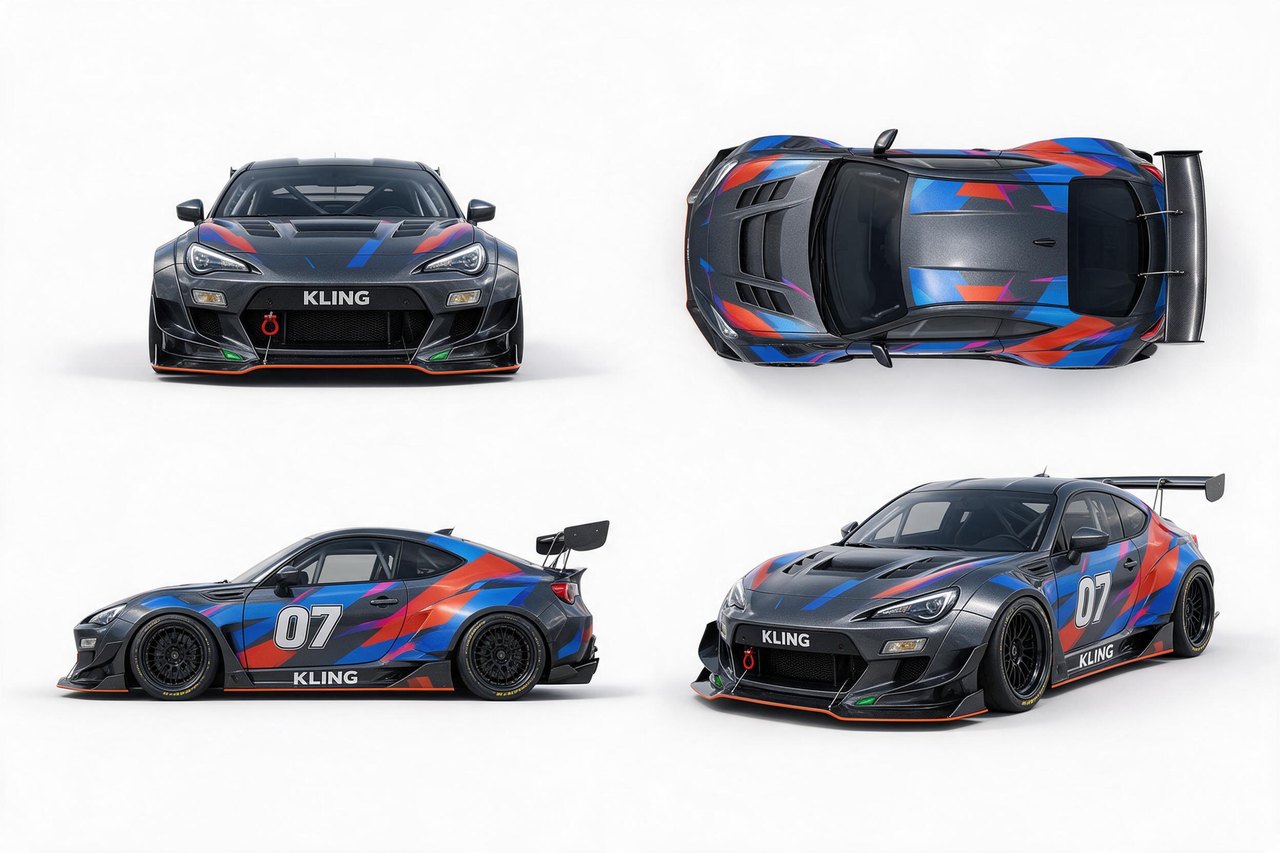
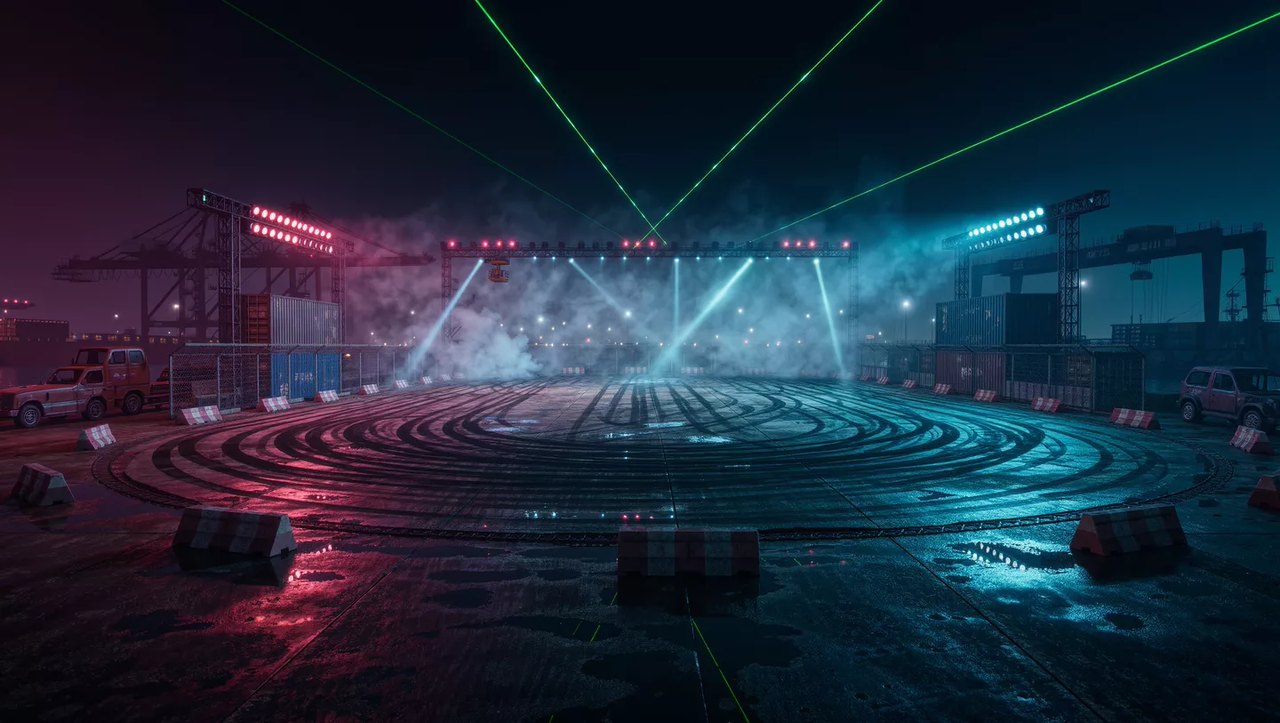
這裡由一架空拍機在鹽灘上環繞一輛車,定下運鏡路徑和節奏;四張不同角度的產品圖提供賽車,另一張圖提供夜間的賽場。
 Kling 4.0
把分鏡圖和角色設定圖當作參考
參考圖不只是人臉和產品。Kling 4.0 也看得懂分鏡圖、三視圖角色設定、格狀拼圖和線框圖,你手上現有的前期規劃,可以直接拿來引導生成。
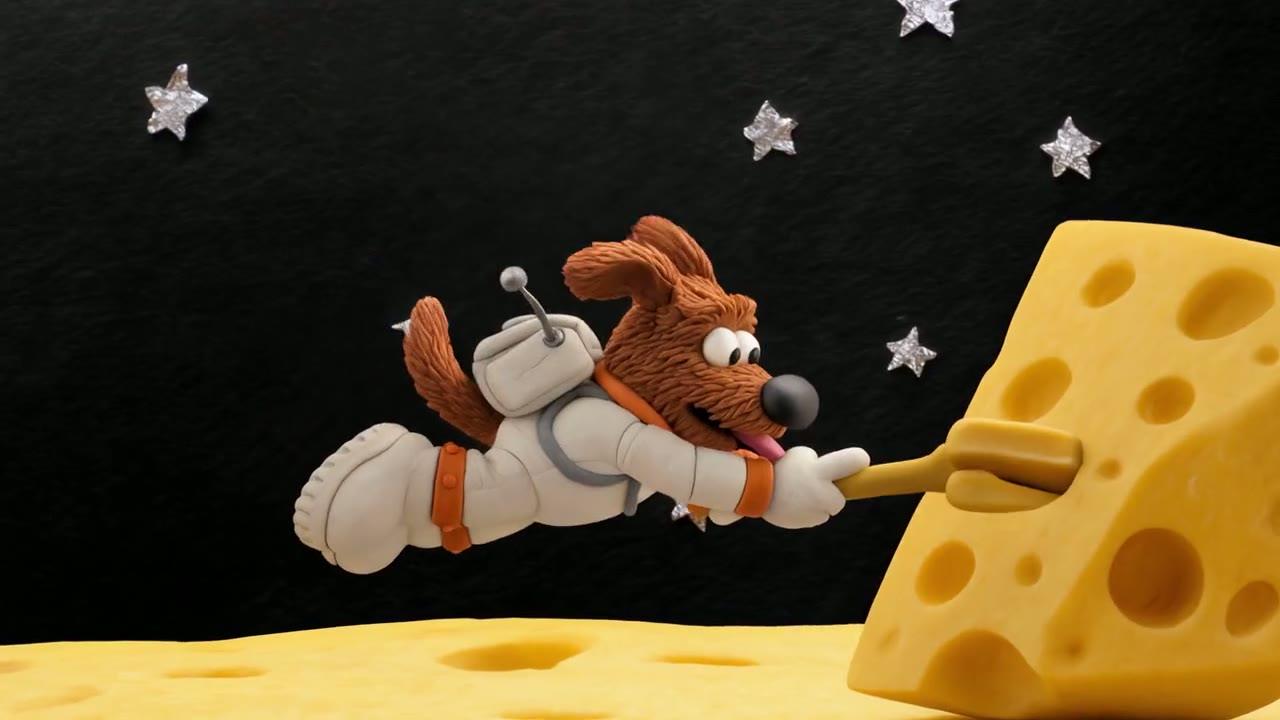
這段 15 秒的黏土動畫依照一張八格分鏡逐拍推進,全程一個連續運鏡;角色設定圖則讓這隻小㹴犬、牠的太空衣和那把超大的叉子,在每一格畫面都保持一致。
 Kling 4.0
九種語言的對白,嘴型同步
每支 Kling 4.0 影片都帶有與畫面同時生成的立體聲:對白、音效、環境音,你有要求時還有音樂。Kling 列出的對白語言有中文、英語、日語、韓語、西班牙語、葡萄牙語、德語、法語和印地語,另外支援英式或印度英語等口音,以及粵語等方言。
在這段示範裡,一位遊客用西班牙語問路,口譯員把問題譯成中文,再把回答譯回西班牙語;三位說話者各有不同的聲音,嘴型也對得上各自說的語言。

 Kling 4.0
依長度和解析度計算積分
積分按影片秒數計費,聲音一律包含在內,不另外收費。參考圖免費;使用參考影片時,計費方式如下。
| 720p | 每秒 3 積分5 秒 15 積分,30 秒 90 積分。 |
|---|---|
| 1080p | 每秒 5 積分5 秒 25 積分,完整 30 秒 150 積分。 |
| 使用參考影片 | 每秒 1.8 或 3 積分分別對應 720p 和 1080p,以輸出長度加上參考影片與輸出兩者中較長的長度計費。 |
| 參考圖 | 不另外收費 |
| 訂閱用戶 | 每秒積分更少Lite、Pro 和 Premium 比積分包費率更便宜。 |
所有設定,一次看清
寫提示詞之前先選好畫面,動作和運鏡路徑才會依照它來構圖。21:9 適合寬螢幕場景和提案樣片;圖片轉影片的畫面比例以你的首影格為準。
| 長度 | 3 到 30 秒預設 5 秒。 |
|---|---|
| 解析度 | 720p 或 1080p預設 720p;所有能解鎖 Kling 4.0 的方案都可用 1080p。 |
| 畫面比例 | 16:9、9:16、1:1 或 21:9 |
| 輸入方式 | 文字、影格或參考素材首影格加可選的尾影格,或最多 10 張圖片和 5 段影片(總長 30 秒)。 |
| 提示詞 | 最多 2,500 字元 |
| 聲音 | 一律開啟每支影片都有立體聲的對白、音效和環境音。 |
| 輸出格式 | MP4 |
Kling 4.0 最適合誰
每次最長 30 秒、角色和運鏡都能用參考素材指定,加上超寬螢幕畫面,很適合以下這些工作:
- 廣告與品牌團隊:用你自己的照片提供產品、模特兒和場地,一起排進一支 30 秒的廣告,不必重拍。
- 短劇與故事創作者:更長的場景在一個鏡頭裡鋪陳、轉折、落地,再靠參考圖讓同一批角色在各集之間保持一致。
- 電影創作者與前期視覺預演人員:從參考影片複製運鏡,再用 21:9 超寬螢幕畫面製作寬銀幕提案和分鏡。
- 短影音與社群創作者:直式 9:16 影片,長度足以講完一個完整的節拍,可以從提示詞開始,也可以從你已經發過的一張圖開始。
- 電商與產品團隊:產品照當首影格、商品形象照當尾影格,兩者之間的動態以 1080p 生成。
Kling 4.0 vs Kling 3.0、Seedance 2.5、Wan 3.0 和 Veo 3.1
除了最後一列,表格裡每一格都直接讀取各模型目前在 Yovid 生成器裡提供的設定,花積分之前,就能依長度、參考素材和價格來選擇。
| 功能 / 模型 |  Kling 4.0 Kling 4.0 | Kling 3.0 |  Seedance 2.5 Seedance 2.5 |  Wan 3.0 Wan 3.0 |  Veo 3.1 Fast Veo 3.1 Fast |
|---|---|---|---|---|---|
| 最長長度 | 30 秒 | 15 秒 | 30 秒 | 30 秒 | 8 秒 |
| 最高解析度 | 1080p | 4K | 1080p | 1080p | 4K |
| 畫面比例 | 16:9, 9:16, 1:1, 21:9 | 16:9, 9:16, 1:1 | 16:9, 9:16, 1:1, 4:3, 3:4, 21:9 | 16:9, 9:16, 1:1, 4:3, 3:4 | 16:9, 9:16 |
| 參考圖 | 10 | — | 30 | 10 | — |
| 參考影片 | 5 | — | 10 | 5 | — |
| 5 秒 720p 所需積分 | 15 | 13 | 31 | 12 | 15 |
| 最適合 | 以圖片和影片參考引導的 30 秒影片,也支援 21:9。 | 會說話的角色與多語言對白,費率較低,也有 4K。 | 每次可用的參考素材最多,也能編輯或延長既有影片。 | 積分預算有限時,最長 30 秒的長片段。 | 最高 4K 的電影感短鏡頭。 |
積分為 5 秒影片在 720p 下的積分包標準價,依 Yovid 線上定價即時更新;訂閱用戶每秒費用更低。
Kling 4.0 的優勢與限制
它在 Yovid 陣容中站得住腳的地方,以及改用其他模型或設定更合適的時候。
優勢
- 長度:單次生成最長 30 秒,是 Kling 3.0 的 15 秒的兩倍,並且附帶聲音。
- 參考素材:每次最多 10 張圖片和 5 段影片,在提示詞裡直接點名使用。
- 畫面構圖:除了 16:9、9:16 和 1:1,還有 21:9 超寬螢幕,解析度 720p 或 1080p。
- 一個模型,三種路徑:文字、影格或參考素材都在同一個模型選項裡;Yovid 會替你切換 Kling 的端點。
限制
- 解析度:在 Yovid 上最高 1080p;Kuaishou 已宣布 4K 和 10-bit HDR,但這裡尚未提供。Kling 3.0 可輸出 4K。
- 關鍵影格與編輯:Yovid 只接受首影格和尾影格,不支援 Kling 的中間關鍵影格,也沒有 Kling 4.0 的編輯或延長模式;要編輯或延長影片,請用 Seedance 2.5。
- 參考影片費用較高:使用參考影片時,以輸出長度加上參考影片與輸出中較長的長度計費,所以通常比純文字生成更貴。
- 方案權限:免費方案無法使用;Lite 以上方案,或 Creator 以上的積分包可解鎖。
如何在 Yovid 使用 Kling 4.0
- 第 1 步
選擇 Kling 4.0
開啟影片生成器;從這個頁面進入會預先選好 Kling 4.0,也可以在模型選單的 Kling 篩選底下找到它。
- 第 2 步
加入你的素材
寫下場景,再加入首影格和尾影格,或加入參考圖和參考影片,並在提示詞裡用 @Image 1 或 @Video 2 指定它們。接著設定長度、比例和解析度。
- 第 3 步
生成並下載
看看這個鏡頭,需要的話調整提示詞或參考素材再跑一次,然後下載 MP4。
Kling 4.0 提示詞範例,從這裡開始
Kling 為這些示範影片寫的提示詞,旁邊就是它們生成的影片;較長的經過精簡。用到 @Image 或 @Video 的提示詞,生成前需要先在輸入框上傳你自己的素材。
英國街頭的重逢
僅文字 · 7 秒A continuous 7-second shot set in the UK. Two friends who have not seen each other for a long time meet at the corner of a quiet street at dusk, surrounded by a diverse crowd going about their daily lives. They smile, walk quickly toward each other, and share a warm embrace. Their facial expressions and body movements are natural. A handheld camera follows them with subtle camera shake. Soft, warm lighting with a nostalgic cinematic film look. Include natural footsteps, street ambience, background music, and English dialogue.
來源:Kling AI · Kling 4.0 release page
試用這條提示詞照著影片編排打鬥
參考影片+2 張圖 · 7 秒Use @Video 1 as the reference for the fight choreography and attack timing. Use @Image 1 and @Image 2 as the references for the character designs.
來源:Kling AI · Kling 4.0 user guide
試用這條提示詞沿用空拍鏡頭的運鏡
參考影片+2 張圖 · 7 秒Use @Video 1 as the reference for camera movements and shot pacing. Replace the Element with the car from @Image 1 and the background with @Image 2.
來源:Kling AI · Kling 4.0 user guide
試用這條提示詞一鏡到底的街頭逃亡
首影格+尾影格 · 20 秒Generate a 20-second, horizontal 16:9 realistic cinematic street escape video. The entire video must be one continuous lateral side-tracking long take, filmed in a single shot with no cuts. The scene takes place on a busy Manhattan-style street with outdoor restaurant seating, yellow taxis, newspaper stands and white steam rising from subway grates. The camera moves laterally to the left while following a young woman running with a large, heavy travel bag that thuds against her leg. A taxi briefly blocks the view, the camera loses her and finds her again, and she finally disappears into the crowd at the entrance to a pedestrian street.
來源:Kling AI · Kling 4.0 user guide
試用這條提示詞Biscuit 登上起司月球
分鏡圖+角色設定圖 · 15 秒Strictly follow the attached storyboard (Image 1) and use the character design sheet (Image 2) for BISCUIT, a small clay terrier in a white spacesuit holding a fork larger than himself. 15 seconds, 16:9, one continuous master shot with no cuts, in handcrafted clay stop-motion style. Biscuit hops across a wobbling cheese moon, falls through a hole past a giant clay cheese mouse, is chased back out, takes a blissful bite of cheese midair, and ends sitting beside the mouse as Earth rises.
來源:Kling AI · Kling 4.0 user guide
試用這條提示詞
Yovid 上的更多影片模型
把 Kling 4.0 用得更好的指南
提示詞公式、圖片轉影片範例,以及 Yovid 上所有影片模型的並列比較。