
GPT Image 2.5 Free Online AI Image Generator
Make posters, product shots, interface mockups and photoreal scenes with the lettering in place, or attach a photo and change only what you name. Up to 10 images per prompt, 16 references and 4K output, with Sunburst and Flare at the same price. Start creating with GPT Image 2.5 on Yovid.
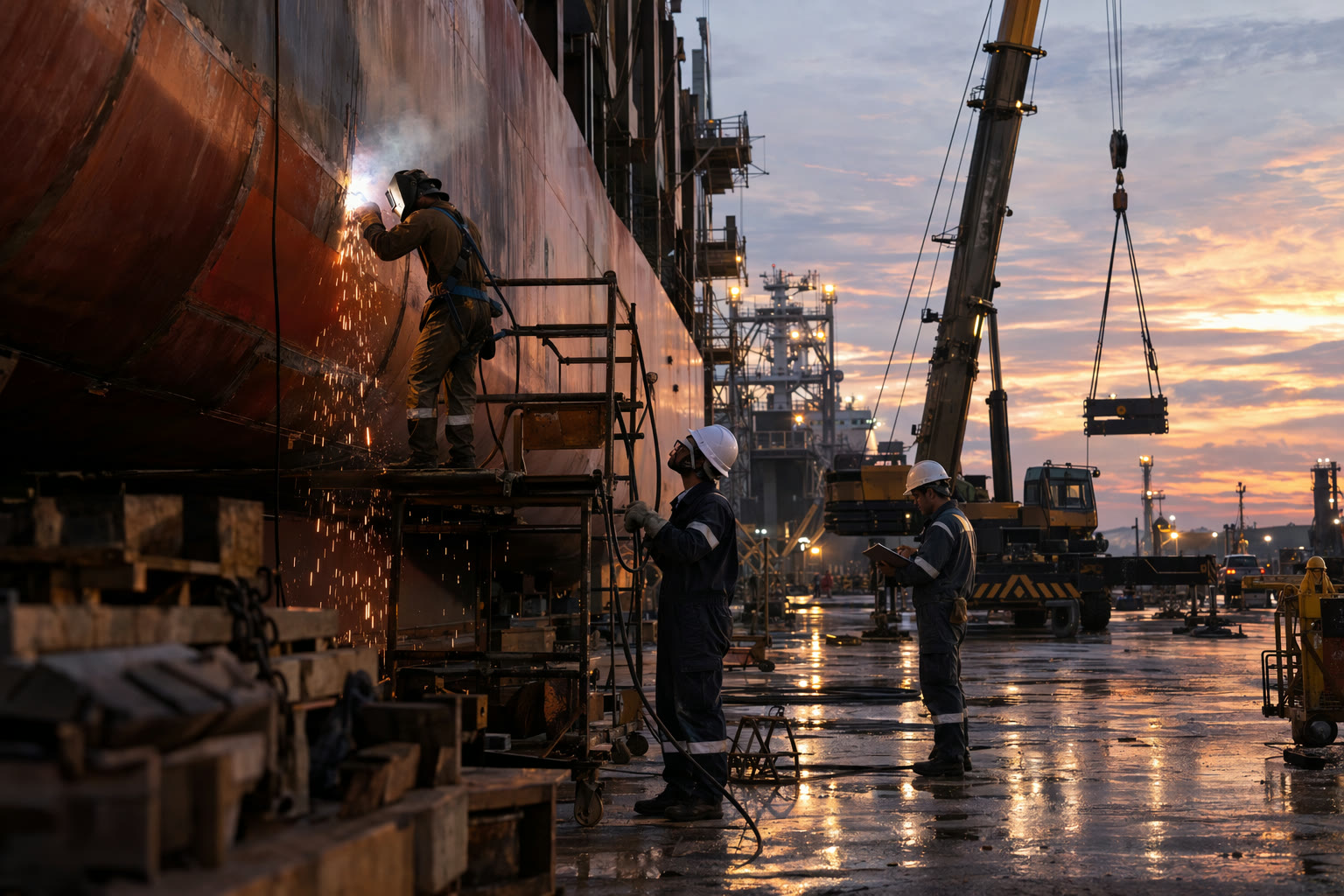
What GPT Image 2.5 Can Make
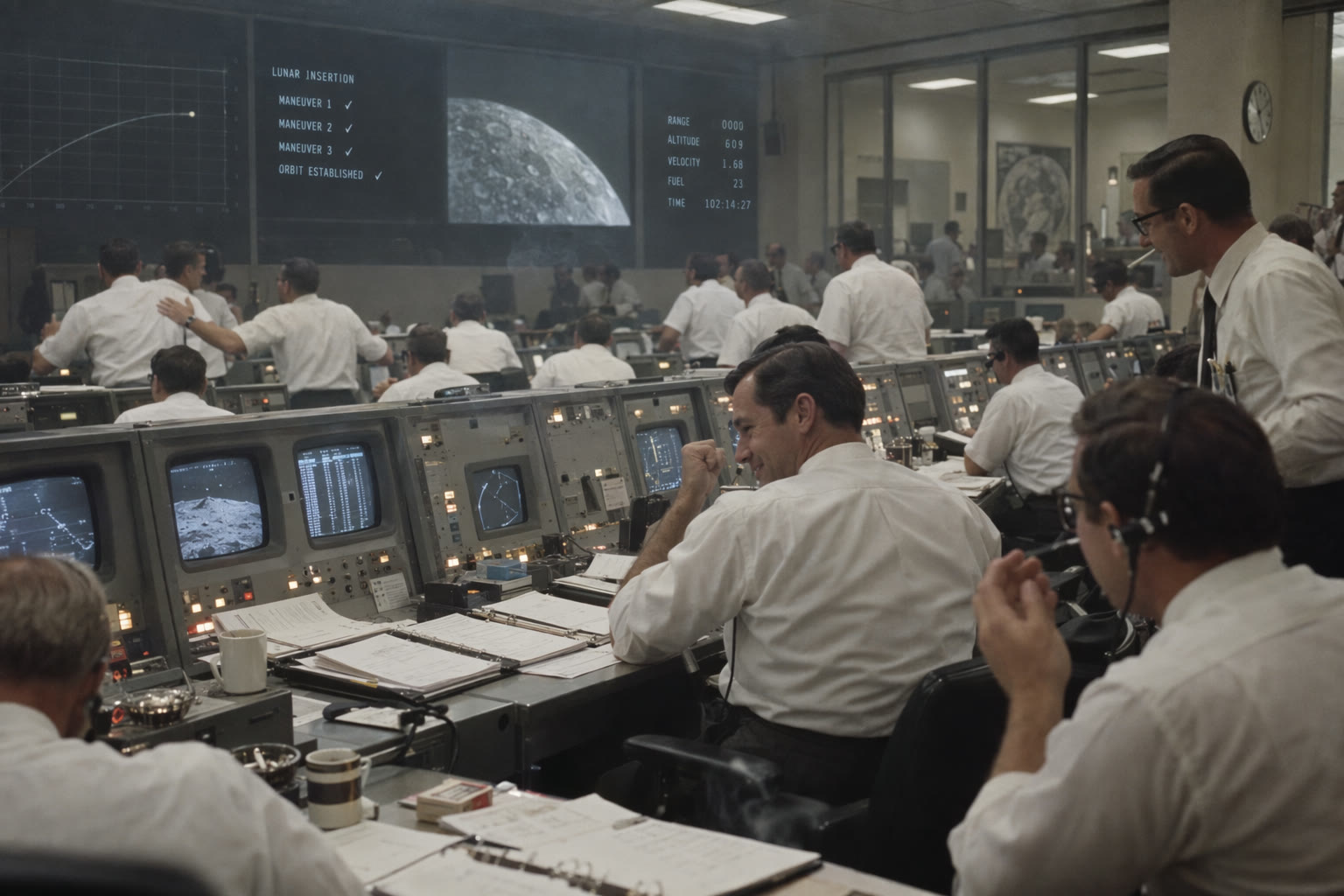
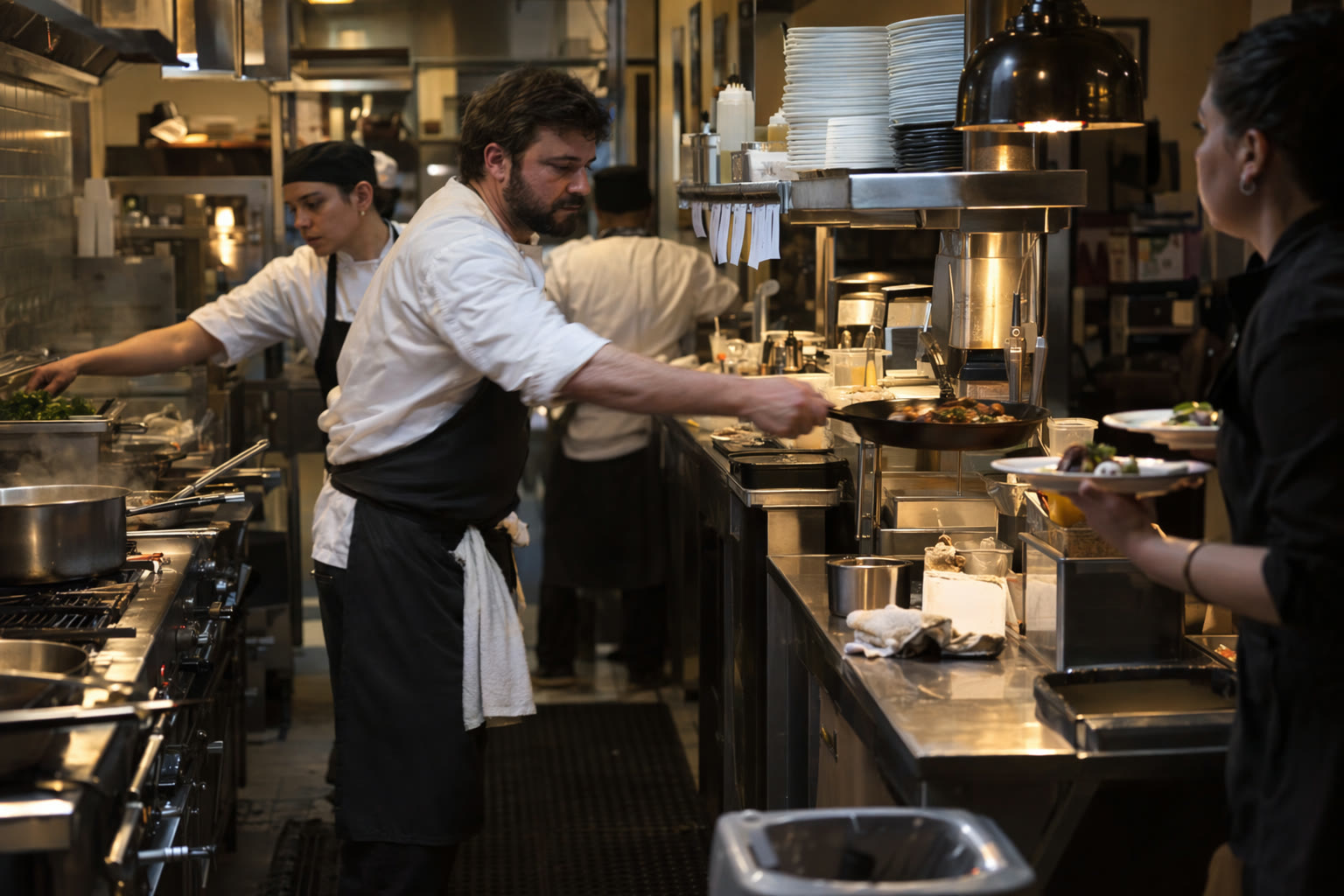
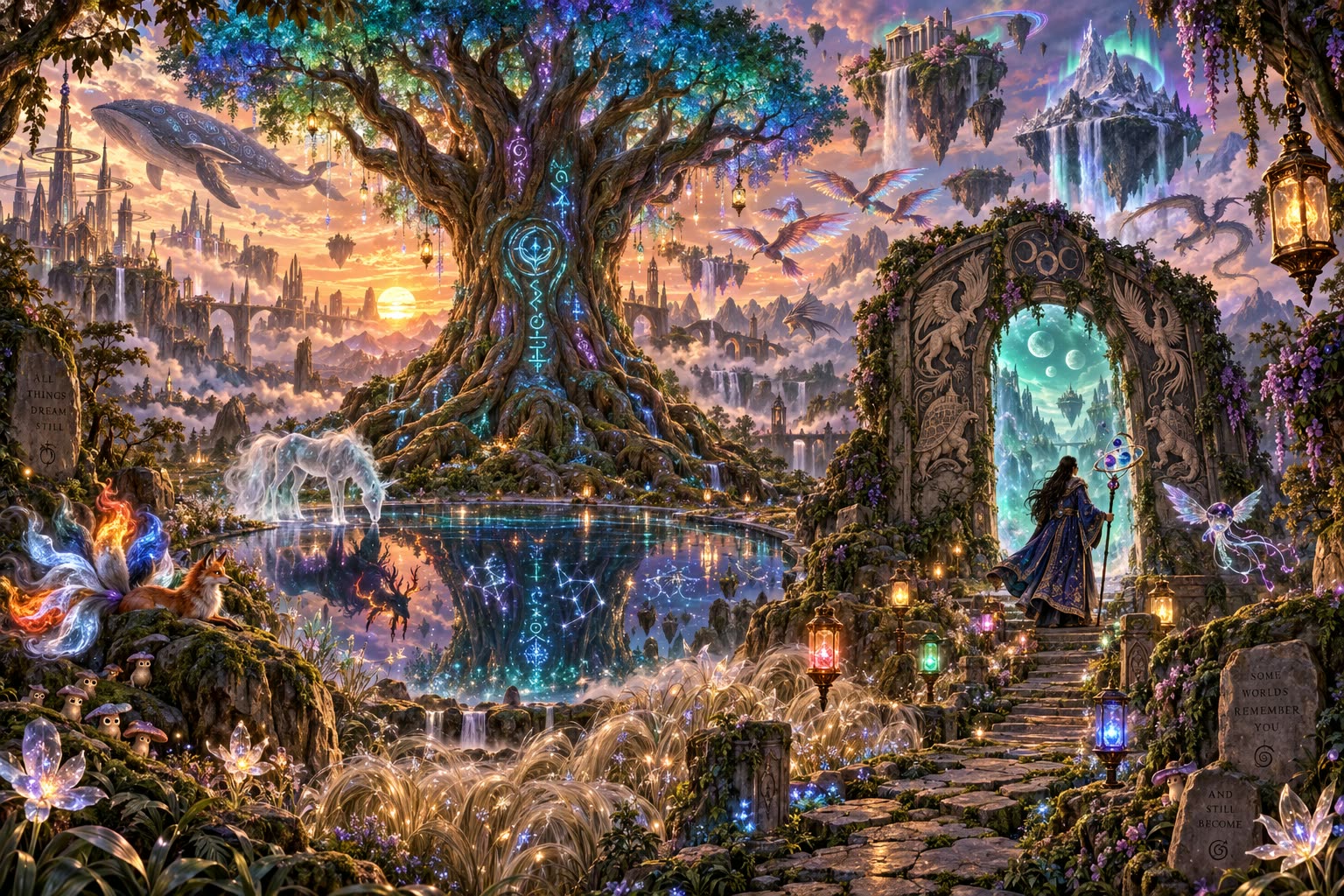
Why Make Images with GPT Image 2.5 on Yovid
- Legible Text Inside Busy Layouts: Headlines, labels and interface copy land where the layout needs them, even on crowded pages.
- Change One Detail, Keep Everything Else: Attach a photo, name the change, and the shape, light and background stay where they were.
- Relight a Scene with One Sentence: Turn night into day or shift the mood without losing the person or the framing.
- From a Flat Plan to a 3D Render: Turn line drawings, sketches and plans into finished visuals that keep their geometry.
- Labels and Packaging on Real Products: Add a logo, a label or exact product copy to a photo of the real thing.
- Sunburst or Flare: Two Versions at One Price: Sunburst for the most careful work, Flare for fast everyday images, both for the same credits.
- Five Quality Levels, from 1 Credit an Image: Draft at low or medium, then spend more only on the image you keep.
- Any Shape from 1:3 to 3:1, up to 4K: Fifteen preset ratios, custom pixel sizes, transparent backgrounds and up to 10 images per prompt.
Legible Text Inside Busy Layouts
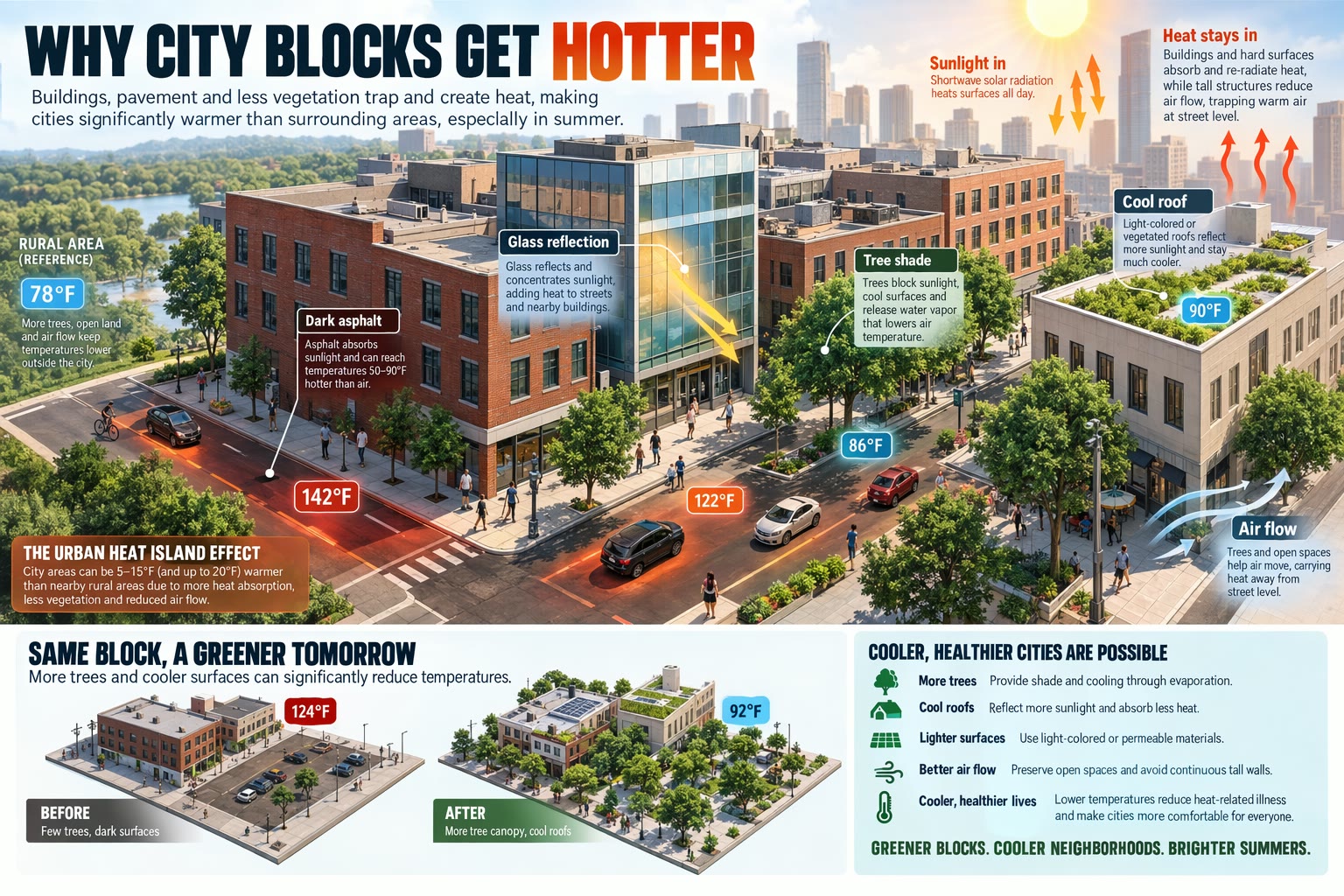
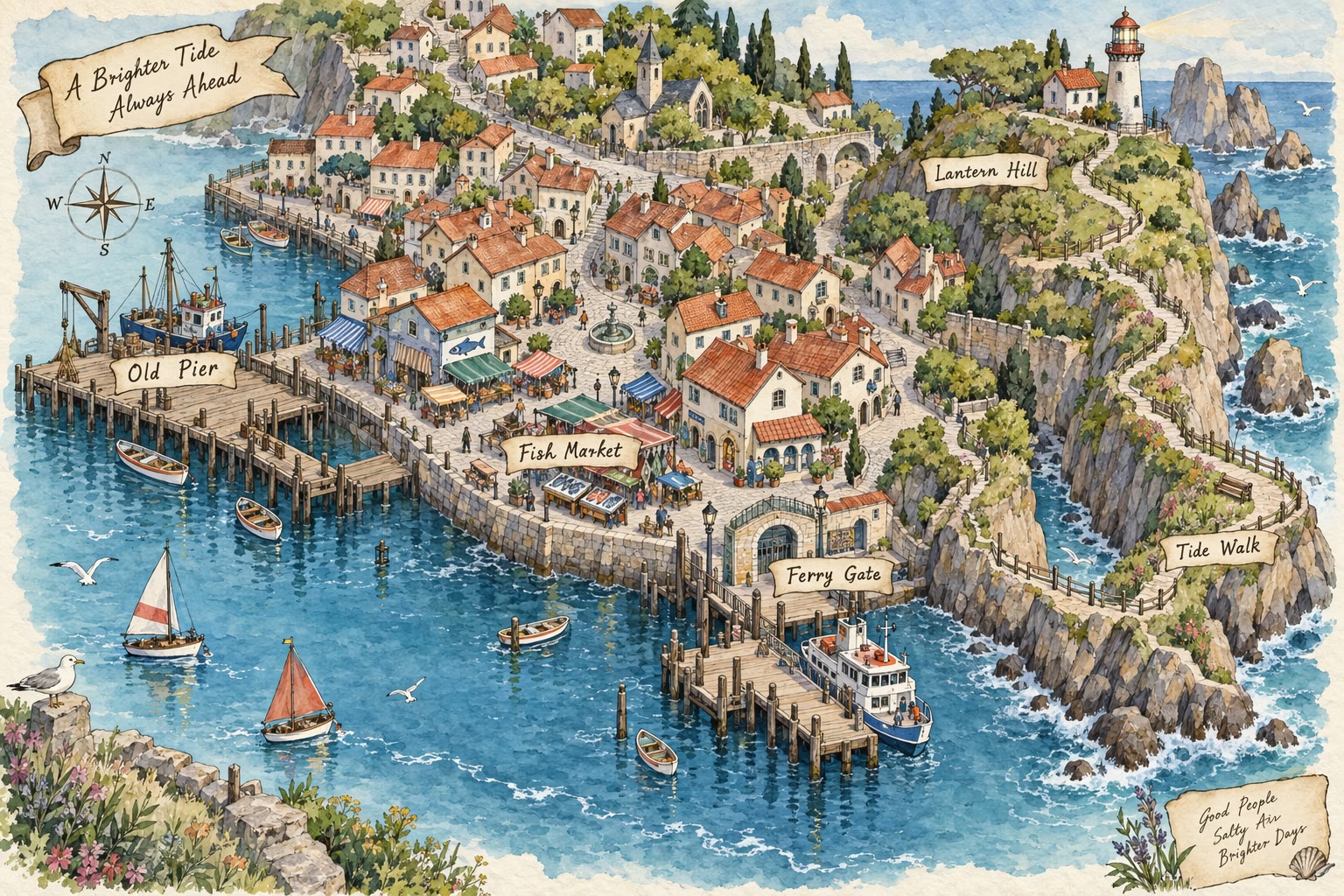
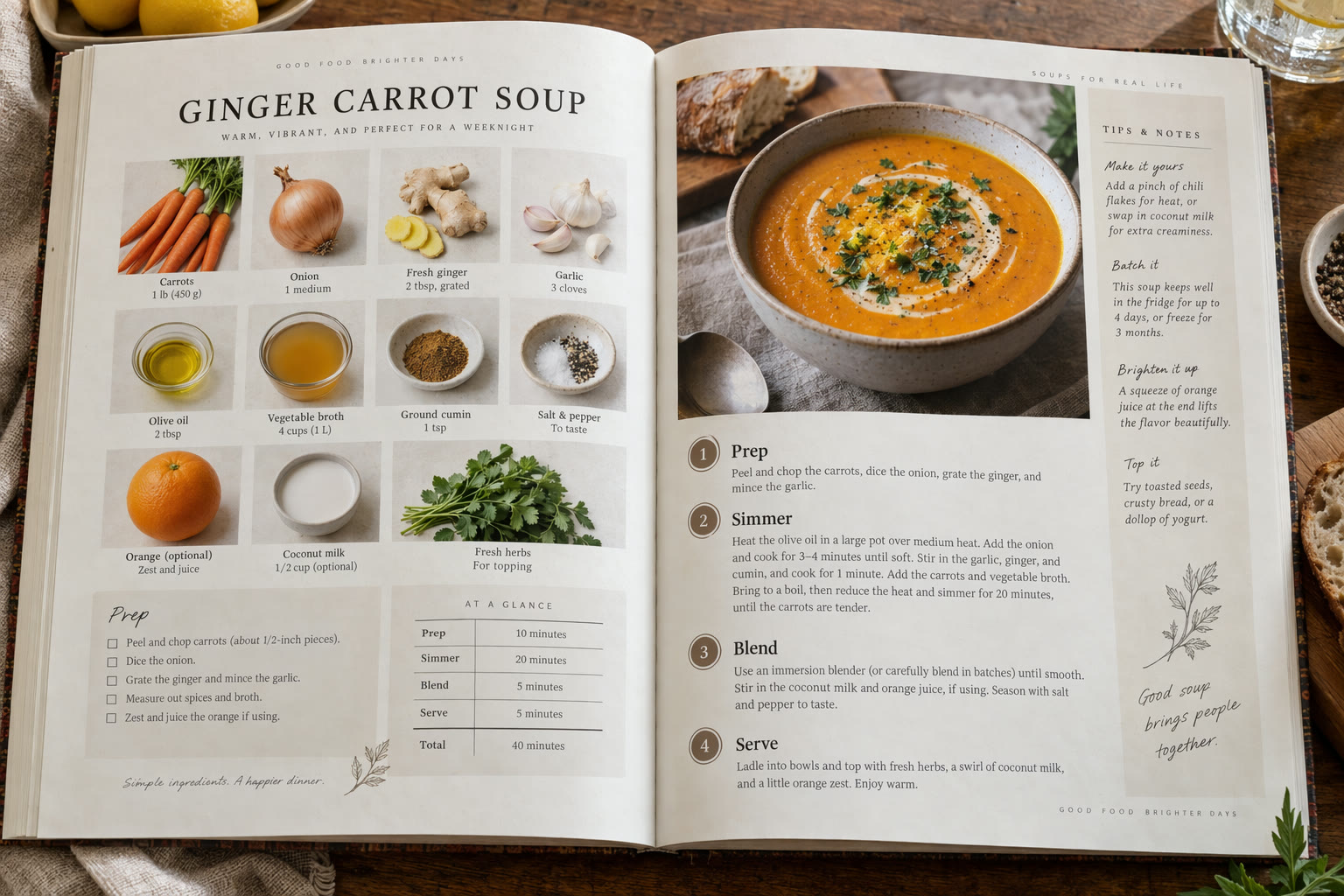
GPT Image 2.5 treats words as part of the design. A cookbook spread with section labels, a dashboard full of numbers, a map with named landmarks: the type sits inside the layout instead of floating on top of it.
Put every word that must appear in quotes and say where it goes. Proofread small print before you publish, because exact text placement can still slip.
 GPT Image 2.5
Change One Detail, Keep Everything Else
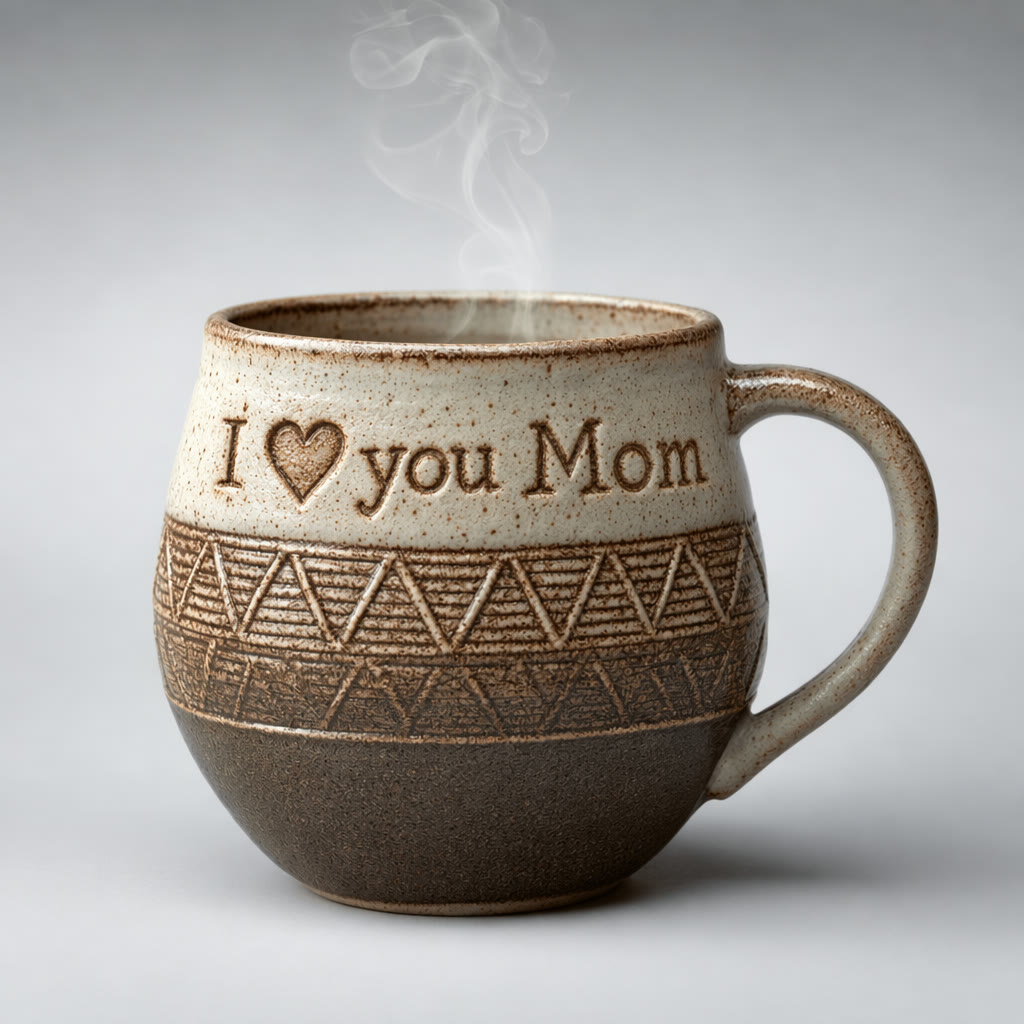
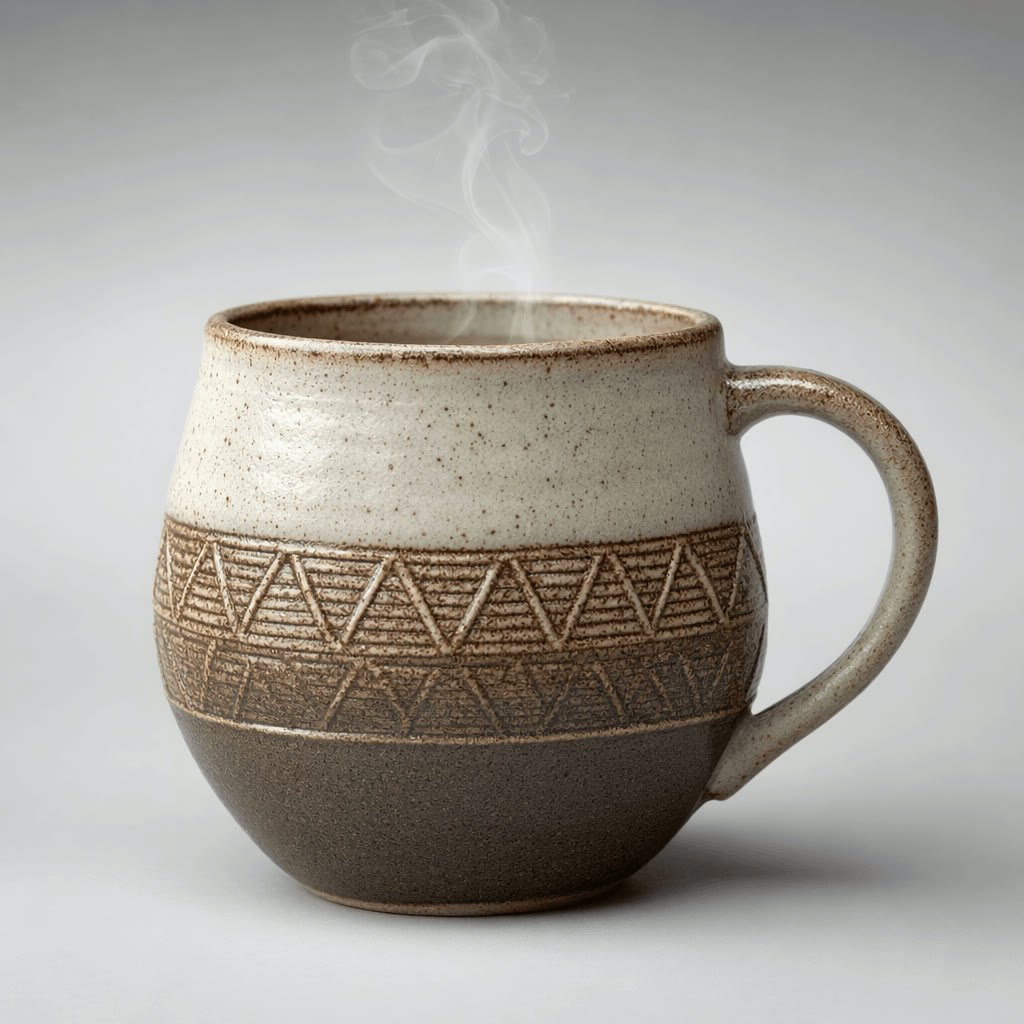
Precise editing is what OpenAI built Sunburst for. Ask for one change and the rest of the frame is left alone: below, the engraving follows the curve of the mug while the glaze, the steam and the studio shadow are untouched.
On Yovid, attach the image as a reference, write the edit as an instruction and list what must not move. One change per generation gives the cleanest result.
 1GPT Image 2.5
Relight a Scene with One Sentence
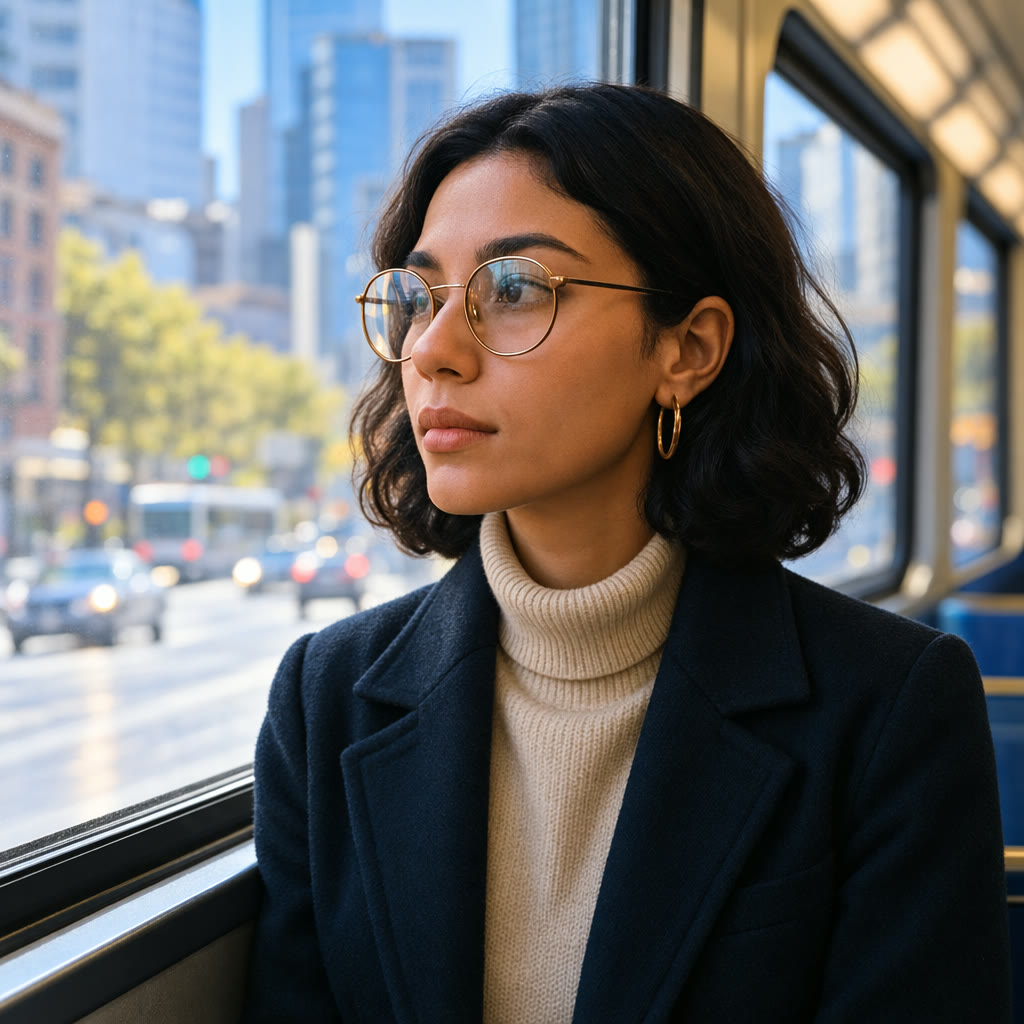
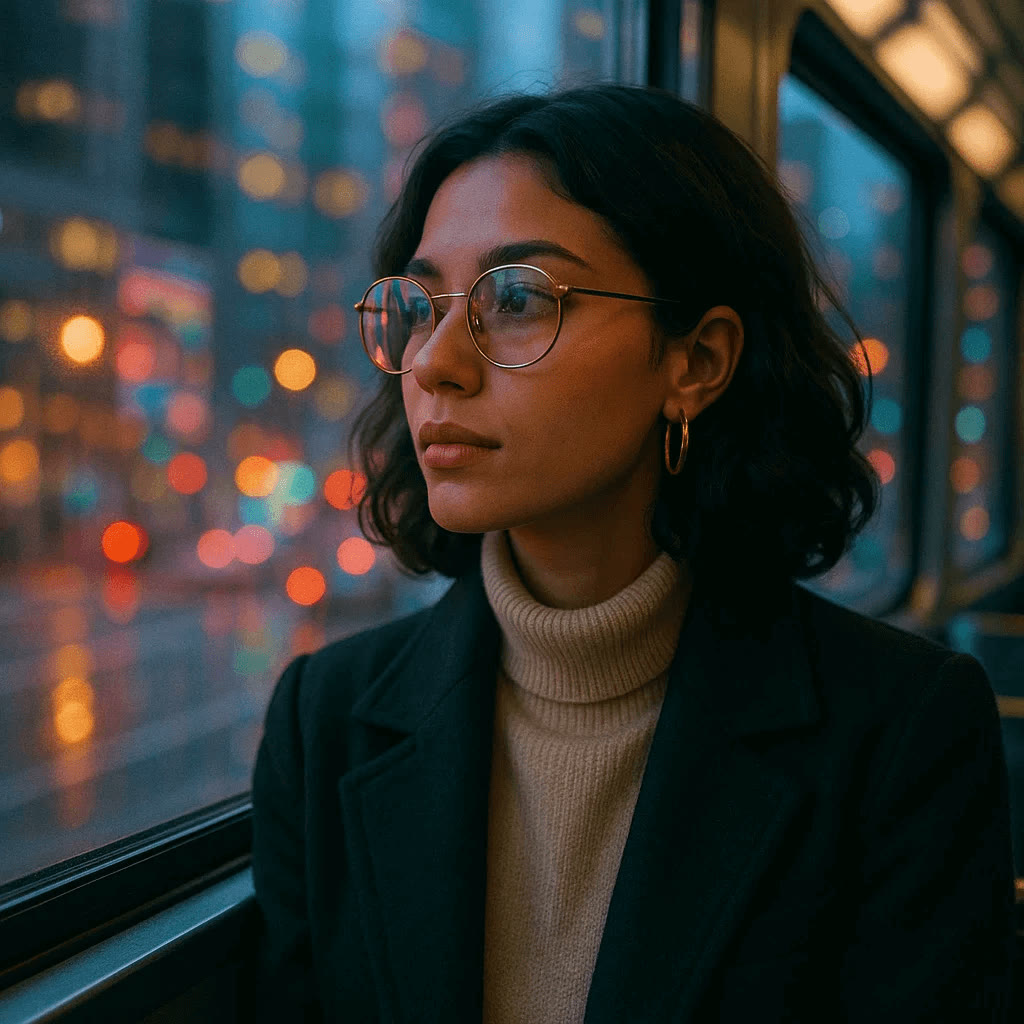
Large, global changes work as well as small ones. Asked only to make it daytime, GPT Image 2.5 replaced the neon bokeh with a sunny street and relit her face, while her glasses, earrings, coat and pose stayed exactly as they were.
A short instruction is enough for a change like this. Add detail only when you want a particular time of day, weather or light direction.
 1GPT Image 2.5
From a Flat Plan to a 3D Render
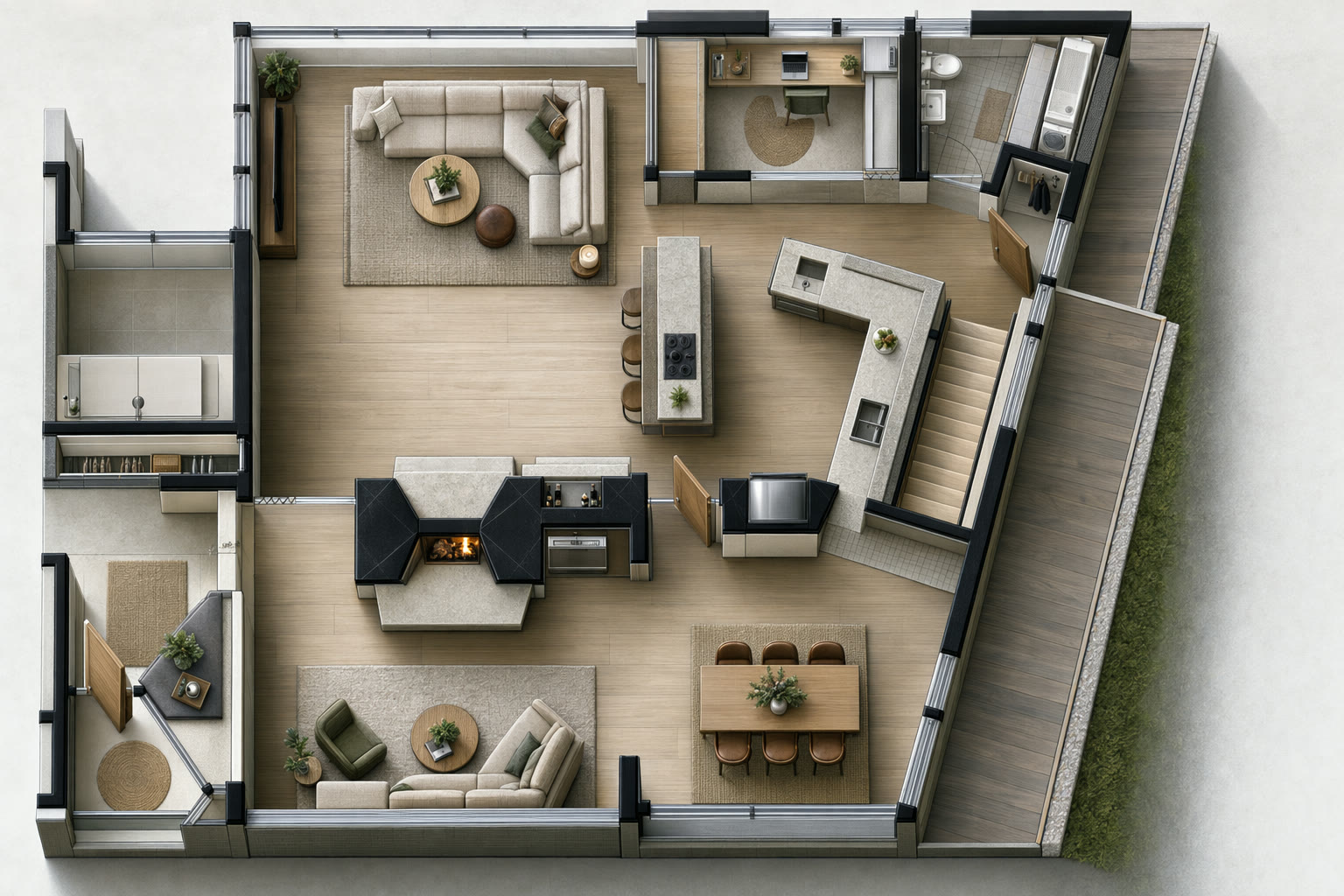
Give it a technical drawing and say what has to stay fixed. In this demo a 2D floor plan becomes a furnished, top-down 3D render with every wall where the drawing put it.
Architects, interior designers and property marketers can show a client how a layout will feel long before anyone builds a 3D model.
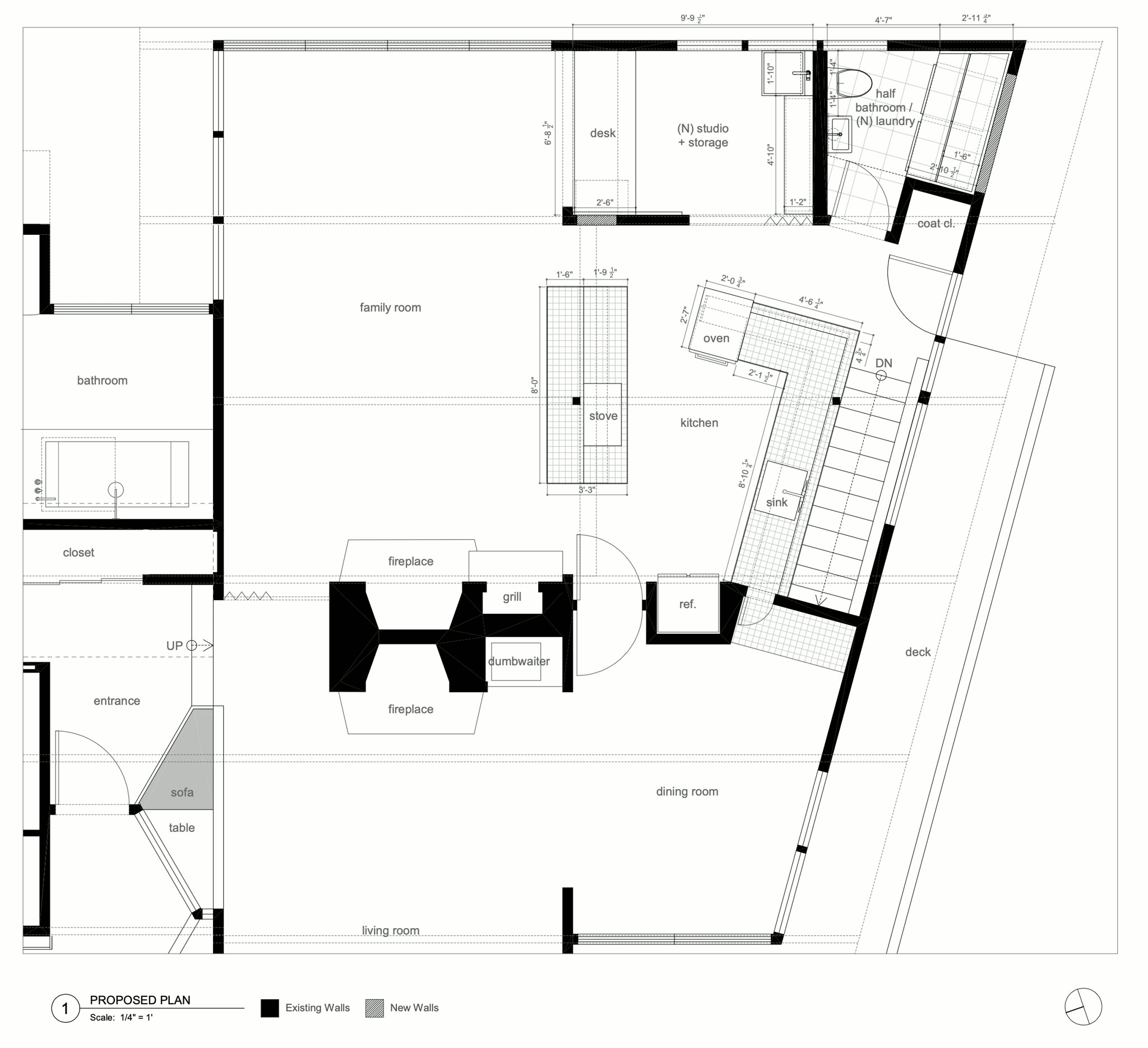 1GPT Image 2.5
Labels and Packaging on Real Products
A packaging mockup only works when the artwork and the photograph both hold up. GPT Image 2.5 adds the label as if it were printed on the bottle, follows the glass and the light, and leaves the marble, petals and reflections as they were.
Spell out the exact label text and the type style you want. The same approach works for mugs, boxes, bottles and apparel.
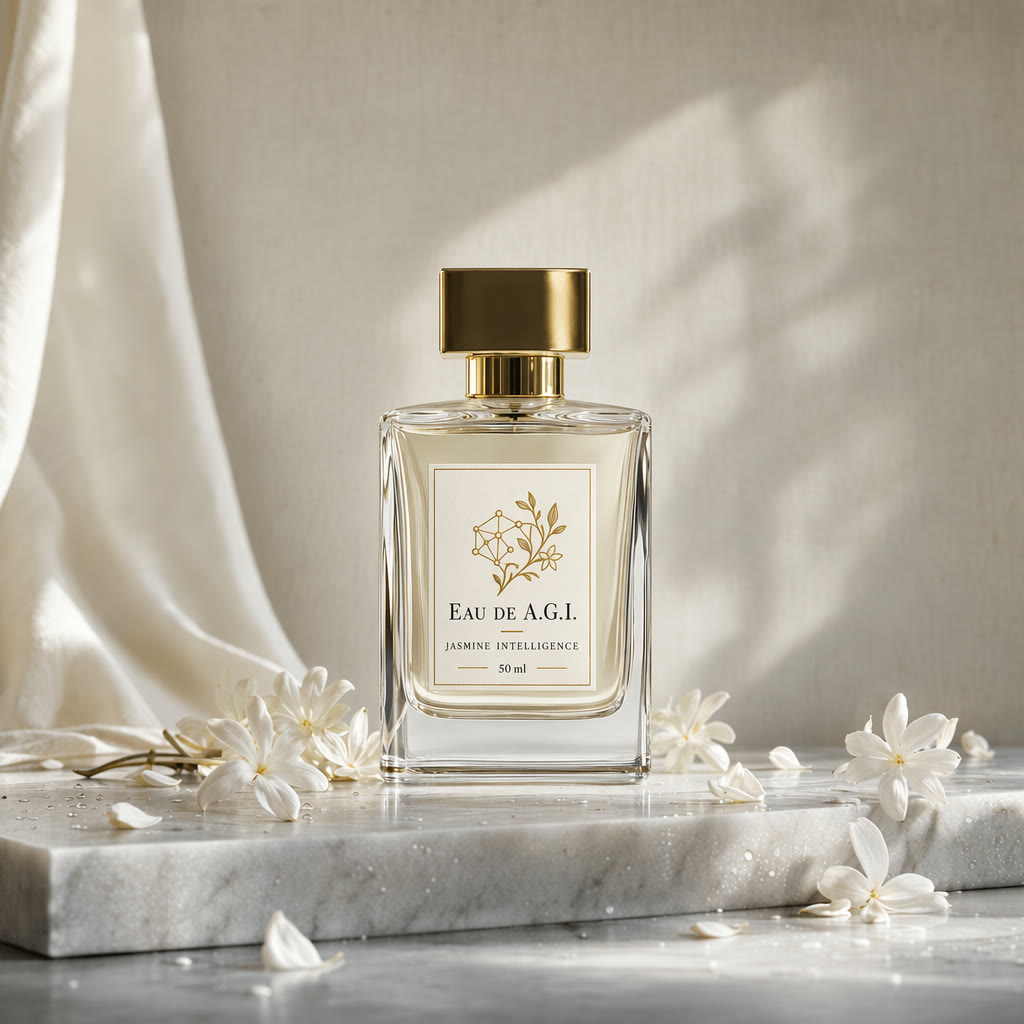
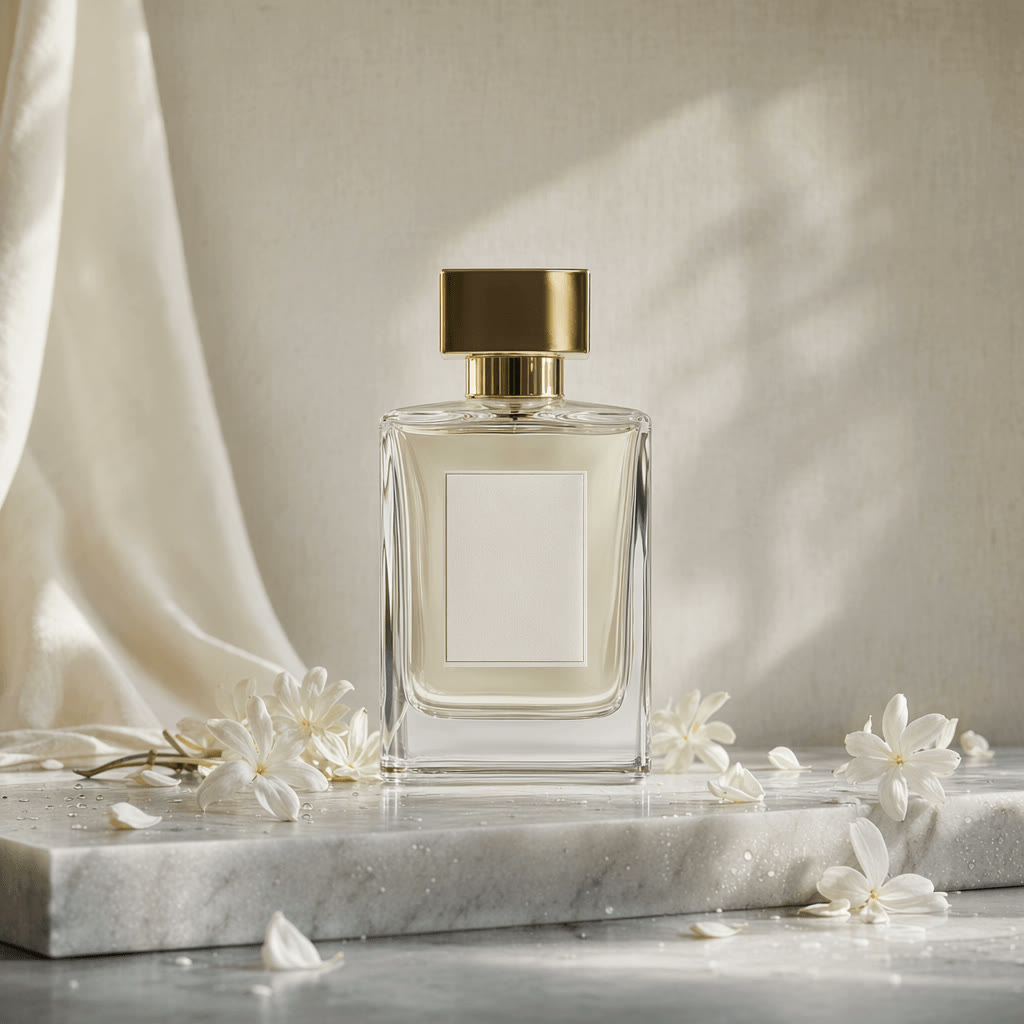 1GPT Image 2.5
Sunburst or Flare: Two Versions at One Price
OpenAI released GPT Image 2.5 as two models on September 8, 2026. Sunburst is its most capable model for generating and editing images, meant for work where editing precision matters most. Flare is its fastest model for high-quality everyday images.
Yovid runs both with the same settings and the same credit prices, so the choice comes down to speed versus care. This page opens on Sunburst, and every demo on it is a Sunburst render.
| Sunburst | Most capable for generation and editingBest when an edit has to leave the rest of the image untouched. Preselected on this page. |
|---|---|
| Flare | Fastest for everyday imagesGood for drafts, variations and large batches. |
| Credits | IdenticalSame price at every quality level and resolution. |
| Settings | IdenticalSame sizes, quality levels, reference limit and image count. |
| Where to find them | The OpenAI group in the model menu |
Five Quality Levels, from 1 Credit an Image
GPT Image 2.5 adds two levels above high: Extra high and Maximum. Higher levels render finer detail and take longer; the GPT Image 2.5 results on this page were made at Maximum.
The price depends on quality and resolution, is the same for Sunburst and Flare, and is multiplied by the number of images you ask for.
| Low | 1 creditAt 1K, 2K or 4K. The quick way to test a layout. |
|---|---|
| Medium | 1 / 2 / 3 creditsAt 1K / 2K / 4K. The default. |
| High | 2 / 6 / 9 creditsAt 1K / 2K / 4K. |
| Extra high | 4 / 9 / 15 creditsAt 1K / 2K / 4K. |
| Maximum | 8 / 21 / 33 creditsAt 1K / 2K / 4K. The level behind the demos on this page. |
Any Shape from 1:3 to 3:1, up to 4K
Pick the frame before you write the prompt: GPT Image 2.5 composes for the ratio you choose, from a tall 1:3 banner to a 21:9 hero. For an exact pixel size, set the size to Custom.
| Aspect ratio | 15 presets1:1, 1:2, 2:1, 1:3, 3:1, 2:3, 3:2, 3:4, 4:3, 4:5, 5:4, 9:16, 16:9, 9:21 and 21:9. |
|---|---|
| Custom size | Width × height in steps of 16 pxUp to 3,840 px on an edge and 8.3 megapixels, no wider than 3:1. |
| Resolution | 1K, 2K or 4K1K by default. OpenAI calls output above 2560 × 1440 experimental. |
| Images per prompt | 1 to 10 |
| Reference images | Up to 16To edit a photo, keep a product consistent or guide the look. |
| Background | Opaque or transparentTransparent returns a PNG with an alpha channel at no extra cost. |
| Prompt length | Up to 32,000 characters |
Who GPT Image 2.5 Works Best For
Precise edits and dependable lettering matter most when an image has to get through a review. These are the jobs it handles best:
- E-commerce and product teams: Lifestyle shots, label and packaging mockups, and seasonal changes to an approved product photo without a reshoot.
- Designers and marketers: Posters, social graphics and ad variations with the headline set inside the image, ten options per prompt.
- Product and UX teams: Believable dashboards, app screens and product pages for pitches, decks and early concept tests.
- Architects and interior designers: Floor plans and sketches turned into furnished renders, and rooms restyled from a single photo.
- Video creators: Key art and first frames that go straight into Seedance, Kling or Veo in the same Yovid account.
GPT Image 2.5 vs GPT Image 2, Nano Banana 2.1 and Seedream 5.0
Every cell except the last row is read from the settings each model exposes in Yovid’s image generator today, so you can compare size, references and price before you spend a credit.
| Feature / Model | GPT Image 2.5 Sunburst | GPT Image 2.5 Flare | GPT Image 2 | Nano Banana 2.1 | Seedream 5.0 Pro |
|---|---|---|---|---|---|
| Top resolution | 4K | 4K | 4K | 4K | 2K |
| Aspect ratios | 1:1, 1:2, 2:1, 1:3, 3:1, 2:3, 3:2, 3:4, 4:3, 4:5, 5:4, 9:16, 16:9, 9:21, 21:9 | 1:1, 1:2, 2:1, 1:3, 3:1, 2:3, 3:2, 3:4, 4:3, 4:5, 5:4, 9:16, 16:9, 9:21, 21:9 | 1:1, 1:2, 2:1, 1:3, 3:1, 2:3, 3:2, 3:4, 4:3, 4:5, 5:4, 9:16, 16:9, 9:21, 21:9 | 1:1, 1:4, 4:1, 1:8, 8:1, 2:3, 3:2, 3:4, 4:3, 4:5, 5:4, 9:16, 16:9, 21:9 | 1:1, 4:3, 3:4, 3:2, 2:3, 16:9, 9:16, 4:5, 5:4, 21:9, 9:21 |
| Reference images | 16 | 16 | 16 | 14 | 10 |
| Images per prompt | 10 | 10 | 10 | 1 | 1 |
| Credits per image (default settings) | 1 | 1 | 2 | 3 | 2 |
| Best for | Precise edits, product shots and text-heavy layouts. | Fast drafts and batches at the same price. | Matching work you already made with GPT Image 2. | Extra-wide and extra-tall formats up to 8:1. | Photoreal stills and edits from ByteDance’s flagship. |
Credits are for one image at each model’s default settings (1K at medium quality for the GPT Image models, 2K for Nano Banana 2.1, 1.5K for Seedream 5.0 Pro) and follow Yovid’s live pricing.
Strengths and Limits of GPT Image 2.5
What it does well on Yovid, and where to expect friction or reach for another setting.
Strengths
- Precise edits: Changes the element you name and leaves composition, light and background alone.
- Text in images: Sets titles, labels and interface copy inside the layout instead of on top of it.
- Low entry price: 1 credit for a medium 1K image, half of what GPT Image 2 costs at the same setting.
- Room to work: Up to 10 images per prompt, 16 references and sizes up to 4K.
Limits
- Small text: Fine print and exact text placement can still slip, so proofread before you publish.
- Speed at high settings: Maximum quality and large sizes take longer; OpenAI says complex prompts can need up to two minutes.
- 4K is experimental: OpenAI labels output above 2560 × 1440 experimental, so check 4K results closely.
- One edit per generation: There is no mask brush or chat thread: each edit is a new generation from an attached image.
How to Use GPT Image 2.5 on Yovid
- Step 1
Pick Sunburst or Flare
Open the image generator; this page preselects GPT Image 2.5 Sunburst. Switch to Flare in the model menu for faster batches.
- Step 2
Write the brief, attach references
Describe the image, put exact text in quotes, attach up to 16 reference images, then set ratio, resolution, quality and count.
- Step 3
Generate, refine, download
Pick the best result, attach it with a one-line edit to fix a detail, and download the final image.
GPT Image 2.5 Prompts to Start From
The prompts behind these GPT Image 2.5 Sunburst images, lightly trimmed. Open one in the generator and swap in your own subject, text and brand.
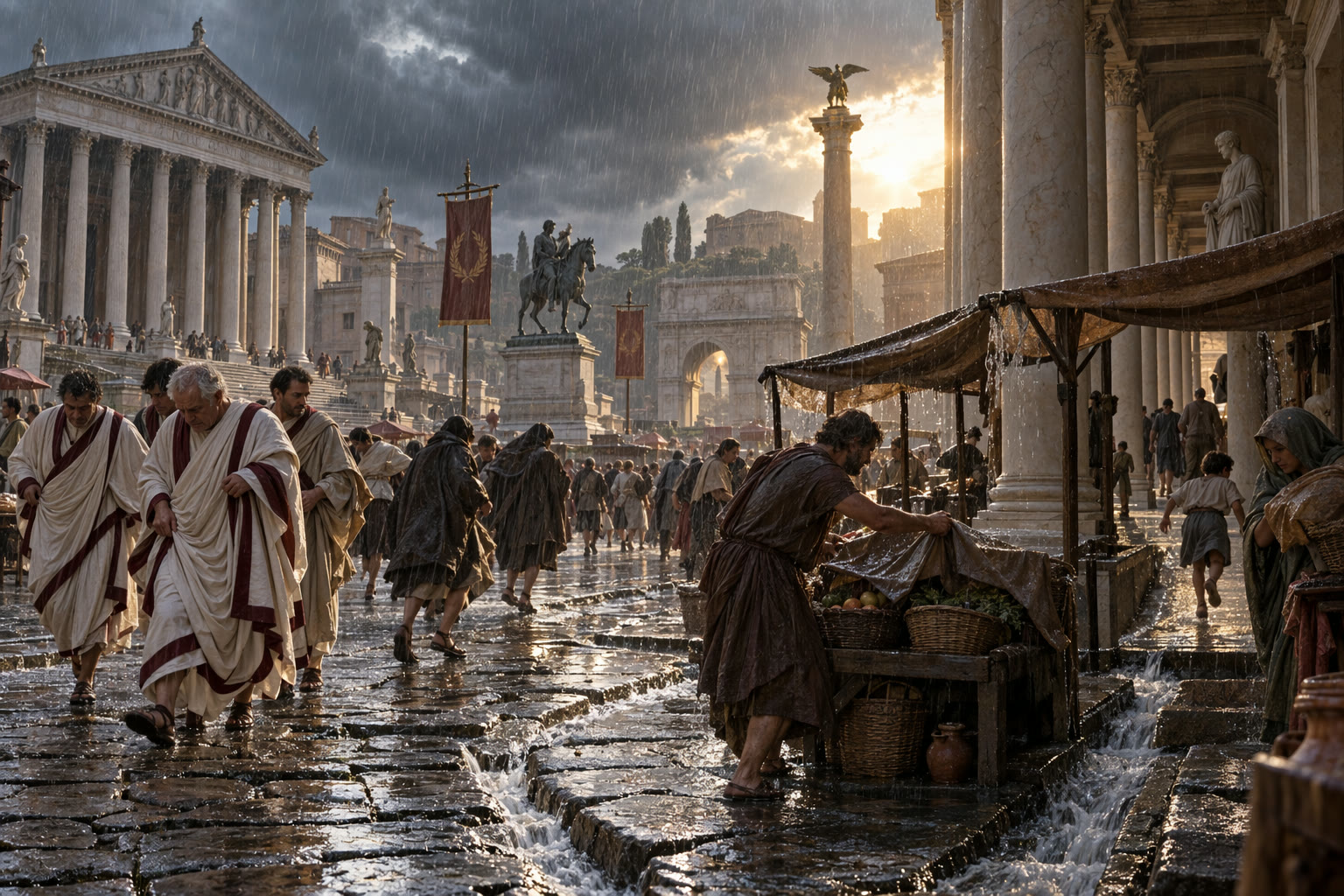
Roman Forum in the rain
Text to image · 3:2An atmospheric historical documentary scene in the Roman Forum during a sudden spring rainstorm, around the 1st century CE. Senators lift the hems of wool garments, merchants cover baskets, a child runs under a colonnade, and rainwater channels through worn stone streets. Cinematic realism with accurate materials; storm clouds with a break of warm sun behind marble columns. No modern objects, readable text or logos.
Source: OpenAI API docs · Image generation
Try this prompt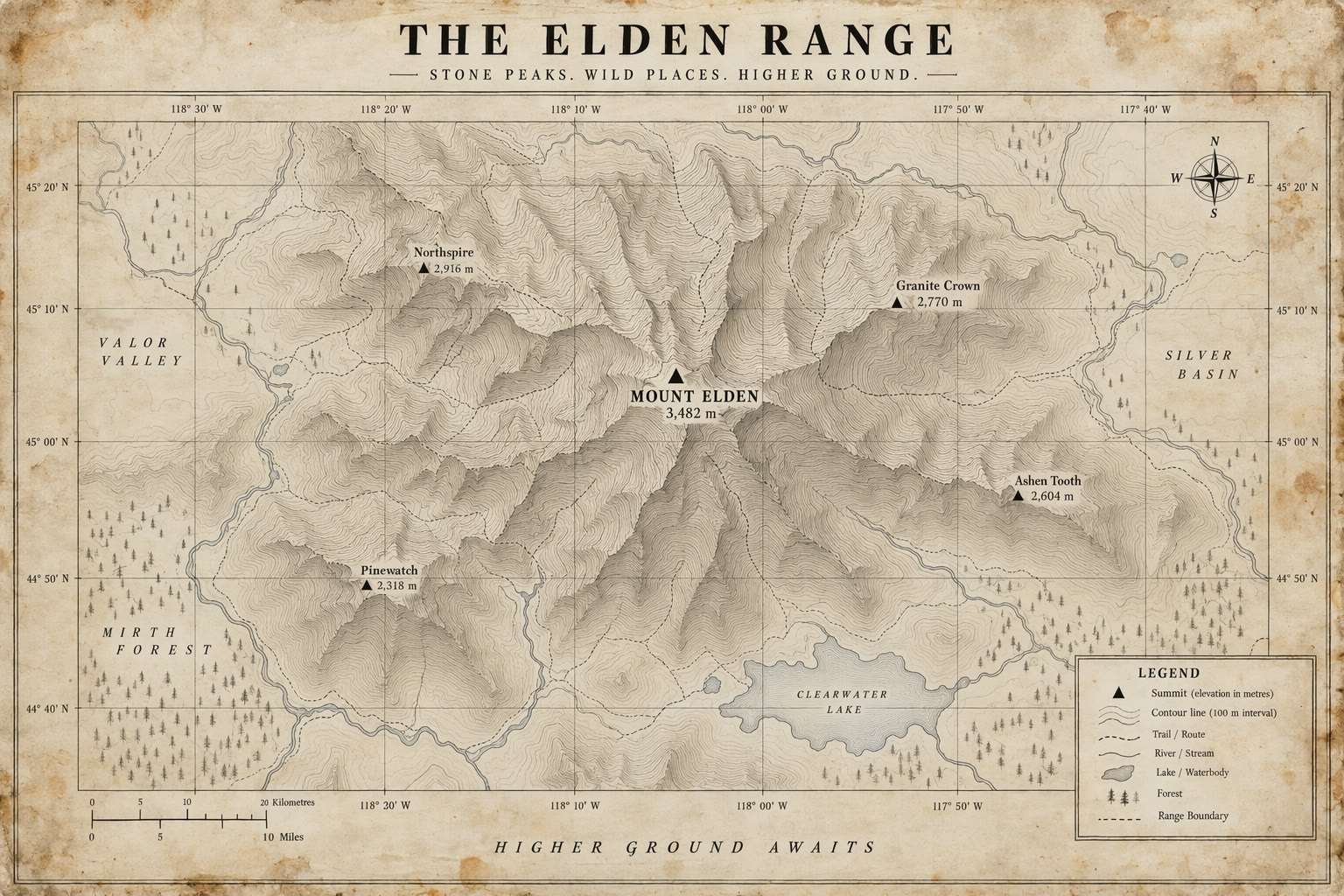
Topographic map poster
Text to image · 3:2Intent: topographic map poster. Background: aged paper with subtle stains. Foreground: thin contour lines and grid ticks. Hero subject: labeled mountain range with a bold peak marker. Text: title top center, small legend bottom right, high-contrast black serif. Finishing details: clean linework, no logos or trademarks, no watermark. Camera: straight-on, flat layout.
Source: OpenAI API docs · Image generation
Try this prompt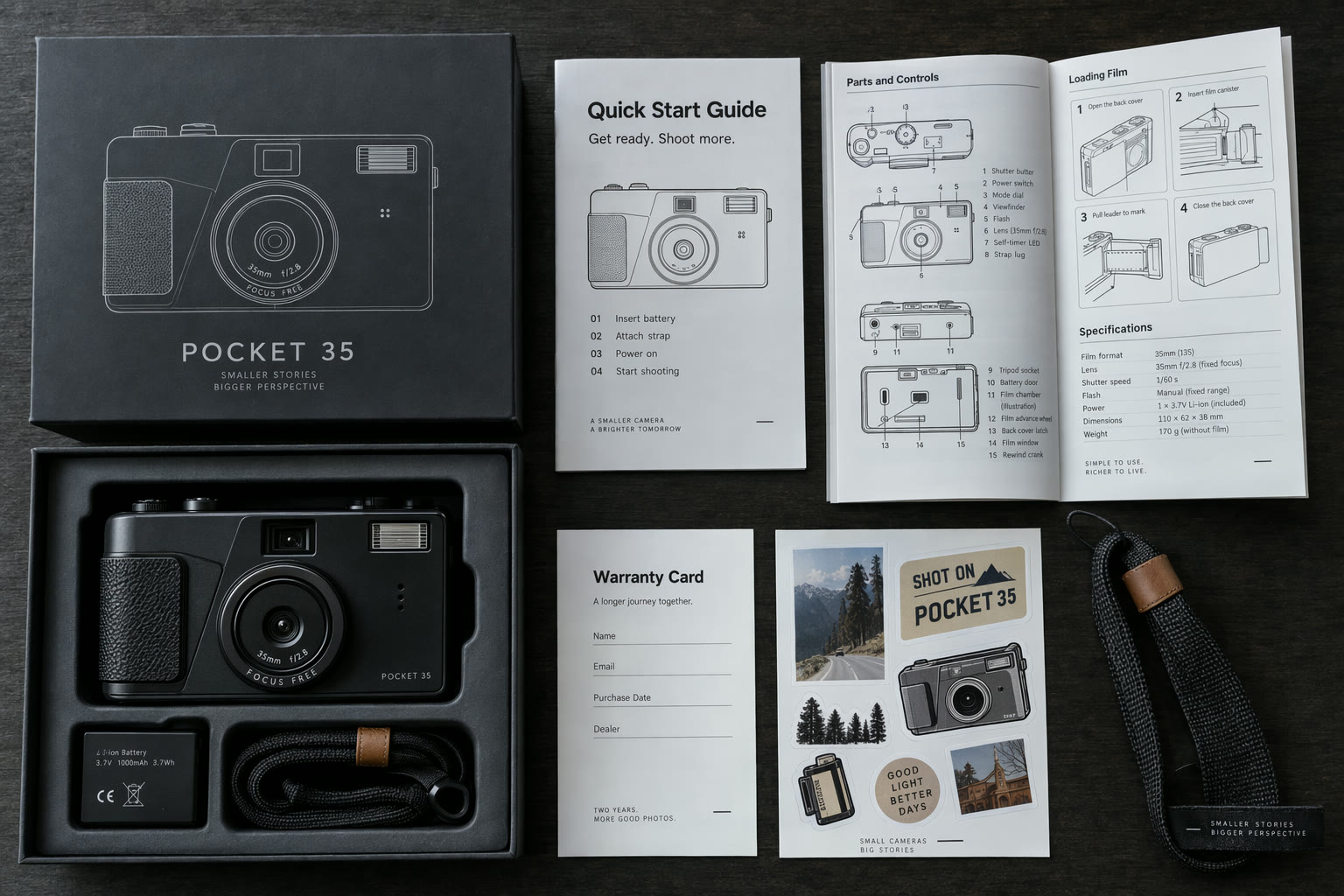
Camera unboxing flat lay
Product mockup · 3:2A top-down professional product photo of a new compact camera package opened on a dark table: camera body, battery, strap, warranty card, sticker sheet, quick-start booklet and a folded technical manual with dense diagrams. Exact booklet title: "Quick Start Guide". Exact sticker text: "SHOT ON POCKET 35". Realistic paper, plastic and metal with small printed details. No real brand logos.
Source: OpenAI API docs · Image generation
Try this prompt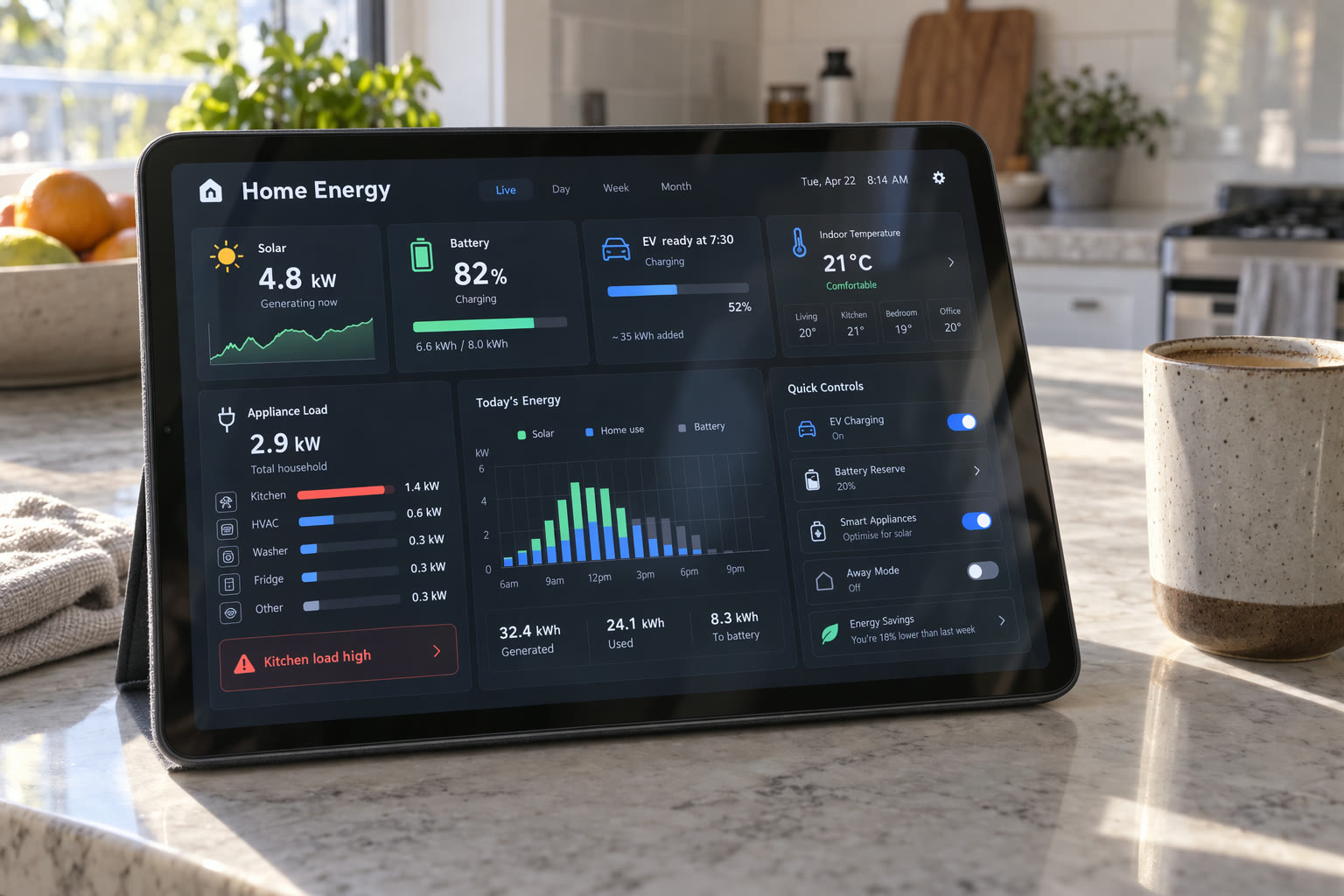
Smart-home energy dashboard
UI mockup · 3:2A crisp tablet interface for a smart home energy dashboard on a kitchen counter, with panels for solar generation, battery storage, EV charging, room temperature, appliance load and a small hourly chart. Exact UI labels: "Home Energy" "Solar 4.8 kW" "Battery 82%" "EV ready at 7:30" "Kitchen load high". Modern product UI, legible typography, realistic glass glare, morning kitchen light, a coffee cup beside the tablet.
Source: OpenAI API docs · Image generation
Try this prompt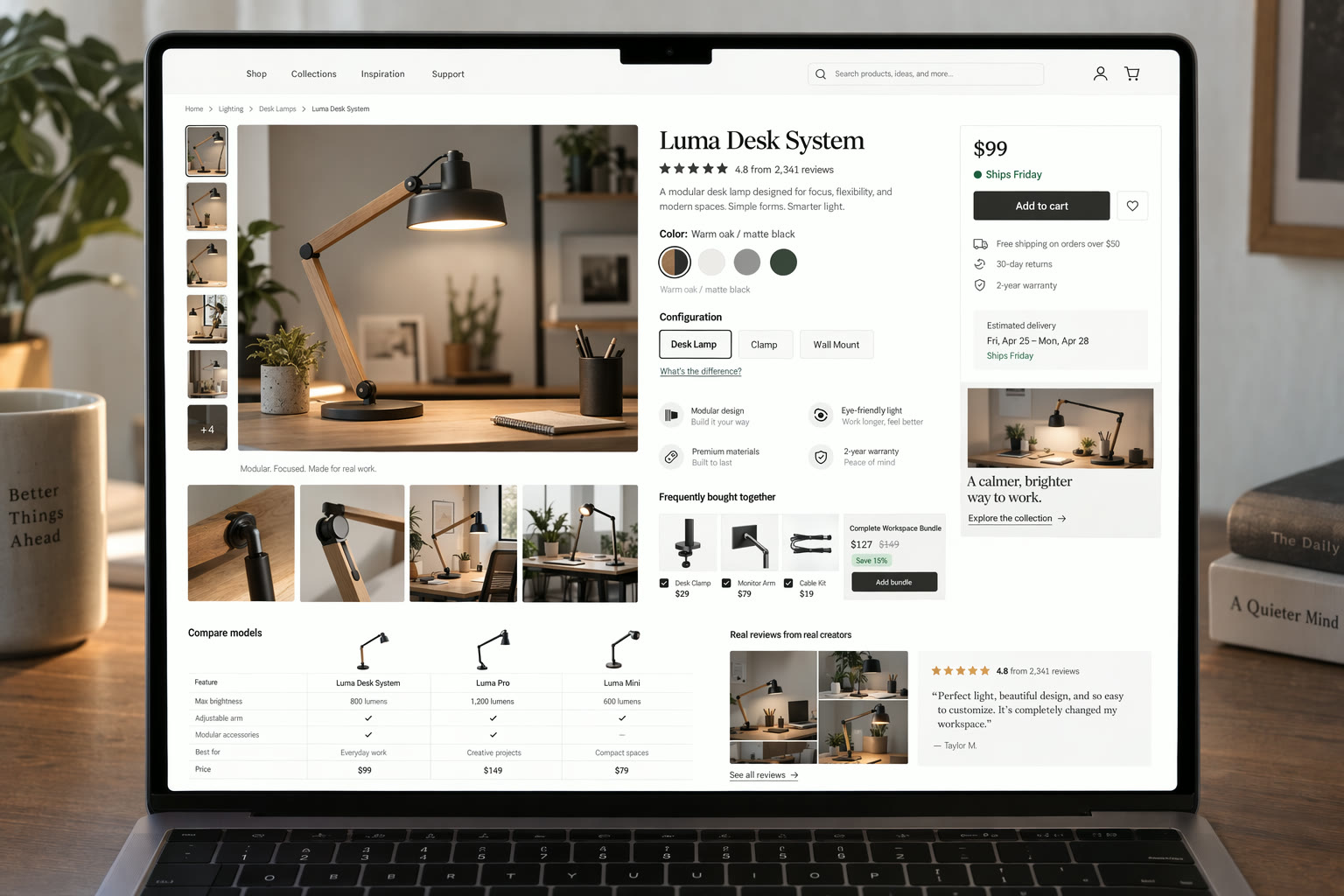
Dense product page
UI mockup · 3:2A laptop screen showing a dense ecommerce product page for a modular desk lamp: product photos, color swatches, reviews summary, shipping estimate, comparison table, accessory bundle and a sticky add-to-cart panel. Exact UI text: "Luma Desk System" "Warm oak / matte black" "Add to cart" "Ships Friday" "4.8 from 2,341 reviews". Premium commerce UI, realistic browser rendering, legible typography. No real brand logos.
Source: OpenAI API docs · Image generation
Try this prompt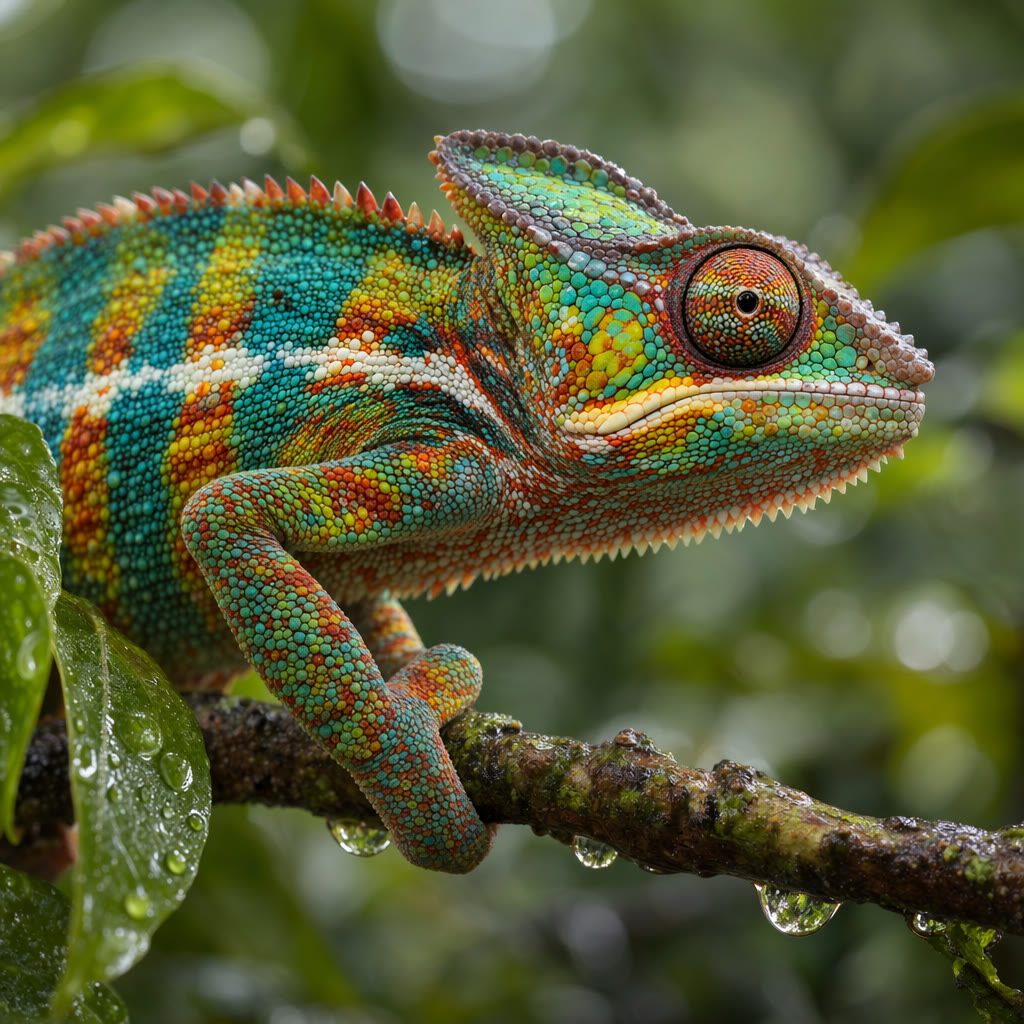
Chameleon macro
Text to image · 1:1Intent: wildlife photography print. Background: blurred tropical foliage with soft green bokeh. Foreground: small branch with dew drops. Hero subject: chameleon in profile with vibrant scales and detailed eye texture. Finishing details: photorealistic, crisp scale detail, no logos or trademarks, no watermark. Camera: 100mm macro, shallow depth of field.
Source: OpenAI API docs · Image generation
Try this prompt
More Image and Video Models on Yovid
Guides for Taking a Still Further
Animate a finished GPT Image 2.5 image and choose the video model to do it with.
FAQs
What is GPT Image 2.5 and who makes it?
Can I use GPT Image 2.5 for free?
What is the difference between GPT Image 2.5 Sunburst and Flare?
How many credits does a GPT Image 2.5 image cost?
Can GPT Image 2.5 make 4K images?
How do I edit a photo with GPT Image 2.5?
How many reference images can I use with GPT Image 2.5?
Is GPT Image 2.5 good at text in images?
What changed from GPT Image 2 to GPT Image 2.5?
Do GPT Image 2.5 images have a watermark, and can I use them commercially?
Make the Image, Then Fix Just One Thing
Write the brief, attach your references and let GPT Image 2.5 handle the layout, the light and the lettering.
Create with GPT Image 2.5