
Seedream 5.0 Free Online AI Image Generator
Describe a chart, a menu, a poster or a storyboard and get a finished layout with text you can read. Pro handles dense designs and edits up to 2K; Lite renders 2K to 4K and up to 15 images per prompt. Start creating with Seedream 5.0 on Yovid.
Seedance 2.5 is live
Clips up to 30 seconds with image, video, and audio references.
Kling 3.0
Kling's latest video model, ready in your workspace.
Veo 3.1
Google's video model with native audio.

GPT Image 2.5
OpenAI's image model for creating and editing images.
AI Image Upscaler
Sharpen and enlarge images for cleaner exports.
AI Canvas
Chain image and video steps on one visual board.
What Seedream 5.0 Puts on the Page
Why Make Images with Seedream 5.0 on Yovid
- Infographics Packed with Data and Text: Charts, labels and short paragraphs planned and rendered in one pass, with the words spelled right.
- Storyboards and Multi-Panel Pages in One Image: Ask for a numbered grid and every panel comes back in the same style, cast and story.
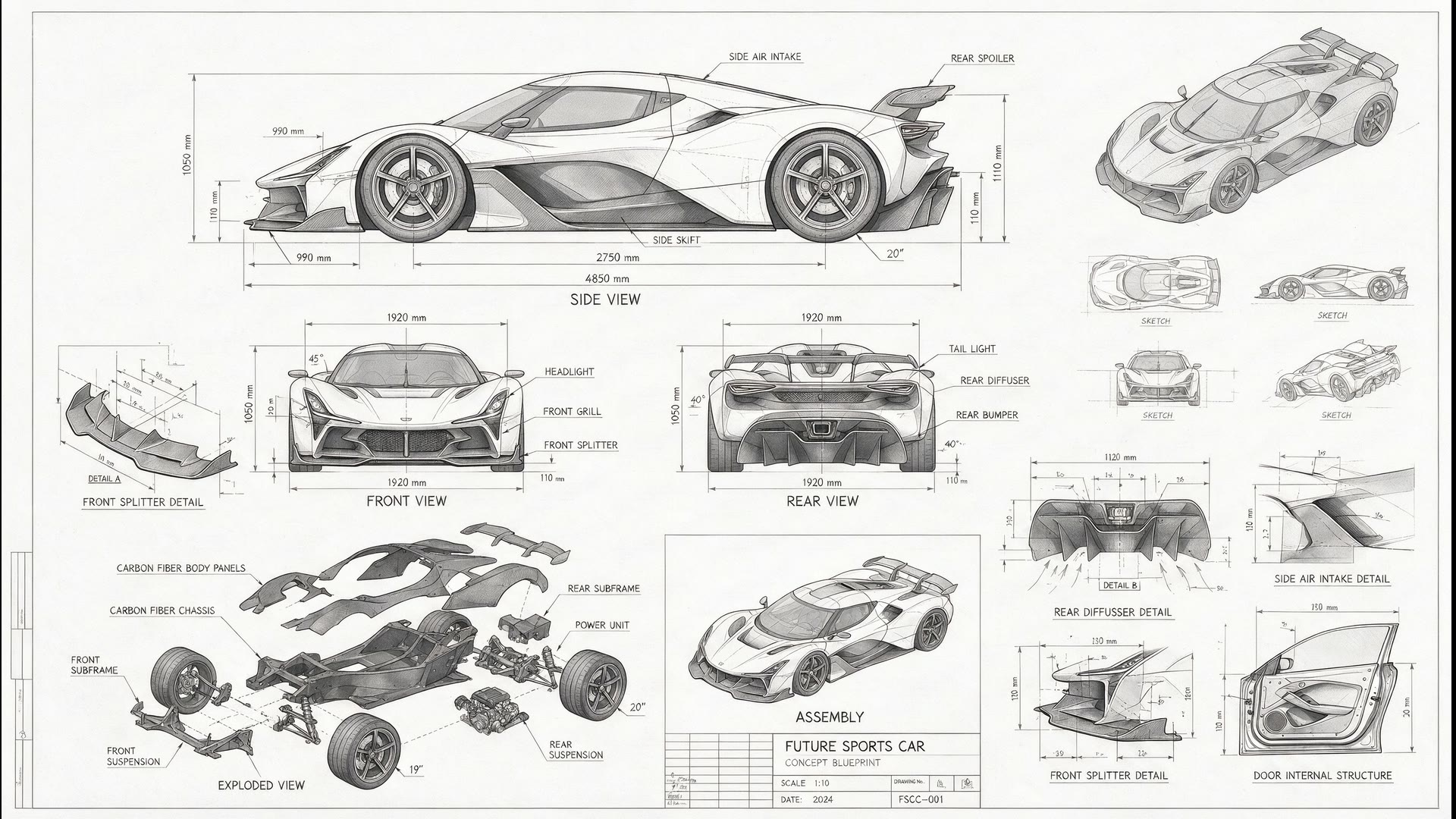
- Blueprints and Labeled Diagrams: Orthographic views, exploded parts and dimension lines that read like a real drawing sheet.
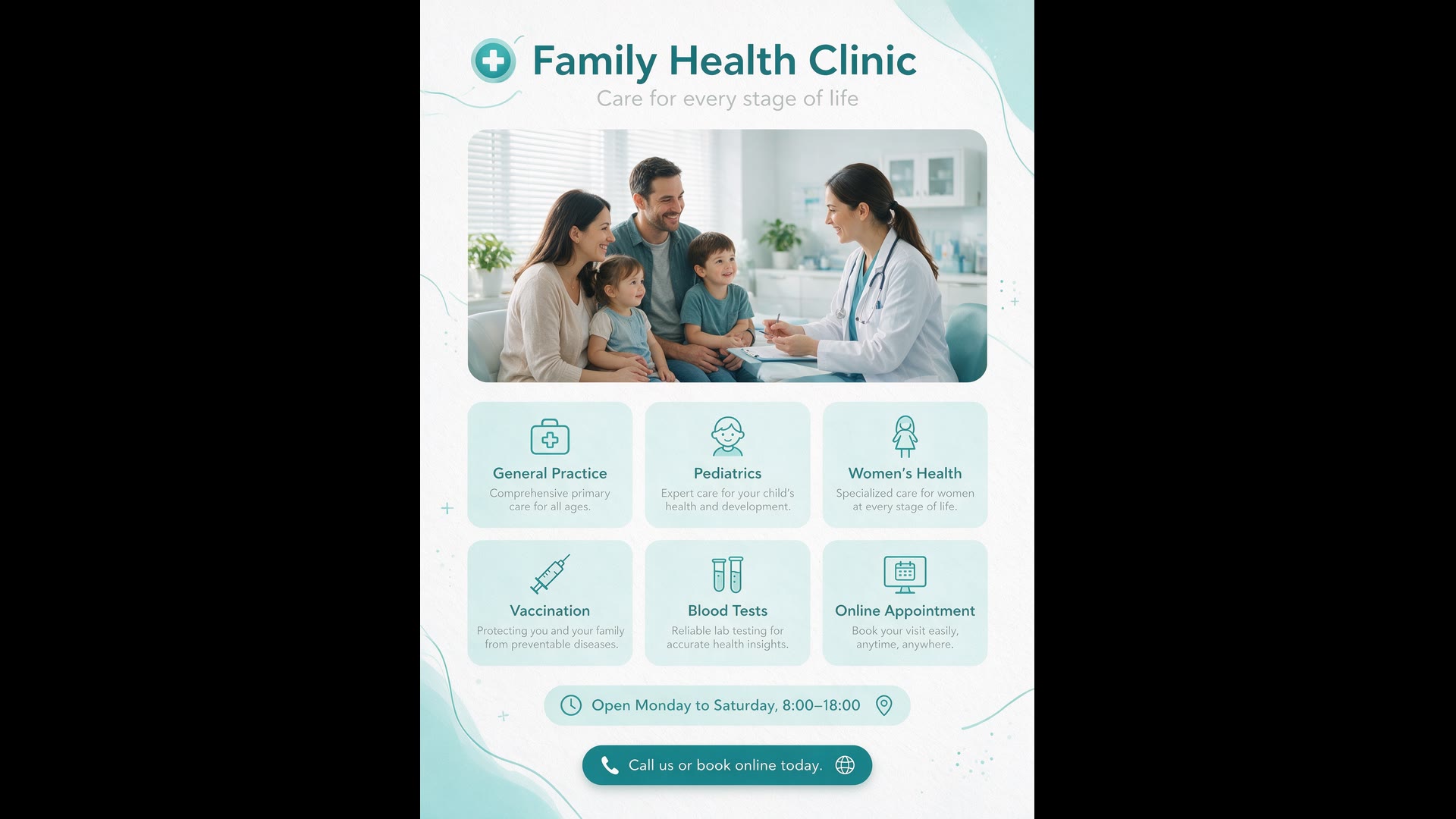
- Text in 16 Languages, Right-to-Left Included: Write prompts and get on-image text in Arabic, Japanese, Korean, Spanish and more, or translate a finished design.
- Manga Pages, Key Art and Other Drawn Styles: From a six-panel manga page to pencil key animation, with speech bubbles in the right script.
- Pro or Lite: Pick the Variant for the Job: Pro for precise single images and edits up to 2K; Lite for 4K and up to 15 images per prompt.
- Sizes, Ratios and References at a Glance: Eleven aspect ratios plus auto and exact pixel sizes, from text alone or with reference images.
Infographics Packed with Data and Text
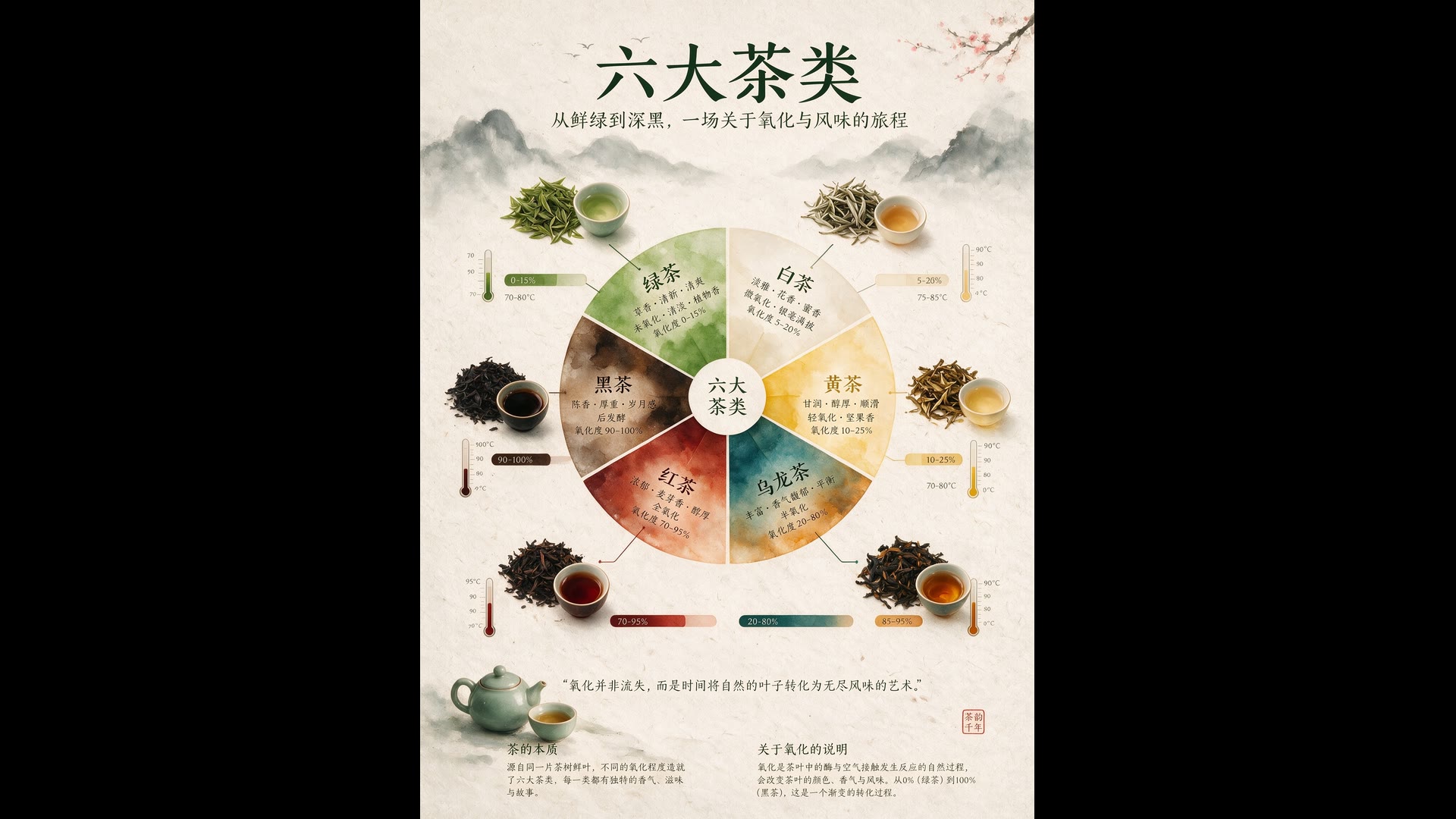
Seedream 5.0 Pro was built for the hardest kind of image to get right: one that has to carry information. It works out the layout before it draws, so a flavor wheel, a ring of brewing thermometers and two blocks of notes each get their own space instead of colliding.
Name the topic, the sections and the look, and Pro sets the hierarchy and renders headings and labels as real, readable text. Proofread the small print and the numbers before you publish; ByteDance says fine text is still where the model has the most room to improve.
 Seedream 5.0
Storyboards and Multi-Panel Pages in One Image
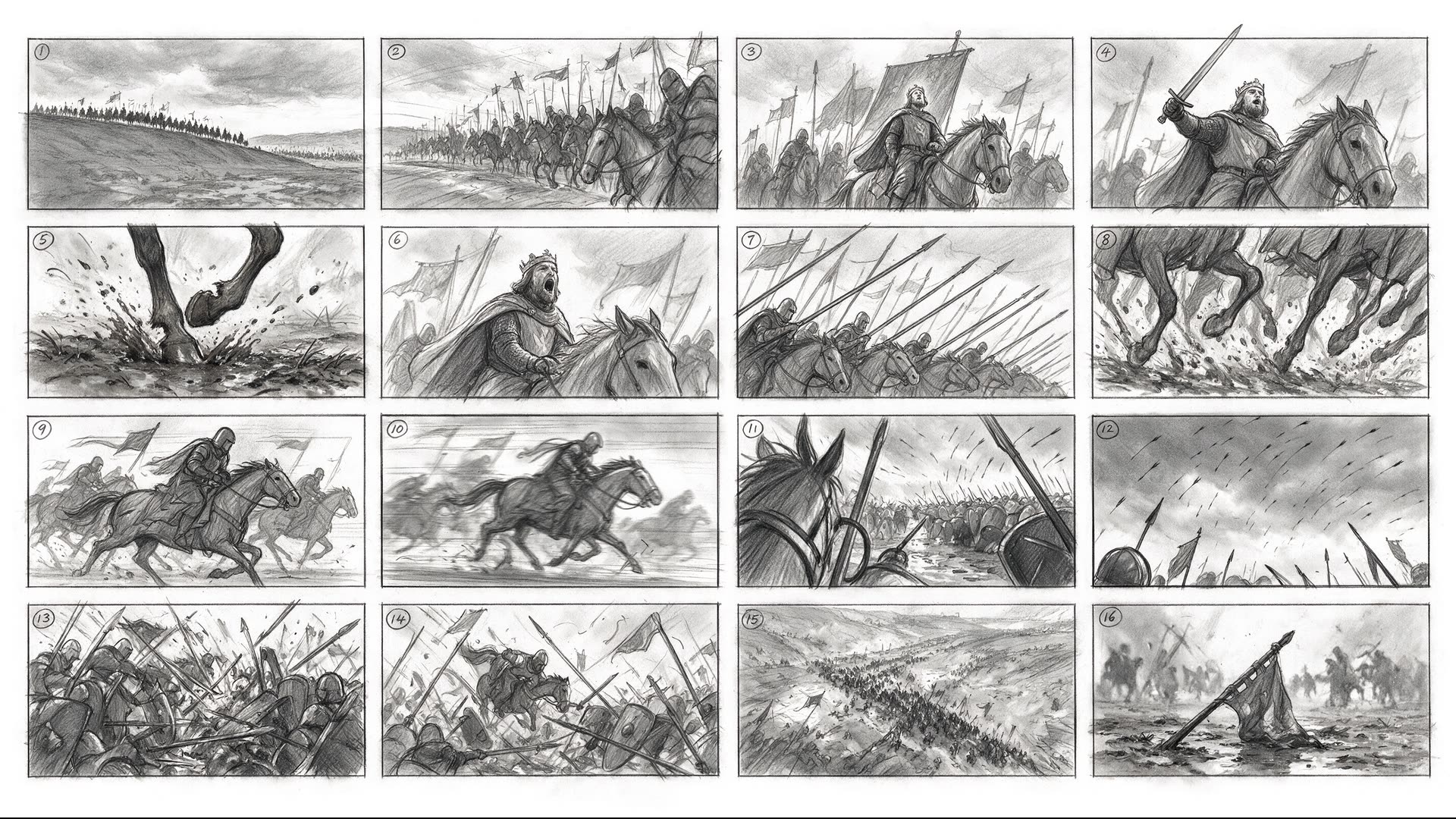
A 4×4 storyboard is sixteen pictures that have to agree with each other: the same riders, the same sky, the same pencil. Seedream 5.0 Pro draws the whole grid at once, numbers the panels and keeps the sequence readable from the opening wide shot to the fallen banner.
Use it to pitch a scene before anyone shoots or generates it. List the shots in order, then take the frames you like into one of Yovid’s image-to-video models.
Seedream 5.0Blueprints and Labeled Diagrams
Technical drawings fall apart when lines wander and labels float. Asked for a sports-car blueprint, Seedream 5.0 Pro laid out side, front and rear views with measurements, an exploded chassis, part details and a title block, all in one steady pencil style.
The same skill covers product diagrams, assembly sheets and explainer graphics. Treat the figures as illustration: the model draws believable dimensions, not engineering data.
Seedream 5.0Text in 16 Languages, Right-to-Left Included
Beyond English and Chinese, Seedream 5.0 Pro reads prompts and renders text in 14 more languages, including Arabic, Japanese, Korean, Spanish, French, German, Russian, Portuguese, Thai and Vietnamese. It follows each script’s rules, so Arabic runs right to left and Spanish keeps its accents.
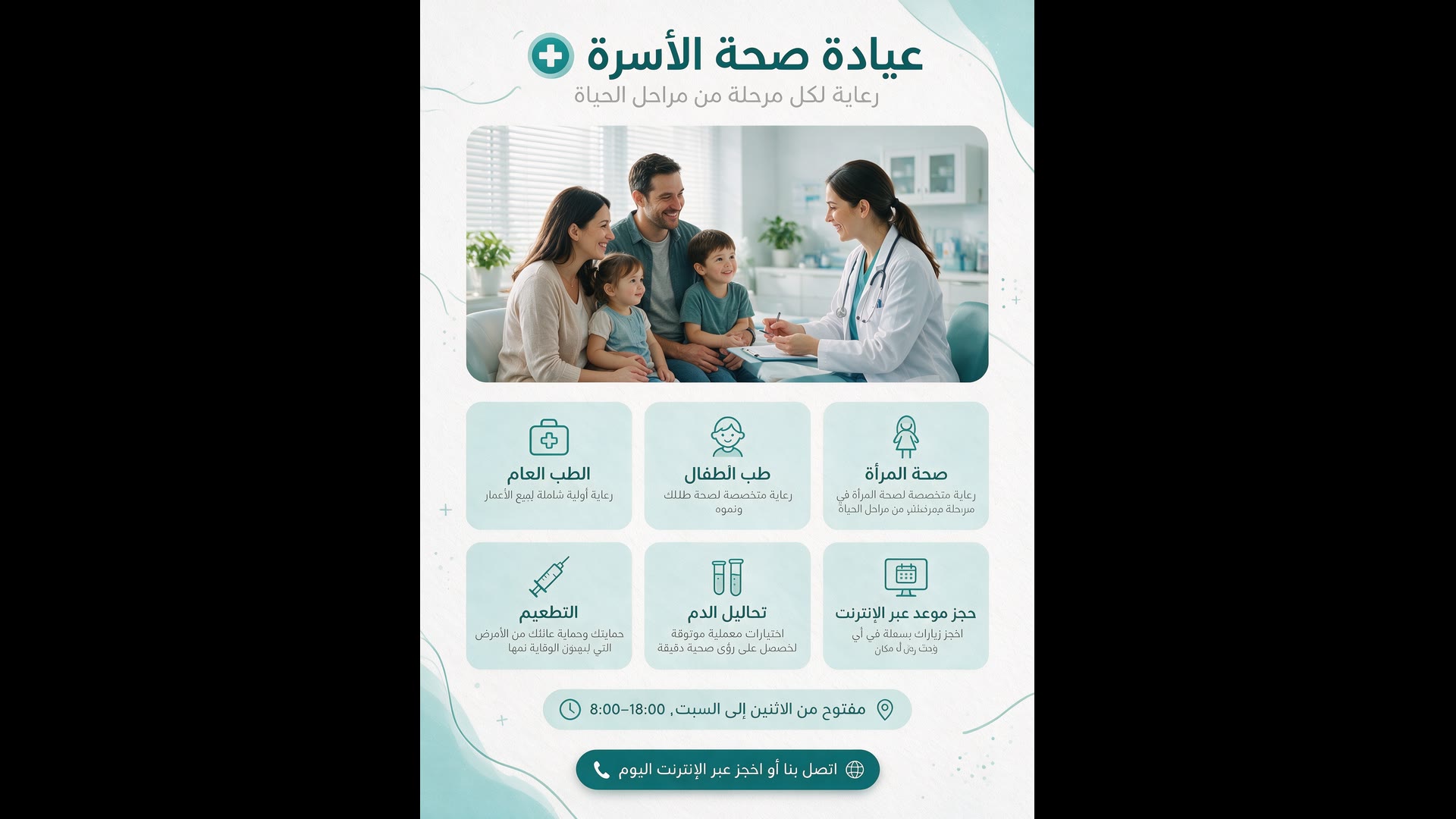
It also localizes a design you already have. Upload the poster and ask for the copy in another language: the photo, icons, colors and grid stay where they were, and in the demo below every heading and caption switches to right-to-left Arabic.
 1Seedream 5.0
Manga Pages, Key Art and Other Drawn Styles
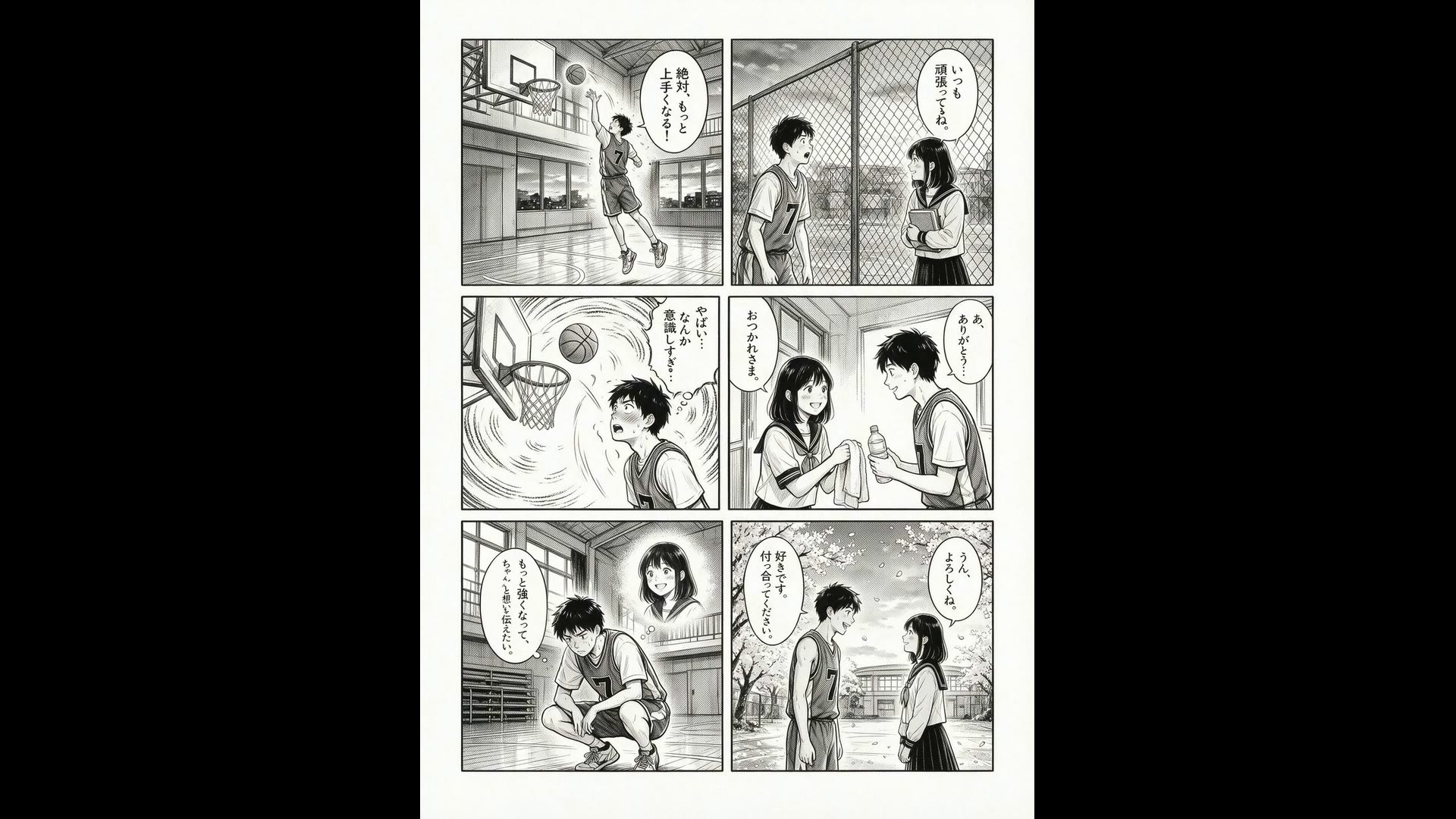
Seedream 5.0 Pro is not only for charts. Ask for a six-panel manga and it spreads the story beats across the page, keeps the boy and the girl recognizable from panel to panel and letters the speech bubbles in vertical Japanese.
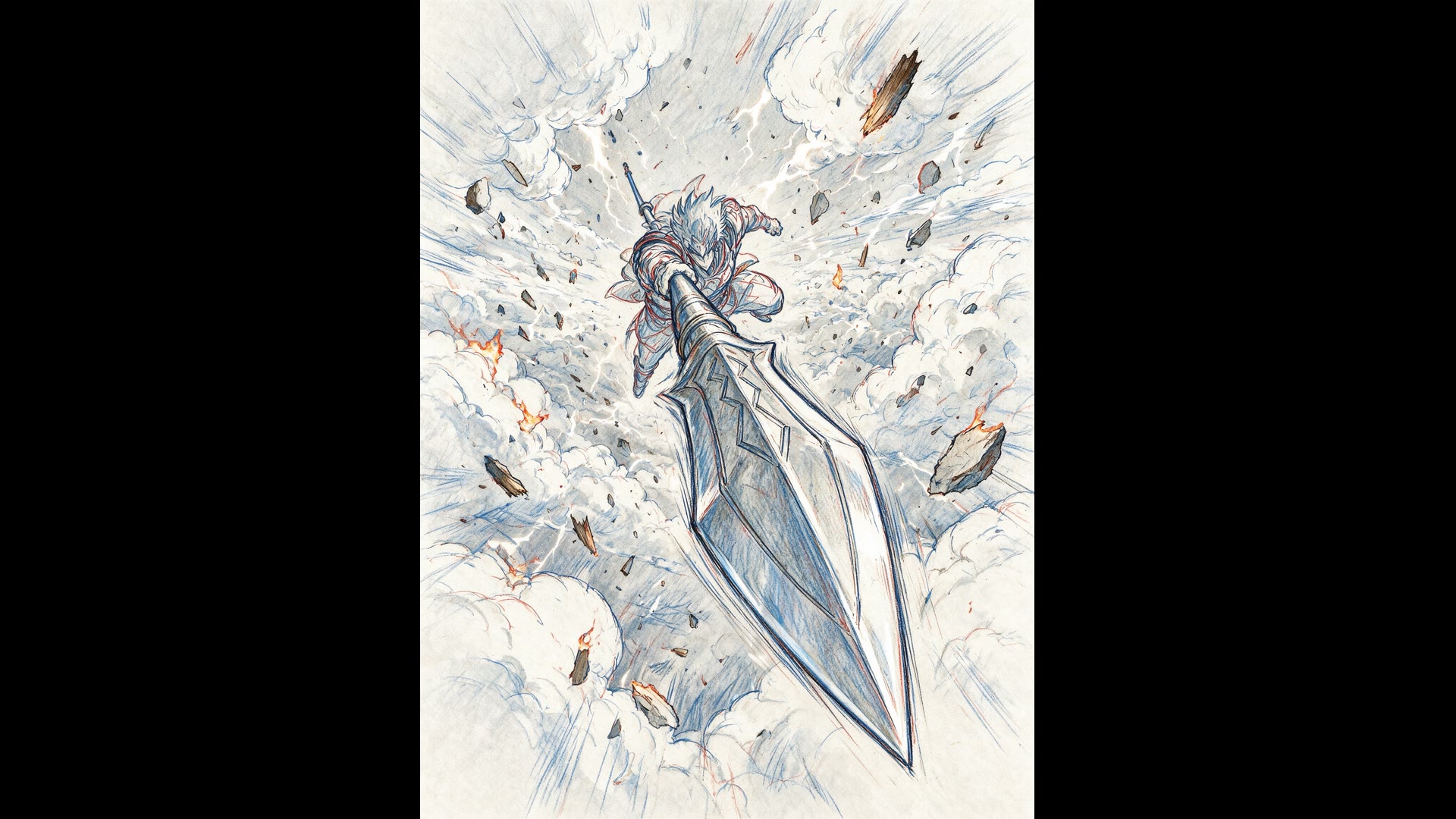
Name the medium as precisely as you would brief an artist: ink lines only, screentone, blue-and-red layout pencil, watercolor wash. The prompt below was written in Japanese; this is the English translation ByteDance published with it.
Seedream 5.0Pro or Lite: Pick the Variant for the Job
Both variants take text and reference images and share the same aspect ratios. The difference is what comes back: Pro returns one carefully composed image, Lite renders larger and in bulk.
| Seedream 5.0 Pro | 1K, 1.5K or 2K, one image per promptUp to 10 reference images and text in 16 languages. 1.5K is the default. |
|---|---|
| Seedream 5.0 Lite | 2K, 3K or 4K, 1 to 15 images per promptUp to 14 reference images. Prompts in English or Chinese. |
| Credits | 2 per imagePro at 1K or 1.5K, and Lite at any size. Pro at 2K is 3 credits. |
| Start with | ProFor infographics, posters, edits and anything with text. Switch to Lite for 4K or many variations. |
Sizes, Ratios and References at a Glance
Choose the frame before you write, so the headline, the chart and the margins are composed for it. Auto lets the model pick a shape from your prompt.
| Inputs | Text, or text plus reference imagesUp to 10 images on Pro and 14 on Lite. Say what each image is for. |
|---|---|
| Aspect ratio | 1:1, 4:3, 3:4, 3:2, 2:3, 16:9, 9:16, 4:5, 5:4, 21:9 or 9:21Or auto, or exact pixel dimensions up to a 16:1 shape. |
| Custom size | Pro: 0.9 to 4.6 megapixels · Lite: 3.7 to 16.8 megapixels |
| Prompt length | Up to 2,600 characters |
Who Seedream 5.0 Works Best For
It earns its place wherever an image has to carry words, structure or a sequence:
- Marketers and social teams: Campaign posters, launch graphics and carousel slides with headlines that come out spelled right.
- Teachers and explainers: Infographics and one-page summaries that turn a topic into a diagram people can read at a glance.
- Filmmakers and animators: Storyboards and key-art sketches to pitch a scene, then animate the frames you keep.
- Shops and restaurants: Product graphics, menus and price cards, plus quick versions in another language.
- Localization teams: One design carried into Arabic, Japanese, Spanish or Korean without rebuilding the layout.
Seedream 5.0 vs Nano Banana 2.1, GPT Image 2.5, GPT Image 2 and Nano Banana Pro
All cells but the last row come straight from the options each model offers in Yovid’s image generator right now, so sizes, reference limits and prices match what you can actually pick.
| Feature / Model | Seedream 5.0 Pro | Seedream 5.0 Lite | Nano Banana 2.1 | GPT Image 2.5 Sunburst | GPT Image 2 | Nano Banana Pro |
|---|---|---|---|---|---|---|
| Top resolution | 2K | 4K | 4K | 4K | 4K | 4K |
| Aspect ratios | 1:1, 4:3, 3:4, 3:2, 2:3, 16:9, 9:16, 4:5, 5:4, 21:9, 9:21 | 1:1, 4:3, 3:4, 3:2, 2:3, 16:9, 9:16, 4:5, 5:4, 21:9, 9:21 | 1:1, 1:4, 4:1, 1:8, 8:1, 2:3, 3:2, 3:4, 4:3, 4:5, 5:4, 9:16, 16:9, 21:9 | 1:1, 1:2, 2:1, 1:3, 3:1, 2:3, 3:2, 3:4, 4:3, 4:5, 5:4, 9:16, 16:9, 9:21, 21:9 | 1:1, 1:2, 2:1, 1:3, 3:1, 2:3, 3:2, 3:4, 4:3, 4:5, 5:4, 9:16, 16:9, 9:21, 21:9 | 1:1, 2:3, 3:2, 3:4, 4:3, 4:5, 5:4, 9:16, 16:9, 21:9 |
| Reference images | 10 | 14 | 14 | 16 | 16 | 14 |
| Images per prompt | 1 | 15 | 1 | 10 | 10 | 1 |
| Credits per image (default size) | 2 | 2 | 3 | 1 | 2 | 6 |
| Best for | Infographics, posters and edits with lots of text. | 4K output and big batches of variations. | Everyday images and edits up to 4K. | Precise edits that keep faces and products intact. | Custom sizes up to 4K and transparent backgrounds. | Detailed renders at 2K and 4K. |
Credits are for one image at each model’s default quality and follow Yovid’s live pricing. Higher qualities cost more, except on Seedream 5.0 Lite, which is the same at 2K, 3K and 4K.
Strengths and Limits of Seedream 5.0
What it does best on Yovid, and where another model or setting is the better call.
Strengths
- Text-heavy layouts: Infographics, menus, posters and diagrams with legible headings and labels.
- Languages: Prompts and on-image text in 16 languages on Pro, right-to-left Arabic included.
- Price: 2 credits per image on Pro up to 1.5K, and on Lite even at 4K.
- Batch size: Lite returns up to 15 images from a single prompt.
Limits
- Resolution on Pro: Pro stops at 2K; switch to Lite for 3K or 4K.
- One image at a time on Pro: For several variations, run Pro again or use Lite.
- Fine print: Very small text and exact figures can still come out wrong, so proofread before you print.
- Not in the generator: ByteDance’s layer separation for Pro and live web search for Lite are not offered on Yovid.
How to Use Seedream 5.0 on Yovid
- Step 1
Pick Seedream 5.0 Pro or Lite
Open the image generator. This page starts on Pro; Lite is one click away in the model menu.
- Step 2
Describe the image, add references
Write the layout and the exact text you want, attach up to 10 reference images (14 on Lite), then choose a ratio and size.
- Step 3
Generate and download
Check the result, adjust the prompt if a label is off, and download the image.
Seedream 5.0 Prompts to Start From
Prompts ByteDance Seed published with these Seedream 5.0 Pro images, with the longer ones trimmed. Open one in the generator and swap in your own subject.
Six teas infographic
Text to image · 3:4An infographic explaining the six major types of tea. The central focal point is a flavor wheel chart made of delicate watercolor gradients. Around the wheel are top-down images of tea leaves, showing different oxidation states. Connecting lines link the tea leaves to oxidation percentage bar charts and brewing temperature thermometers. The background is textured handmade rice paper. The overall layout is minimalist, zen-like, refined, and well-balanced.
Source: ByteDance Seed · Seedream 5.0 Pro
Try this promptSports car blueprint
Text to image · 16:9A technical drawing of a futuristic sports car in blueprint style. Include line drawings of the sports car from the front, side, and rear views, exploded parts sketches, parts assembly diagrams, and structural diagrams of disassembled components. Use abundant lines and measurement values to indicate the dimensions of each part, with grayscale tones expressing the overall sketch relationship. In addition to the main design, also show scattered thumbnails from different angles.
Source: ByteDance Seed · Seedream 5.0 Pro
Try this promptSpear dive key animation
Text to image · 3:4Extreme dynamic foreshortening perspective. A stylized anime warrior dives straight down from the sky, aiming a massive spear directly at the camera lens. Debris floats in the air. Anime studio genga key animation style, with visible blue and red pencil layout lines, high-energy action storyboard.
Source: ByteDance Seed · Seedream 5.0 Pro
Try this promptSix-panel manga
Text to image · 3:4A Japanese six-panel manga about a high school boy who loves basketball, falls in love with a female student, and, through effort and personal growth, eventually expresses his feelings. Drawn only in black and white with clean hand-drawn ink lines.
Source: ByteDance Seed · Seedream 5.0 Pro
Try this promptCavalry charge storyboard
Text to image · 16:9Generate a 4x4 cinematic storyboard with 16 separate panels in total. Each panel has a clear black border, arranged from left to right and top to bottom, with a small number 1–16 marked in the upper-left corner of each panel. The theme is a medieval cavalry charge. The overall style is a professional film-production storyboard sketch, drawn in graphite pencil, grayscale, and a director’s storyboard texture.
Source: ByteDance Seed · Seedream 5.0 Pro
Try this prompt
More Image and Video Models on Yovid
From a Seedream Image to a Video
Use a finished Seedream 5.0 image as the first frame of a clip, and choose the video model to animate it.
FAQs
What is Seedream 5.0?
Is Seedream 5.0 free to use on Yovid?
What is the difference between Seedream 5.0 Pro and Lite?
Can Seedream 5.0 make 4K images?
How good is Seedream 5.0 at text in images?
Which languages does Seedream 5.0 support?
Can I edit an image or use reference images?
How many credits does a Seedream 5.0 image cost?
Can I use Seedream 5.0 images commercially?
How do I turn a Seedream image into a video?
Your Next Poster, Chart or Storyboard Starts Here
Write the brief, spell out the text you need and let Seedream 5.0 lay it out.
Create with Seedream 5.0