

Veo 3.1 Free Online AI Video Generator
Describe a shot, or hand Veo 3.1 a first and last frame, and get a 4, 6 or 8 second clip with dialogue, effects and ambience generated together with the picture. Pick Veo 3.1 Fast for 4K at a lower cost, or Veo 3.1 Pro for Google’s full model at 1080p. Start creating with Veo 3.1 on Yovid.
Seedance 2.5 is live
Clips up to 30 seconds with image, video, and audio references.
Kling 3.0
Kling's latest video model, ready in your workspace.

GPT Image 2.5
OpenAI's image model for creating and editing images.
AI Image Upscaler
Sharpen and enlarge images for cleaner exports.
AI Canvas
Chain image and video steps on one visual board.
What Veo 3.1 Puts on Screen
Why Make Videos with Veo 3.1 on Yovid
- Dialogue and Sound in the Same Generation: Spoken lines, room tone, music and effects come out with the frames, already in sync.
- Camera Moves Written in Plain Words: Track, push in, pivot, settle: Veo 3.1 follows a short shot list inside one prompt.
- Start and End on Frames You Choose: Upload a first frame, or a first and a last, and Veo 3.1 fills in the motion and sound between them.
- 4K Output with Veo 3.1 Fast: Render the same 8-second shot at 720p, 1080p or 4K; 4K comes with Premium or a credit pack.
- Two Variants: Veo 3.1 Fast and Veo 3.1 Pro: Fast is cheaper and reaches 4K; Pro runs Google’s standard Veo 3.1 model at up to 1080p.
- Believable Physics, Even in Invented Worlds: Wax, steam, water and light behave as they should, in photoreal and miniature scenes alike.
- Every Veo 3.1 Setting on Yovid: Two variants, three lengths, two aspect ratios, up to 4K, text or frame inputs, sound always on.
Dialogue and Sound in the Same Generation
Veo 3.1 does not hand you a silent clip to score later. Google built it to generate speech, ambience, sound effects and music in the same pass as the picture, so a murmured line lands on the lips and a door sounds when it shuts.
On Yovid, sound is on for every Veo generation, Fast or Pro. Put the words you want spoken in quotes and describe the soundscape in plain language, as the prompt below does with city murmur, distant chatter and a slow hip-hop beat under one line of dialogue.
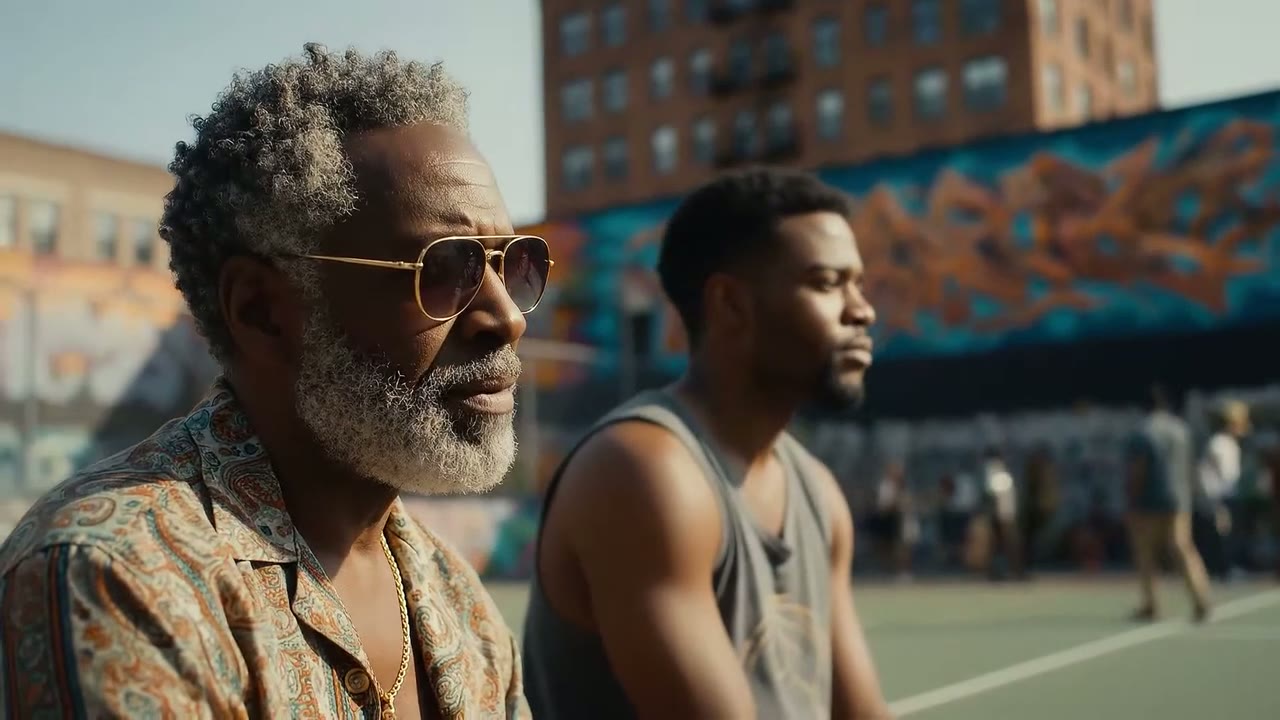
 Veo 3.1
Camera Moves Written in Plain Words
Veo 3.1 reads film language closely. Ask for a slow track down a hallway, a push-in through an archway and a pivot toward the bar, and it plays those moves in that order within a single 8-second take.
Google’s prompting guide for Veo 3.1 suggests a five-part order: camera work, subject, action, setting, then style and mood. Lead with the camera and the rest of the shot tends to fall into place.
 Veo 3.1
Start and End on Frames You Choose
One uploaded image becomes the opening frame of the clip. Add a second and Veo 3.1 works out the camera path from the first picture to the last, which is how the shot below flies out through a barn and settles on a rider crossing the prairie.
Veo 3.1 brought audio to frame-to-video, so the transition arrives with its own sound. It is the quickest way to animate key art, a product still or a pair of storyboard frames without spelling out every move.
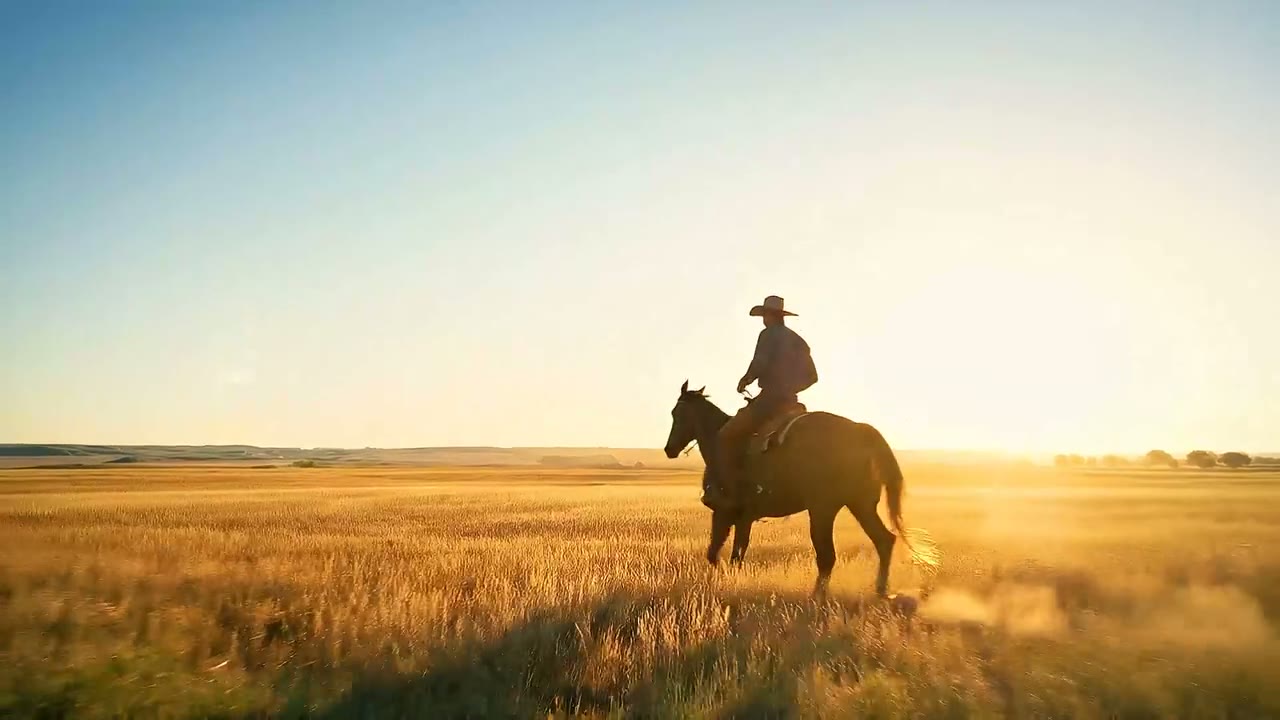
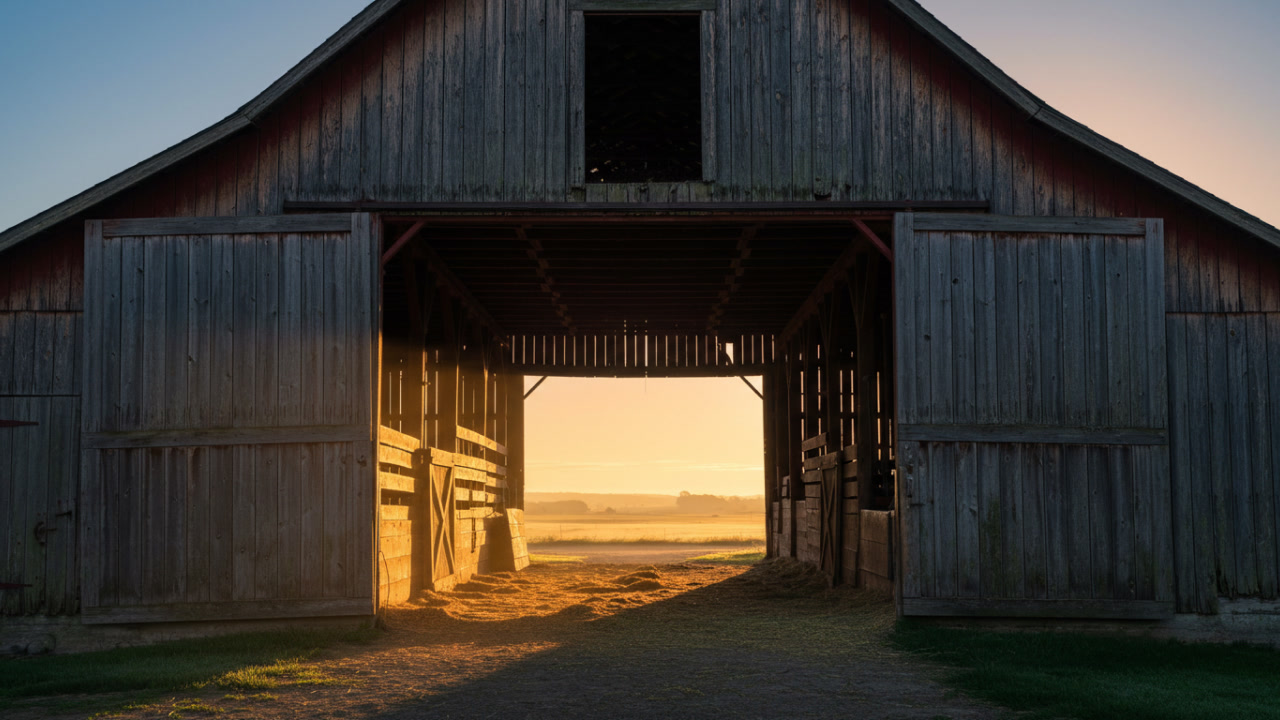
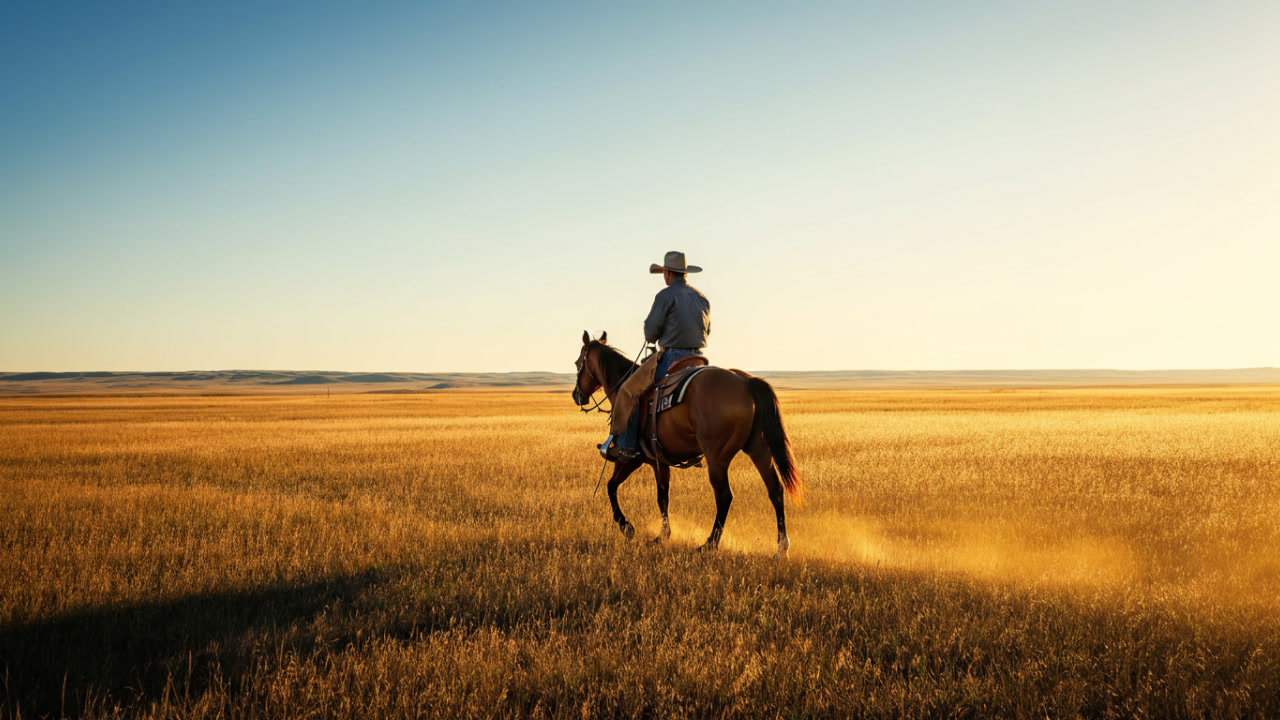 Veo 3.1
4K Output with Veo 3.1 Fast
Veo 3.1 Fast on Yovid offers three resolutions: 720p for trying ideas, 1080p for most delivery, and 4K when a shot has to hold up on a large screen or survive a crop in the edit. The glacier below was rendered at 4K and scaled down for this page.
720p and 1080p cost the same per second and 4K costs more, so settle the framing at 720p first. 4K is open on Premium and with Creator, Studio, Max or Agency credit packs; Lite and Pro subscriptions render Veo at up to 1080p.
Two Variants: Veo 3.1 Fast and Veo 3.1 Pro
Yovid runs both versions Google offers. Veo 3.1 Fast is the speed- and cost-focused variant, and on Yovid it is the one with 4K. Veo 3.1 Pro is Google’s standard Veo 3.1, the quality-first pick for a final shot that only needs 1080p.
Prompts, lengths, aspect ratios and frame inputs work the same on both, so you can test on Fast and render the keeper on Pro without rewriting a word. This page opens the generator on Fast.
| Veo 3.1 Fast | 720p, 1080p or 4KAbout 3 credits per second at 720p or 1080p and 10 at 4K. Lite and above, or a Creator, Studio, Max or Agency credit pack. |
|---|---|
| Veo 3.1 Pro | 720p or 1080pAbout 8 credits per second. Needs a Lite, Pro or Premium subscription. |
| An 8-second clip | About 24 credits on Fast at 1080pAbout 80 on Fast at 4K and 64 on Pro, at credit-pack rates. |
| Shared by both | Prompt, length, ratio and framesSwitch variants in the model menu without changing the prompt. |
Believable Physics, Even in Invented Worlds
In Google’s own tests, human raters picked Veo 3.1 over other models for visually realistic physics on the physics prompts of MovieGenBench. On screen that looks like wax that ripples under a footstep, flame light that falls off naturally and steam that drifts with the camera.
It carries over to made-up settings too. The scene below is a tiny wax figure crossing a landscape of molten wax, written as a timed shot list: an opening tracking shot, a long walk and a slow pull-back in the final second.
 Veo 3.1
Every Veo 3.1 Setting on Yovid
Choose 16:9 or 9:16 before you write, so the subject and the camera path are composed for that frame. Vertical clips are generated vertical, not cropped out of a landscape render.
| Length | 4, 6 or 8 seconds4 seconds by default. |
|---|---|
| Aspect ratio | 16:9 or 9:16 |
| Resolution | 720p or 1080p; 4K on Veo 3.1 Fast720p by default. Lite and Pro subscriptions top out at 1080p. |
| Inputs | Text, a first frame, or a first and last frameReference images and scene extension are not offered for Veo on Yovid. |
| Sound | Always generatedDialogue, effects, ambience and music, guided by the prompt. |
| Prompt | Up to 2,000 characters |
| Output | MP4 |
Who Veo 3.1 Works Best For
Eight seconds with sound built in suits short, finished-looking shots more than long stories. These are the jobs it handles best:
- Ad and brand teams: Hero shots, bumpers and product moments where a pour, a click or a voice line has to land exactly on the picture.
- Social video creators: Vertical 9:16 hooks with spoken lines for Reels, Shorts and TikTok, generated vertical from the first frame.
- Filmmakers and storyboard artists: A pair of storyboard frames turned into a moving shot with its own sound, for a pitch or a previs pass.
- E-commerce and product teams: A product still animated with camera motion and sound, then the chosen take rendered in 4K on Veo 3.1 Fast.
- Animators and storytellers: Stylized worlds, from wax miniatures to fantasy landscapes, with ambience and effects already laid in.
Veo 3.1 Fast vs Veo 3.1 Pro, Seedance 2.5, Kling 3.0 and Sora 2
Both Veo variants next to three other models you can pick on Yovid. Every cell except the last row is read from the settings each model exposes in the generator today.
| Feature / Model |  Veo 3.1 Fast Veo 3.1 Fast | Veo 3.1 Pro |  Seedance 2.5 Seedance 2.5 |  Kling 3.0 Kling 3.0 |  Sora 2 Sora 2 |
|---|---|---|---|---|---|
| Longest clip | 8 s | 8 s | 30 s | 15 s | 12 s |
| Top resolution | 4K | 1080p | 1080p | 1080p | 720p |
| Aspect ratios | 16:9, 9:16 | 16:9, 9:16 | 16:9, 9:16, 1:1, 4:3, 3:4, 21:9 | 16:9, 9:16, 1:1 | 16:9, 9:16 |
| Reference images | — | — | 30 | — | — |
| Credits for 5 s at 720p | 15 | 40 | 31 | 13 | 10 |
| Best for | Short shots with sound at the lowest Veo price, up to 4K. | Google’s standard Veo 3.1 for a polished 1080p final. | Long takes up to 30 s and reference-heavy work. | Expressive character motion up to 15 s. | Clips up to 12 s from text or a single image. |
Credits are base credit-pack rates for a 5-second clip at 720p (or the nearest resolution a model offers) and follow Yovid’s live pricing; subscribers pay less per second. Veo renders 4, 6 or 8 seconds, so its 5-second figure is for comparison only.
Strengths and Limits of Veo 3.1
Where Veo 3.1 beats the rest of the lineup on Yovid, and where another model or setting is the better call.
Strengths
- Sound built in: Dialogue, effects, ambience and music arrive with every clip, with no separate audio pass.
- 4K: Veo 3.1 Fast is the only video model on Yovid that renders 4K.
- Frame control: First-and-last-frame transitions with sound, for shots that must open and close on set images.
- Two price points: Fast for about 3 credits a second, Pro when you want Google’s standard model, with the same prompt on both.
Limits
- Clip length: 8 seconds at most per generation; for longer takes, Seedance 2.5 runs to 30 seconds.
- No reference images: Veo’s ingredients-to-video and scene extension are not offered on Yovid; Seedance 2.5 and Wan 3.0 take references.
- Plan access: Not on the free plan. Fast needs Lite or above or a Creator-or-larger pack, Pro needs a subscription, and 4K needs Premium or a pack.
- Sound is always on: There is no silent mode; mute or replace the track in your editor.
How to Use Veo 3.1 on Yovid
- Step 1
Pick Veo 3.1 Fast or Pro
Open the video generator; this page preselects Veo 3.1 Fast. Switch to Veo 3.1 Pro under Google in the model menu.
- Step 2
Write the shot, add frames if you have them
Describe the camera, subject, action, setting and sound, and attach a first frame or a first and last frame.
- Step 3
Set length and resolution, then generate
Choose 4, 6 or 8 seconds, 16:9 or 9:16 and up to 4K on Fast, then review the clip and download the MP4.
Veo 3.1 Prompts to Start From
Prompts Google DeepMind published with these Veo 3.1 clips, trimmed for length. Open one in the generator and change the details to make it yours.
Wok toss
8 s · with soundA handheld shot follows a wok as it’s expertly flicked, sending vibrant, sizzling vegetables tumbling over themselves in a flash of motion and steam. Audio: a metallic clank and a sharp whoosh.
Source: Google DeepMind · Veo
Try this promptWax figure with a flame
8 s · timed shot listA small, pale yellow, humanoid figure crafted from wax stands centered in a warm, ethereal landscape of molten wax, a delicate, bright flame flickering in its raised hand. (0-1 seconds) The camera initiates a smooth tracking shot at eye level as the figure begins to gently walk forward, its small feet creating subtle ripples in the wax terrain. (1-7 seconds) The wax person continues its quiet journey; the camera holds its smooth tracking motion, subtly receding to reveal a broader view of the wax world. (7-8 seconds)
Source: Google DeepMind · Veo
Try this promptHome bar reveal
8 s · camera moves and dialogueThe camera begins with a slow, elegant track along the walls of a dimly lit, sophisticated hallway. Soft jazz music plays in the background. As we approach an arched entryway, the camera performs a graceful push-in, then smoothly pivots to the right, opening up to a luxurious home bar. The clinking of ice and the murmur of conversation become audible. The camera settles on a close-up of a perfectly crafted cocktail. "Welcome," a smooth, baritone voice says. "Care for a taste?" A mixologist steps into frame, followed by a playful, mischievous cat that jumps onto the bar.
Source: Google DeepMind · Veo
Try this promptStreet mural conversation
8 s · dialogue and musicA medium shot opens on a seasoned, grey-bearded man in sunglasses and a paisley shirt, his gaze fixed off-camera with a contemplative expression. Beside him, a younger man in a tank top, also looking forward. The camera slowly pushes in. In the background, a vibrant mural splashes across a wall, hinting at an urban setting. Faint city murmurs and distant chatter drift in, accompanied by a mellow, soulful hip-hop beat. "The city always got a story," the older man murmurs, a slight nod of his head. "Just gotta listen."
Source: Google DeepMind · Veo
Try this prompt
More Video Models on Yovid
Guides for Getting More out of Veo 3.1
A prompt formula, image-to-video examples and a side-by-side of every video model on Yovid.
FAQs
What is Veo 3.1?
Can I use Veo 3.1 for free on Yovid?
What is the difference between Veo 3.1 Fast and Veo 3.1 Pro?
Does Veo 3.1 generate audio?
How long can a Veo 3.1 video be?
Can Veo 3.1 make 4K videos?
Can I turn an image into a video with Veo 3.1?
How many credits does a Veo 3.1 video cost?
Do Veo 3.1 videos have a watermark?
Can I use Veo 3.1 videos commercially?
Your Next 8-Second Shot, Sound Included
Write the shot, add a first or last frame if you have one, and let Veo 3.1 handle the camera, the light and the sound.
Create with Veo 3.1