
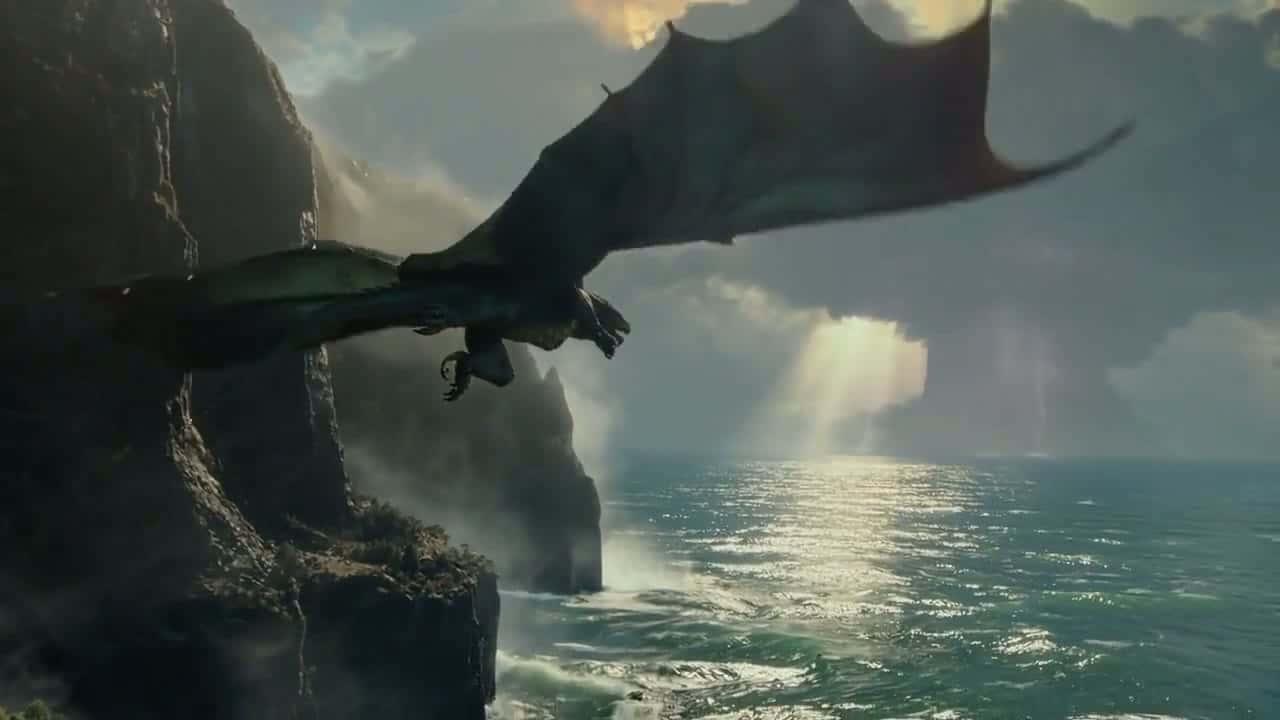
Sora 2 Free Online AI Video Generator
Write a scene, or start from a single image, and get a 4, 8 or 12 second clip where bodies move with real weight and voices, effects and ambience arrive with the picture. Render at 720p with Sora 2, or switch to Sora 2 Pro for 1080p. Start creating with Sora 2 on Yovid.
Seedance 2.5 is live
Clips up to 30 seconds with image, video, and audio references.
Kling 3.0
Kling's latest video model, ready in your workspace.
Veo 3.1
Google's video model with native audio.

GPT Image 2.5
OpenAI's image model for creating and editing images.
AI Image Upscaler
Sharpen and enlarge images for cleaner exports.
AI Canvas
Chain image and video steps on one visual board.
What Sora 2 Puts on Screen
Why Make Videos with Sora 2 on Yovid
- Physics That Holds Up: Bodies, boards and water react with weight and momentum instead of morphing to fit the prompt.
- Voices Generated with the Picture: Speech is produced together with the face that says it, in more than one language if you ask.
- Soundscapes and Effects in the Same Pass: Ambience, foley and effects are generated in sync with what happens on screen.
- Several Shots, One Consistent World: Cut between angles inside one clip and keep the cast, props and weather the same.
- Live Action, Anime and Everything Between: Realistic, cinematic and anime looks are native styles, not filters laid over live action.
- Turn One Image into a Sora 2 Video: Upload a single opening frame and Sora 2 animates the scene from your prompt.
- Sora 2 or Sora 2 Pro: Settings and Prices: Same lengths and inputs; Pro adds 1080p and a more detailed render at a higher rate.
Physics That Holds Up
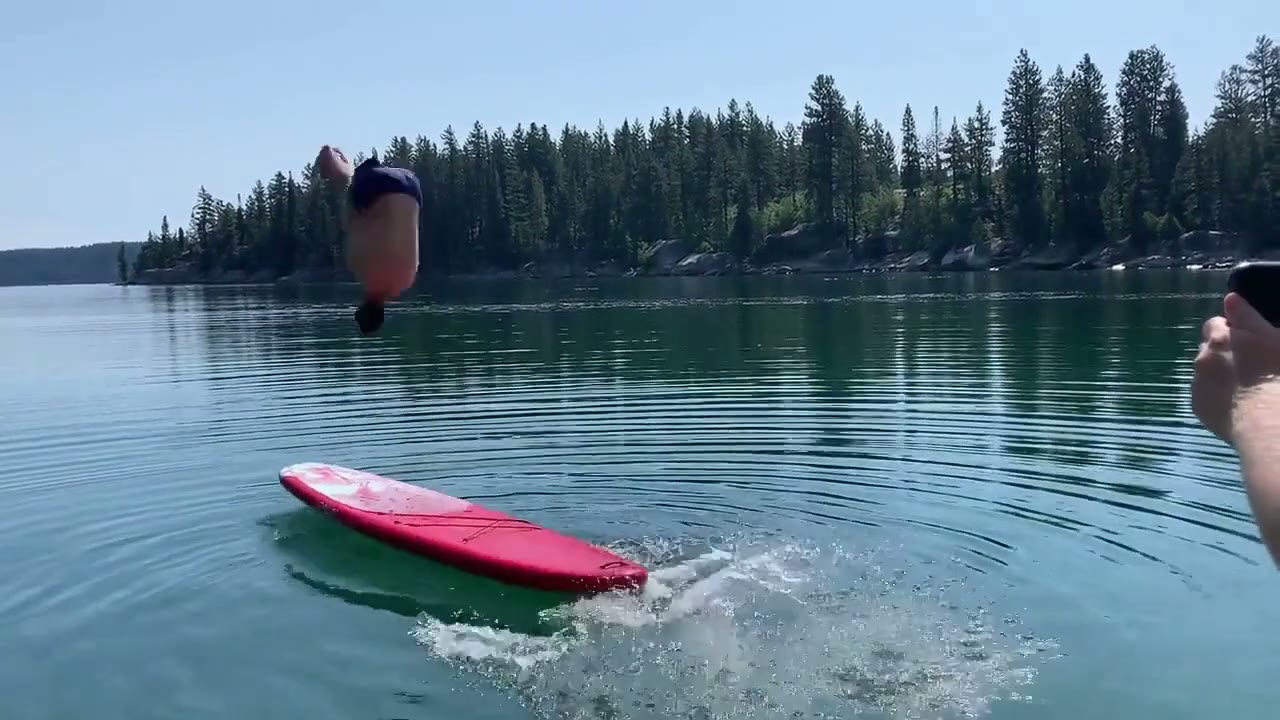
Earlier video models bend reality to make an action succeed: miss a basketball shot and the ball drifts into the hoop anyway. OpenAI trained Sora 2 to let the miss happen, so the ball rebounds off the backboard and a paddleboard dips and springs back when someone lands a flip on it.
That makes Sora 2 the model to pick when the action is the shot: stunts, sports, splashes and falls. Describe the move plainly, including how it ends, and let the model work out the weight.
 Sora 2
Voices Generated with the Picture
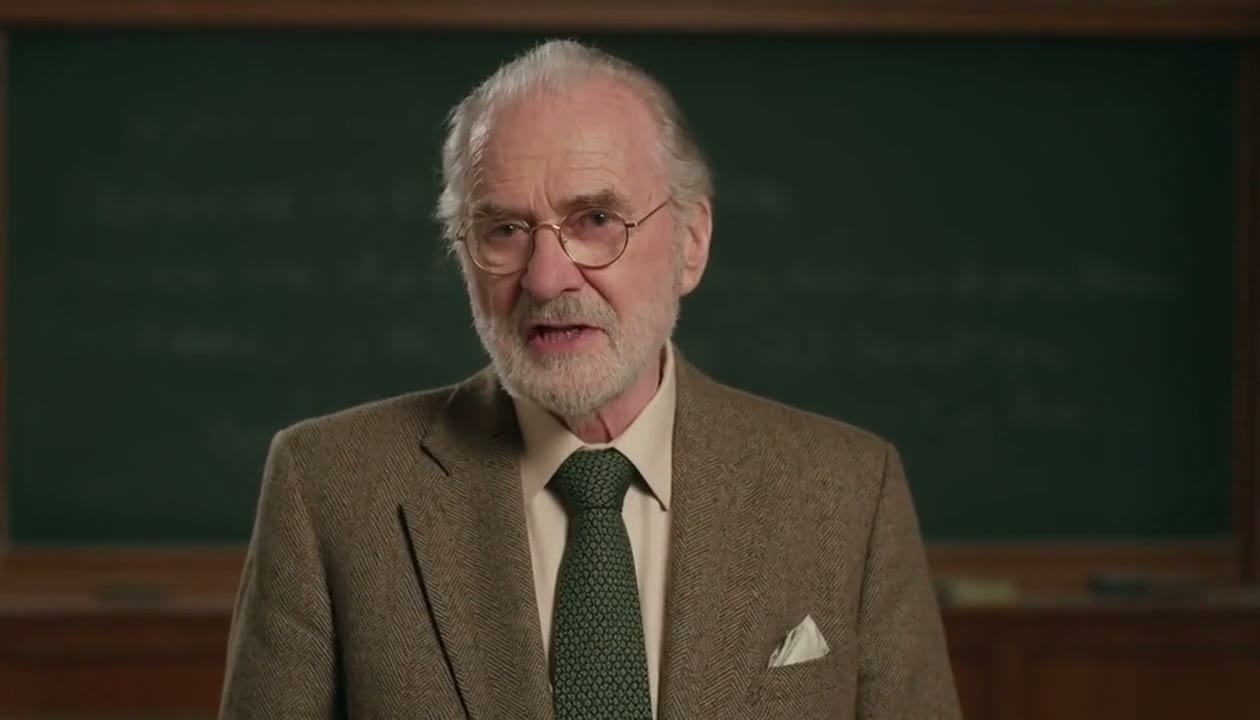
Sora 2 is a video-and-audio model, so lines are generated with the mouth, breath and timing of the person on screen rather than dubbed on later. The clip below came from a seven-word prompt that asked an old professor to speak English and then German.
Put the exact words in quotes, say who speaks them and in which language, and keep to one or two lines per character in a 12-second clip.
 Sora 2
Soundscapes and Effects in the Same Pass
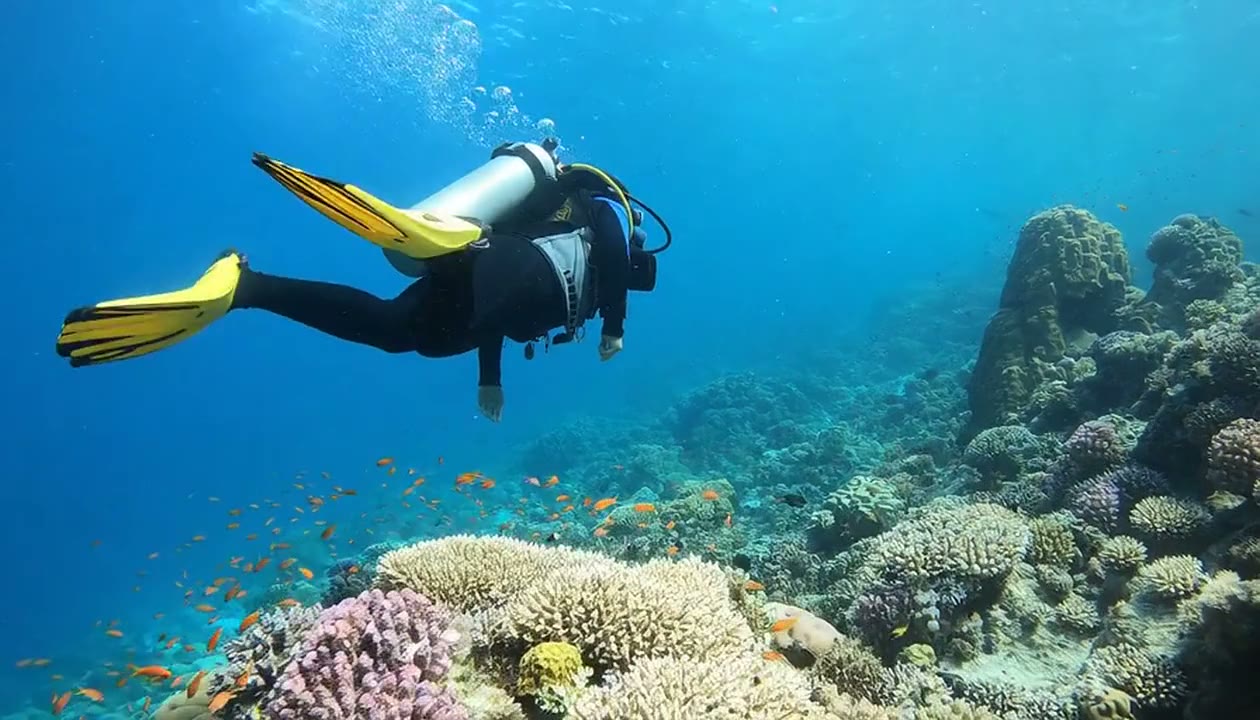
Background sound is part of the generation, not a separate step. The prompt behind the clip below gave Sora 2 a subject and the words "sounds of the coral reef", and the audio was generated along with the picture.
Name the sounds that matter, such as rain on canvas, a crowd going quiet or a door slamming, and Sora 2 places them where the action is. Sora has no sound switch on Yovid: every clip comes with audio, which you can mute or replace in your editor.
 Sora 2
Several Shots, One Consistent World
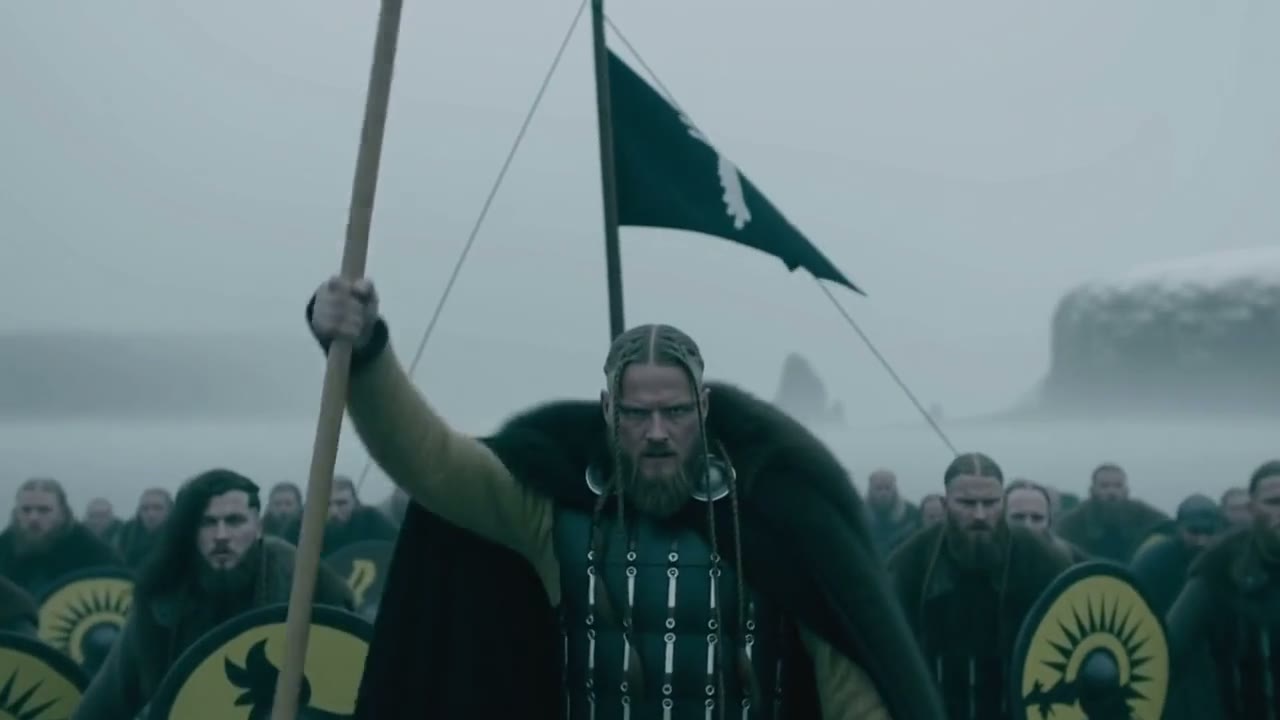
Sora 2 follows instructions that span several shots and keeps the world consistent from cut to cut. In the clip below the longship, the painted shields, the oars, the chieftain and the fog carry through from the sea crossing to the charge up the beach.
A clip on Yovid runs up to 12 seconds, so plan two to four shots. Give each one its own line with timing, framing and action, for example "0–4 s: wide shot, the ship breaks through the fog".
 Sora 2
Live Action, Anime and Everything Between
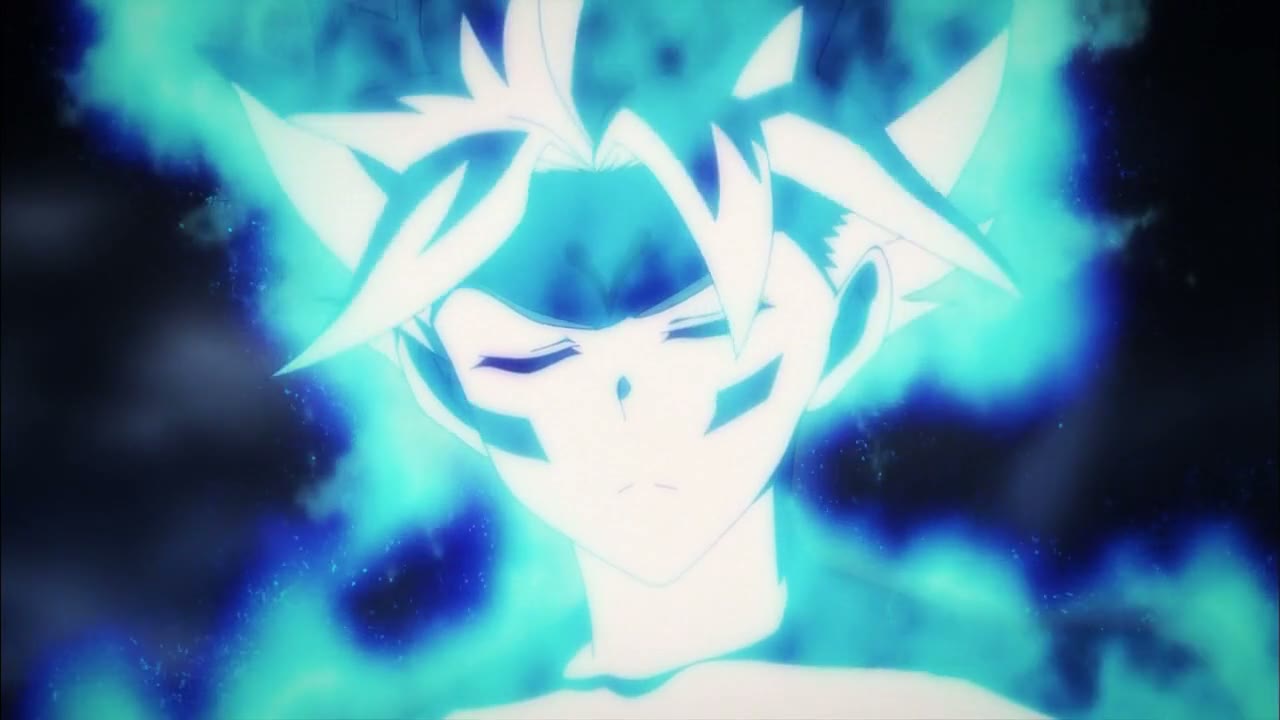
OpenAI lists realistic, cinematic and anime as the styles Sora 2 handles best. In the clip below the line work, the glow and the character design stay steady as the camera cuts from the face to a hand to the full figure.
Name the style in the first words of the prompt, then describe the shots. Black-and-white film and claymation work the same way, as the clips at the top of this page show.
 Sora 2
Turn One Image into a Sora 2 Video
Add one image and Sora 2 starts the clip from it, then moves the scene the way your prompt describes. It is the quickest way to bring a sketch, a product shot or a generated still to life without describing every detail of it.
Sora takes exactly one image on Yovid: there is no last frame and no set of reference images. When a character or product has to stay identical across several references, Seedance 2.5 or Wan 3.0 is the better pick.
| Images per clip | OneUsed as the opening frame; no last frame. |
|---|---|
| File types | JPG, PNG or WebP, up to 10 MB |
| Best size | 1280×720 or 720×1280Match the aspect ratio you choose for the clip. |
| People | Photos of real people are not supportedUse illustrations, products, places or generated characters. |
Sora 2 or Sora 2 Pro: Settings and Prices
Both versions take the same lengths, aspect ratios and inputs. Sora 2 renders at 720p for about 2 credits a second; Sora 2 Pro is OpenAI’s higher-quality variant, with 720p or 1080p output for about 6 or 10 credits a second.
A good routine is to try ideas on Sora 2 and rerun the prompt you like on Sora 2 Pro. Sora 2 is open on every paid plan and every credit pack; Sora 2 Pro needs a Lite, Pro or Premium subscription.
| Length | 4, 8 or 12 secondsBoth versions; 4 seconds by default. |
|---|---|
| Aspect ratio | 16:9 or 9:16 |
| Resolution | Sora 2: 720p · Sora 2 Pro: 720p or 1080p |
| Inputs | Text up to 5,000 charactersPlus one optional opening image. |
| Sound | Always generatedDialogue, ambience and effects; there is no switch. |
| Credits | Sora 2: about 2 per secondSora 2 Pro: about 6 per second at 720p, 10 at 1080p. Subscribers pay less. |
| Access | Sora 2: any paid plan or credit packSora 2 Pro: Lite, Pro or Premium subscription. |
Who Sora 2 Works Best For
Short clips where the movement has to convince and the sound has to match. These are the jobs it handles best:
- Social video creators: Vertical 9:16 skits and reaction clips with spoken lines and sound already in place.
- Ad and brand teams: Concept spots and mood clips built around a physical moment: a pour, a splash, a jump, a fall.
- Filmmakers and storyboard artists: Action beats and dialogue blocking tested in two to four shots before anything is shot for real.
- Animators: Anime, claymation and black-and-white looks with voices and effects generated in the same pass.
- Educators and explainer makers: A generated presenter who speaks one or two languages in front of a scene that fits the topic.
Sora 2 vs Sora 2 Pro, Veo 3.1, Seedance 2.5 and Kling 3.0
Both Sora variants next to three other models you can pick on Yovid. Every cell except the last row is read from the settings each model exposes in the generator today.
| Feature / Model |  Sora 2 Sora 2 | Sora 2 Pro |  Veo 3.1 Fast Veo 3.1 Fast |  Seedance 2.5 Seedance 2.5 |  Kling 3.0 Kling 3.0 |
|---|---|---|---|---|---|
| Longest clip | 12 s | 12 s | 8 s | 30 s | 15 s |
| Top resolution | 720p | 1080p | 4K | 1080p | 1080p |
| Aspect ratios | 16:9, 9:16 | 16:9, 9:16 | 16:9, 9:16 | 16:9, 9:16, 1:1, 4:3, 3:4, 21:9 | 16:9, 9:16, 1:1 |
| Reference images | — | — | — | 30 | — |
| Edit or extend an uploaded clip | — | — | — | Yes | — |
| Credits for 5 s at 720p | 10 | 30 | 15 | 31 | 13 |
| Best for | Physical action and dialogue on a small credit budget. | The same Sora look at 1080p for a finished edit. | Short shots with native audio, up to 4K. | Takes up to 30 s, edits and reference-heavy work. | Expressive character motion up to 15 s. |
Credits are base credit-pack rates for a 5-second clip at 720p (or the nearest resolution a model offers) and follow Yovid’s live pricing; subscribers pay less per second. Sora renders 4, 8 or 12 seconds and Veo 4, 6 or 8, so their 5-second figures are for comparison only. Sora 2 has no resolution setting and renders at 720p.
Strengths and Limits of Sora 2
Where Sora 2 earns its place on Yovid, and where another model or setting is the better call.
Strengths
- Physics: Weight, momentum and failure look physical; a botched stunt ends in a fall, not a morph.
- Sound in one pass: Dialogue, ambience and effects arrive synced to the picture with nothing to set up.
- Room to direct: Prompts of up to 5,000 characters, enough for a full shot list with timings.
- Price: About 2 credits a second at base rates, less than Veo 3.1 Fast, Kling 3.0 or Seedance 2.5 at 720p.
Limits
- Length: 12 seconds at most; for a longer single take, Seedance 2.5 runs to 30 seconds.
- Inputs: One opening image only: no last frame, reference set or video input, and no photos of real people.
- Resolution and access: Sora 2 renders 720p; 1080p needs Sora 2 Pro, which is for subscribers only. Neither is on the free plan.
- Availability: OpenAI retired its own Sora API on September 24, 2026, and Yovid now runs Sora through a third-party provider, so access may change.
How to Use Sora 2 on Yovid
- Step 1
Pick Sora 2 or Sora 2 Pro
Open the video generator; this page preselects Sora 2. Choose Sora 2 Pro from the OpenAI group in the model menu for 1080p.
- Step 2
Write the scene, add an image
Describe the action, the camera and the lines to be spoken, attach one opening image if you have it, then set 4, 8 or 12 seconds and 16:9 or 9:16.
- Step 3
Generate and download
Check the credit quote, generate, and download the MP4 with its sound.
Sora 2 Prompts to Start From
Real Sora 2 prompts, word for word, next to the clips they produced. Open one in the generator and change the details to make it yours.
Astronaut retriever
Text to video · two shotsan astronaut golden retriever named Sora levitates around an intergalactic pup-themed space station with a tiny jet back that propels him. gorgeous specular lighting and comets fly through the sky, retro-future astro-themed music plays in the background. light glimmers off the dog's eyes. the dog initially propels towards the space station with the doors opening to let him in. the shot then changes. now inside the space station, many tennis balls are flying around in zero gravity. the dog's astronaut helmet opens up so he can grab one. 35mm film, the intricate details and texturing of the dog's hair are clearly visible and the light of the comets shimmers off the fur.
Source: OpenAI · Sora 2
Try this promptFireworks festival, anime
Text to video · animein the style of a japanese anime, a melancholy scene under the fireworks of a night sky. the world is so happy, but not the two star-crossed protagonists of this gorgeous japanese town in the middle of a festival. film-caliber sakuga japanese animation, close-up shots of the characters having a conversation in japanese, beautiful fluid hand-drawn animation
Source: OpenAI · Sora 2
Try this promptTwo-horse stunt gone wrong
Text to video · physicsa person is standing on 2 horses with legs spread. make it not slowmo also realistic. the guy fell off pretty hard in the end. single shot
Source: OpenAI · Sora 2
Try this promptDalmatian agility in Burano
Text to video · motiona dalmatian deftly walks runs and hops his way through a complex obstacle course in burano italy
Source: OpenAI · Sora 2
Try this promptShouting into a blizzard
Text to video · dialogueTwo mountain explorers in bright technical shells, ice crusted faces, eyes narrowed with urgency shout in the snow, one at a time
Source: OpenAI · Sora 2
Try this promptBo-staff kata in a koi pond
Text to video · sound and motionMartial artist doing a bo-staff kata waist-deep in a koi pond
Source: OpenAI · Sora 2
Try this prompt
More Video Models on Yovid
Guides for Getting More out of Sora 2
Prompt formulas, image-to-video examples and a side-by-side of the video models on Yovid.
FAQs
What is Sora 2?
Is Sora 2 shut down?
Can I use Sora 2 for free on Yovid?
How long can a Sora 2 video be?
What resolution does Sora 2 output?
Can Sora 2 turn an image into a video?
Does Sora 2 generate sound and dialogue?
What is the difference between Sora 2 and Sora 2 Pro?
How many credits does a Sora 2 video cost?
Can I use Sora 2 videos commercially?
Write the Scene. Sora 2 Brings the Sound.
Describe the action, add the lines you want spoken, and get a clip with picture and audio made together.
Create with Sora 2