Direct answer: Seedance 2.5 is the pick for anything longer than 8 seconds (it goes up to 30 in one take), for shots driven by reference images or videos, and for editing or extending footage you already have. Veo 3.1 is the pick for short, polished 4 to 8 second shots, and Veo 3.1 Fast is the one of the two that renders 4K. Both generate sound with the picture; on Veo it is always on.
Contents
- Side-by-side on Yovid
- Length: one 30-second take or several 8-second shots
- Resolution and frame
- References, edits and extensions
- Sound
- What a clip costs
- Prompting each model
- FAQ
Side-by-side on Yovid
Yovid runs two Veo variants: Veo 3.1 Fast and Veo 3.1 (listed as Veo 3.1 Pro). Every row is read from the settings each model exposes in Yovid's generator on October 22, 2026.
| Seedance 2.5 | Veo 3.1 Fast | Veo 3.1 Pro | |
|---|---|---|---|
| Made by | ByteDance Seed | Google DeepMind | Google DeepMind |
| Clip length | 4 to 30 s | 4, 6 or 8 s | 4, 6 or 8 s |
| Resolution | 480p draft, 720p, 1080p | 720p, 1080p, 4K | 720p, 1080p |
| Aspect ratios | 16:9, 9:16, 1:1, 4:3, 3:4, 21:9, adaptive | 16:9, 9:16 | 16:9, 9:16 |
| Start from | Text, first frame (+ last frame), or references | Text, first frame (+ last frame) | Text, first frame (+ last frame) |
| Reference files | Up to 30 images and 10 videos | None on Yovid | None on Yovid |
| Edit or extend an uploaded clip | Yes | No | No |
| Sound | On by default, can be switched off | Always on | Always on |
| Credits per second at 720p | about 6.1 | about 3 | about 8 |
| Unlocked by | Any paid plan or any credit pack | Any paid plan or a Creator, Studio, Max or Agency pack | A Lite, Pro or Premium subscription |
Credits are credit-pack base rates; subscribers pay less per second.
Length: one 30-second take or several 8-second shots
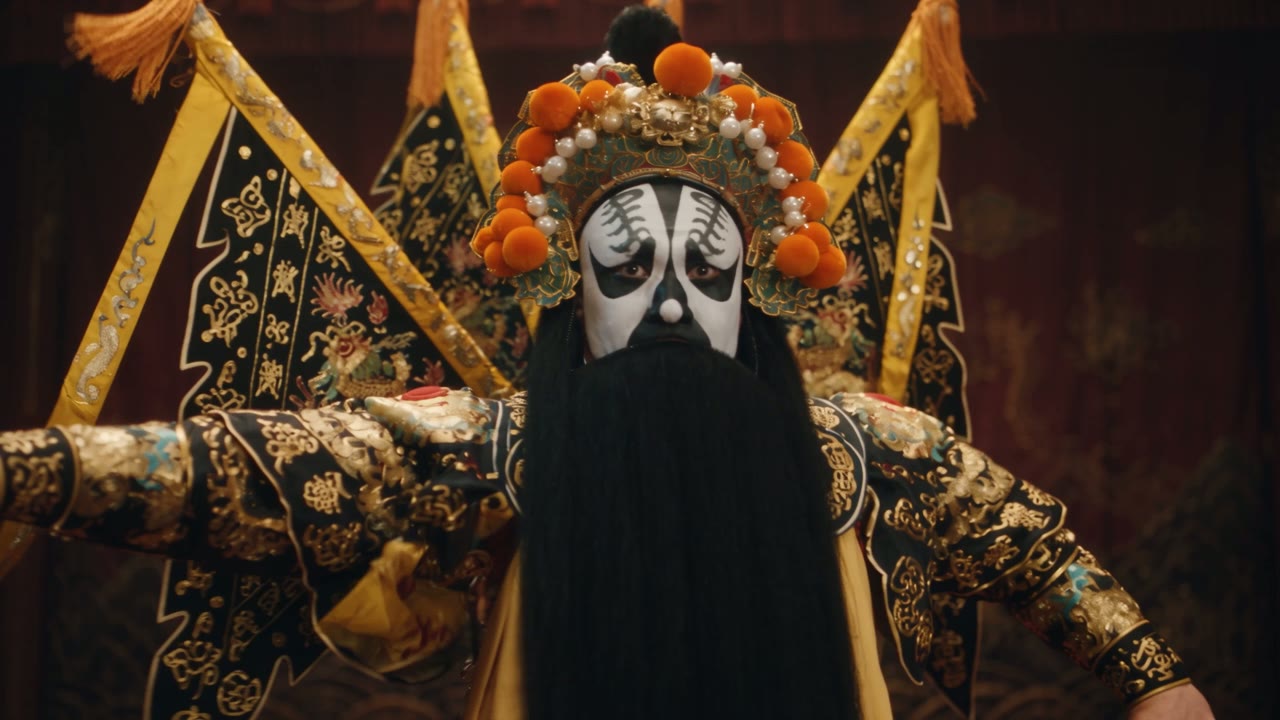
This is the biggest practical difference. Veo 3.1 makes 4, 6 or 8 seconds per generation. Seedance 2.5 makes anything from 4 to 30 seconds, and ByteDance describes it as "built for 30-second storytelling".
A 30-second sequence on Veo is four separate shots that you cut together. That can be exactly right for an edited ad, where every shot is framed on purpose. It is a problem when the scene should play as one continuous take: a walk-and-talk, a long camera move, a performance that builds. There, Seedance 2.5 keeps faces, set and light consistent because nothing is spliced.
Seedance 2.5: a 20-second one-take Peking opera scene from ByteDance Seed's showcase.
Resolution and frame
4K: only Veo 3.1 Fast offers it of the three. On Yovid, 4K is available on the Premium plan and with Creator, Studio, Max or Agency credit packs. Veo 3.1 Pro and Seedance 2.5 go up to 1080p.
Cheap previews: only Seedance 2.5 has a draft mode. A 480p draft costs about 3 credits per second, and the take you like converts to 1080p with the same content within about 24 hours (Pro, Premium or a credit pack).
Aspect ratio: Veo renders 16:9 or 9:16. Seedance 2.5 adds 1:1, 4:3, 3:4 and 21:9, and an adaptive ratio that follows your start image.
References, edits and extensions
On Yovid, Veo 3.1 starts from text or from a first frame with an optional last frame. Seedance 2.5 adds three things Veo does not have here:
- References: up to 30 images and 10 video clips, each named in the prompt (
@image1,@video1) with one job. - Edit: upload a clip and write the change ("change the background to a vineyard, keep everything else unchanged").
- Extend: upload a clip and start the prompt with "Extend @video1".
Google offers more for Veo in its own developer tools. Its Gemini API documentation lists up to three reference images, first and last frame control, and scene extension in 7-second steps for Veo 3.1 and Veo 3.1 Fast; it also notes that 1080p and 4K output require 8-second clips there. Those reference and extension features are not part of Veo on Yovid.
Sound
Both models generate dialogue, effects and ambience with the picture. The difference is control: Seedance 2.5 has a sound switch, so you can render silent footage for your own score. Veo 3.1 always generates sound on Yovid, so mute it in your editor if you do not want it.
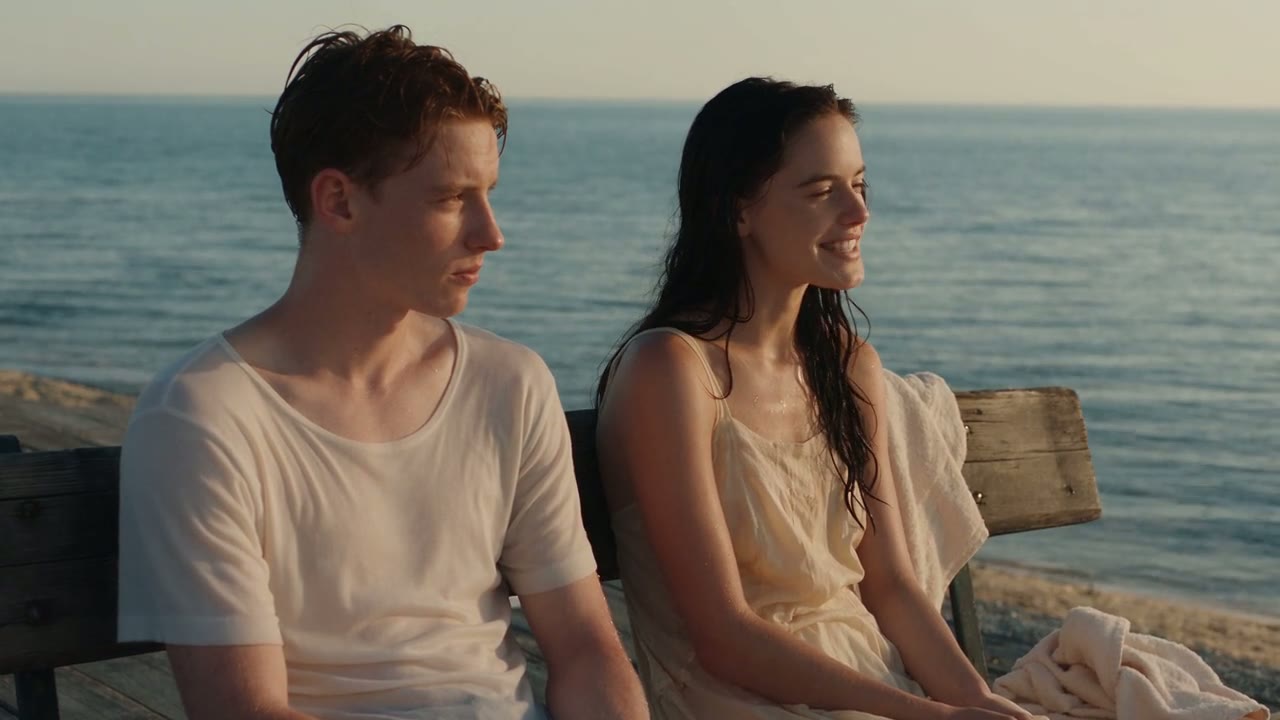
Veo 3.1: an 8-second dialogue shot from Google DeepMind's Veo 3.1 showcase. Unmute for the line and the music bed.
Google embeds SynthID, an invisible digital watermark, in Veo output so it can be identified as AI-generated. Neither model carries a visible Yovid watermark.
What a clip costs
Credit-pack base rates on Yovid, rounded the way the generator rounds them:
| Clip | Seedance 2.5 | Veo 3.1 Fast | Veo 3.1 Pro |
|---|---|---|---|
| 5 s, 480p draft | about 15 | no draft mode | no draft mode |
| 8 s at 720p | about 49 | about 24 | about 64 |
| 8 s at 1080p | about 121 | about 24 | about 64 |
| 8 s at 4K | not offered | about 80 | not offered |
| 30 s at 720p | about 183 in one take | four 8 s shots, about 96 | four 8 s shots, about 256 |
Per second, Veo 3.1 Fast is the cheapest of the three, and it costs the same at 1080p as at 720p. Seedance 2.5 costs more per second but replaces several shots with one take. Current prices and plans are on the pricing page.
Prompting each model
For Veo 3.1, write one shot per generation: the subject, the action, one camera move, the light, the spoken line in quotes and the sounds you want. Eight seconds holds one idea well.
For Seedance 2.5, write the scene in timed beats so each part of the clip has its own action:
- 0–10sa lighthouse keeper climbs a spiral staircase with a lantern, the camera rising with him. Wind howling outside, his boots on iron steps
- 10–20she reaches the lamp room and wipes salt from the glass as a storm rolls in over the sea
- 20–30she lights the great lamp, the beam sweeping across the waves, and says quietly, "Not tonight." Thunder, then only the wind
The same idea on Veo becomes three separate 8-second prompts, one per beat, with the keeper described identically in each. The Seedance 2.5 prompt guide covers the beat format, dialogue and references in detail, and the text to video prompt guide covers single-shot prompts that suit Veo.
FAQ
Is Seedance 2.5 better than Veo 3.1?
For long takes, references and editing existing footage, yes. For short 4 to 8 second shots and for 4K deliverables, Veo 3.1 is the stronger choice. Run the same short prompt on both to judge the look for your project.
Can Veo 3.1 make 30-second videos?
Not in one generation. Veo 3.1 makes 4, 6 or 8 seconds per clip on Yovid. Seedance 2.5 and Wan 3.0 make up to 30 seconds in one take.
Does Seedance 2.5 support 4K?
Seedance 2.5 offers 480p, 720p and 1080p on Yovid. For a 4K clip, use Veo 3.1 Fast or Kling 3.0 on Premium or with a Creator, Studio, Max or Agency pack.
Can I turn off sound on Veo 3.1?
Not on Yovid; every Veo 3.1 clip includes generated sound. Seedance 2.5 has a sound switch in its settings.
What is the difference between Veo 3.1 Fast and Veo 3.1 Pro?
Veo 3.1 Pro is Google's standard Veo 3.1 model and renders at 720p or 1080p. Veo 3.1 Fast is the speed- and cost-focused variant: on Yovid it costs about 3 credits per second instead of 8, and it is the one with 4K.
Can I try either model for free?
Neither is on the free plan. Free sign-up credits cover the entry models, such as Seedance 2.0 Mini. See whether Seedance 2.5 is free for the cheapest way to test it, and Seedance 2.5 vs Kling 3.0 for another lower-cost option.
Ready to compare? Open the AI video generator, write one shot, and run it on Veo 3.1 Fast and as a Seedance 2.5 draft.