

Kling 4.0 Free Online AI Video Generator
Generate a 3–30 second clip with sound in one pass, from a prompt, from a first and last frame, or from up to 10 reference images and 5 reference videos. Render at 720p or 1080p in 16:9, 9:16, 1:1 or 21:9 ultrawide. Start creating with Kling 4.0 on Yovid.
Seedance 2.5 is live
Clips up to 30 seconds with image, video, and audio references.
Veo 3.1
Google's video model with native audio.

GPT Image 2.5
OpenAI's image model for creating and editing images.
AI Image Upscaler
Sharpen and enlarge images for cleaner exports.
AI Canvas
Chain image and video steps on one visual board.
What Kling 4.0 Puts on Screen
Why Make Videos with Kling 4.0 on Yovid
- Up to 30 Seconds From One Prompt: Pick any length from 3 to 30 seconds and lay out the beats second by second.
- Open and Close on the Frames You Choose: Attach a first frame, and optionally a last frame, and Kling 4.0 fills in everything between.
- Copy the Action From a Reference Clip: Attach a clip and Kling 4.0 borrows its choreography and timing for your own characters.
- Follow the Camera Path of Any Clip: Use a clip for its camera move and pacing, and swap in your own subject and set.
- Storyboards and Character Sheets as References: Hand over a storyboard for the shot order and a character sheet for the look, and Kling 4.0 animates both.
- Dialogue in Nine Languages, Lips in Sync: Write who says what in which language, and the voices, lip movement and room sound come out together.
- Credits by Length and Resolution: Per-second pricing, shown in the composer before you generate.
- Every Setting in One Place: Four aspect ratios, two resolutions, 3–30 seconds, from text, frames or references.
Up to 30 Seconds From One Prompt
Kling 4.0 renders up to 30 seconds in a single generation, twice the length of Kling 3.0 and long enough for a scene to build, escalate and resolve. Write one unbroken take or plan several shots with cuts; Kling follows the structure your prompt sets out.
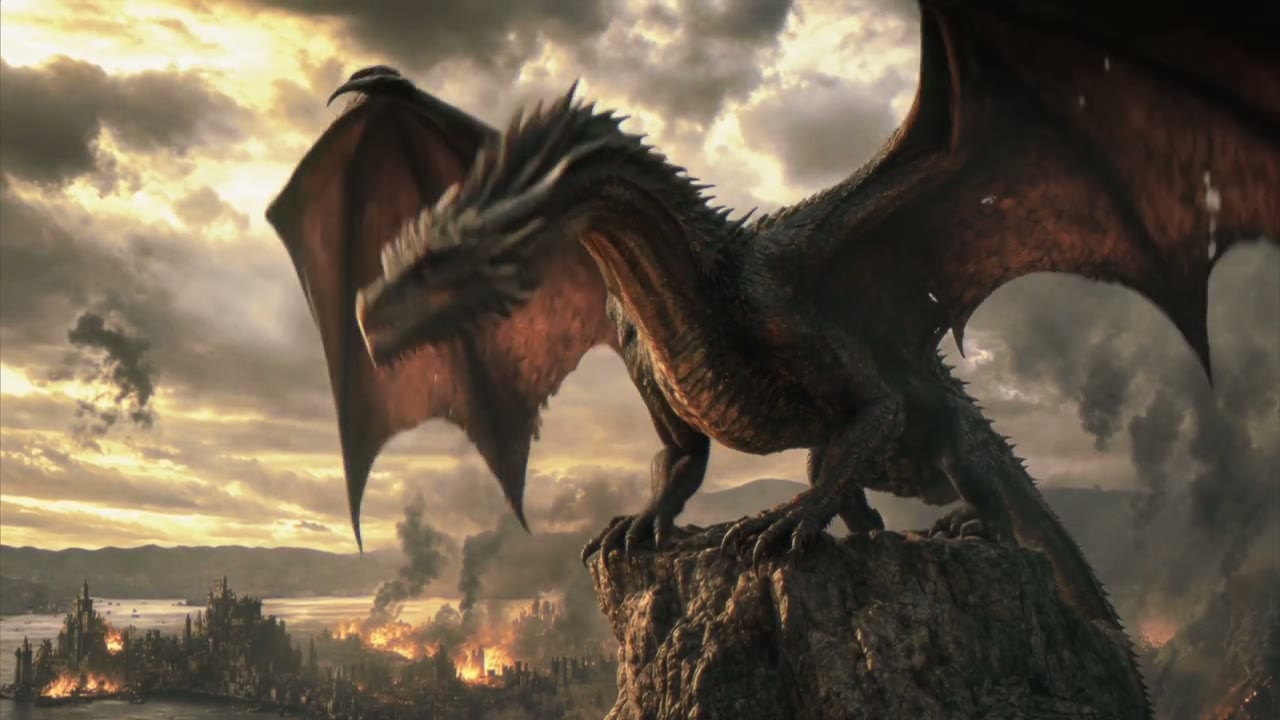
In Kling’s demo below, two reference images fix the burning city and the dragon, and the prompt times six shots, from the roar on the mountain pinnacle to the climb above the flames.


 Kling 4.0
Open and Close on the Frames You Choose
Upload the picture the clip should start on and, if you want, the one it should end on. Kling 4.0 keeps the look of both and works out the motion, the camera path and the sound in between, across as much as 30 seconds.
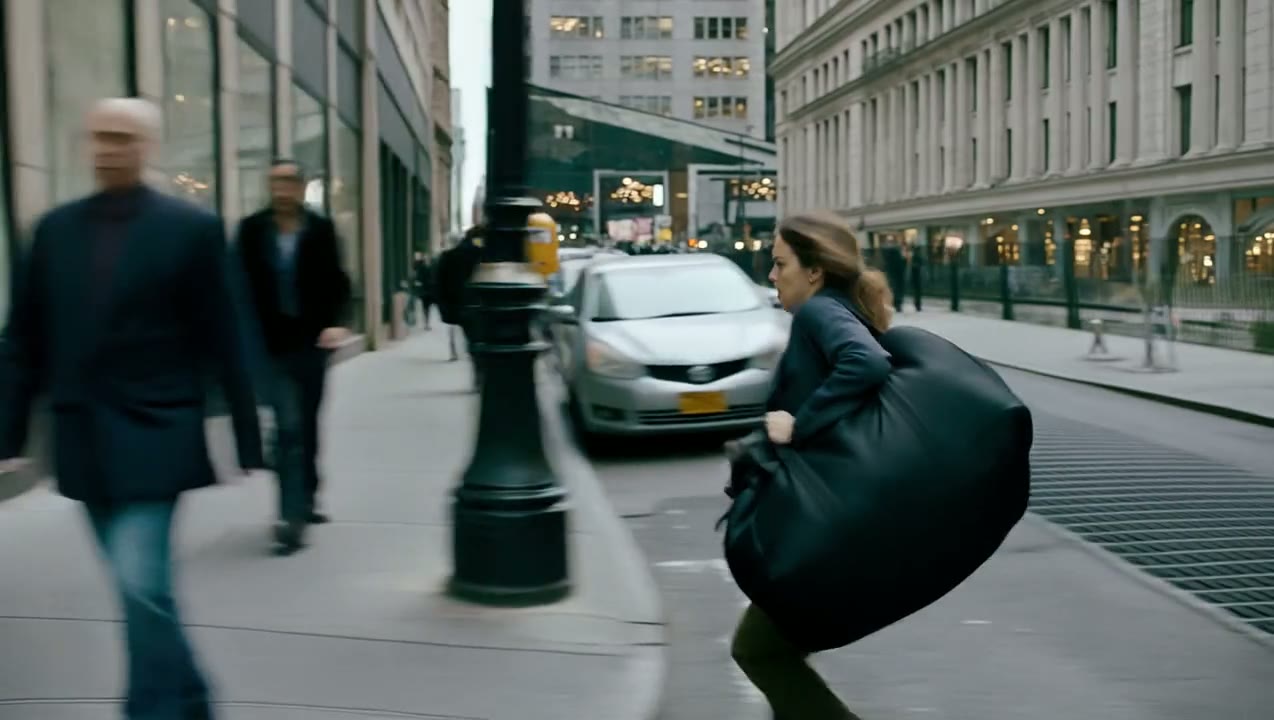
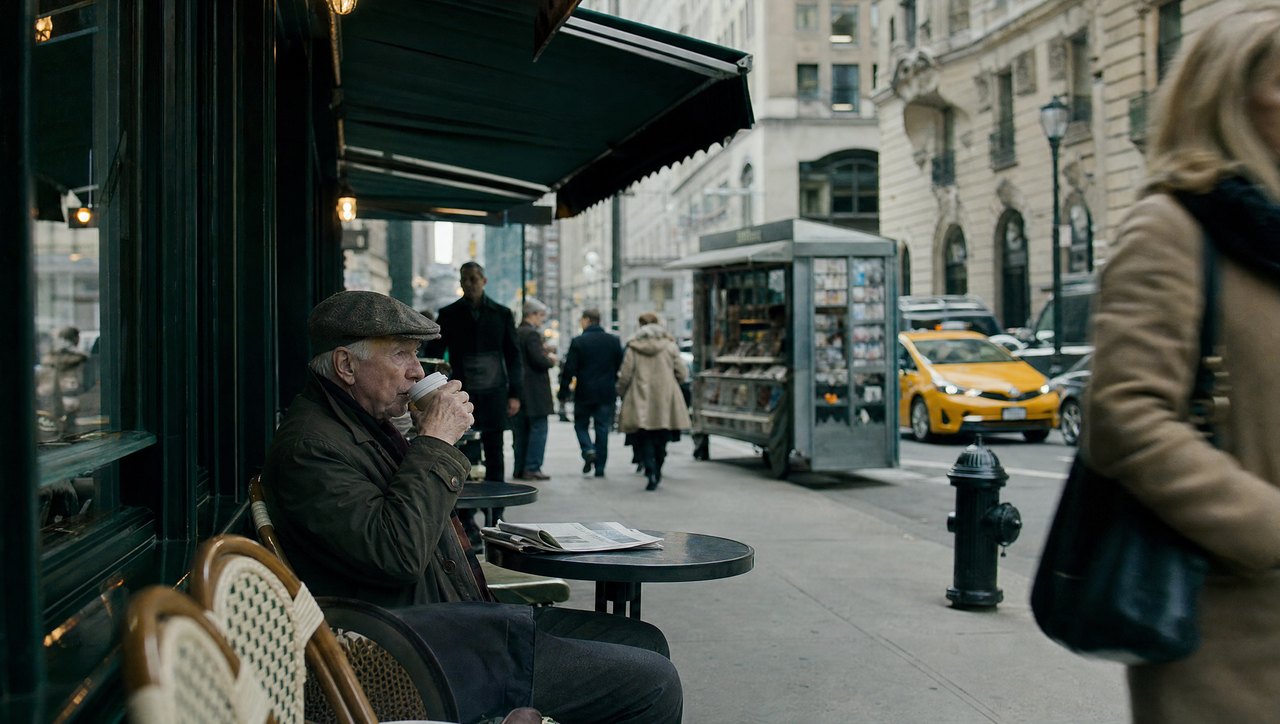
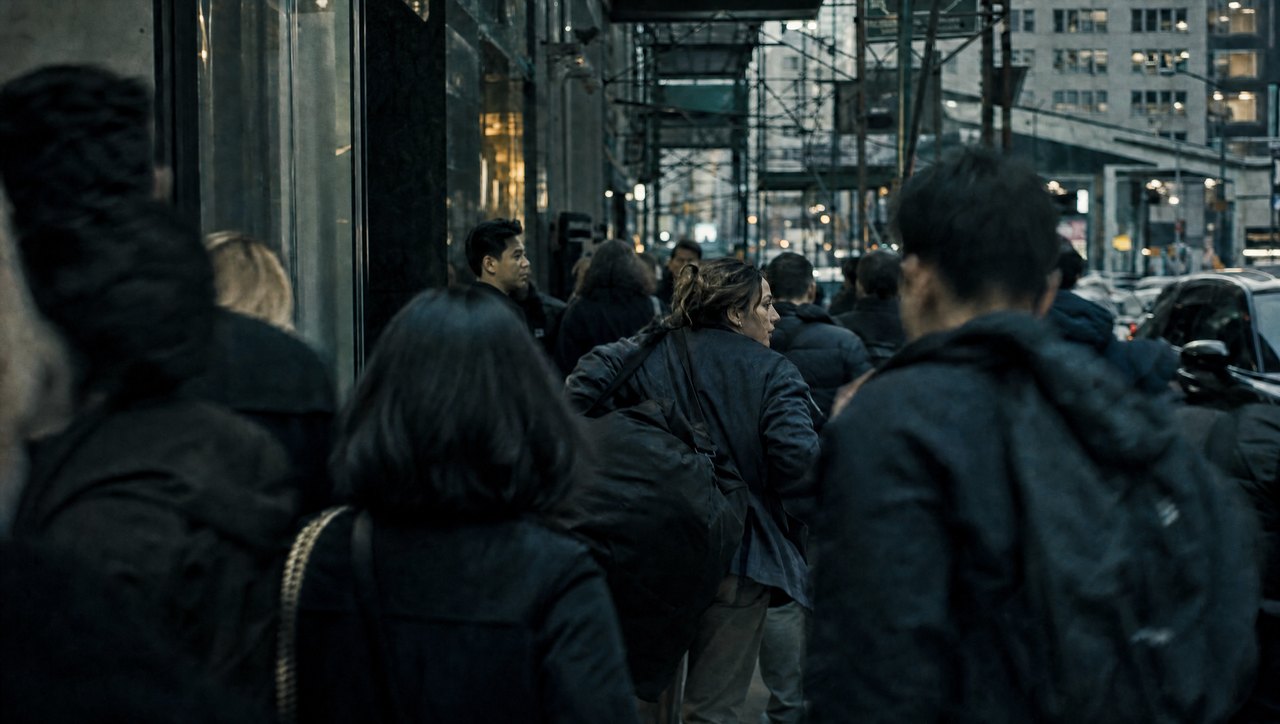
Yovid sends the run to Kling’s image-to-video route as soon as a frame is attached, and the clip takes its shape from your first frame. Here a café street opens the shot, a crowd closes it, and a 20-second lateral tracking chase fills the middle.
 Kling 4.0
Copy the Action From a Reference Clip
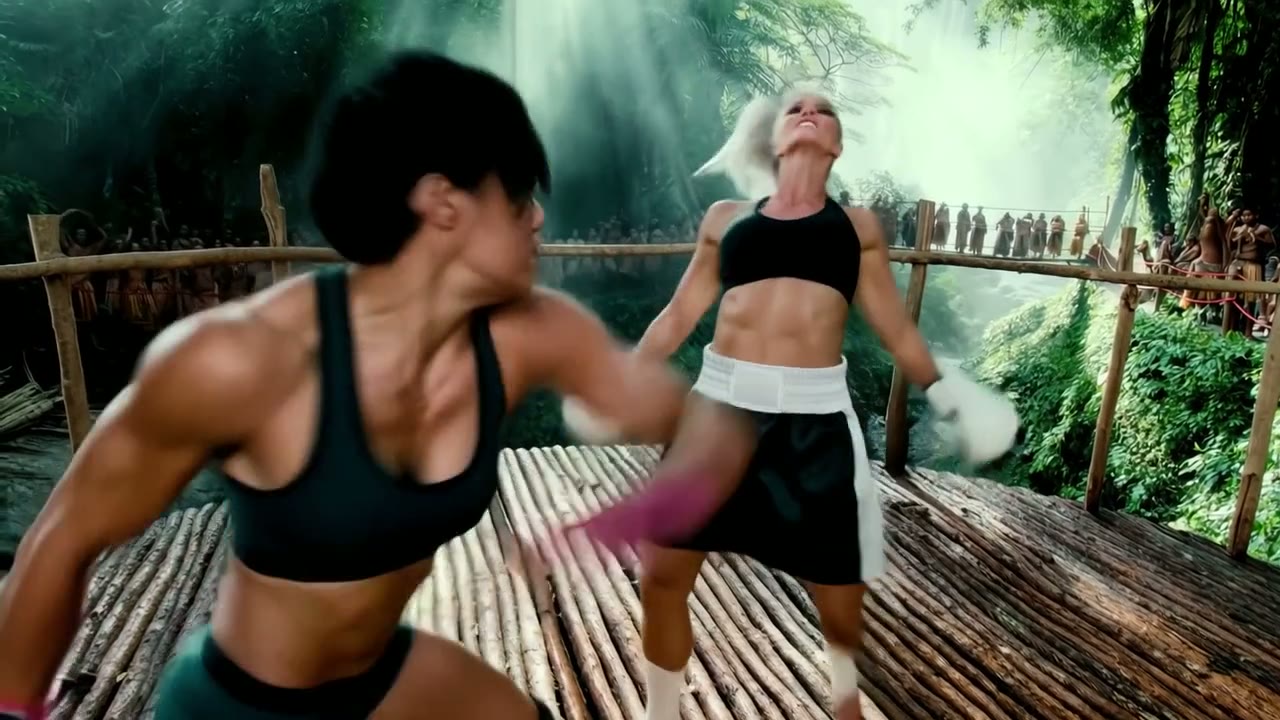
A reference video gives Kling 4.0 what words struggle to describe: the exact rhythm of a fight, a dance or a stunt. Add up to 5 clips, 30 seconds in total, next to up to 10 images, and say in the prompt what each one is for. On Yovid every upload gets a tag such as @Image 1 or @Video 1 to type into the prompt.
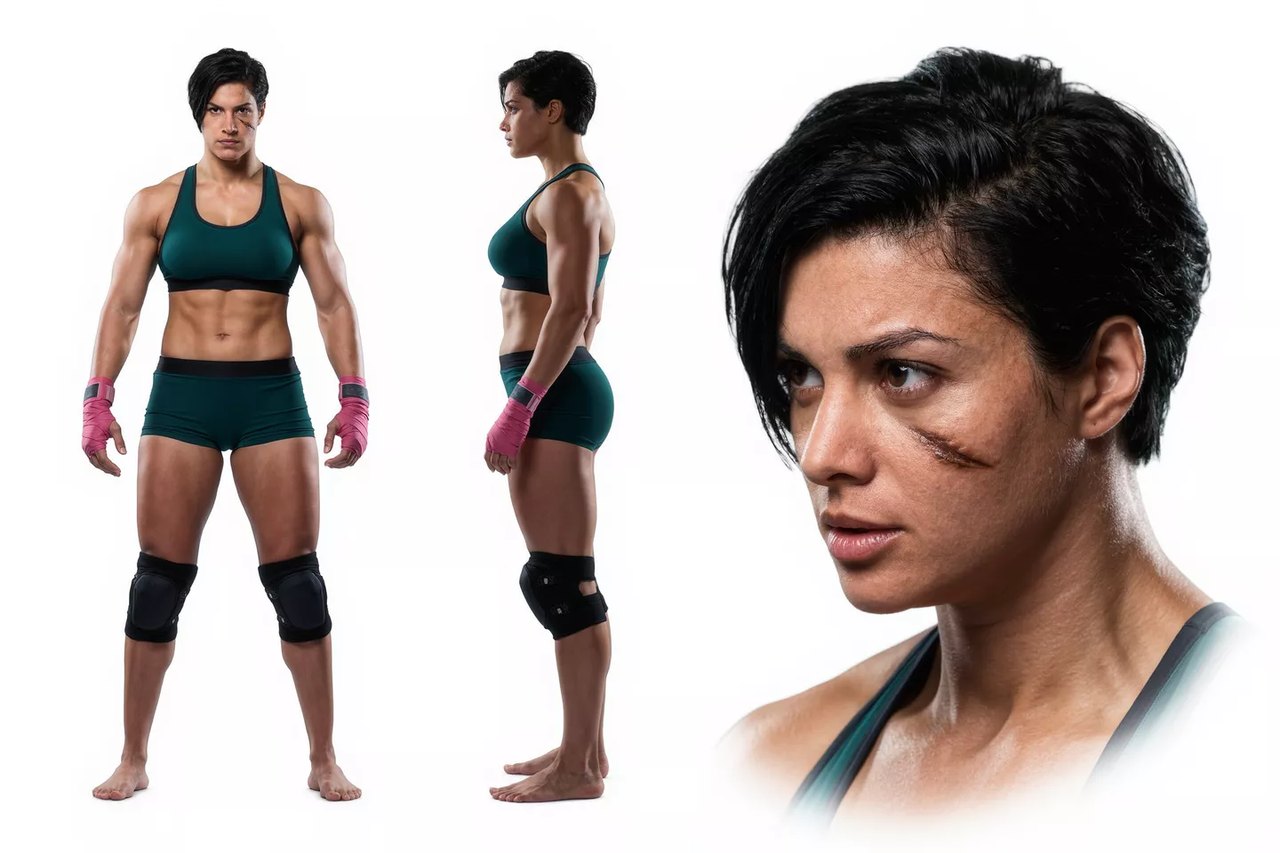
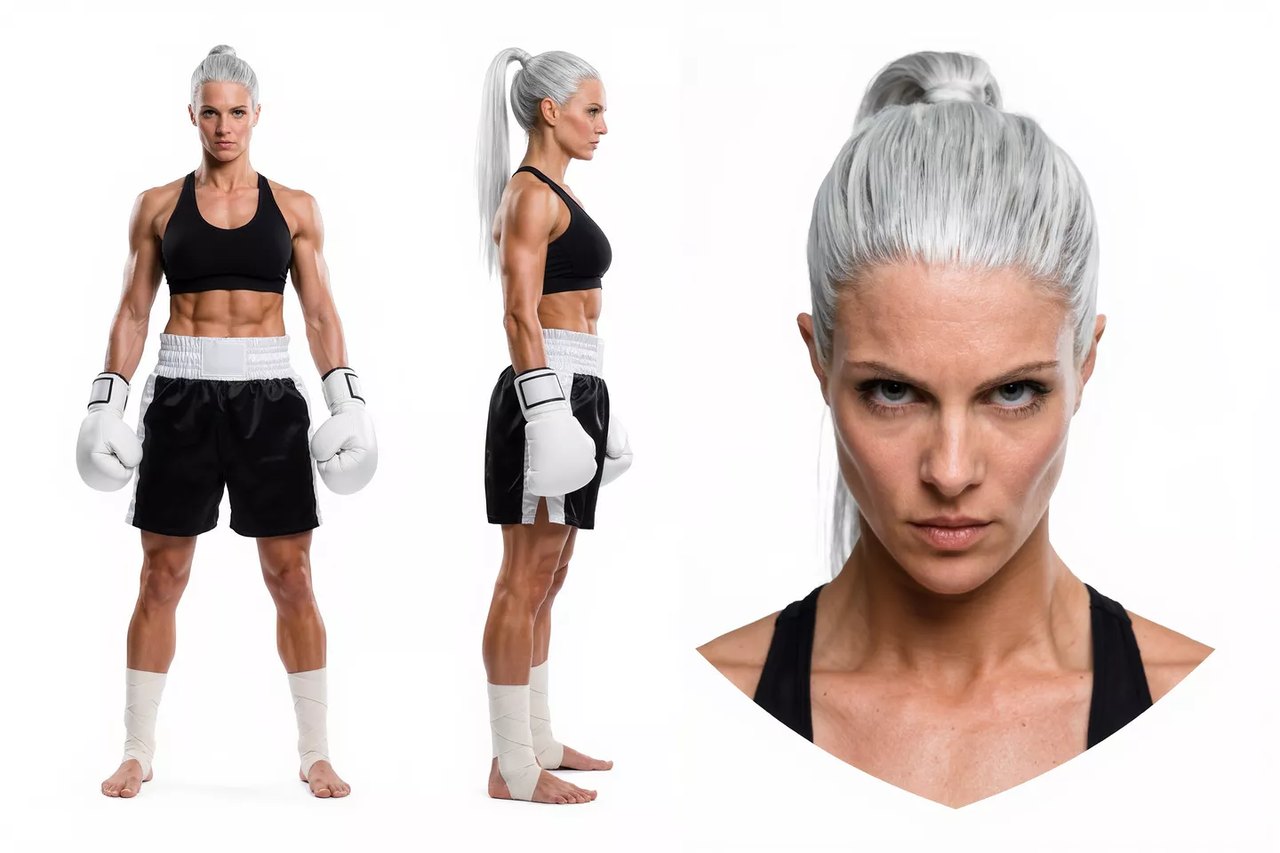
In this demo Kling took the punches and their timing from a boxing match and the two fighters from character sheets, and staged the bout in a new setting.
 Kling 4.0
Follow the Camera Path of Any Clip
Kling 4.0 reads push-ins, pull-outs, pans, tracking shots and orbits from a reference clip, so a drone pass or a chase shot you like can become the template for something else entirely.
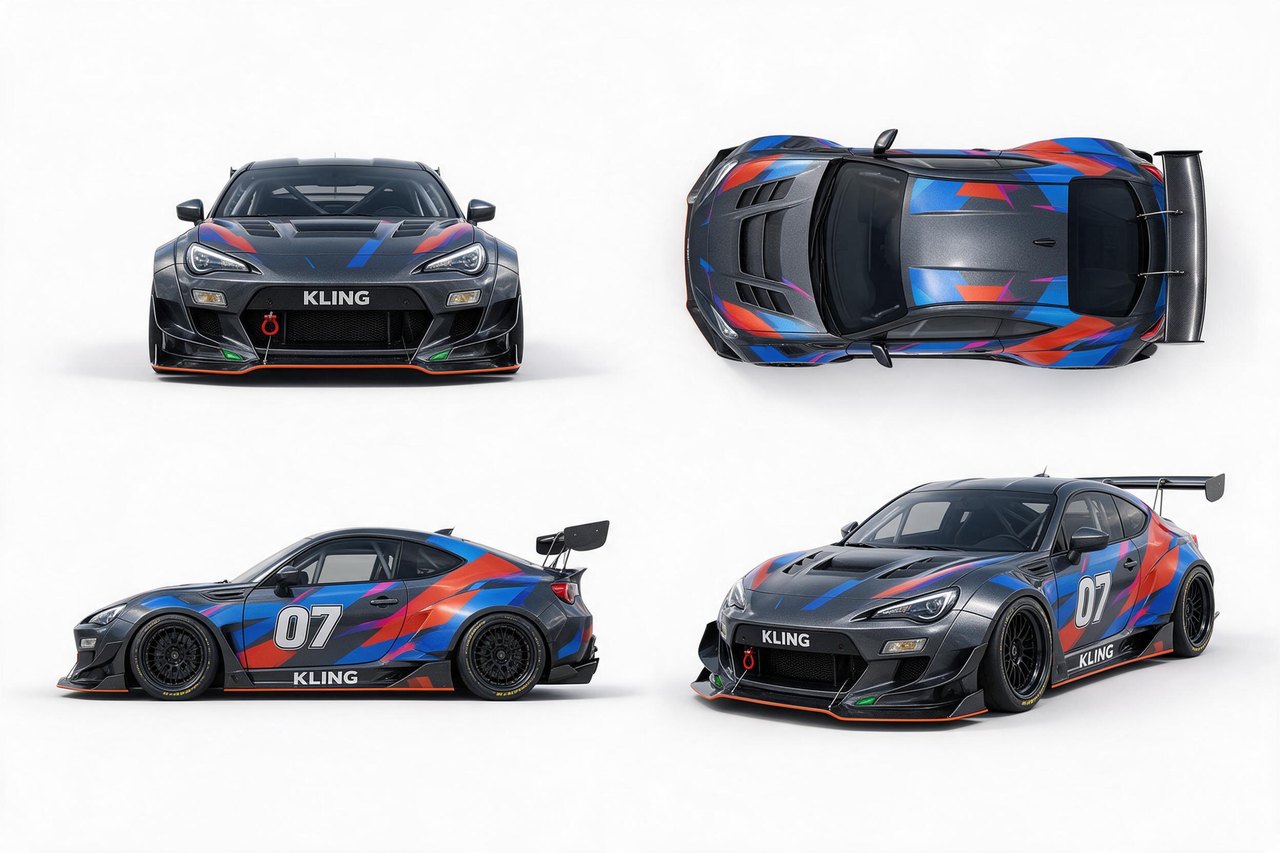
Here a drone circling a car on a salt flat sets the camera path and pacing, four product views supply the race car, and a single image supplies the night arena.

 Kling 4.0
Storyboards and Character Sheets as References
Reference images are not only faces and products. Kling 4.0 also reads storyboards, three-view character sheets, grids and wireframes, so planning work you already have can steer the generation directly.
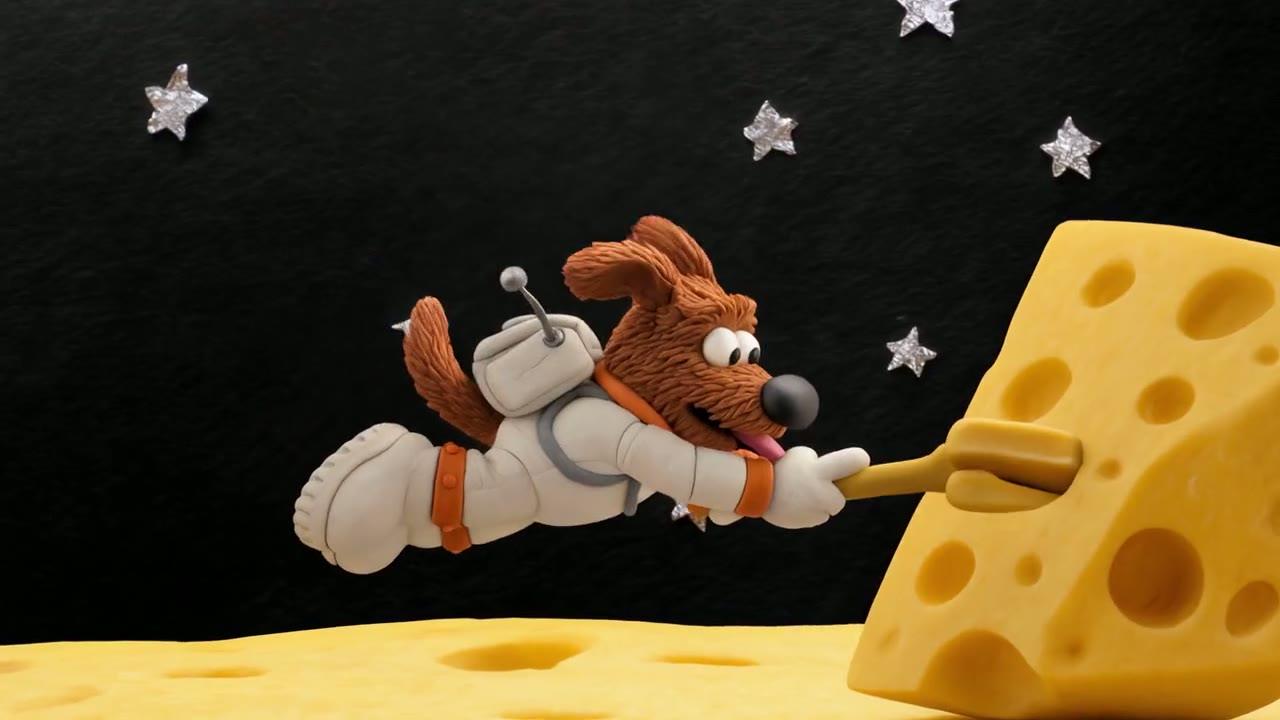
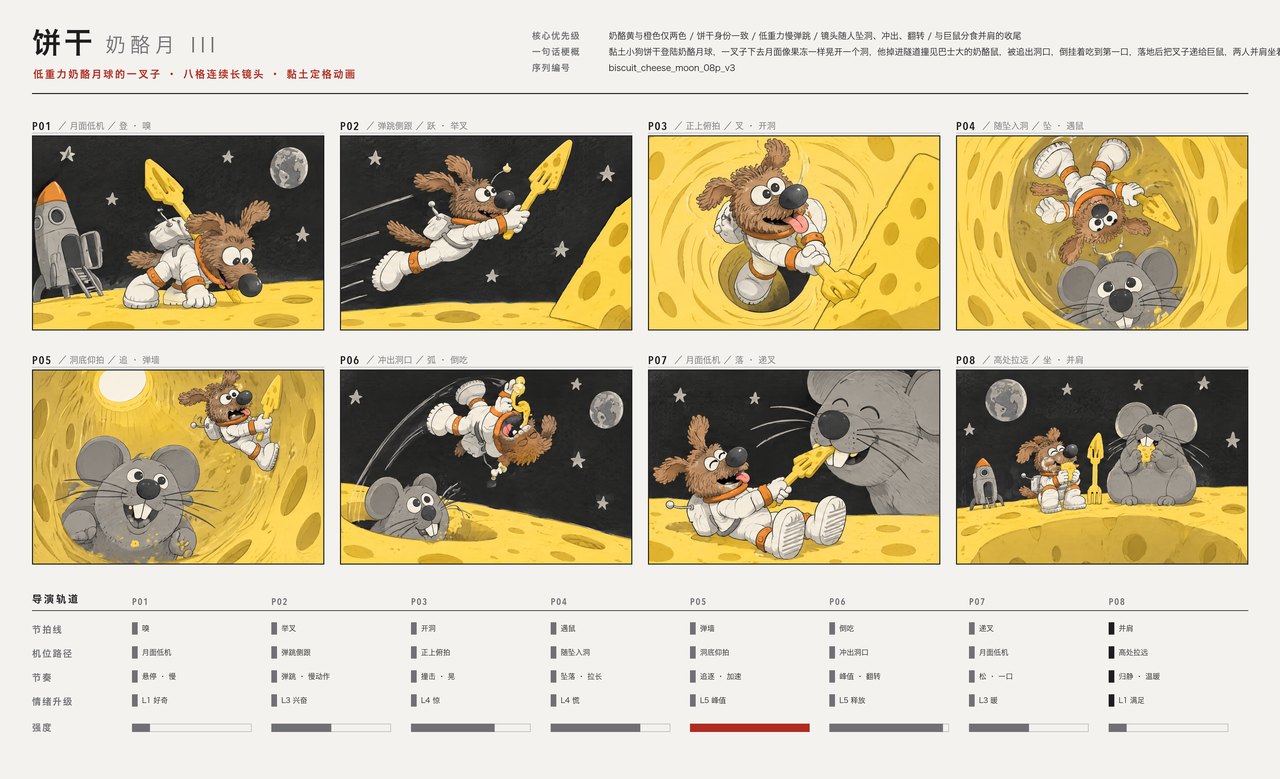
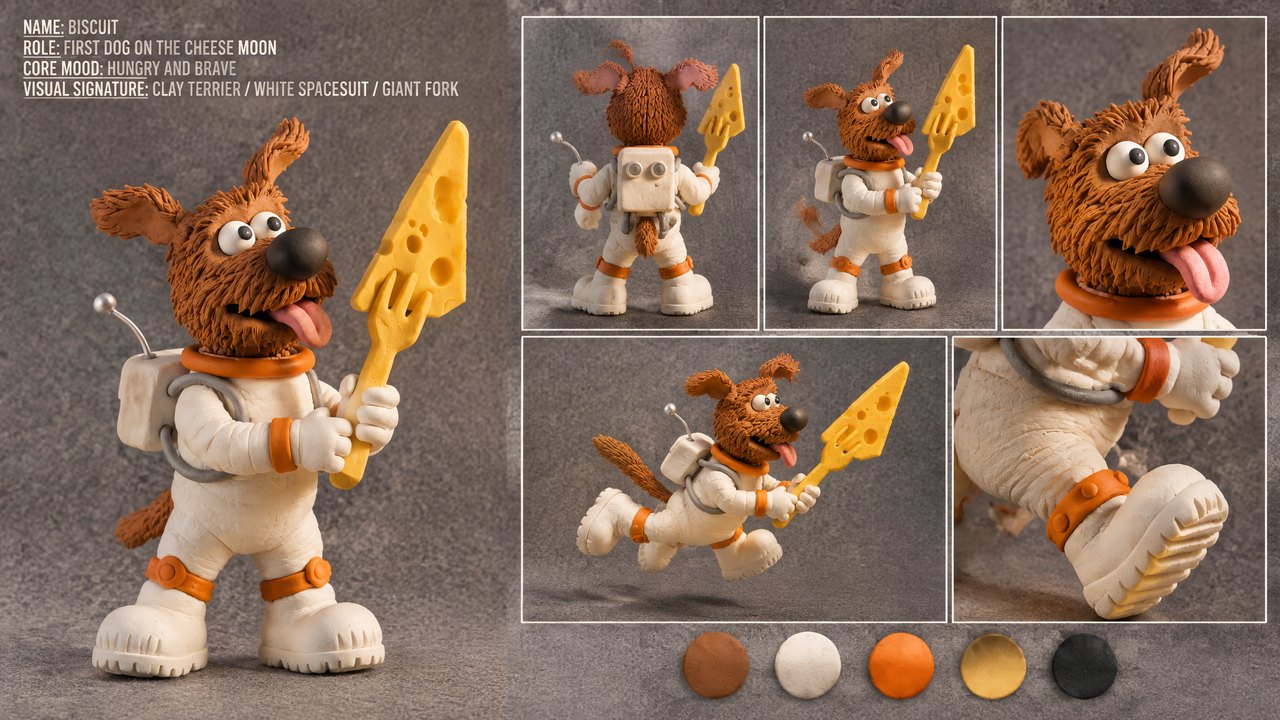
This 15-second claymation follows an eight-panel storyboard beat by beat in one continuous camera move, while the character sheet keeps the terrier, his spacesuit and his oversized fork the same in every frame.
 Kling 4.0
Dialogue in Nine Languages, Lips in Sync
Every Kling 4.0 clip comes with stereo sound generated alongside the picture: dialogue, effects, ambience, and music when you ask for it. Kling lists Chinese, English, Japanese, Korean, Spanish, Portuguese, German, French and Hindi for speech, plus accents such as British or Indian English and dialects such as Cantonese.
In this demo a tourist asks the way in Spanish, an interpreter relays it in Chinese and back, and each of the three speakers keeps a distinct voice with lips matched to the language.

 Kling 4.0
Credits by Length and Resolution
Credits are charged per second of video, and sound is always included at no extra cost. Reference images are free; a reference video changes the bill as shown below.
| 720p | 3 credits per second15 credits for 5 seconds, 90 for 30. |
|---|---|
| 1080p | 5 credits per second25 credits for 5 seconds, 150 for the full 30. |
| With a reference video | 1.8 or 3 credits per secondAt 720p or 1080p, charged on the output plus the longer of the reference clips or the output. |
| Reference images | No extra charge |
| Subscribers | Fewer credits per secondLite, Pro and Premium pay less than credit-pack rates. |
Every Setting in One Place
Choose the frame before you write, so the action and camera path are composed for it. 21:9 suits widescreen scenes and pitch reels; an image-to-video run takes its shape from your first frame.
| Length | 3 to 30 seconds5 seconds by default. |
|---|---|
| Resolution | 720p or 1080p720p by default; 1080p on every plan that unlocks Kling 4.0. |
| Aspect ratio | 16:9, 9:16, 1:1 or 21:9 |
| Inputs | Text, frames or referencesA first frame with an optional last frame, or up to 10 images and 5 clips (30 s in total). |
| Prompt | Up to 2,500 characters |
| Sound | Always onStereo dialogue, effects and ambience in every clip. |
| Output | MP4 |
Who Kling 4.0 Works Best For
Thirty seconds per take, references for cast and camera, and an ultrawide frame make it a strong fit for these jobs:
- Ad and brand teams: A product, a model and a location from your own photos, staged together in one 30-second spot without a reshoot.
- Short-drama and story makers: Longer scenes that build, turn and land in one take, with the same characters held by reference images across episodes.
- Filmmakers and previs artists: Camera moves copied from a reference clip, and 21:9 ultrawide framing for widescreen pitches and storyboards.
- Social and short-form creators: Vertical 9:16 clips long enough to tell a whole beat, from a prompt or from a still you already posted.
- E-commerce and product teams: A product photo as the first frame and a packshot as the last, with the move between them generated in 1080p.
Kling 4.0 vs Kling 3.0, Seedance 2.5, Wan 3.0 and Veo 3.1
Every cell except the last row is read from the settings each model exposes in Yovid’s generator today, so you can choose by length, references and price before you spend a credit.
| Feature / Model |  Kling 4.0 Kling 4.0 | Kling 3.0 |  Seedance 2.5 Seedance 2.5 |  Wan 3.0 Wan 3.0 |  Veo 3.1 Fast Veo 3.1 Fast |
|---|---|---|---|---|---|
| Longest clip | 30 s | 15 s | 30 s | 30 s | 8 s |
| Top resolution | 1080p | 4K | 1080p | 1080p | 4K |
| Aspect ratios | 16:9, 9:16, 1:1, 21:9 | 16:9, 9:16, 1:1 | 16:9, 9:16, 1:1, 4:3, 3:4, 21:9 | 16:9, 9:16, 1:1, 4:3, 3:4 | 16:9, 9:16 |
| Reference images | 10 | — | 30 | 10 | — |
| Reference videos | 5 | — | 10 | 5 | — |
| Credits for 5 s at 720p | 15 | 13 | 31 | 12 | 15 |
| Best for | 30-second takes steered by image and video references, including 21:9. | Talking characters and multilingual dialogue at a lower rate, with 4K. | The most references per run and editing or extending existing clips. | Long clips up to 30 seconds on a tight credit budget. | Short cinematic shots up to 4K. |
Credits are base credit-pack rates for a 5-second clip at 720p and follow Yovid’s live pricing; subscribers pay less per second.
Strengths and Limits of Kling 4.0
Where it earns its place in the lineup on Yovid, and where another model or setting is the better call.
Strengths
- Length: Up to 30 seconds in one generation, twice Kling 3.0’s 15, with sound included.
- References: Up to 10 images and 5 clips per run, called by name in the prompt.
- Framing: 21:9 ultrawide next to 16:9, 9:16 and 1:1, at 720p or 1080p.
- One model, three routes: Text, frames or references in the same picker; Yovid switches Kling’s endpoint for you.
Limits
- Resolution: Stops at 1080p on Yovid; Kuaishou has announced 4K and 10-bit HDR but they are not available here. Kling 3.0 renders 4K.
- Keyframes and editing: Yovid takes a first and a last frame only, not Kling’s in-between keyframes, and has no Kling 4.0 edit or extend mode; use Seedance 2.5 to edit or extend a clip.
- Reference clips cost more: A run with a reference video bills the output plus the longer of the clips or the output, so it often costs more than a text run.
- Plan access: Not on the free plan; Lite and above, or a Creator credit pack or larger, unlocks it.
How to Use Kling 4.0 on Yovid
- Step 1
Pick Kling 4.0
Open the video generator; this page preselects Kling 4.0, or find it under the Kling filter in the model menu.
- Step 2
Add your inputs
Write the scene, then add a first and last frame, or reference images and clips and call them in the prompt as @Image 1 or @Video 2. Set length, ratio and resolution.
- Step 3
Generate and download
Watch the take, adjust the prompt or references for another pass if needed, and download the MP4.
Kling 4.0 Prompts to Start From
Kling’s own prompts for these demos, next to the clips they produced; the long ones are trimmed. Prompts that call @Image or @Video need your own uploads in the composer before you generate.
Reunion on a UK street
Text only · 7 sA continuous 7-second shot set in the UK. Two friends who have not seen each other for a long time meet at the corner of a quiet street at dusk, surrounded by a diverse crowd going about their daily lives. They smile, walk quickly toward each other, and share a warm embrace. Their facial expressions and body movements are natural. A handheld camera follows them with subtle camera shake. Soft, warm lighting with a nostalgic cinematic film look. Include natural footsteps, street ambience, background music, and English dialogue.
Source: Kling AI · Kling 4.0 release page
Try this promptFight choreography from a clip
Reference video + 2 images · 7 sUse @Video 1 as the reference for the fight choreography and attack timing. Use @Image 1 and @Image 2 as the references for the character designs.
Source: Kling AI · Kling 4.0 user guide
Try this promptCamera path from a drone shot
Reference video + 2 images · 7 sUse @Video 1 as the reference for camera movements and shot pacing. Replace the Element with the car from @Image 1 and the background with @Image 2.
Source: Kling AI · Kling 4.0 user guide
Try this promptStreet escape in one take
First + last frame · 20 sGenerate a 20-second, horizontal 16:9 realistic cinematic street escape video. The entire video must be one continuous lateral side-tracking long take, filmed in a single shot with no cuts. The scene takes place on a busy Manhattan-style street with outdoor restaurant seating, yellow taxis, newspaper stands and white steam rising from subway grates. The camera moves laterally to the left while following a young woman running with a large, heavy travel bag that thuds against her leg. A taxi briefly blocks the view, the camera loses her and finds her again, and she finally disappears into the crowd at the entrance to a pedestrian street.
Source: Kling AI · Kling 4.0 user guide
Try this promptBiscuit on the cheese moon
Storyboard + character sheet · 15 sStrictly follow the attached storyboard (Image 1) and use the character design sheet (Image 2) for BISCUIT, a small clay terrier in a white spacesuit holding a fork larger than himself. 15 seconds, 16:9, one continuous master shot with no cuts, in handcrafted clay stop-motion style. Biscuit hops across a wobbling cheese moon, falls through a hole past a giant clay cheese mouse, is chased back out, takes a blissful bite of cheese midair, and ends sitting beside the mouse as Earth rises.
Source: Kling AI · Kling 4.0 user guide
Try this prompt
More Video Models on Yovid
Guides for Getting More out of Kling 4.0
Prompt formulas, image-to-video examples and a side-by-side of every video model on Yovid.
FAQs
What is Kling 4.0?
How long can a Kling 4.0 video be?
Can I use Kling 4.0 for free on Yovid?
How many credits does a Kling 4.0 video cost?
Does Kling 4.0 generate sound?
How do reference images and videos work?
Can I turn an image into a video with Kling 4.0?
Does Kling 4.0 support 4K or HDR on Yovid?
Which aspect ratios does Kling 4.0 support?
Can I use Kling 4.0 videos commercially?
Thirty Seconds From One Prompt
Write the scene, bring your frames or references, and let Kling 4.0 carry the action, the camera and the sound from the first second to the last.
Create with Kling 4.0