Yovid
Montage of AI-generated video clips

Craiyon AI Image Generator Review

The old DALL·E mini project is now a free image site with a describe-to-edit photo tool, cut-outs and SVG tracing. Here is what it does well, what reviewers flag, and where Yovid fits.

The short version

Is Craiyon worth paying for?

For quick free pictures, often yes. Craiyon LLC runs the site that began in 2021 as DALL·E mini and took its current name in 2022, and it still generates on in-house models (v3 to v5 on its About page). Anyone can type a prompt without an account; free results are watermarked and public. Supporter at $12 a month, Professional at $24 and Ultra at $84 lift those limits, make text-to-image unlimited and add 100 to 1,200 edit credits for photo edits, upscales, SVG and short videos. Every sale is final. Its nine Trustpilot reviews average 3.8. For real video, Yovid runs Seedance 2.5, Kling, Veo and Wan, with pay-once packs.

Nora

NoraYovid editor

Details about Craiyon last checked , using the Craiyon homepage, its pricing page, the Terms of Use and the About page.

Operator
Craiyon LLC, registered in Delaware; the project launched as DALL·E mini in June 2021 and was renamed in 2022
Ratings
Trustpilot shows 3.8 for www.craiyon.com from 9 reviews; the profile is unclaimed
Free tier
No account needed: a limited number of watermarked, public images, plus a small daily allowance of edit credits
Cheapest plan
Supporter at $12 a month, or $120 a year ($10 a month): unlimited images and 100 edit credits monthly
Refunds
None: plans and one-off credit purchases are all final under its terms

What Craiyon Gives You

Craiyon lands you on a single prompt field with no sign-up wall and files its other tools under Create, Edit images and Explore in the sidebar. Below are the pieces people come for, each followed by the nearest thing on Yovid.

Text to Image on Auto, or With a Chosen Look and Frame

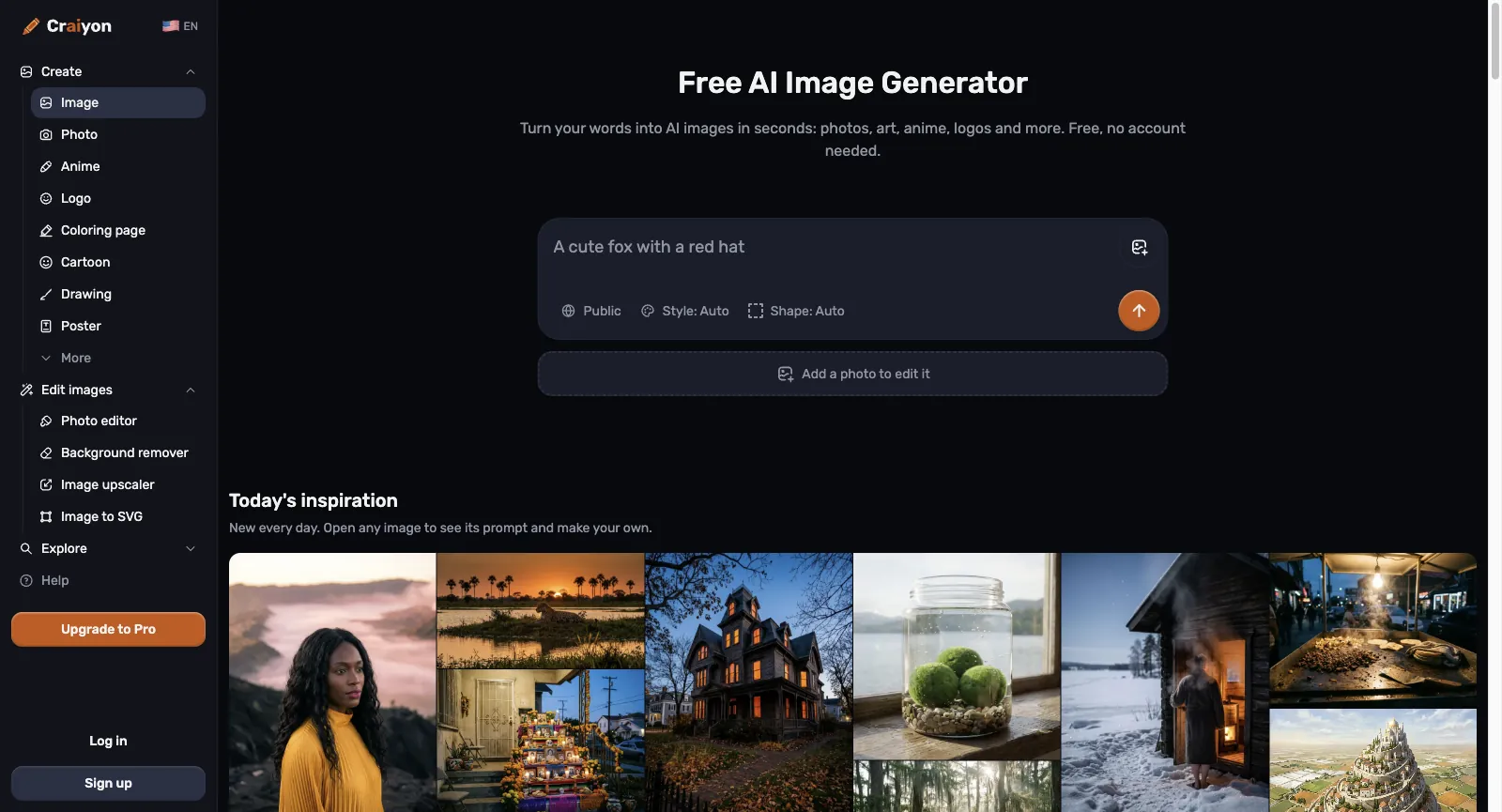
On October 30, 2026 the home page was one prompt field with two menus under it. Style offers Photo, Anime, Illustration, Artistic, Vector and Raw (the last applies no look at all), and Shape switches between square, portrait and landscape; on Auto, Craiyon decides both. There is no separate negative-prompt box: the FAQ suggests writing what to avoid, like “without text”, straight into the prompt, and says any language works.

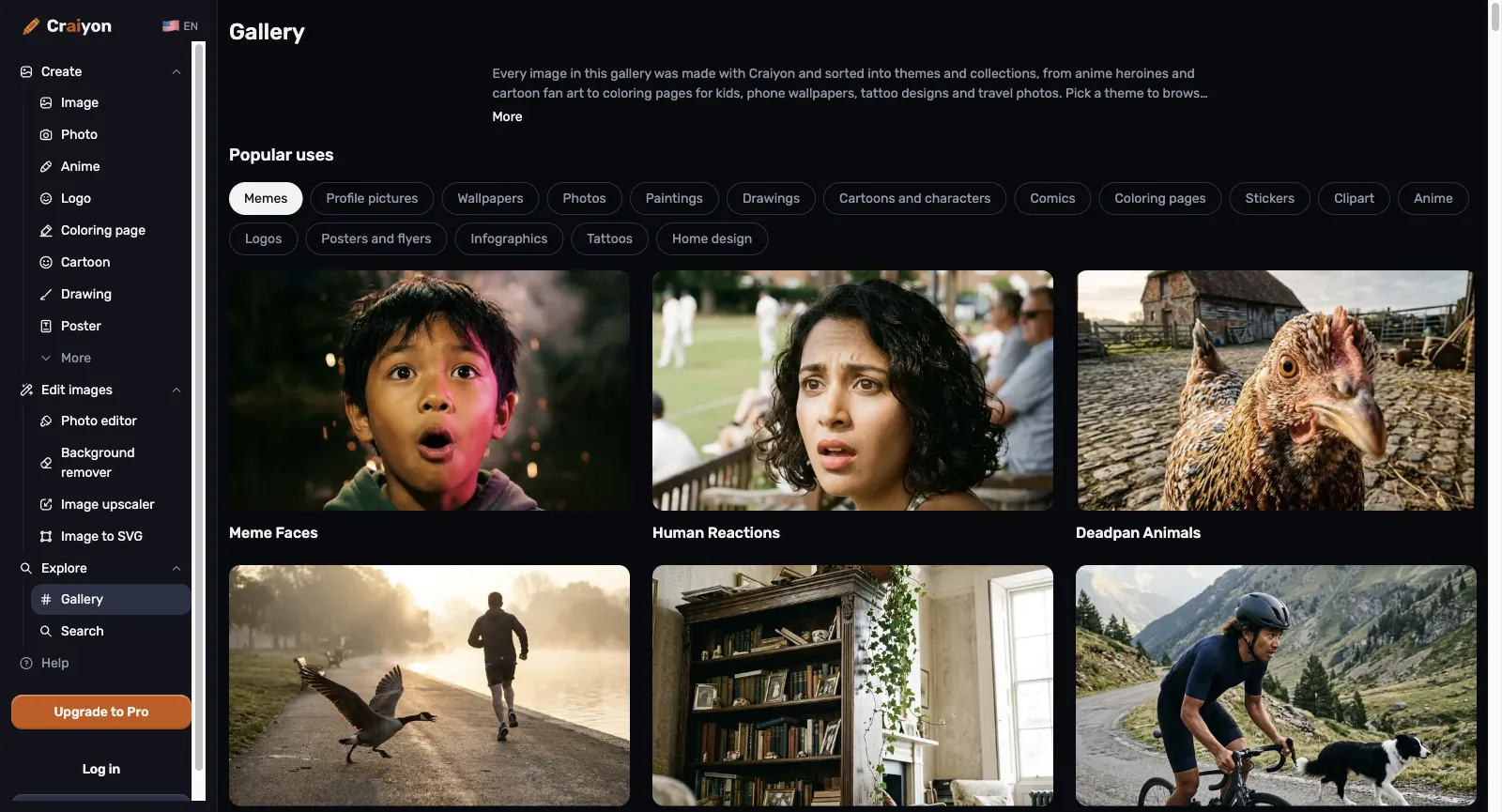
Topic pages for logos, posters, coloring pages, anime, tattoos, stickers, comics and memes all open on the same field. Pictures made from text alone never spend credits. Free results are public and carry a watermark; subscribers get private images and, by Craiyon’s account, its best-quality models.

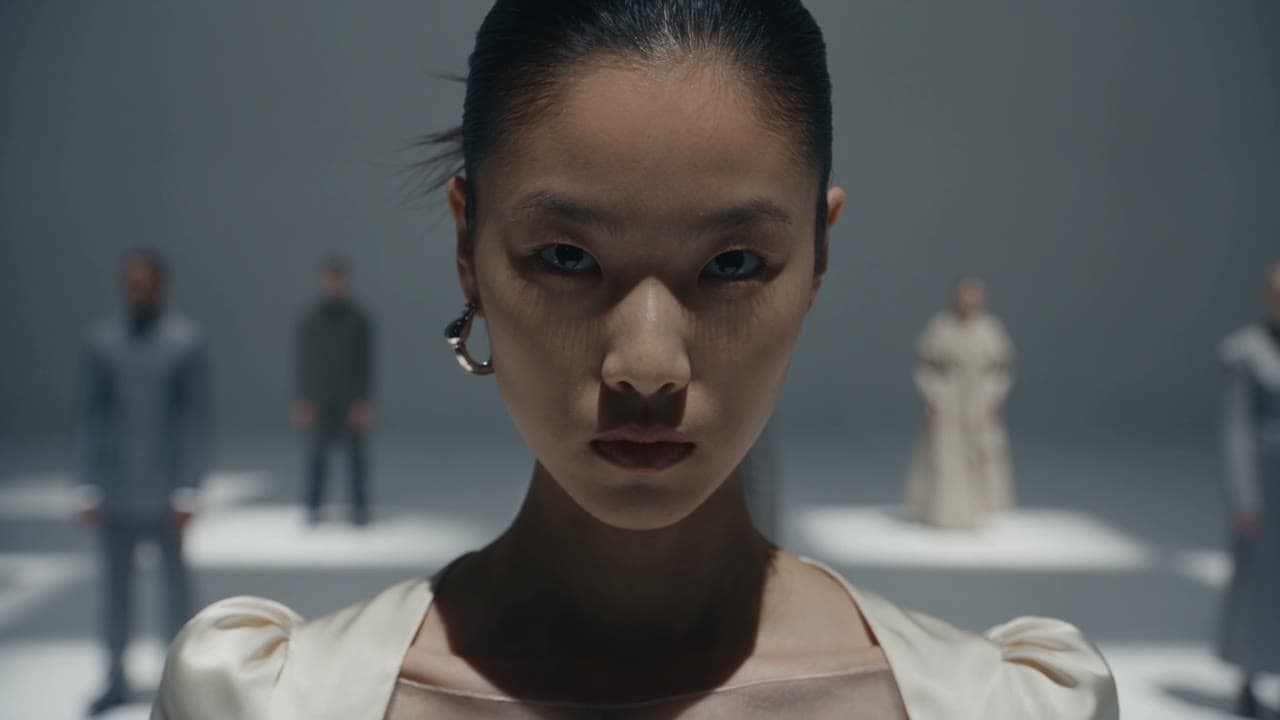
Fashion still made in the Yovid image generator

The Yovid way

Yovid’s image generator lets you choose GPT Image 2.5, Nano Banana 2.1, Nano Banana Pro or Seedream 5.0 for each picture, and Pro or Premium include a year of unlimited stills on the supported models.

Open the image generator
Craiyon home page while signed out: a prompt field reading “A cute fox with a red hat” with Public, Style and Shape set to Auto, a button for adding a photo to edit, and a strip of daily inspiration images
Captured from craiyon.com while signed out, October 30, 2026.

Photo Edits You Describe in a Sentence

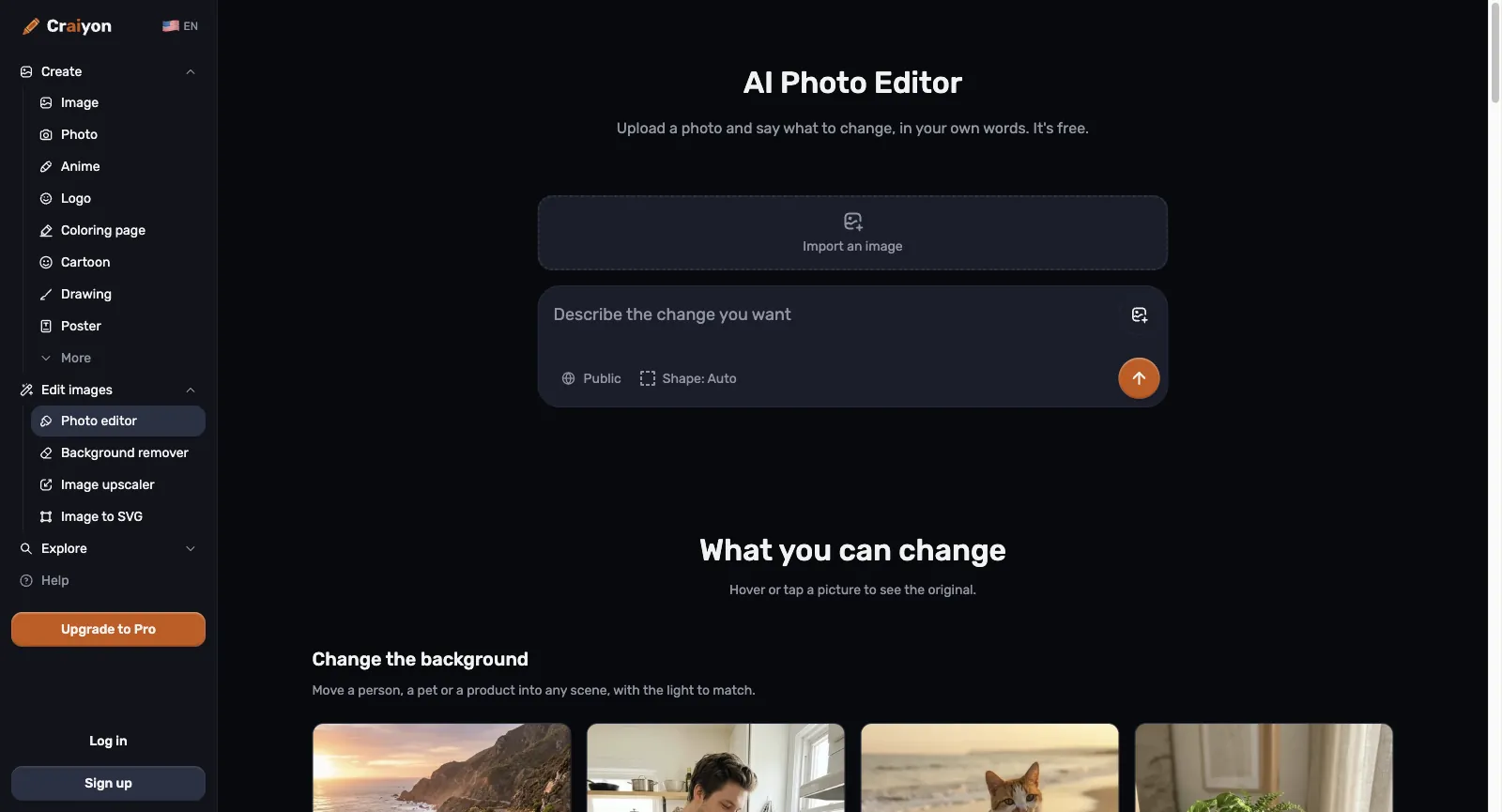
Upload a JPG, PNG or WebP of no more than 10 MB to the AI Photo Editor and add a written instruction, say “move us to a snowy cabin”. Craiyon’s examples run from swapping a background or season and changing clothes or hair to restoring a faded print, producing a studio-style headshot, adding or erasing objects, restyling a shot as ink or a vintage poster, and turning a sketch into a photo.

Craiyon promises that the rest of the picture, faces included, stays as it was, and any result can go back into the editor for another pass. Edits, retouches and work from a reference image spend edit credits. Free accounts receive some each day, and the field shows the price before you send.

Frame from the GPT Image 2.5 page on Yovid

The Yovid way

On Yovid, attach your photo to GPT Image 2.5 and write the change; it accepts up to 16 reference images, and Nano Banana 2.1 and Seedream 5.0 also edit from an upload.

See GPT Image 2.5
Craiyon AI Photo Editor, signed out: an import area for your picture above a field for describing the edit, then the start of a What you can change section showing background swaps
Captured from craiyon.com/en/photo-editor while signed out, October 30, 2026.

Cut-Outs, 2K Upscales and SVG Tracing

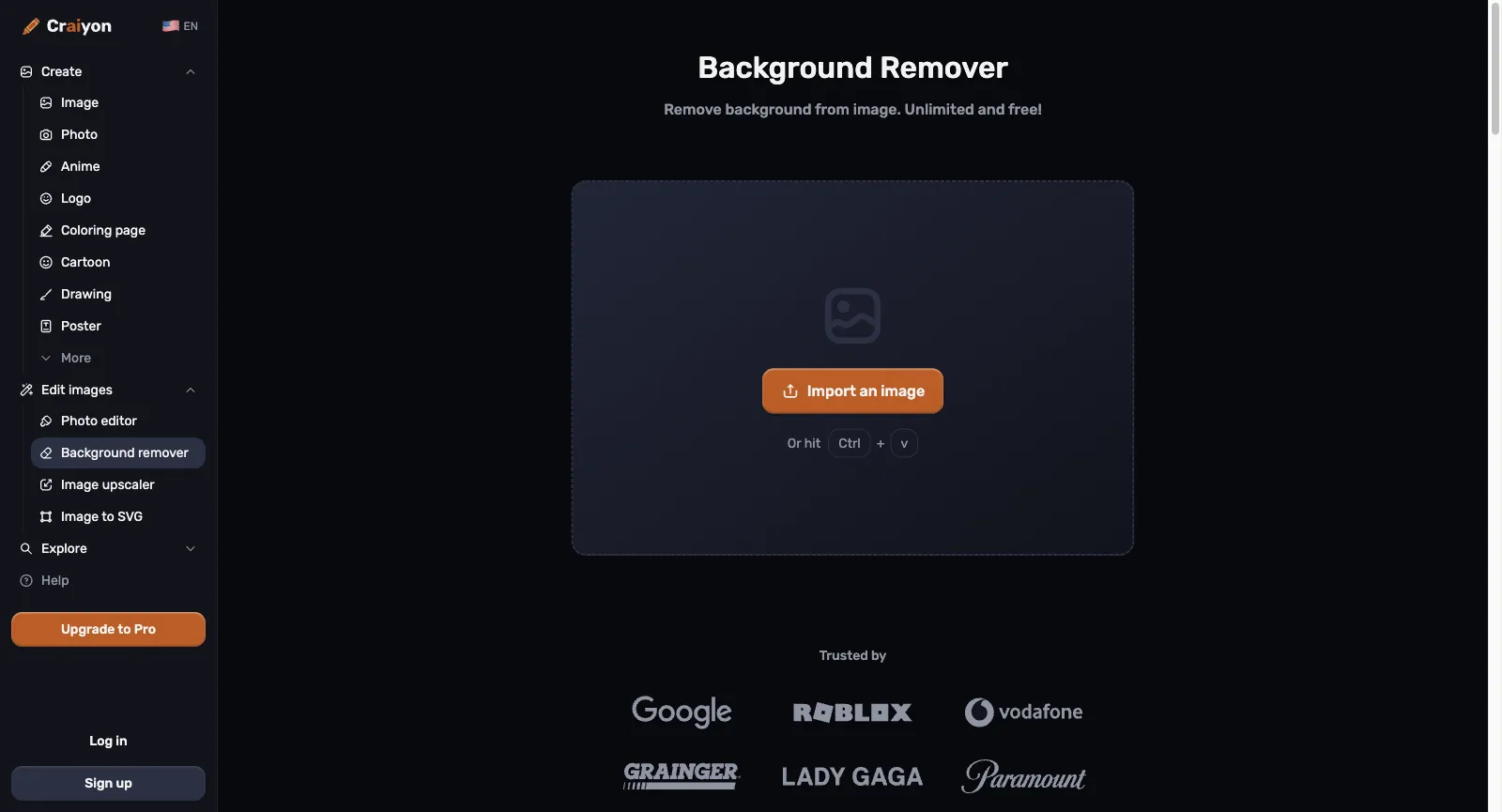
The Background Remover is the one editing tool you can use signed out, and its page claims no daily cap. Results download at up to 2K, with the backdrop set to transparent, white, black or a color of your choice, and at busy times paying members are served first.

The upscaler enlarges a picture to 2K, meaning 2048 pixels along the longer edge. Image to SVG turns logos, icons and flat artwork into vector paths for Illustrator, Figma, Silhouette or Cricut. Both require an account and spend edit credits, and both take PNG, JPG or WebP uploads of up to 20 MB.

Frame from the Yovid image upscaler demo

The Yovid way

Yovid has no background remover or SVG tracer. Its image upscaler enlarges stills 2×, 4× or 8× with three model versions, and GPT Image 2.5 can render new pictures on a transparent background.

Open the image upscaler
Craiyon Background Remover with no account signed in: a drop zone holding an Import an image button and a Ctrl + V shortcut, above a row of brand logos
Captured from craiyon.com/en/background-remover while signed out, October 30, 2026.

Short Clips Animated From Your Images

Animating an image is the final step in Craiyon’s create-then-edit flow. Its plan cards list video among the jobs edit credits pay for, alongside retouching, upscaling and SVG, and Ultra, the top tier, is billed as the plan for daily editing and video.

When we checked on October 30, 2026, Craiyon named no video model and listed no clip length, resolution or credit price; those details appear only inside the editor after signing in. Think of it as a way to add motion to a still, not a video generator you direct from a prompt.

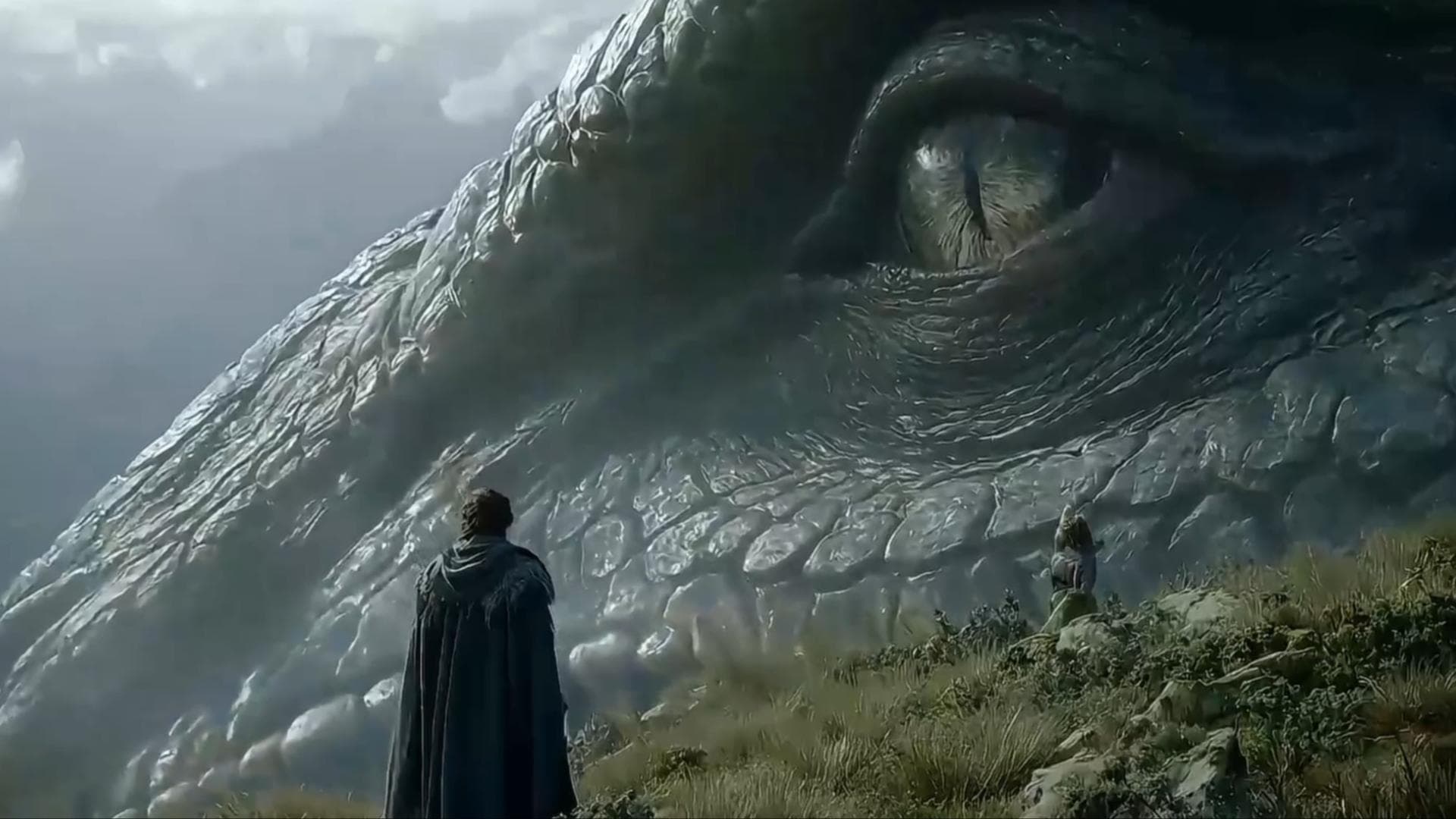
Panda frame from a Yovid image-to-video clip

The Yovid way

Yovid turns a still into the first frame of a clip and lets your prompt set the motion; Seedance 2.5 runs up to 30 seconds with sound on every paid plan and pack.

Open image to video

In-House Models, From DALL·E mini to v5

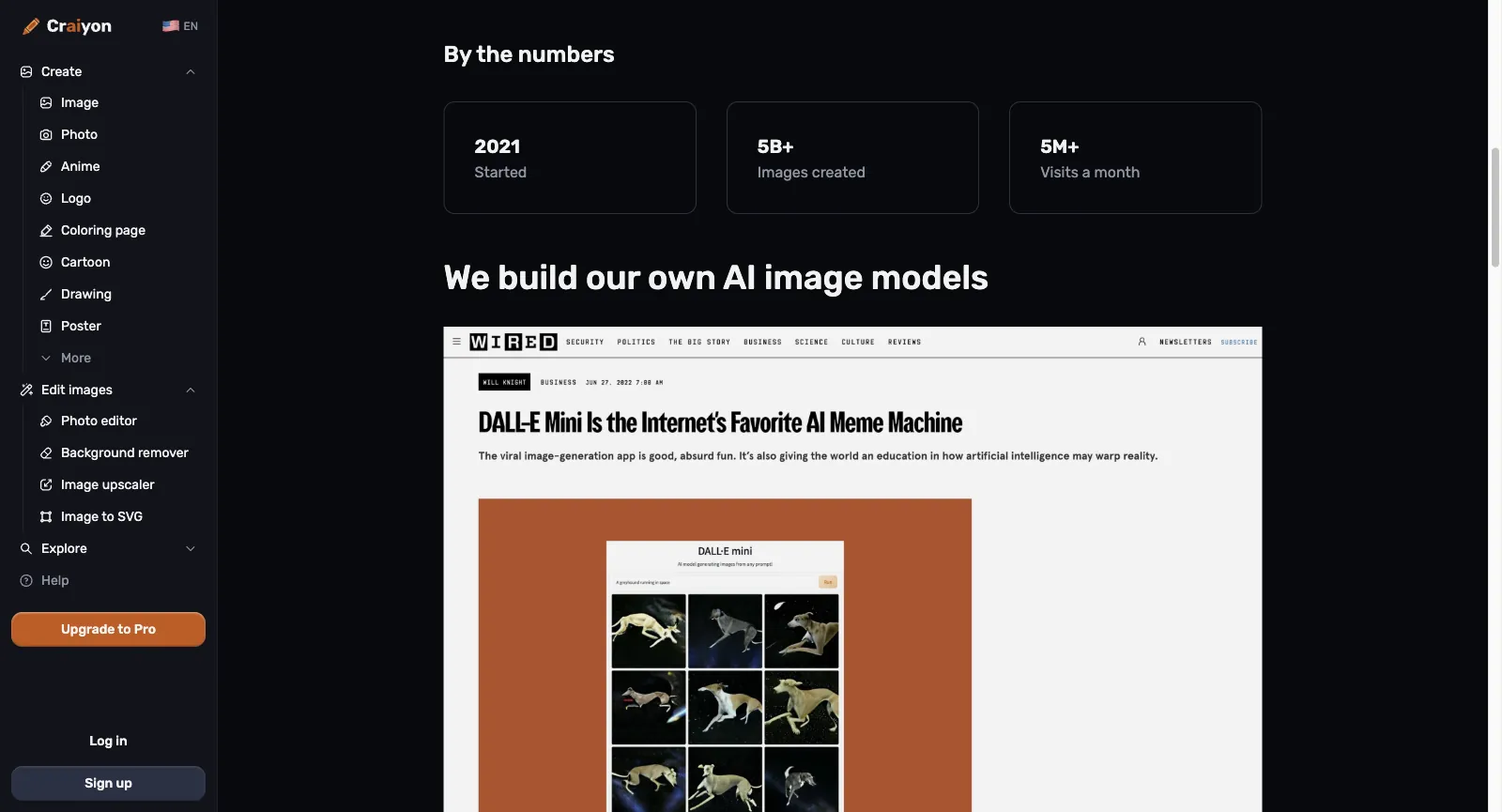
The project began as DALL·E mini, which went live in June 2021 after winning a hackathon held by Hugging Face and Google. Boris Dayma, now CEO, and the core team gave it the Craiyon name in 2022. By the About page’s count it has produced over 5 billion images since 2021 and draws upward of 5 million visits each month.

There is no menu of third-party models: the ones named on the About page are Craiyon v3, v4 and v5, while a sixth version is tagged “coming soon”. The FAQ also warns that, having learned from internet data like other models, it can repeat stereotypes and biases.

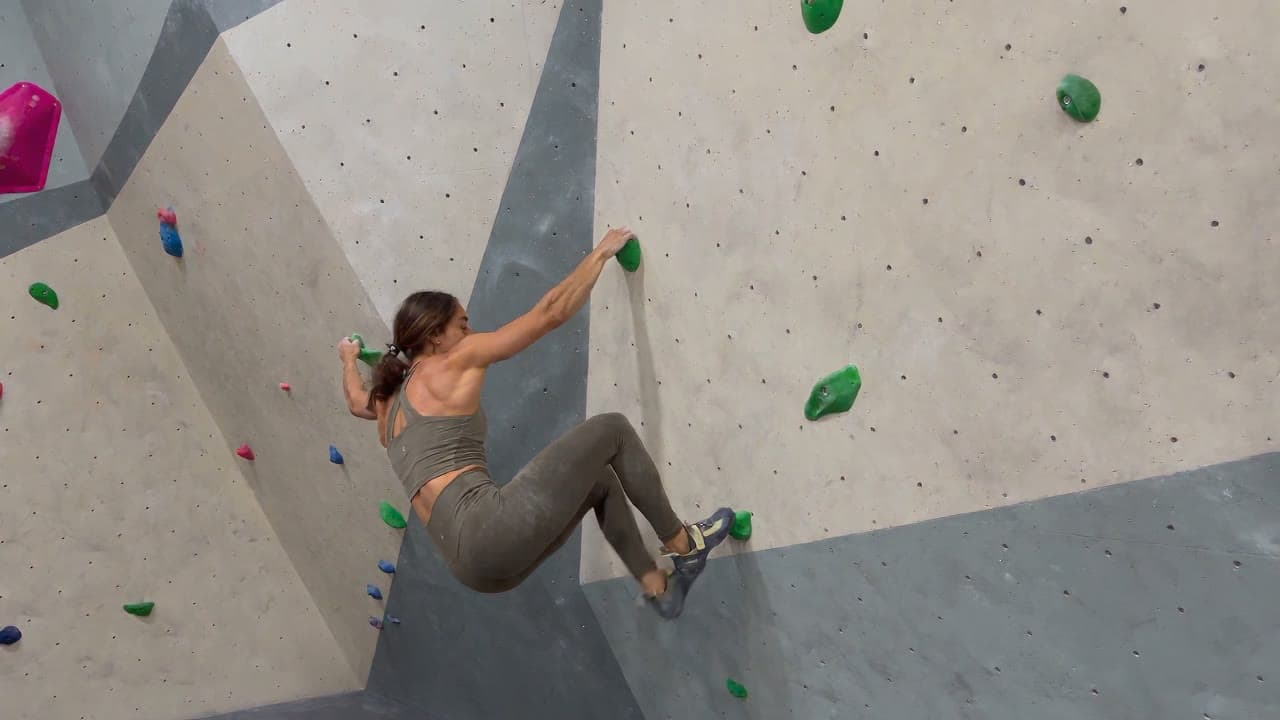
Climbing scene from a clip made on Yovid

The Yovid way

Yovid builds no models of its own. It brings ByteDance’s Seedance and Seedream, Google’s Veo and Nano Banana, Kling, Wan, MiniMax H3 and OpenAI’s GPT Image into one composer, each priced before you run it.

Browse the models
Craiyon About us page, signed out, at its headline numbers (started 2021, 5B+ images, 5M+ monthly visits) and the section on building its own image models, illustrated with a 2022 WIRED story on DALL-E Mini
Captured from craiyon.com/en/about while signed out, October 30, 2026.

Commercial Use, Credit Lines and the License You Grant

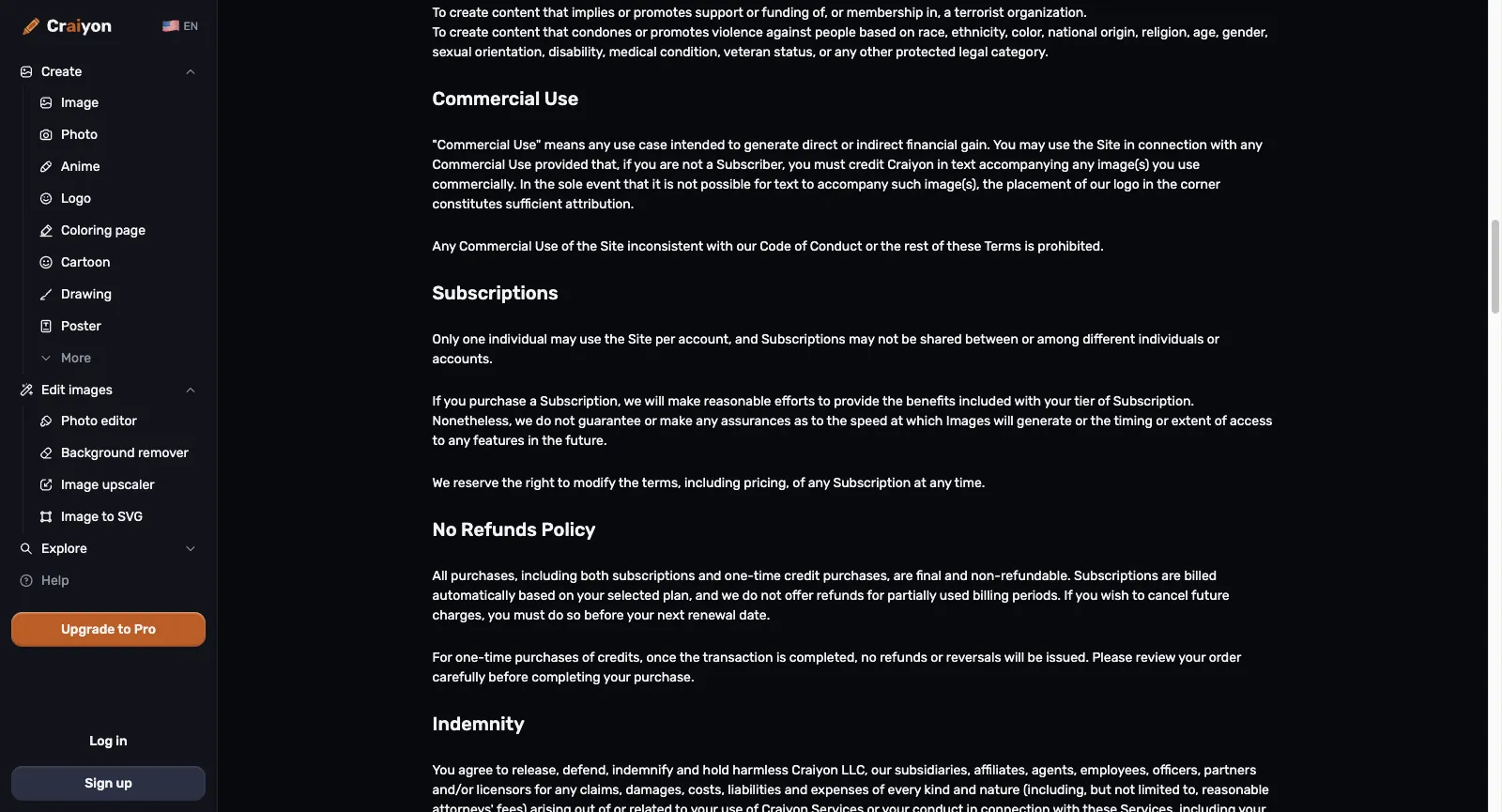
Under the Terms of Use anyone may use the images commercially. Without a subscription you must credit Craiyon in text beside the picture or, where text can’t sit next to it, place Craiyon’s logo in a corner; subscribers owe no attribution. Logos, brands and characters that show up in a picture still belong to whoever owns them.

The same terms give Craiyon a perpetual, irrevocable and royalty-free license to reproduce, show and distribute both your prompts and your images. Craiyon may also change subscription pricing at any time, allows only one person per account, and sends disputes to arbitration in Houston, Texas.

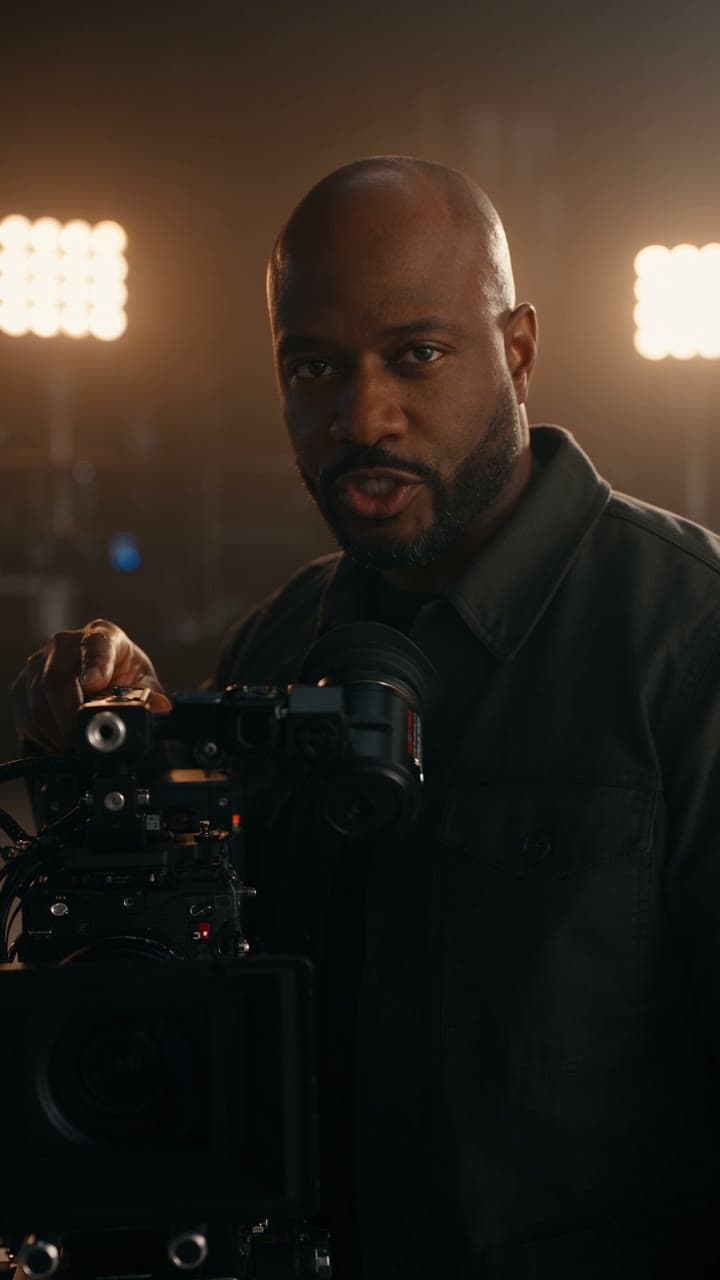
Creator holding a camera, from Yovid’s pricing visuals

The Yovid way

Yovid’s commercial rights come with Pro, Premium, yearly Lite and every credit pack, and paid downloads carry no watermark; monthly Lite is not licensed for commercial use.

Compare Yovid plans
Craiyon Terms of Use, signed out, scrolled to the sections on Commercial Use, Subscriptions and the No Refunds Policy
Captured from craiyon.com/en/terms while signed out, October 30, 2026.

Who Is Behind Craiyon and What It Wants to Be

Craiyon LLC is registered in Delaware and run from the United States. Its generator first went public in June 2021 under the DALL·E mini name and was renamed Craiyon in 2022; CEO Boris Dayma and the original core team still lead the work. Despite the old name, it is not an OpenAI product.

Its pitch is image-making for anyone: start free without an account, then subscribe to drop the watermark, keep images private, skip the queue and get a monthly pool of edit credits. Everything runs on Craiyon’s own models rather than a catalog of outside ones, and on the check date there was no public API, with a mobile app listed as coming soon.

Yovid is an independent multi-model platform built mainly for video: Seedance, Kling, Veo, Wan and MiniMax H3 sit in one composer next to image models such as GPT Image 2.5, Nano Banana 2.1 and Seedream 5.0, with AI Canvas, image and video upscalers, published credit prices and pay-once packs.

Who Craiyon Works Best For

Craiyon is built for people who want pictures quickly and cheaply, or a flat fee for clean, private ones. If you need moving video, outside models or the option of a refund, look elsewhere.

First-timers and casual users

Try an idea in seconds in your own language, with no sign-up and no card on file.

Classrooms and families

Print coloring pages, posters, drawings and infographics for lessons or home, starting from the matching topic page.

Small shops and makers

Sketch logos, stickers, clipart and flyers you can sell, with a credit line on the free tier and none on a paid plan.

Anyone fixing old or plain photos

Bring a faded family photo back, swap a dull background, make a headshot out of a selfie, or cut a product out for a listing.

Cricut and Silhouette crafters

Generate in the Vector style, then trace the result into an SVG your cutting machine can follow.

Meme makers and fan artists

Find a meme, cartoon or game collection in the gallery, read the prompt behind a favorite and spin your own version.

What Craiyon Users Say on Trustpilot

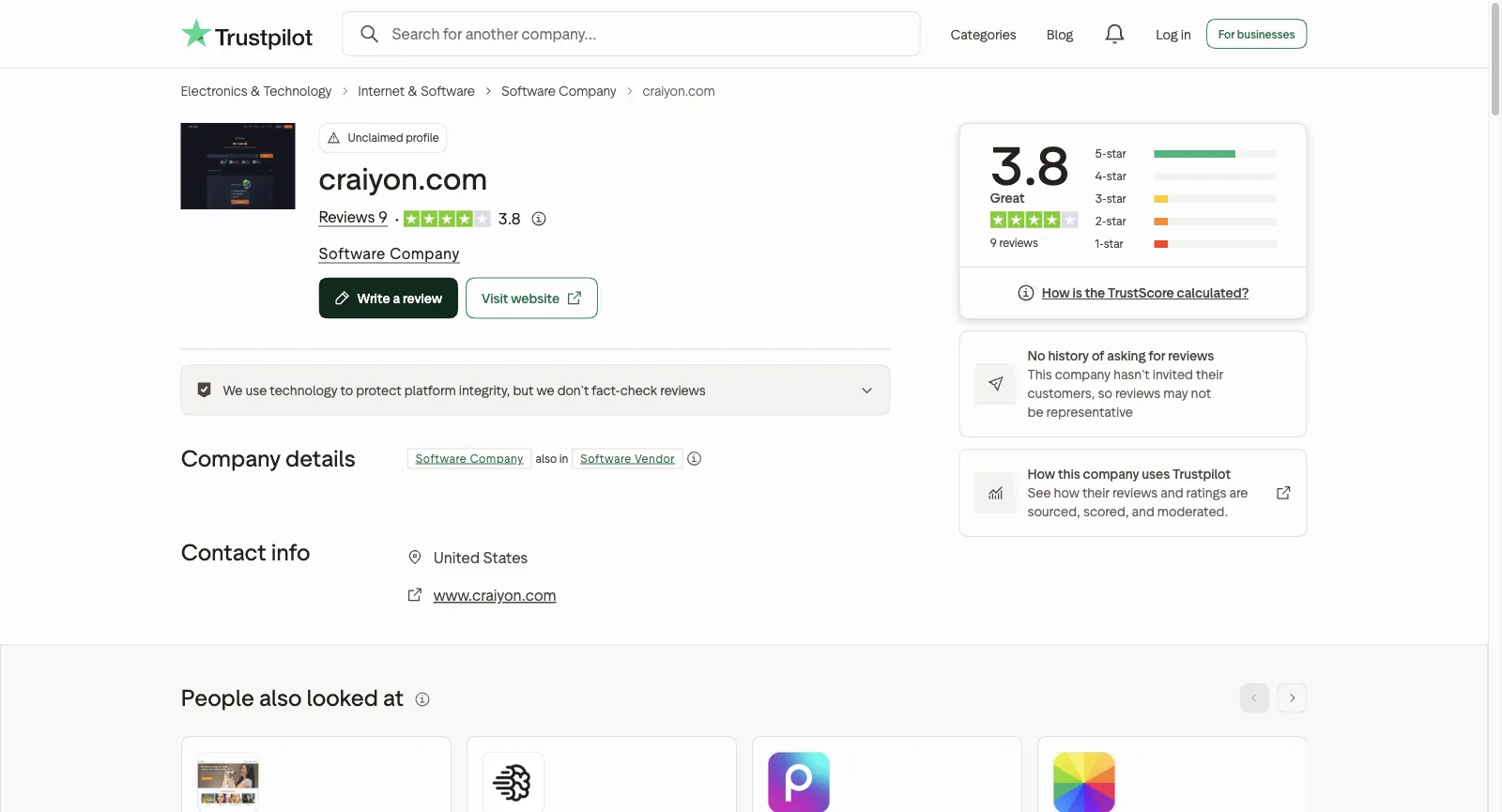
There is not much to go on. Craiyon has not claimed its Trustpilot page for www.craiyon.com, which holds 9 reviews across all languages and a 3.8 score: 67% are five-star, and three-, two- and one-star each account for 11%. Six arrived in the last 12 months, and the company has never invited customers to review. We read all nine. Fans like getting images free without an account, a background remover that stays free and quick fixes; critics describe misread instructions, retries that end at the upgrade screen and silence about a purchase. Each theme links to the reviews behind it, and some reviews back more than one theme.

Trustpilot

3.8 / 5

9 reviews · Unclaimed profile; 67% five-star, 11% each at three, two and one star; never asked customers for reviews

Open the source
Trustpilot page for craiyon.com: unclaimed, TrustScore 3.8 on 9 reviews, and a notice that the company has never invited its customers to review
Captured from trustpilot.com/review/www.craiyon.com while signed out, October 30, 2026.

Praise that keeps coming up

  1. 01

    Free pictures with no sign-up

    Most of the five-star reviews come back to cost: one reviewer got a picture without any trial or registration, another is pleased that such good-looking images cost nothing.

  2. 02

    A background remover that doesn’t charge

    A reviewer writing in French had tried plenty of sites that either bill for background removal or hand back a tiny low-resolution file, and now sticks to Craiyon’s.

  3. 03

    Quick results and quick fixes

    Reviewers say it beats doing the work by hand, one of them while building a Minecraft texture pack, and another reported a bug that was sorted out within 15 minutes.

Recurring complaints

  1. 01

    Clear instructions, small details missed

    A two-star reviewer says that even crystal-clear instructions come back with small things wrong, so the same request has to be repeated again and again.

    How Yovid handles it

    Yovid prints the credit price before every run and hands the credits back when a run fails. A result that finishes but misses the brief is still charged, so try the prompt on another model (GPT Image 2.5, Nano Banana 2.1 or Seedream 5.0) rather than re-running the same one.

  2. 02

    Retries that end at the upgrade screen

    The same reviewer feels the repeated tries steer you toward paying for the upgrade to get a finished picture, and calls it a bit scammy; a three-star review sums Craiyon up as fine for something free.

    How Yovid handles it

    Yovid’s sign-up credits need no card and cover the entry models (Seedance 2.0 Mini and older) at up to 720p. For more, packs start at $29.90, are paid once and never renew.

  3. 03

    Silence after a purchase

    A one-star reviewer spent months trying to reach Craiyon about a subscription bought by accident, by email, phone and Discord, without an answer. Its terms rule out refunds on every purchase.

    How Yovid handles it

    Yovid publishes its refund rule: within 3 days of buying, a plan or pack whose credits are untouched can be refunded, less payment fees (max 4% + $1.50). Renewals are excluded, and requests go to [email protected] with the order details.

We read the ratings and reviews on October 30, 2026. Trustpilot lists 7 English reviews by default and all 9 once every language is shown; the ones we cite are in English, German and French. We summarize rather than quote, so open each link for the reviewer’s own words.

Craiyon Prices and Plans for 2026

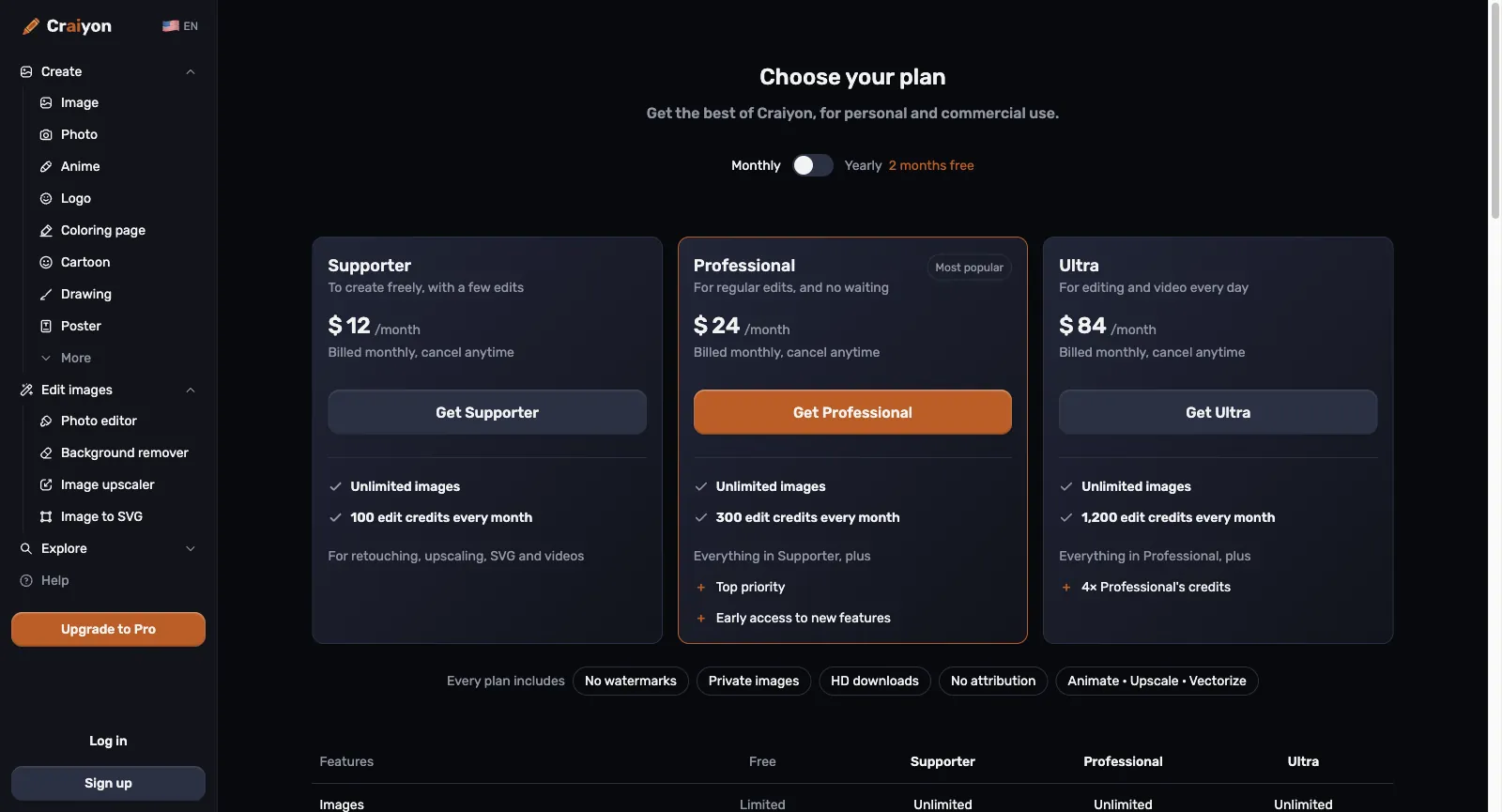
Craiyon can be used for free. Its three subscriptions remove the watermark, keep your images private, unlock HD downloads, make text-to-image unlimited and add a monthly batch of edit credits for retouches, upscales, SVG and video. Paying yearly gets two months free. Here is how the tiers sit next to Yovid’s.

Craiyon plans on monthly billing: Supporter at $12 with 100 edit credits, Professional at $24 with 300 plus top priority, Ultra at $84 with 1,200, and a row of perks shared by every plan
Captured from craiyon.com/en/pricing while signed out, October 30, 2026.
FreeCraiyonLimited images, watermarked and public, sometimes with a wait at peak times; a daily handful of edit credits; commercial use only with a credit line to CraiyonYovidFree starter credits after registering, no card needed; entry models only (Seedance 2.0 Mini and older), max 720p
Entry tierCraiyonSupporter: $12 a month, or $10 a month paid yearly ($120). Unlimited images, 100 edit credits monthly, no watermark, private images and HD downloadsYovidLite at $14.90 a month, or $13 a month paid yearly, for 100 credits a month. Every video model except MiniMax H3; Seedance renders at 720p, other models at up to 1080p. Commercial rights come with yearly billing only
Middle tierCraiyonProfessional: $24 a month, or $20 a month paid yearly ($240). 300 edit credits monthly, top priority in the queue and early access to new featuresYovidPro at $29 a month, or $14.50 a month paid yearly, for 200 credits a month. Seedance at 1080p, other models at up to 2K, commercial rights included
Top tierCraiyonUltra: $84 a month, or $70 a month paid yearly ($840). 1,200 edit credits monthly, four times what Professional getsYovidPremium at $149 a month, or $99 a month paid yearly, for 1,300 credits a month, output up to 4K and priority support
Seedance 2.5CraiyonNot available: Craiyon only runs its in-house image models, and its short videos are animated from a picture with edit creditsYovidIncluded in every paid plan and every pack: clips run up to 30 s with sound rendered alongside, guided by reference pictures, clips or audio. Output is 720p on Lite and 1080p on Pro, Premium and packs
Unlimited videoCraiyonNone; each video spends edit credits, and the price only shows after signing inYovidPremium only: one 7-day window per account of free Seedance 2.5 and 2.0 clips (10 s max, up to 1080p), in a free queue
Unlimited imagesCraiyonEvery paid plan: text-to-image is unlimited and never spends creditsYovidPro and Premium: a year of unlimited images on the supported image models
Credits without a planCraiyonExtra credit packs are sold from inside your account, at prices the public pricing page does not list. Unused monthly credits do not carry overYovidPay-once packs from $29.90 for 200 credits up to $999 for 8,000, no renewal, commercial rights included
RefundsCraiyonNone: subscriptions and one-off credit purchases are final; cancel before the renewal date to avoid the next chargeYovidRefundable within 3 days of buying (packs too) if none of that order’s credits were spent; payment fees (max 4% + $1.50) are kept, and automatic renewals cannot be refunded

Craiyon figures, in US dollars before tax, come from craiyon.com/en/pricing and its Terms of Use as of October 30, 2026. Yearly prices are per-month equivalents charged once a year, and the terms let Craiyon change subscription prices at any time. Yovid figures match yovid.ai/pricing.

Craiyon, Yovid and Higgsfield Compared

They start in different places: Craiyon is a free-to-try image site on its own models with a handful of photo tools, Yovid is a multi-model generator centred on video with prices shown up front, and Higgsfield is a multi-model suite built around its own cinematic studios.

Built aroundCraiyonIn-house image models from the former DALL·E mini team, plus a describe-to-edit photo editor, cut-outs, a 2K upscaler and SVG tracingYovidOne composer for Seedance, Kling, Veo, Wan and MiniMax H3 video and GPT Image 2.5, Nano Banana and Seedream stills, with AI Canvas and upscalersHiggsfieldHosted models from many labs, wrapped in its own Cinema Studio, AI Influencer, Genjutsu and an agent
Seedance 2.5CraiyonNot offeredYovidEvery paid plan and pack: up to 30 s with sound; 720p on Lite, 1080p on Pro, Premium and packsHiggsfieldFrom Plus; Starter is limited to Seedance 2.0 Mini and 2.0 Fast
Other video modelsCraiyonNone named; edit credits can animate a finished still into a brief clipYovidKling 4.0 and 3.0, Veo 3.1, Wan 3.0 and MiniMax H3HiggsfieldIn-house models plus Veo, Kling, Wan, Sora, Hailuo and Grok
Unlimited videoCraiyonNone; paid plans make only text-to-image unlimitedYovidPremium: one 7-day window per account of free Seedance 2.5 and 2.0 clipsHiggsfieldPlus and Ultra: a week of Wan 3.0 and Kling 3.0; business plans add Seedance 2.5
Credits without a subscriptionCraiyonCredit packs are sold in your account; prices appear only after sign-inYovidYes: pay-once packs from $29.90, valid for 180 days to a yearHiggsfieldNo: packs are for subscribers and expire after 90 days
RefundsCraiyonNone; every purchase is finalYovidWithin 3 days of buying if none of the order’s credits were spent; renewals excludedHiggsfieldFirst purchase only, inside 7 days, with no credits used

Craiyon cells come from craiyon.com, its plans page and its terms as read on October 30, 2026; Higgsfield cells reflect its own pages on October 14, 2026.

Why Some Craiyon Users Move to Yovid

People who switch usually want real video rather than an animated still, or a way to pay that comes with a refund window.

  1. 01

    Video models you prompt directly

    Yovid’s composer runs Seedance 2.5 for clips of up to 30 seconds with sound, beside Kling, Veo, Wan and MiniMax H3, and every run shows its price first. Sign-up credits need no card and reach the entry models at up to 720p. Craiyon animates a finished picture and doesn’t say which video model it uses or how long clips run.

  2. 02

    Pay once, with a refund window

    Packs start at $29.90, never renew and include commercial rights, and a purchase whose credits are untouched can be refunded within 3 days. Lite costs $13 a month paid yearly. Every Craiyon purchase is final.

  3. 03

    Several image models, not one

    Pick GPT Image 2.5, Nano Banana 2.1, Nano Banana Pro or Seedream 5.0 for each image, edit from an uploaded photo, and on Pro or Premium get a year of unlimited images on the supported models. Craiyon offers only its own models.

When Craiyon is still the better call

  • You want free pictures without an account, and a watermark and public results don’t bother you.
  • Your work is all stills, and unlimited text-to-image for $10 to $12 a month is the deal you want.
  • You depend on the free background remover, sentence-based photo edits or SVG files for a cutting machine.

More Craiyon Alternatives to Compare

Eight other tools to weigh up, most of them stronger on video. Prices are each one’s cheapest paid tier before tax, as listed on its own pricing page on October 13, 2026; credit allowances differ widely, so use this as a shortlist rather than a ranking.

OpenArt

More than 100 models across audio, image and video (both current Seedance versions included), plus an MCP server, motion sync, lip-sync, Character Builder and Director for shorts and ads.

Pick it for: Character work: consistent characters, motion sync and lip-sync beside the generators.

Skip it for: Client work on the cheapest tier: commercial rights begin at Plus, not Starter.

Cheapest paid plan: Starter at $14 a month, $13 paid yearly, for 4,000 credits.

Their pricing page

Higgsfield

Hosts outside models next to in-house tools (Soul images, Ads Studio, Cinema Studio, AI Influencer), offers team plans and prices Seedance 2.0 and Kling 3.0 per 5-second block.

Pick it for: Its in-house studios, or cheap Kling 3.0: roughly 7 credits buys 5 seconds at 720p.

Skip it for: Full Seedance on a budget: the Starter tier stops at Seedance 2.0 Fast and 2.0 Mini.

Cheapest paid plan: Starter at $19 a month (same monthly or yearly) for 270 credits; the free tier just says “Limited use”.

Read our Higgsfield breakdownTheir pricing page

Pollo AI

A marketing-minded hub: dozens of third-party models plus its own Pollo models, template apps, an agent, Marketing Studio, an MCP server, an API and phone apps.

Pick it for: Maximum model choice; while its 60% subscriber discount lasts, its Seedance clips cost less than Yovid’s on most plans.

Skip it for: Buying credits with no subscription, or keeping unused plan credits: they lapse each cycle.

Cheapest paid plan: Lite at $15 a month, $12 paid yearly, for 400 credits.

Read our Pollo AI breakdownTheir pricing page

Runway

Built around Runway’s in-house Aleph, Act-Two and Gen-4.5, adding sound effects, voices and music, upscaling to 4K, and guest models like Kling and Seedance.

Pick it for: Projects where editing matters as much as generating.

Skip it for: Lots of clips on the cheapest tier: Runway itself says the 625 Standard credits buy roughly 52 s of Gen-4.5 output.

Cheapest paid plan: Standard at $15 a month, $12 paid yearly, for 625 credits; the free plan gives 125 credits once.

Their pricing page

Kling AI

Kuaishou’s own app for Kling, including Kling 3.0 Omni and 3.0 with sound, Motion Control, 4K video and a developer platform.

Pick it for: Kling-only users who want to buy straight from the model maker.

Skip it for: Anyone who needs Seedance, which appears on neither its pricing page nor its home page.

Cheapest paid plan: Standard: $6.99 for month one, $8.80 a month after that or $79.20 a year, with 660 credits a month.

Their pricing page

Luma Dream Machine

Home of Ray3.2 for video and Uni-1 for images, Luma Agents and connectors for tools like Frame.io and Figma; its credit table also prices Seedance 2.0 Mini, 2.0 and 2.5.

Pick it for: Design teams after Ray3.2 output and agents inside the tools they already use.

Skip it for: Low-cost testing: no free plan is listed and the cheapest tier is $25 a month.

Cheapest paid plan: Plus at $30 a month, $25 paid yearly, for 10,000 credits with commercial use.

Their pricing page

Hailuo AI (MiniMax)

MiniMax’s first-party app for Hailuo and MiniMax H3, with Hailuo Agent and Omni Reference (as many as 12 reference images); paid tiers also unlock Sora 2 and Veo 3.1.

Pick it for: People who like MiniMax’s models and per-second pricing.

Skip it for: Seedance work: no Seedance model is listed for sale, and trial credits only run Hailuo models.

Cheapest paid plan: Standard at $10.50 a month on sale that day, or $8.40 paid yearly, for 1,000 credits.

Their pricing page

PixVerse

Runs PixVerse’s V6 (with native audio) and real-time R2, plus Lip Sync, Canvas, Agent and an API; the two newest Seedance versions unlock from the Pro tier.

Pick it for: Fast social clips on free daily credits: 60 at sign-up, then 30 a day, capped at 540p.

Skip it for: Cheap Seedance: the Standard tier only runs PixVerse models and maxes out at 720p.

Cheapest paid plan: Standard at $10 a month, $8 paid yearly, for 1,200 credits per 30 days plus 60 daily.

Their pricing page

Questions People Ask

Straight answers on Craiyon, based on what we checked on October 30, 2026.

What is Craiyon used for?
Mostly for making images from a text prompt: photos, artwork, anime, logos, posters, coloring pages, stickers, tattoos and memes. Beyond that it edits an uploaded photo from a written instruction, removes backgrounds, enlarges pictures to 2K, traces images into SVG files and animates a still into a short video.
Is Craiyon free?
Partly. Without paying you get a limited number of images, watermarked and public by default, plus a few edit credits each day. Supporter, Professional and Ultra cost $12, $24 and $84 a month, or $10, $20 and $70 a month paid yearly, and add unlimited images, private results, no watermark and 100 to 1,200 edit credits monthly.
Did Craiyon used to be DALL·E mini, and does OpenAI make it?
It is the same project, renamed: DALL·E mini launched in 2021 and became Craiyon in 2022, led by CEO Boris Dayma and its core team. Despite the name, OpenAI, the maker of DALL·E, has nothing to do with it. Craiyon generates on models it trains itself, currently v3 through v5, with v6 next.
Can I use Craiyon images commercially?
Yes, on any plan, according to its Terms of Use. Free users have to name Craiyon in a caption beside the image, or put its logo in a corner when a caption won’t fit; subscribers don’t. Brands and characters in a picture still belong to their owners, and Craiyon receives rights to reuse both your prompts and your pictures.
Is Craiyon safe, and are my images private?
It is a long-running service from Craiyon LLC that you can use without an account. Free-tier images are public to anyone with the link, while paid plans keep them private. No purchase is refundable, and one reviewer says months of messages about a mistaken subscription went unanswered, so check the plan before you pay.
Does Craiyon give refunds?
No. Its terms make subscriptions and one-off credit purchases final and non-refundable, and partly used billing periods are not refunded either. To stop future charges, cancel before the next renewal date.
What is a better Craiyon alternative for video?
For video, Yovid: Seedance 2.5 at up to 1080p on Pro, Premium and packs, pay-once packs from $29.90, and Kling, Veo, Wan and MiniMax H3 in the same composer, with credits returned when a run fails. For cinematic studio tools on top, Higgsfield is the nearest multi-model choice.
Is Yovid connected to Craiyon?
No. Yovid is independent. The names Craiyon, DALL·E and Seedance belong to their respective owners and appear here only to describe and compare the products.
Want your images to move? Start a clip from a prompt