

Seedance 2.0 Fast Free Online AI Video Generator
The quicker, lower-priced tier of ByteDance’s Seedance 2.0. It reads the same prompts, frames and references as the standard model, up to 9 images and 3 clips, and returns a 4–15 second clip with sound at up to 1080p, in roughly half the wait at 720p. Start creating with Seedance 2.0 Fast on Yovid.
Seedance 2.0 Fast is one of the models you can pick in Yovid, an AI video generator with 10+ models on one credit balance.
Seedance 2.5 is live
AI video clips up to 30 seconds with image, video, and audio references.
Kling 4.0
Kling's latest AI video model, now in the Yovid AI video generator.
Veo 3.1
Google's AI video model with native audio.

GPT Image 2.5
OpenAI's image model for creating and editing images.
AI Image Upscaler
Sharpen and enlarge images for cleaner exports.
AI Canvas
Chain image and video steps on one visual board.
Scenes from Standard Seedance 2.0, Fast’s Sibling
Why Run Seedance 2.0 Fast on Yovid
- Nine Reference Images, as on Standard 2.0: Faces, costumes, props and places pinned by up to 9 pictures, each called by its tag in the prompt.
- Portraits and a Motion Clip in One Run: Pictures decide who is on screen; a short reference clip decides how they move.
- Put a New Product into Footage You Have: Use a finished ad as the reference clip and a pack shot as the image, and the new design takes over every bag.
- Shorter Waits at 480p and 720p: Under 4 minutes for a typical 720p clip, against about 7 on standard Seedance 2.0.
- Fewer Credits per Second than Standard 2.0: 1.74, 3.75 or 8.47 credits a second, below the standard model’s rate at each resolution.
- From a Picture, Fast Stops at 720p: An opening picture, with or without a closing one, renders at 480p or 720p; 1080p is for text and reference runs.
- All the Settings, Side by Side: Six frame shapes plus adaptive, three resolutions, 4 to 15 seconds and a 10,000-character prompt.
Nine Reference Images, as on Standard 2.0
Fast does not trim the inputs to save time. Its composer takes the full Seedance 2.0 reference set, up to 9 images and 3 clips, and every upload gets a tag such as @Image 2 that you write into the prompt to say what it is for: the person, the outfit, the vehicle, the light.
The demo below is ByteDance’s own four-image example, rendered by standard Seedance 2.0; no Fast sample of it has been published. Fast accepts the same four pictures and the same prompt, so this is the run you would start, with a shorter wait and a lower charge.




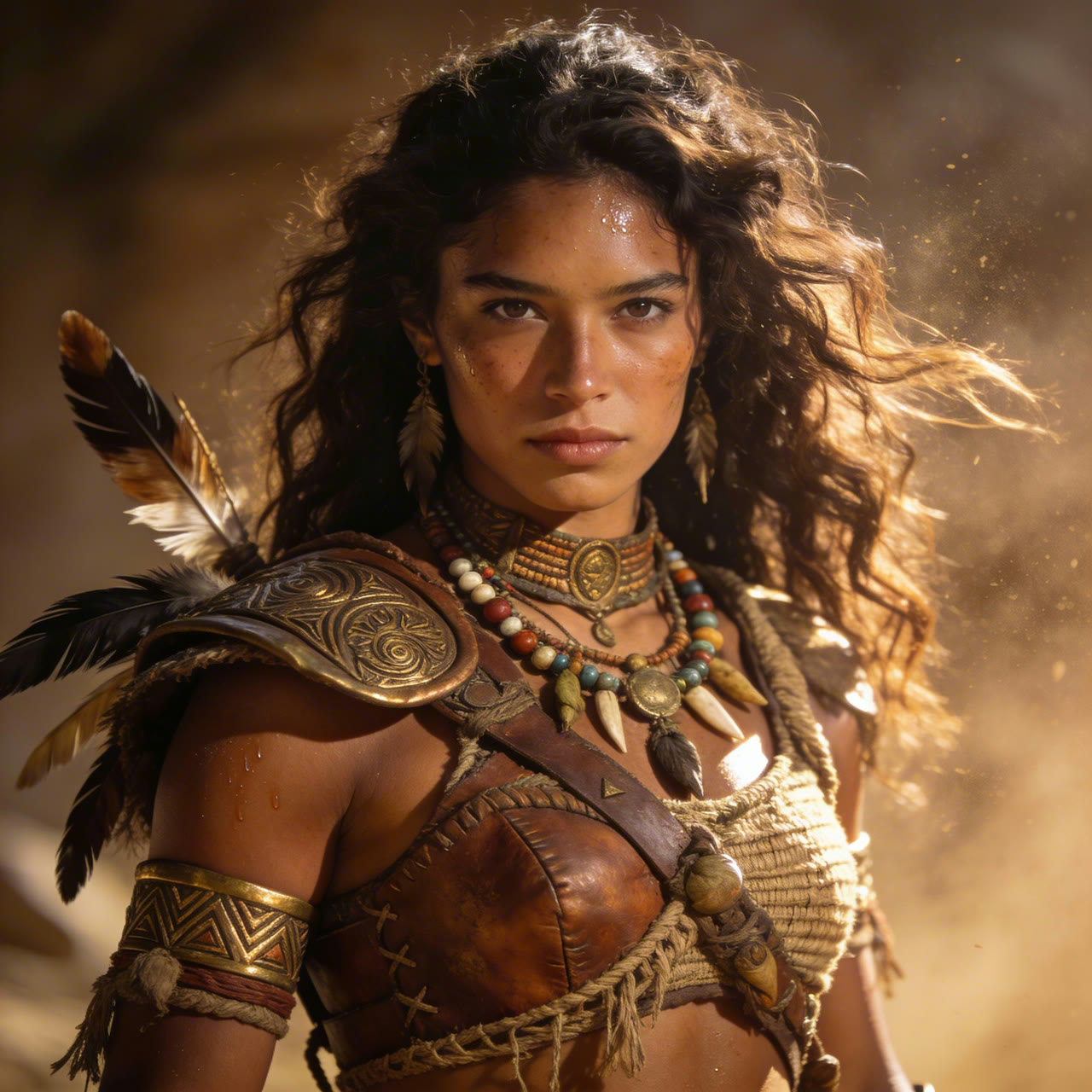
 Seedance 2.0
Portraits and a Motion Clip in One Run
Some actions are easier to show than to describe. Attach a clip of the movement, two to fifteen seconds long, next to the portraits of your characters, and tell the model which file does which job. Up to three clips can sit in one run.
A reference clip changes the bill: Yovid counts the clip’s seconds plus the output’s seconds, at a lower per-second rate than a plain run. Reference images never add to the charge. This demo, again rendered by standard Seedance 2.0, borrows a slurping action from a clay-figure clip for a two-person scene.


 Seedance 2.0
Put a New Product into Footage You Have
A reference clip can be the whole shot, not just its motion. Here one image of new packaging replaced every bag in a 15-second pet-food spot, through camera moves and partial cover, while the dog, the room and the cuts stayed as they were. Standard Seedance 2.0 made this example; Fast takes the same clip-plus-image setup.
Fast renders a new clip from the reference rather than editing the file in place. For changes to an uploaded video that keep everything else frame for frame, or to continue a clip past its end, Seedance 2.5 has dedicated edit and extend modes.

 1Seedance 2.0
Shorter Waits at 480p and 720p
The progress bar in Yovid’s generator runs on median submit-to-finish times for jobs that did not wait in a queue. By that table Fast saves about a third of the wait at 480p and nearly half at 720p. At 1080p the two models take about the same time, so the saving there is in credits rather than minutes.
On Pro and Premium the ×N switch beside Generate starts up to 4 or 8 takes of one prompt at once, which pairs well with a model built for trying variations.
| 480p | About 3 min 10 sStandard Seedance 2.0: about 4 min 50 s. |
|---|---|
| 720p | About 3 min 40 sStandard Seedance 2.0: about 7 min. |
| 1080p | About 13 min 30 sStandard Seedance 2.0: about 14 min. |
| Takes at once | 1 on Lite, 4 on Pro, 8 on Premium |
Fewer Credits per Second than Standard 2.0
Fast costs less per second than standard Seedance 2.0 at 480p, 720p and 1080p, and sound is included either way. The figures below are credit-pack rates; the composer shows the exact charge for your settings before you press Generate.
| 480p | 1.74 credits per second9 credits for 5 seconds, 26 for 15. |
|---|---|
| 720p | 3.75 credits per second19 credits for 5 seconds, 56 for 15. |
| 1080p | 8.47 credits per second42 credits for 5 seconds, 127 for 15. |
| With a reference clip | 1.06, 2.29 or 5.16 credits per secondCharged on the clip’s seconds plus the output’s: a 5-second clip and a 5-second result at 720p cost 23. |
| Reference images | No extra charge |
| Subscriptions | Fewer credits per secondLite, Pro and Premium pay less than the credit-pack rates above. |
From a Picture, Fast Stops at 720p
Attach an opening picture, and a closing one if the shot must land somewhere set, and the resolution menu narrows to 480p and 720p. Text-only and reference runs keep 1080p.
When a still has to become a 1080p clip, standard Seedance 2.0 keeps every resolution from a first frame, up to 4K, and Seedance 1.5 Pro does 1080p from a frame at a much lower rate.
| Resolution from a frame | 480p or 720p720p by default. |
|---|---|
| Image files | JPEG, PNG, WebP, BMP, TIFF or GIFUp to 30 MB, 300 to 6,000 pixels a side. |
| Image shape | Between 2:5 and 5:2Very tall or very wide pictures are refused. |
| Last frame | OptionalGoes with a first frame; the clip ends on it. |
All the Settings, Side by Side
The composer opens on 16:9, 720p and 5 seconds. Adaptive lets the model choose the shape from the prompt or the input picture; pick a fixed shape when the clip has to fit a placement.
| Length | 4 to 15 seconds5 seconds by default. |
|---|---|
| Resolution | 480p, 720p or 1080p480p or 720p once a first frame is attached. |
| Aspect ratio | 16:9, 9:16, 1:1, 4:3, 3:4, 21:9 or adaptive |
| References | Up to 9 images and 3 clipsEach clip 2 to 15 seconds and up to 50 MB. |
| Prompt | Up to 10,000 characters |
| Sound | On by default, can be turned off |
| Output | MP4 |
Who Seedance 2.0 Fast Is For
Anyone who wants several Seedance 2.0 takes before choosing one gets the most out of the shorter wait:
- Performance marketers: Five or six openings for the same ad, compared side by side the same afternoon, then the winner rendered at 1080p.
- Social video creators: Vertical 9:16 videos of up to 15 seconds with the voice and sound already in them, ready to post.
- Online sellers: Product, model and location photos combined as references, so the item looks the same from shot to shot.
- Short-drama writers: A recurring cast held by reference portraits while scene after scene is tested at 480p.
- Agencies on Pro or Premium: Batches of 4 or 8 takes of one brief started together, with the credits shown before each run.
Seedance 2.0 Fast vs Seedance 2.0, 2.0 Mini, 2.5 and Kling 4.0
Every row except “Best for” comes from the settings each model exposes in Yovid’s generator right now, so the limits and credits shown are the ones a run will use.
| Feature / Model |  Seedance 2.0 Fast | Seedance 2.0 | Seedance 2.0 Mini | Seedance 2.5 |  Kling 4.0 |
|---|---|---|---|---|---|
| Longest clip | 15 s | 15 s | 15 s | 30 s | 30 s |
| Top resolution | 1080p | 4K | 720p | 1080p | 1080p |
| Aspect ratios | 16:9, 9:16, 1:1, 4:3, 3:4, 21:9 | 16:9, 9:16, 1:1, 4:3, 3:4, 21:9 | 16:9, 9:16, 1:1, 4:3, 3:4, 21:9 | 16:9, 9:16, 1:1, 4:3, 3:4, 21:9 | 16:9, 9:16, 1:1, 21:9 |
| Reference images | 9 | 9 | 9 | 30 | 10 |
| Reference videos | 3 | 3 | 3 | 10 | 5 |
| Edit or extend an uploaded clip | — | — | — | Yes | — |
| Credits for 5 s at 720p | 19 | 20 | 13 | 31 | 15 |
| Best for | Quick rounds of Seedance 2.0 takes with full references, up to 1080p. | The standard 2.0 render, and 1080p or 4K from a first frame. | The lowest Seedance 2.0 rate, on the free plan, up to 720p. | Takes past 15 seconds, the largest reference sets, edit and extend. | 30-second takes from Kuaishou, including 21:9 ultrawide. |
Credits are base credit-pack rates for a 5-second clip at 720p and follow Yovid’s live pricing; subscribers pay less per second.
Seedance 2.0 Fast: Strengths and Limits
Where the quicker tier earns its place, and when standard 2.0 or another model is the better pick.
Strengths
- Wait: Close to half the median wait of standard Seedance 2.0 at 720p.
- Inputs: The full 2.0 reference set: 9 images and 3 clips, plus first and last frames.
- Price: Fewer credits per second than standard 2.0 at every resolution both offer.
- Sound: Dialogue, effects and music in the same generation, at no extra charge.
Limits
- Top resolution: 1080p at most, and 720p from a first frame; standard Seedance 2.0 goes to 4K.
- Plan access: Not on the free plan. Lite stops at 720p; 1080p needs Pro, Premium or a credit pack.
- Length and editing: 15 seconds per clip and no edit or extend mode; Seedance 2.5 covers both.
- Real faces: As with every Seedance 2.0 model, prompts or references showing real people are often refused under ByteDance’s rules.
Seedance 2.0 Fast on Yovid: Modes and Credits
Ways to start a Seedance 2.0 Fast clip
Each mode is a tab in the same composer; the links open it with Seedance 2.0 Fast already picked.
- Text to video
- Image to video (first frame)
- First and last frame
- Reference to video (9 images + 3 clips)
- Video to video
- Sound generated with the picture
Seedance 2.0 Fast credits by resolution and length
Read from the live model settings on Yovid, before any plan discount. One credit costs the same whichever model you pick; packs and plans are on the pricing page.
| Resolution | 5 s | 10 s | 15 s |
|---|---|---|---|
| 480p | 9 credits | 17 credits | 26 credits |
| 720p | 19 credits | 38 credits | 56 credits |
| 1080p | 42 credits | 85 credits | 127 credits |
How to Use Seedance 2.0 Fast on Yovid
- Step 1
Open the composer with Fast picked
Every button on this page opens the generator with Seedance 2.0 Fast selected; it is also listed under ByteDance in the model menu.
- Step 2
Write the shots and attach files
Describe the scene shot by shot, then add a first frame, or up to 9 images and 3 clips, and tag each one in the prompt.
- Step 3
Generate, compare, keep the best
Check the credit quote, run one take or a batch, and download the MP4 you want to keep.
Seedance 2.0 Fast Starter Prompts
Prompts we wrote for quick variations on Fast. The clips beside them are standard Seedance 2.0 shots of a similar scene, not results of these prompts. The last card needs your own reference images in the composer.
Breakfast, first person
Text to video · 10 sTry this promptFirst-person view over a wooden kitchen counter on a bright morning; only hands and forearms are visible. Shot 1: the hands crack two eggs into a bowl and whisk. Shot 2: batter pours onto a hot pan and bubbles form. Shot 3: a flip with a spatula, and the pancake lands golden side up. Sound: sizzling butter, a whisk against the bowl, a radio playing quietly.
Standoff on the rooftop
Text to video · 8 sTry this promptNight on a rain-wet rooftop above neon signs. A woman in a long grey coat holds a closed umbrella like a sword. Shot 1: wide, two figures in black step out of the shadows on either side of her. Shot 2: close-up of her eyes as she shifts her grip. Shot 3: she spins, knocks both blows aside with the umbrella and stops dead between them. Sound: rain, distant traffic, the swish of fabric.
Birthday surprise at the door
Text to video · 12 sTry this promptA small apartment doorway in warm evening light. Shot 1: medium shot, a teenage girl opens the door to find her father holding a cake with lit candles. Shot 2: close-up of her hands flying to her mouth. Shot 3: close-up of his nervous grin as he starts to sing. Sound: a door latch, a gasp, his slightly off-key “Happy birthday to you”.
Reading with a lion
2 reference images · 10 sTry this promptUse @Image 1 for the woman and @Image 2 for the place, a lone acacia tree on dry savanna at golden hour. Shot 1: she reads a paperback in the shade, her back against the trunk. Shot 2: low angle from the grass as a lion pads into frame behind the tree. Shot 3: she lowers the book, unbothered, and the lion settles at her feet. Sound: wind in the grass, pages turning, a deep purr.
More Seedance and Video Models on Yovid
Guides for Seedance 2.0 Fast
How the 2.0 generation compares with 2.5, how to write a prompt shot by shot, every video model side by side and the API limits.
FAQs
What is Seedance 2.0 Fast?
Seedance 2.0 Fast or standard Seedance 2.0: which should I pick?
How much faster is Seedance 2.0 Fast?
How many credits does Seedance 2.0 Fast use?
Is Seedance 2.0 Fast on the free plan?
Can Seedance 2.0 Fast animate an image at 1080p?
What can I upload as references?
Is Seedance 2.0 Fast part of the Premium unlimited mode?
Can I call Seedance 2.0 Fast through the Yovid API?
Can I use Seedance 2.0 Fast videos commercially?
More Takes, Less Waiting
Bring the prompt and the references, let Seedance 2.0 Fast turn them around quickly, and keep the take that works.
Create with Seedance 2.0 Fast