Direct answer: A good GPT Image 2.5 prompt names what you are making first, then the subject, scene, style, lighting and framing, and puts any words that must appear in quotation marks. Say where the text goes and add "no other text". Below are 30 prompts to copy, six each for product shots, portraits and characters, posters with type, illustration, and frames meant to start a video. On Yovid, open the AI image generator, choose GPT Image 2.5 Sunburst or Flare, paste a prompt and set the ratio. A medium 1K image costs 1 credit.
Last verified: 2026-11-08
What GPT Image 2.5 is good at
OpenAI released GPT Image 2.5 on September 8, 2026 as two API models. Its documentation recommends Sunburst when editing precision matters most and Flare for fast everyday images. Yovid offers both with the same settings and the same credit prices, so you are choosing between speed and care.
- Best for: images with readable words in them, such as posters, labels and packaging; product shots; exact edits to a photo you attach; and stills you plan to animate.
- Not for: tiny print you won't proofread, a character or brand element that has to look identical across many separate generations, and layouts where every element must land on an exact spot. OpenAI lists text placement, consistency and composition control as current limits.
Settings and credits on Yovid
| Setting | GPT Image 2.5 on Yovid |
|---|---|
| Versions | Sunburst and Flare |
| Aspect ratios | 15 presets: 1:1, 1:2, 2:1, 1:3, 3:1, 2:3, 3:2, 3:4, 4:3, 4:5, 5:4, 9:16, 16:9, 9:21, 21:9 |
| Custom size | Steps of 16 px, up to 3,840 px on an edge and about 8.3 MP, between 1:3 and 3:1 |
| Resolution | 1K, 2K or up to 4K, with no plan requirement |
| Images per prompt | 1 to 10 |
| Reference images | Up to 16 |
| Background | Opaque or transparent |
| Prompt length | Up to 32,000 characters |
OpenAI calls output above 2560 x 1440 experimental, so check fine detail on 4K results.
Credits depend on quality and resolution. Sunburst and Flare cost the same, and asking for several images multiplies the price.
| Quality | 1K | 2K | 4K |
|---|---|---|---|
| Low | 1 | 1 | 1 |
| Medium | 1 | 2 | 3 |
| High | 2 | 6 | 9 |
| Extra high | 4 | 9 | 15 |
| Maximum | 8 | 21 | 33 |
The GPT Image 2.5 prompt formula
Subject + scene + style + lighting + composition + text content
- Subject: what the image is and what is in it. "A poster for a night market" beats "something cool".
- Scene: where it happens and what surrounds the subject.
- Style: name the medium, such as a real photograph, gouache painting or flat vector art. If you want realism, say "photorealistic".
- Lighting: where the light comes from and what color it is. Materials and texture belong here too.
- Composition: the framing, the relative size of things, and where the empty space sits. Lens names work as hints about the look, and OpenAI's guide says not to expect an exact simulation of a camera.
- Text content: the exact words, in quotes, with their position and type style.
Getting the words right
OpenAI's prompting guide gives a short routine for text. Put the wording in quotation marks and say how many times it should appear. Describe where it goes and what the type looks like. Spell unusual names letter by letter. End with "no other text". For small print or dense labels, use High quality or above, then read every word in the result, because placement and clarity can still slip.
Product shots
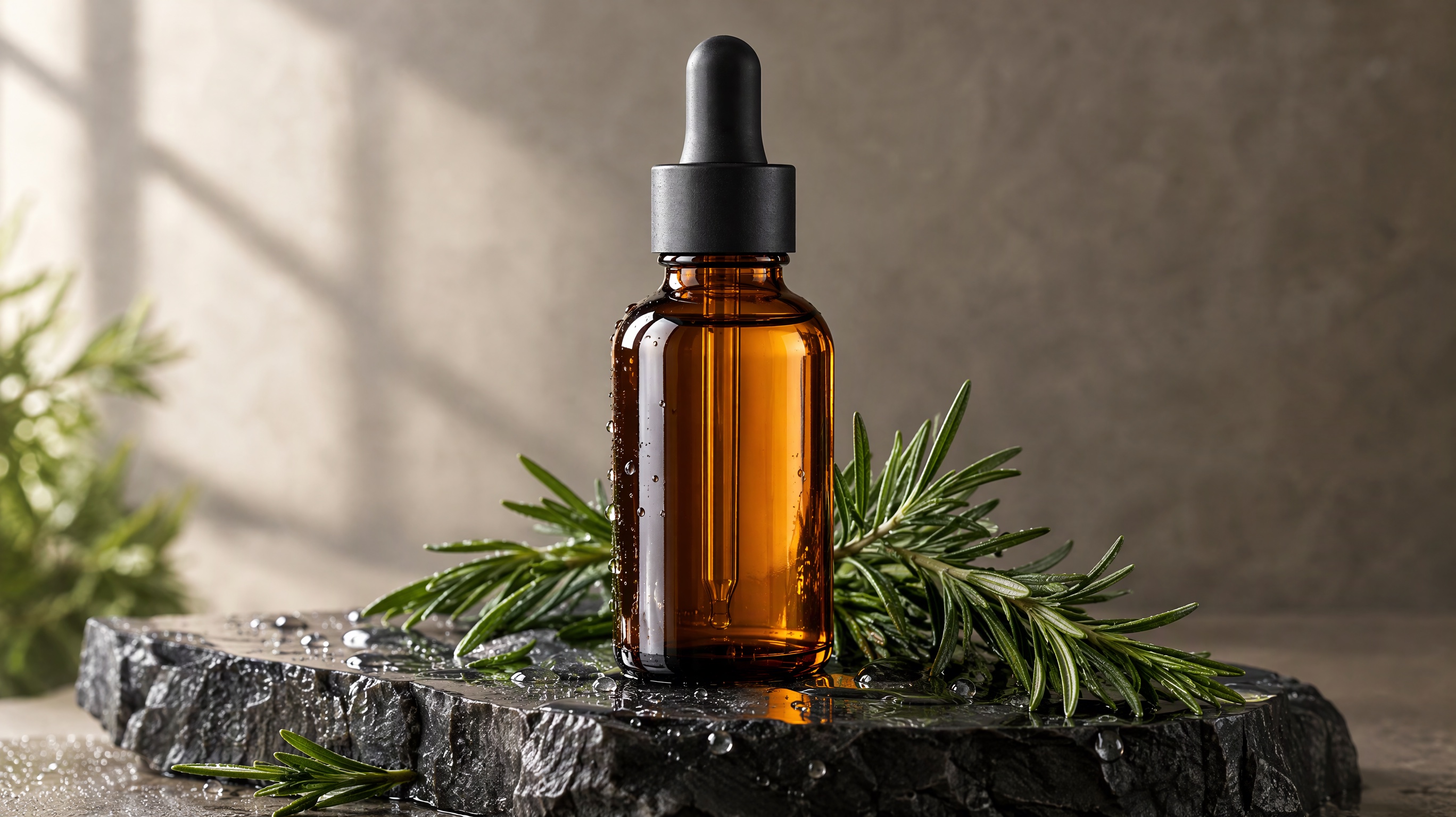
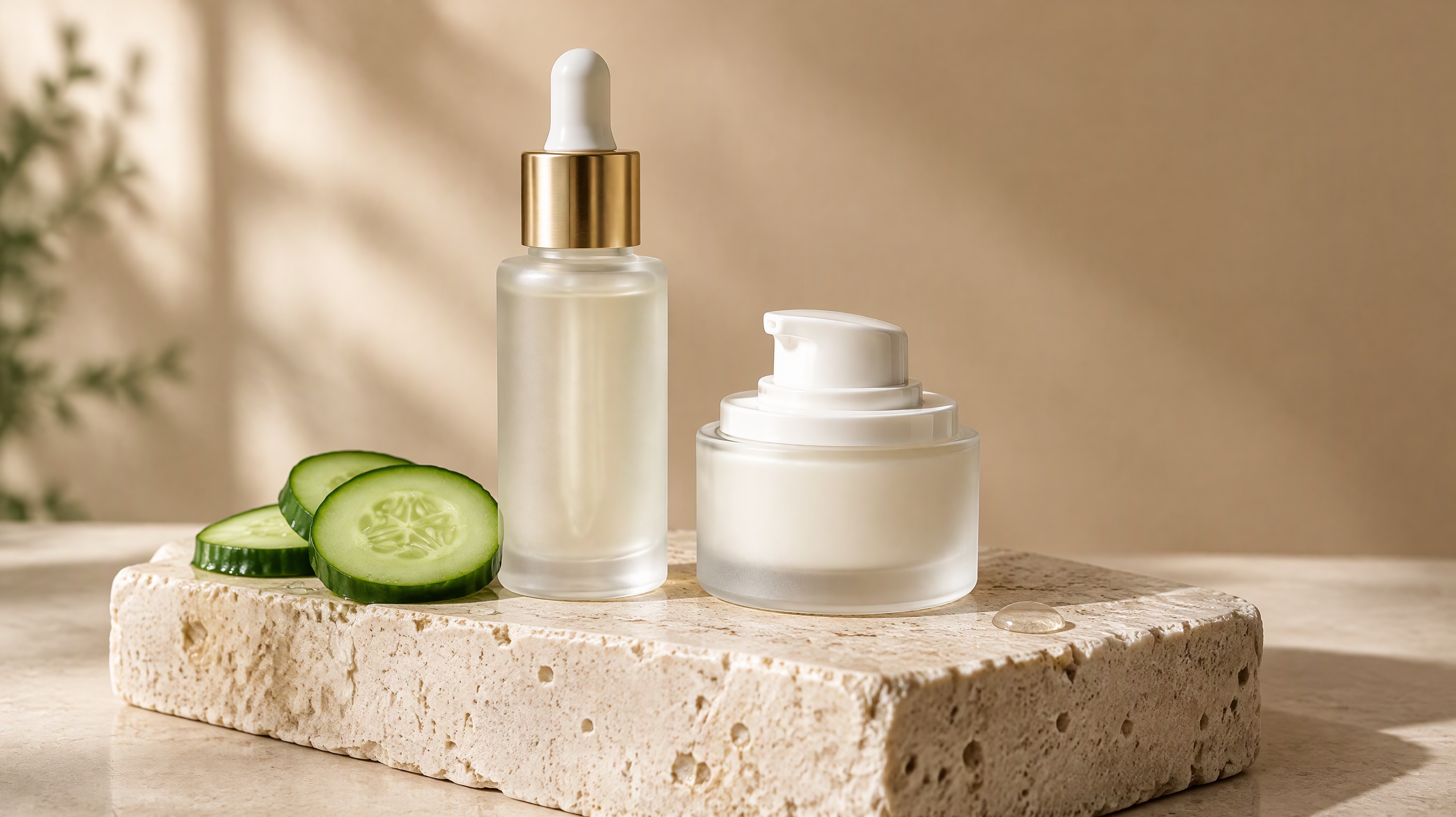
Image prompt: Premium studio product photograph of an unbranded amber glass dropper bottle with a matte black cap standing on a wet slate plinth, sprigs of fresh rosemary and small water droplets around the base. Soft window light from the left, a warm stone gray backdrop, shallow depth of field, crisp reflections on the glass, blank bottle with no label, photorealistic catalog look.
Keep the product unbranded unless you attach a photo of your own. To place a real product in a new scene, attach it as a reference and say which details must stay the same.
Top-down studio photograph of a pair of white leather sneakers on a pale terracotta surface, one shoe resting on its side to show the sole. Soft even daylight, gentle shadows to the lower right, fine leather grain, photorealistic ecommerce look, no logos and no text.
Photorealistic lifestyle shot of a matte sage green ceramic coffee mug on a wooden windowsill in early morning, steam rising, an open paperback blurred behind it. Warm side light, shallow depth of field, mug placed on the right third, no text or logos.
Clean catalog photograph of a compact stainless steel water bottle lying at an angle on wet black stone, droplets beading on the metal. Hard rim light from behind, dark moody background, sharp reflections, wide empty space on the left for ad copy, no logos.
Product photo of a small wooden jewelry box with its lid open on cream linen, a thin gold ring resting in the velvet insert. Diffused overhead light, soft warm palette, macro detail on the wood grain, centered square composition, no text and no branding.
Packaging mockup of a plain kraft paper coffee bag standing on a light oak counter, with the words "MORNING ROAST" printed once in bold black serif capitals centered on the bag. Soft window light, a few beans scattered in front, photorealistic, no other text.
Exploded view of an unbranded wireless earbud and its charging case floating against a seamless light gray background, parts evenly spaced along a vertical axis. Crisp studio lighting, precise edges, subtle shadows, technical product photography style, no labels or text of any kind.
Portraits and characters
Name the pose and what the hands are doing. OpenAI's guide recommends concrete instructions, such as stating that the feet must be visible.
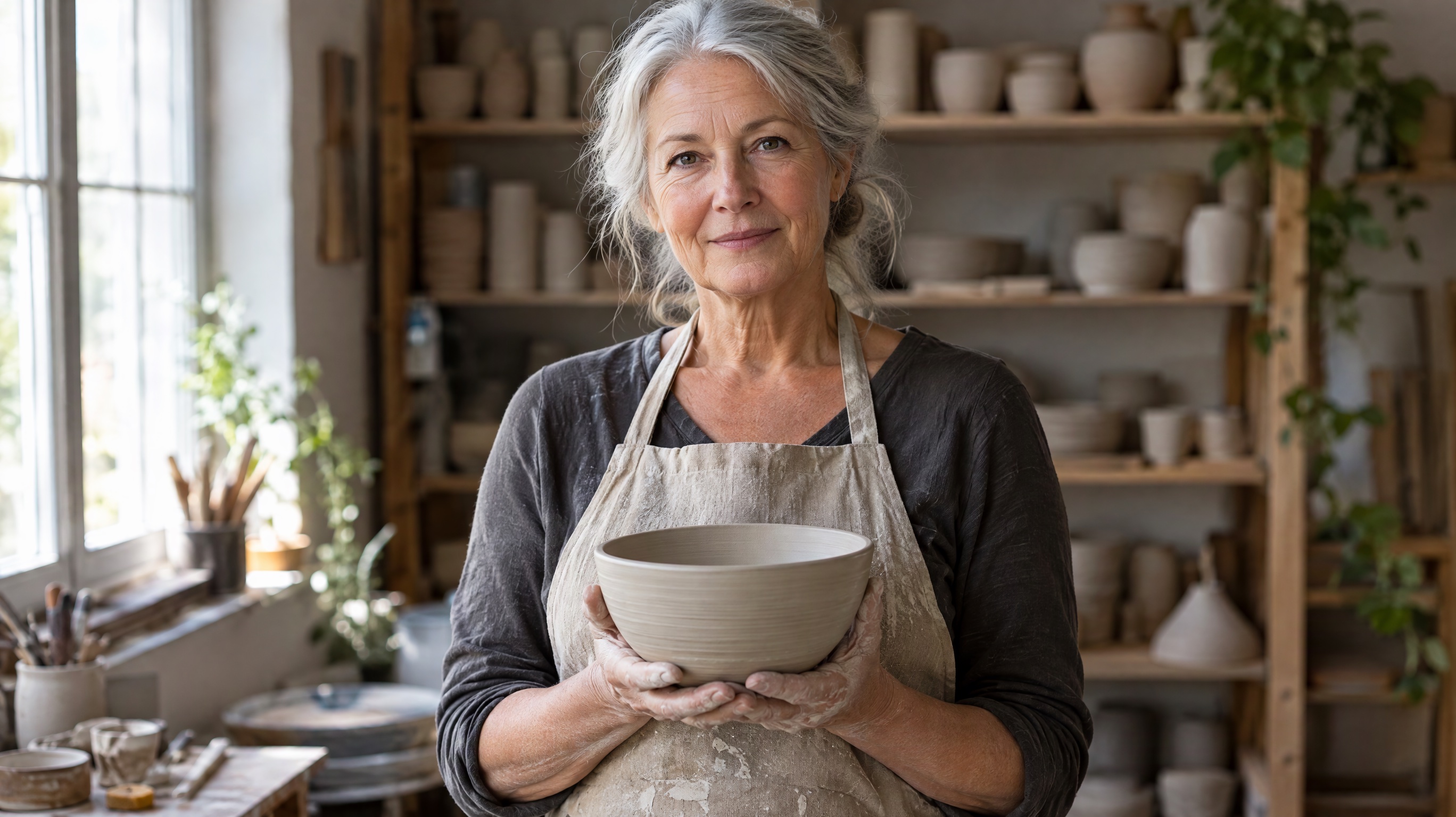
Photorealistic editorial portrait of a woman in her sixties with short silver hair and a navy wool coat, standing on a foggy train platform and looking just past the camera. Soft overcast light, muted color, 85mm look, head and shoulders framing with background gently blurred.
Candid documentary photograph of a young baker dusted with flour, laughing while lifting a tray of bread out of a stone oven. Warm firelight on the face, dark bakery behind him, both hands gripping the tray with thick cloth, natural skin texture, slight film grain.
Full body fashion photograph of a tall man in an oversized rust corduroy suit walking across an empty concrete plaza at golden hour, long shadow stretching left, both feet visible. Low camera angle, clean minimalist background, sharp focus on the suit texture.
Character design sheet of a young desert courier with a patched teal cloak, brass goggles and a canvas satchel, shown front view and side view on a plain warm white background. Semi-realistic painted style, consistent proportions in both views, no text or labels.
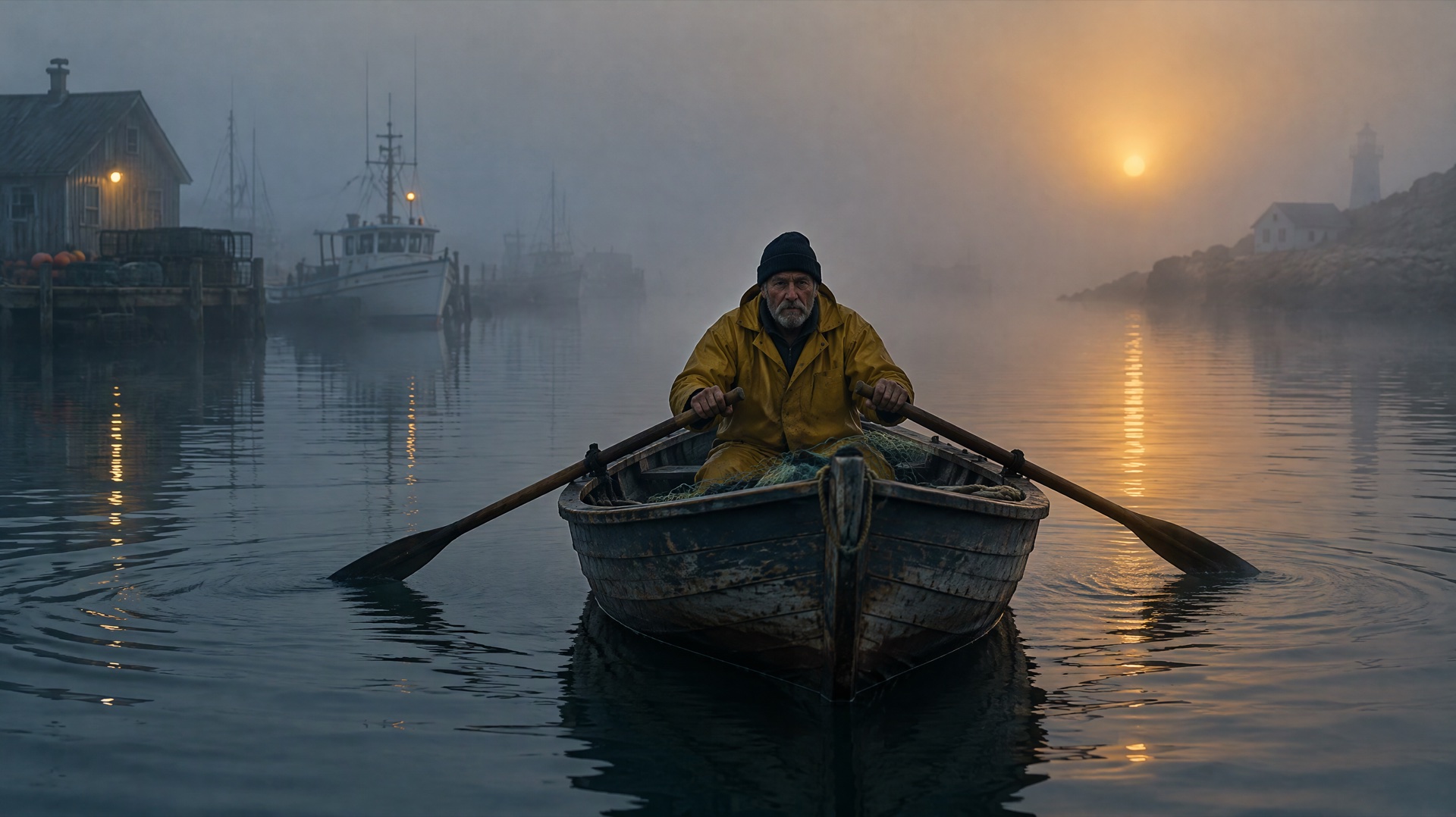
Close portrait of an elderly fisherman with deep wrinkles and a knitted gray cap, salt spray on his beard, looking toward a window. Single soft light from the left, dark background, photorealistic skin detail, quiet expression, black and white photograph with rich midtones.
Stylized 3D character render of a cheerful robot gardener with rounded copper panels, holding a small watering can in one hand inside a sunny greenhouse. Soft global illumination, pastel greens, friendly animated film look, full body in frame with space around it.
Posters and designs with text
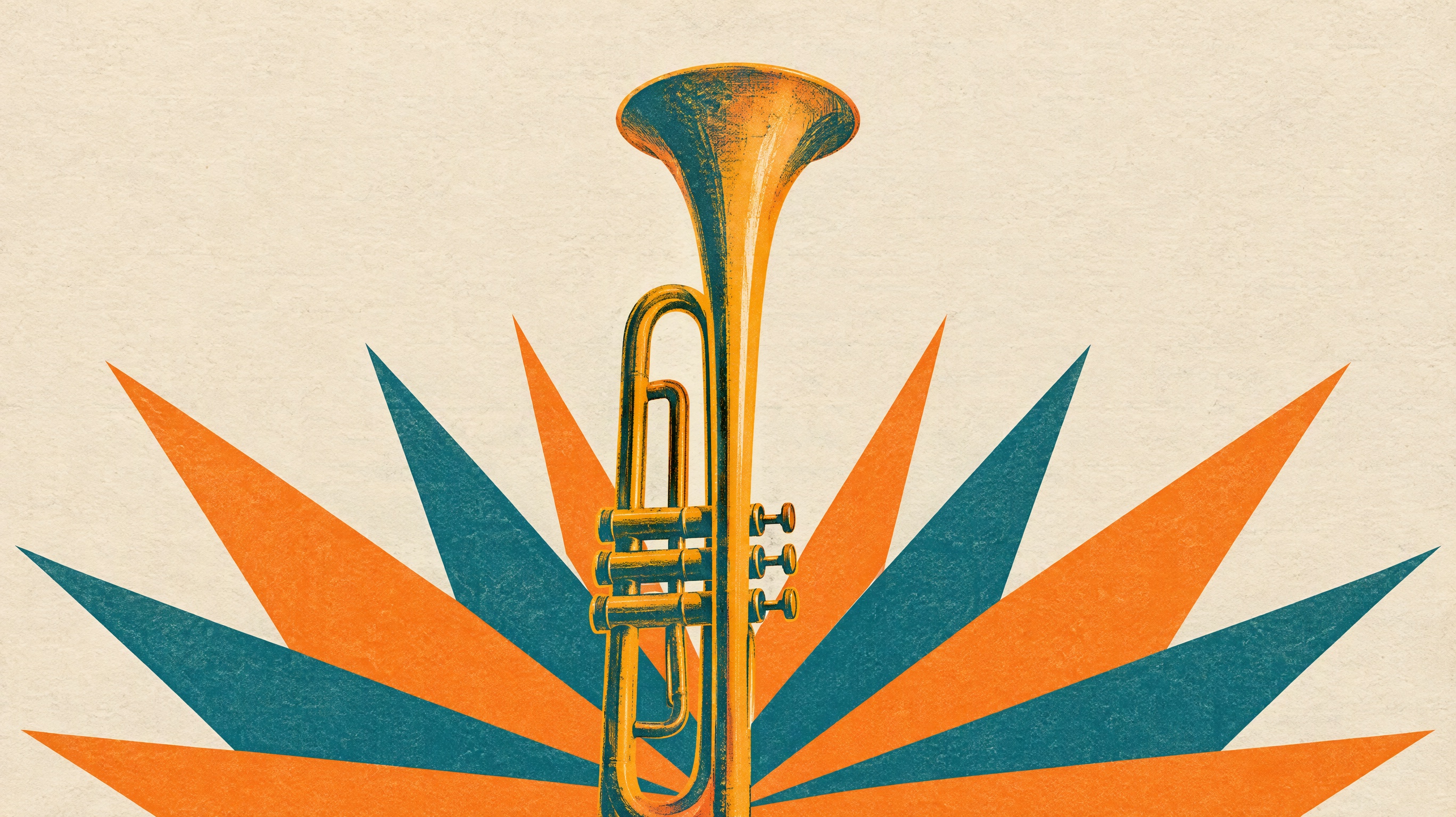
Image prompt: Minimal art print for a jazz night: one oversized brass trumpet rising from a bold sunburst of paper-cut orange and teal shapes on textured cream paper. Strong central composition with generous empty space at the top reserved for a title, risograph grain, limited three-color palette, finished poster artwork without any lettering.
Use High quality or above for these if the small lines matter, and proofread before you print.
Vertical poster for a summer night market in flat vector style, with strings of lanterns over food stalls in orange and deep blue. The title "NIGHT MARKET" appears once at the top in bold rounded capitals, and "JULY 18" appears once below it in smaller type. No other text.
Minimal Swiss style concert poster with a single large red circle on off-white paper and a thin black grid. The words "AUTUMN STRINGS" appear once in large black grotesque capitals along the bottom left, aligned to the grid. No other text and no logos.
Vintage travel poster of a mountain railway crossing a stone viaduct at sunset, painted in flat layered colors with visible screen print texture. The word "ALPENGLOW" appears once across the top in tall condensed cream letters with even spacing. No other text anywhere in the image.
Square social media graphic for a bakery sale, showing a stack of croissants on a butter yellow background from a slight overhead angle. The text "2 FOR 1 FRIDAY" appears once in thick dark brown letters centered above the pastries. Clean layout, no other text.
Wide website banner for a houseplant shop, with trailing green plants on the right side and soft cream empty space on the left. The headline "Grow Something Today" appears once on the left in an elegant dark green serif typeface, vertically centered. No other text or logos.
Open magazine spread on a white table, with a full page photograph of a lemon orchard on the left and a clean text layout on the right. The right page shows the headline "THE LEMON YEAR" once in large serif type above neat columns of small gray body text.
Illustration and stylized art
Name one medium per prompt so the style stays clear.
Gouache illustration of a small red fox curled up asleep on a stack of old books beside an arched window with falling snow outside. Warm lamp glow, muted teal and amber palette, visible brush texture, cozy storybook feeling, no text anywhere in the picture.
Flat vector illustration of a cyclist riding along a coastal road with stylized waves and palm trees, built from simple geometric shapes. Limited palette of coral, navy and sand, clean edges, no outlines, generous sky at the top of the frame, no text.
Detailed ink and watercolor map style painting of a fictional island harbor seen from above, with tiny boats, winding streets and terraced hills. Soft washes of blue and ochre, fine pen linework, aged paper texture, decorative compass shape in one corner, no readable text.
Isometric 3D illustration of a tiny cutaway coffee shop on a floating square base, with a barista, wooden counter, shelves of cups and a small plant by the door. Soft clay material look, warm lighting, pastel background, centered with even margins all around.
Hand drawn anime style background painting of a quiet rural bus stop on a summer afternoon, tall clouds over green rice fields and a red vending machine beside the bench. Bright saturated sky, soft painted shadows, wide horizontal framing, no people and no text.
Linocut style print of a heron standing among tall reeds at dawn, carved with bold black shapes and a single flat layer of pale orange behind the bird. Rough ink texture, strong vertical composition, visible carving marks, handmade art print feeling, no text or signature.
Frames to use as a video's first frame
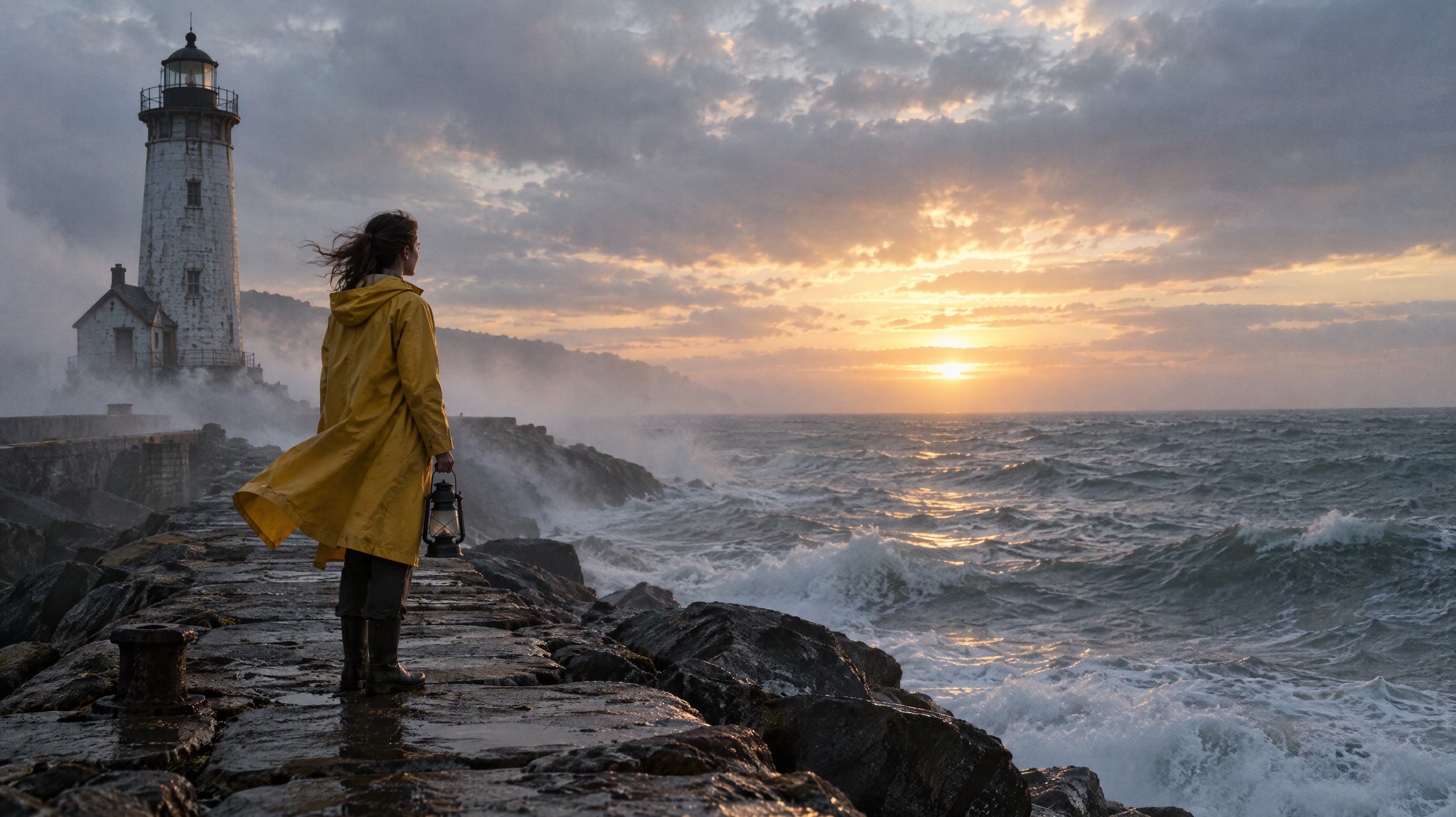
Image prompt: Cinematic wide film still of a lighthouse keeper in a yellow raincoat standing on a rocky pier at dawn and facing a rolling gray sea, an unlit lantern in one hand, mist drifting past the lighthouse behind her, low sun breaking through clouds, coat lifting in the wind. She stands left of center with open sea on the right for the camera to move into, natural color, fine film grain.
A first frame should look like the moment before something happens. Leave room for the movement and pick the ratio you want the video to have, usually 16:9 or 9:16.
Cinematic wide still of a lone hiker on a ridge at sunrise, seen from behind and stopped mid stride with a red jacket and trekking poles, clouds filling the valley below. Space ahead of the hiker for camera movement, natural color, 16:9 film look.
Vertical 9:16 photograph of a barista about to pour steamed milk into a latte, the jug tilted and the first drops not yet touching the coffee. Close framing on hands and cup, warm cafe light, background gently blurred, realistic detail, no text or logos.
Wide film still of a vintage red convertible parked on an empty desert highway at dusk, driver's door open, headlights just switched on, dust hanging in the air. Purple sky fading to orange at the horizon, subject centered, open road ahead, fine film grain, no text.
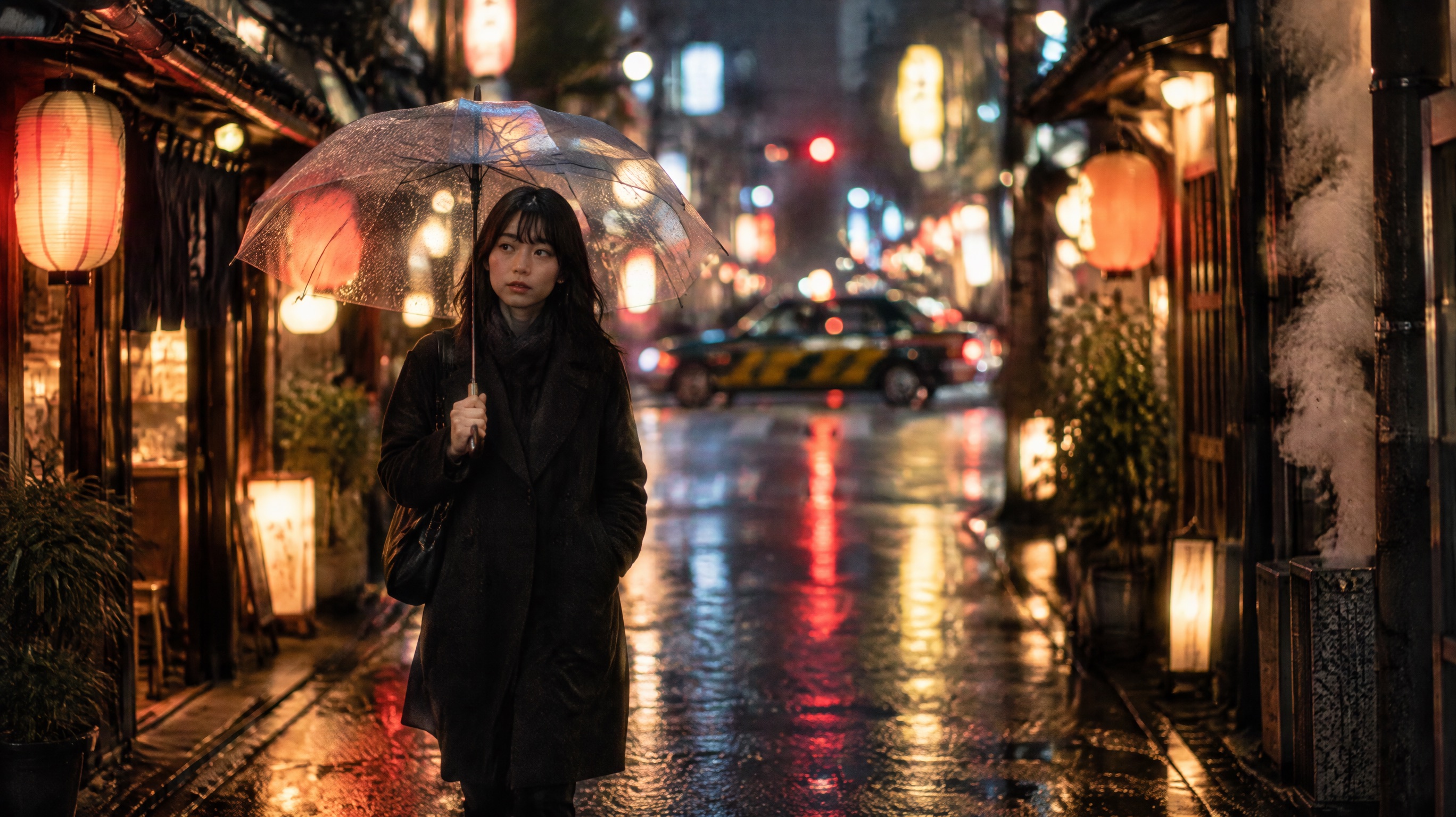
Photorealistic close shot of a paper boat resting at the edge of a rain puddle on a city sidewalk, ripples just starting around it and neon reflections on the water. Low camera at ground level, shallow depth of field, night rain, horizontal composition with open space right.
Cinematic still of a young dancer alone on a dark stage, frozen in the instant before a jump with knees bent and arms lifted, a single spotlight from above and dust visible in the beam. Wide framing with empty stage around her, deep black shadows.
Wide aerial photograph of a small fishing boat on a calm turquoise bay at early morning, net half gathered on the deck and gulls circling above the stern. Soft low sunlight, long shadow on the water, boat in the left third, open water ahead for the camera to follow.
How to use an image as a video's first frame
- Generate the still in the AI image generator at the ratio you want for the video, and keep the best result.
- Open the image-to-video generator and choose the image from My creations in the media picker, or upload it from your device.
- Set it as the first frame and write only what changes: the motion, the camera move and, if the model supports it, the sound. Don't describe what is already in the picture.
- Pick a video model and render a short clip first to check the motion. Our comparison of AI video models covers how they differ.
Common mistakes and how to rewrite them
Misspelled or invented words. A prompt like "a sale poster with some text about summer" leaves the wording up to the model. Give it the exact words, say how many times they appear, and rule out everything else.
Vertical poster for a seasonal sale in flat coral and cream colors, with the words "SUMMER SALE" appearing once in bold black capitals centered at the top and "40% OFF" appearing once below them. No other text, no small print and no logos.
Strange hands. "A woman holding a cup" gives the model no information about the grip. Say how the hand holds the object and keep the fingers simple and visible, or frame the shot so the hands are not the focus.
Photorealistic medium shot of a woman in a cream sweater holding a white ceramic mug with both hands wrapped around it, fingers together and thumbs resting on the rim, at a window table. Soft daylight, relaxed shoulders, natural skin detail, shallow depth of field.
Wrong proportions or crop. "A huge whale and a tiny boat" says nothing about the frame. State the ratio, how much of the frame each subject fills, and where the horizon sits.
Wide 16:9 photorealistic seascape with a humpback whale breaching in the right half of the frame, filling about half the image height, and a small white sailboat in the far left distance. Horizon on the lower third, overcast silver light, realistic water spray.
FAQ
Is GPT Image 2.5 free?
GPT Image 2.5 isn't part of the no-sign-up trial on Yovid. A free account comes with 5 credits, and a medium 1K image costs 1 credit, so the gift covers up to five images at that setting. If you searched for GPT Image 2 free, that older model is the one in the no-sign-up image trial: one low-quality 1K image from a text prompt, with a watermark, once per device or network in 30 days. It isn't offered on Android, and downloading the image needs an account.
What resolutions and aspect ratios does GPT Image 2.5 support?
On Yovid you can choose 1K, 2K or up to 4K on any plan, across 15 preset ratios, including 1:3, 3:1, 9:16, 16:9 and 21:9. You can also set a custom size in steps of 16 px, up to 3,840 px on an edge and about 8.3 MP. OpenAI calls output above 2560 x 1440 experimental.
Can I use GPT Image 2.5 images commercially?
Commercial use is included with Pro, Premium, Lite on yearly billing and every credit pack on Yovid. Free accounts and monthly Lite don't include it. You remain responsible for the rights to any photos, logos and faces you upload.
How is GPT Image 2.5 different from Nano Banana?
On Yovid, GPT Image 2.5 generates up to 10 images per prompt, takes 16 references and a 32,000-character prompt, offers five quality levels and custom sizes, and supports transparent backgrounds. Nano Banana 2.1 makes one image at a time, takes 14 references and a 2,000-character prompt, and covers very wide and tall formats up to 8:1. A default GPT Image 2.5 image (1K, Medium) costs 1 credit, and a default Nano Banana 2.1 image (2K) costs 3.
- GPT Image 2.5 is best for: text in images, exact edits and batches of variations.
- GPT Image 2.5 is not for: banners wider than 3:1.
- Nano Banana 2.1 is best for: extra wide and extra tall formats.
- Nano Banana 2.1 is not for: transparent backgrounds or several images from one prompt.
How do I use a GPT Image 2.5 image as a video's first frame?
Generate the image at your video's ratio, open the image-to-video generator, pick the image from My creations and set it as the first frame. Then describe only the motion and camera move. Your prompt doesn't need to repeat what the picture already shows.
More collections are in Prompt Guides. To try one of these prompts, open the GPT Image 2.5 model page, start the generator with GPT Image 2.5 selected and paste the prompt. If you would rather make a clip, Yovid's free AI video generator gives you one watermarked 4-second 480p Seedance 2.0 Mini clip without signing up (not on Android). That trial covers Seedance 2.0 Mini only, and GPT Image 2.5 runs on credits.