
Seedream 5.5: ByteDance’s Image Editor, Now on Yovid
Seedream 5.5 is built for images that go through many rounds of changes: fix one thing, feed the result back, fix the next, and the rest of the picture holds still. It also returns real transparent PNGs. The generator below runs Seedream 5.5. Create with Seedream 5.5.
Seedream 5.5 is one of the models in Yovid’s AI image generator: the same prompt works on every image model there.
Seedance 2.5 is live
AI video clips up to 30 seconds with image, video, and audio references.
Seedance 2.5 Flash
Seedance 2.5's fast tier: 720p clips with sound for fewer credits.
Kling 4.0
Kling's latest AI video model, now in the Yovid AI video generator.
Kling 4.0 Flash
Kling 4.0's fast tier: 720p clips with sound for fewer credits.
Veo 3.1
Google's AI video model with native audio.
GPT Image 2.5
OpenAI's image model for creating and editing images.
AI Image Upscaler
Sharpen and enlarge images for cleaner exports.
AI Canvas
Chain image and video steps on one visual board.
What Seedream Does on Yovid

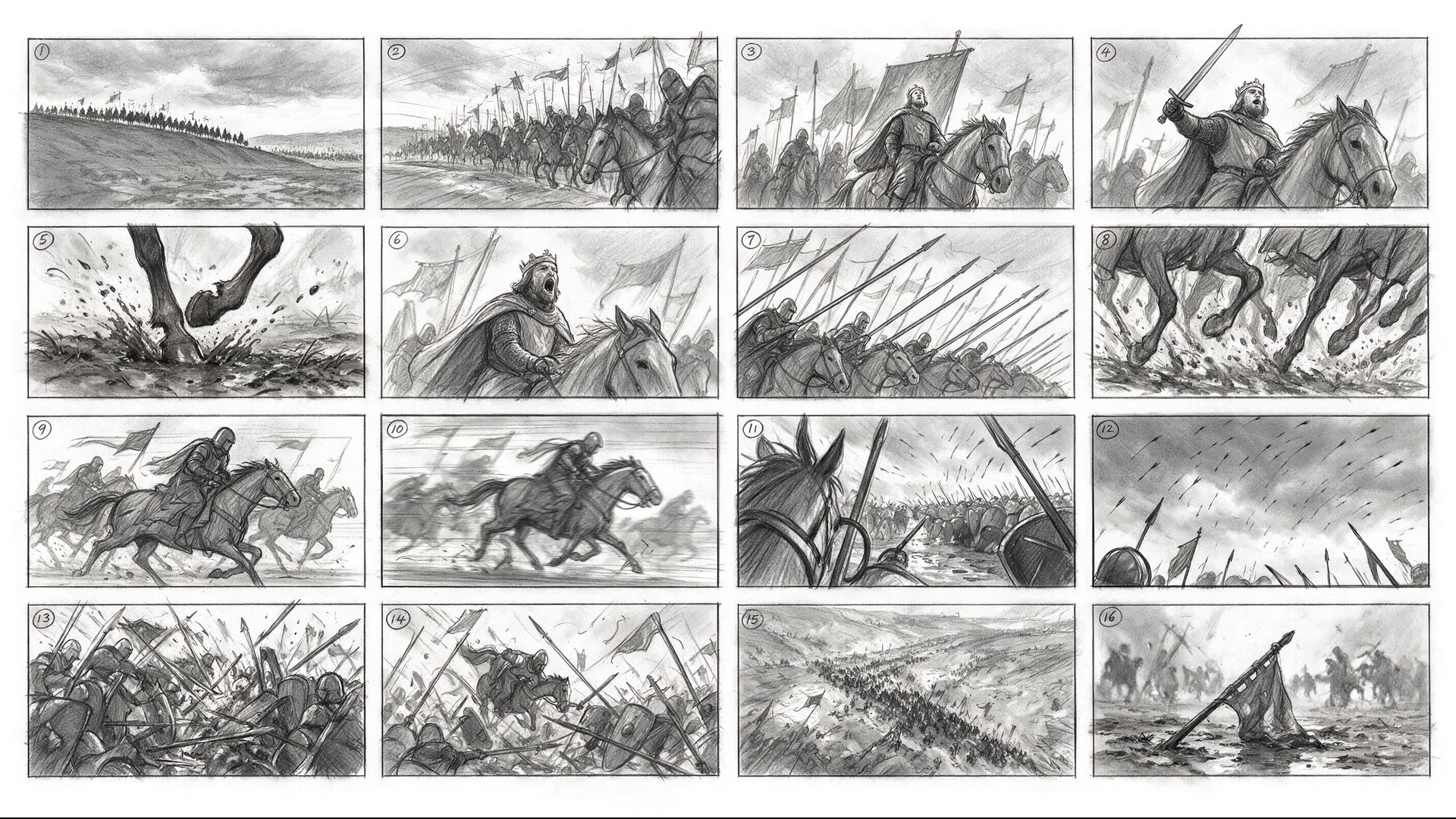
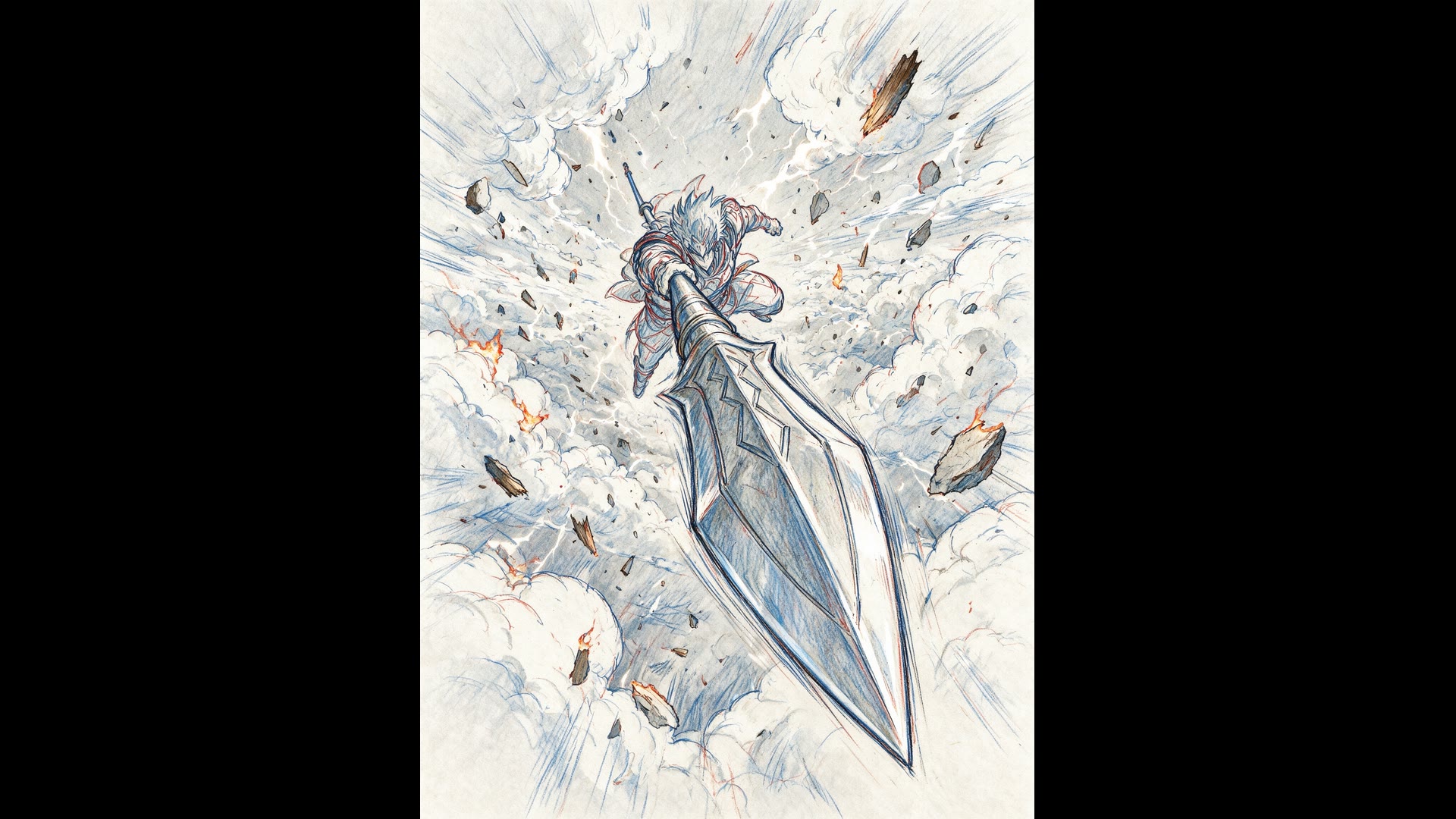
What Seedream 5.5 Changes, and How It Runs on Yovid
- Four Things ByteDance Changed from Seedream 5.0 Pro: Steadier repeat edits, transparent output, cleaner small text and less glossy photos.
- Edit, Feed the Result Back, Edit Again: Each round is a new request with the last image attached and one change named.
- Transparent PNGs from Any Prompt: Ask for a cut-out and get a real alpha channel, no background removal step.
- Pages of Small Type That Stay Readable: Labels, captions and columns of text in Chinese and English, with fewer broken characters.
- Sizes and Limits: 1K to 2K, Ten References: The same size tiers as Seedream 5.0 Pro, with one image per request.
- Seedream 5.5 on Yovid: Credits: Priced per image by resolution, with each attached reference image counted.
Four Things ByteDance Changed from Seedream 5.0 Pro
Seedream 5.5 is ByteDance Seed’s follow-up to Seedream 5.0 Pro, unveiled on November 9, 2026. Its launch demo edits a single portrait one hundred times, feeding each result back in, to show that untouched areas stay put.
The sizes and the reference limit are unchanged from 5.0 Pro. What ByteDance reworked is how the model behaves over many edits and how its output looks.
| Repeat edits | Unedited areas stay stableBuilt for fixing one detail per round without colour drift elsewhere. |
|---|---|
| Transparency | Alpha channel from text or references |
| Small text | Dense type holds together betterByteDance reports fewer broken characters in Chinese and English tests. |
| Photos | More natural light and skinLess of the gloss and blown highlights that mark a picture as generated. |
Edit, Feed the Result Back, Edit Again
The model keeps no memory between requests. A multi-round edit is a chain: attach the latest image, describe the single change, list what must not move, and repeat. Seedream 5.5 is tuned so the tenth link looks as clean as the first.
The pair below shows that request shape with Seedream 5.0 Pro, from ByteDance’s showcase: an English poster localized into right-to-left Arabic with the layout left alone. The same request runs on Seedream 5.5.
 1
 Seedream 5.0 Pro
Transparent PNGs from Any Prompt
With Seedream 5.0 Pro, a transparent result was only possible when you edited an image that was already transparent. Seedream 5.5 returns an alpha channel from a plain text prompt or from ordinary reference photos.
That makes stickers, icons, product cut-outs and design assets one step instead of two. A transparent background and a see-through object are different requests, so describe them separately.
| Seedream 5.5 | Transparent from text or referencesBackground set to transparent; PNG with alpha. |
|---|---|
| Seedream 5.0 Pro | Only when editing an image with alpha |
| On Yovid | Background: TransparentPick it in the generator’s settings before you generate. |
Pages of Small Type That Stay Readable
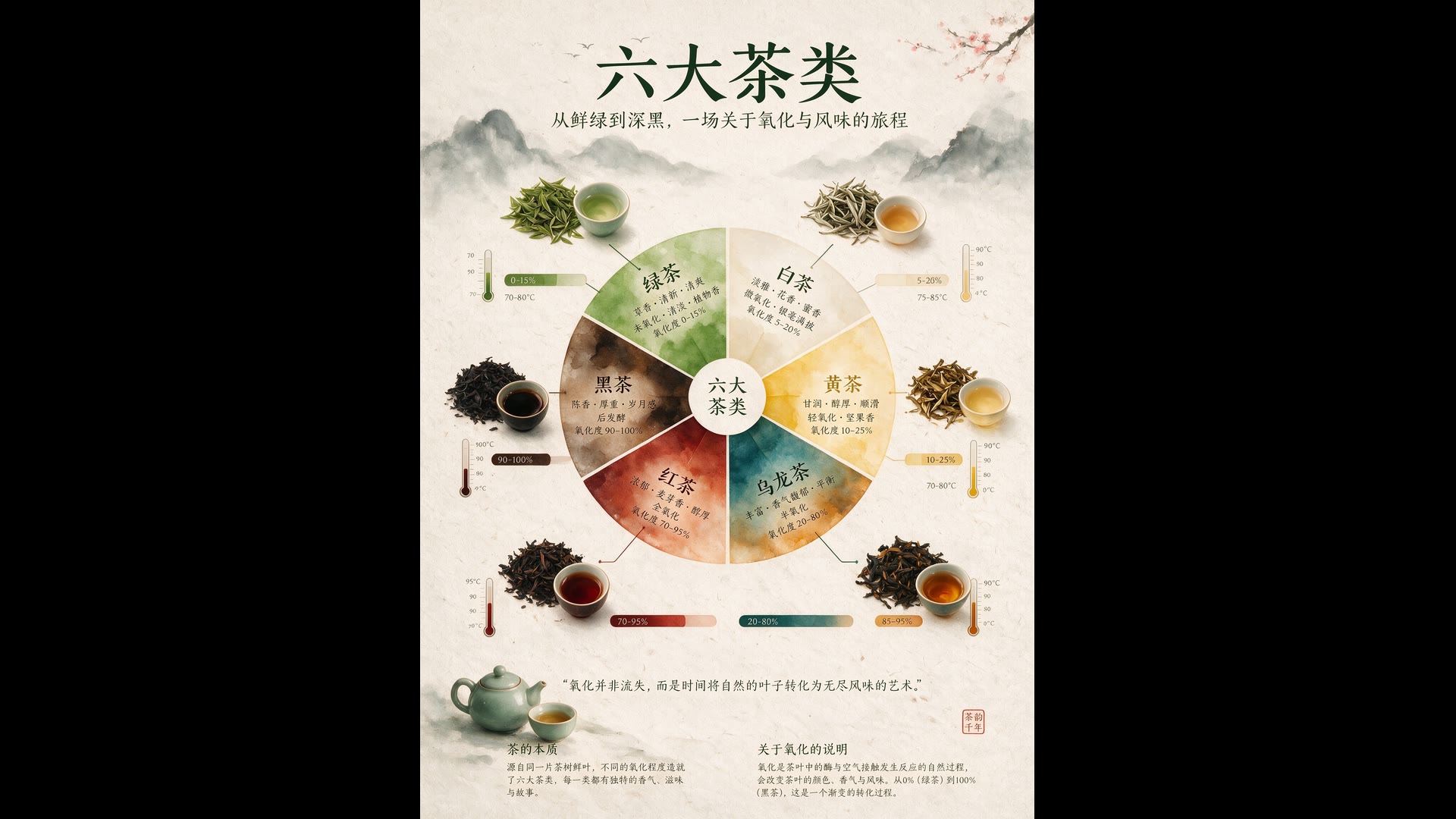
Seedream 5.0 Pro already handles infographics like the one below. ByteDance says 5.5 goes further on densely set small text and complex glyphs, the place where image models most often slip.
Quote every word that must appear, give its position and line breaks, and still proofread before publishing. This infographic is a Seedream 5.0 Pro image from ByteDance’s showcase.
Seedream 5.0 ProSizes and Limits: 1K to 2K, Ten References
Seedream 5.5 does not add a 4K tier. For 3K or 4K output, Seedream 5.0 Lite remains the Seedream to use.
| Resolution tiers | 1K, 1.5K or 2K |
|---|---|
| Aspect ratio | Auto or 11 presets1:1, 4:3, 3:4, 3:2, 2:3, 16:9, 9:16, 4:5, 5:4, 21:9 and 9:21. |
| Custom size | 0.92 to 4.62 megapixelsAnywhere from 1:16 to 16:1. |
| Reference images | Up to 10 |
| Images per request | 1 |
| Prompt length | Up to 2,600 characters |
Seedream 5.5 on Yovid: Credits
Seedream 5.5 is open in Yovid’s image generator and on this page. The provider bills every reference image as well as the output, so a request with several references costs a little more; the Generate button always shows the exact total before you run it.
| 1K or 1.5K | 1 credit per image |
|---|---|
| 2K | 2 credits per image |
| Reference images | Add to the priceWith 10 references: 5 credits at 1K or 1.5K, 6 credits at 2K. |
| For 3K–4K | Seedream 5.0 LiteUp to 14 references and 15 images per prompt. |
Who Seedream 5.5 Is For
Its strength is work where one image is revised many times before it ships:
- Product teams: Change a background, a colourway or a prop one request at a time while the product stays identical.
- Localization: Build a poster or label once, then swap the copy into another language and keep the design.
- Sticker and icon makers: Transparent assets straight from the prompt, ready to drop onto any layout.
- Storyboard artists: Keep a character consistent across panels, then animate the best frame with a video model.
Seedream 5.5 vs Seedream 5.0, GPT Image 2.6 and Nano Banana 2.1
Every cell except the last row is read from what each model offers in Yovid’s image generator now.
| Feature / Model | Seedream 5.5 | Seedream 5.0 Pro | Seedream 5.0 Lite | GPT Image 2.6 Sunburst | Nano Banana 2.1 |
|---|---|---|---|---|---|
| Top resolution | 2K | 2K | 4K | 4K | 4K |
| Aspect ratios | 1:1, 4:3, 3:4, 3:2, 2:3, 16:9, 9:16, 4:5, 5:4, 21:9, 9:21 | 1:1, 4:3, 3:4, 3:2, 2:3, 16:9, 9:16, 4:5, 5:4, 21:9, 9:21 | 1:1, 4:3, 3:4, 3:2, 2:3, 16:9, 9:16, 4:5, 5:4, 21:9, 9:21 | 1:1, 1:2, 2:1, 1:3, 3:1, 2:3, 3:2, 3:4, 4:3, 4:5, 5:4, 9:16, 16:9, 9:21, 21:9 | 1:1, 1:4, 4:1, 1:8, 8:1, 2:3, 3:2, 3:4, 4:3, 4:5, 5:4, 9:16, 16:9, 21:9 |
| Reference images | 10 | 10 | 14 | 16 | 14 |
| Images per prompt | 1 | 1 | 15 | 10 | 1 |
| Credits per image (default settings) | 1 · 1.5K | 2 · 1.5K | 2 · 2K | 3 · 1K medium | 3 · 2K |
| Best for | Round-after-round edits, transparent PNGs and dense small text up to 2K. | Single images up to 2K with the earlier Seedream look. | 3K–4K output and batches of up to 15. | Marked-up edits and animated GIFs. | Very wide or very tall formats. |
Credits are for one image at each model’s default settings and follow Yovid’s live pricing.
Seedream 5.5: Strengths and Limits
Based on ByteDance’s launch material and the published API contract.
Strengths
- Repeat edits: Designed to keep unedited areas stable across many rounds.
- Native transparency: Alpha-channel PNGs from text or ordinary references.
- Small text: Dense labels and captions in Chinese and English hold together better.
Limits
- References add cost: Each attached reference image is billed, so a ten-reference edit costs more than a plain prompt.
- Tops out at 2K: No 3K or 4K tier; use Seedream 5.0 Lite for those.
- One image per request: No batches; each round of an edit is a separate generation.
How to Use Seedream 5.5 on Yovid
- Step 1
Open the generator
The generator on this page opens on Seedream 5.5. In the AI Image Generator, pick Seedream 5.5 from the model menu.
- Step 2
Write the prompt, add references
Quote any exact text and attach up to 10 reference images; for an edit, name the one change and what must stay.
- Step 3
Generate, then chain the next edit
Attach the result as the reference for the next round, name the next change, and repeat until the image is done.
Seedream Prompts to Try
Prompts ByteDance Seed published with these Seedream 5.0 Pro images, trimmed. Each one opens Seedream 5.5 on Yovid.
Six teas infographic
Seedream 5.0 Pro · 3:4An infographic explaining the six major types of tea. The central focal point is a flavor wheel chart made of delicate watercolor gradients, surrounded by top-down tea leaves at different oxidation states, linked to oxidation percentage bars and brewing thermometers. Textured handmade rice paper; minimalist, refined, balanced layout.
Source: ByteDance Seed · Seedream 5.0 Pro
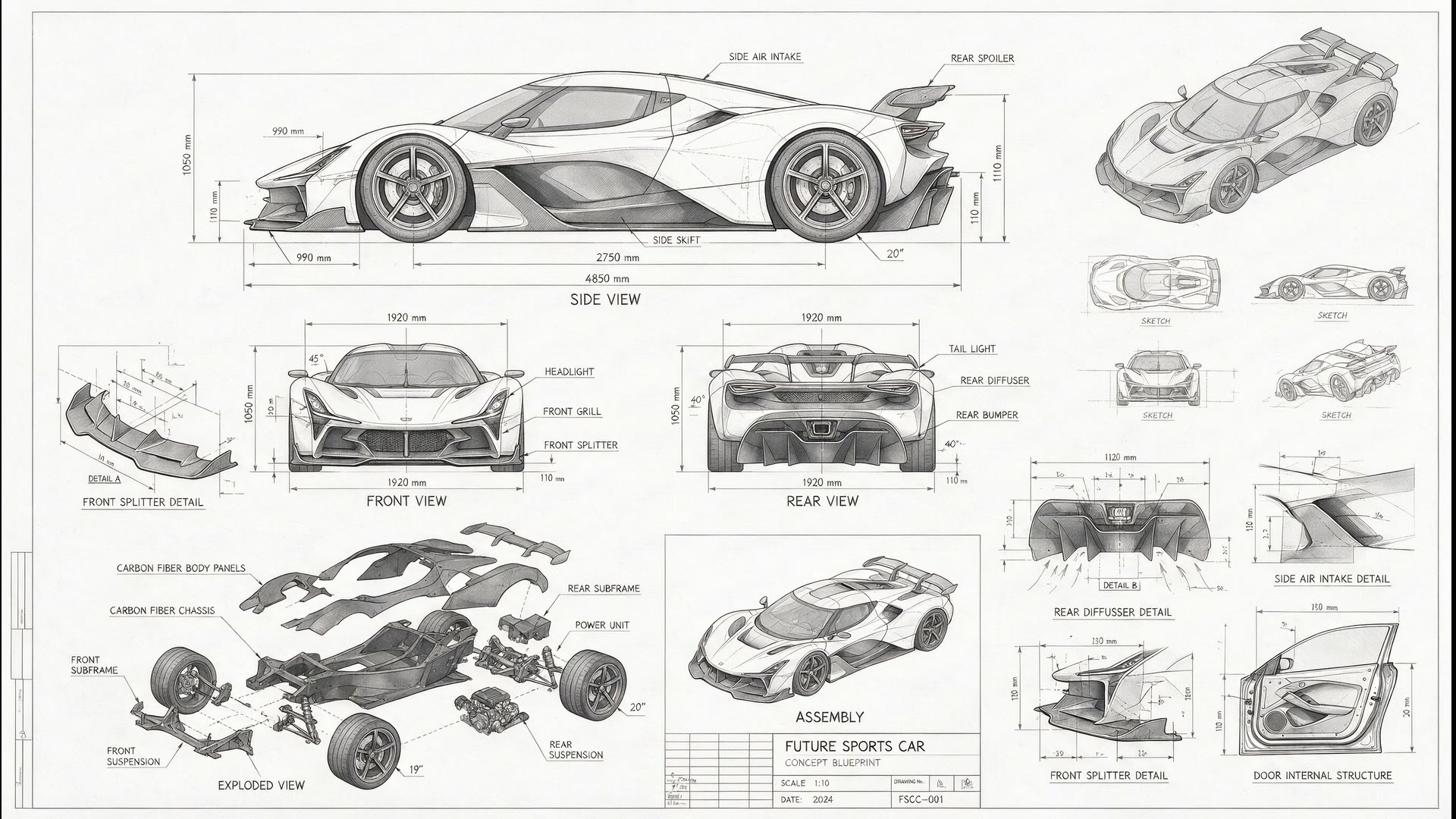
Try this promptSports car blueprint
Seedream 5.0 Pro · 16:9A blueprint-style technical drawing of a futuristic sports car: front, side and rear line drawings, exploded parts sketches, assembly diagrams and structural diagrams of disassembled components. Abundant dimension lines and measurement values, grayscale sketch tones, plus scattered thumbnails from other angles.
Source: ByteDance Seed · Seedream 5.0 Pro
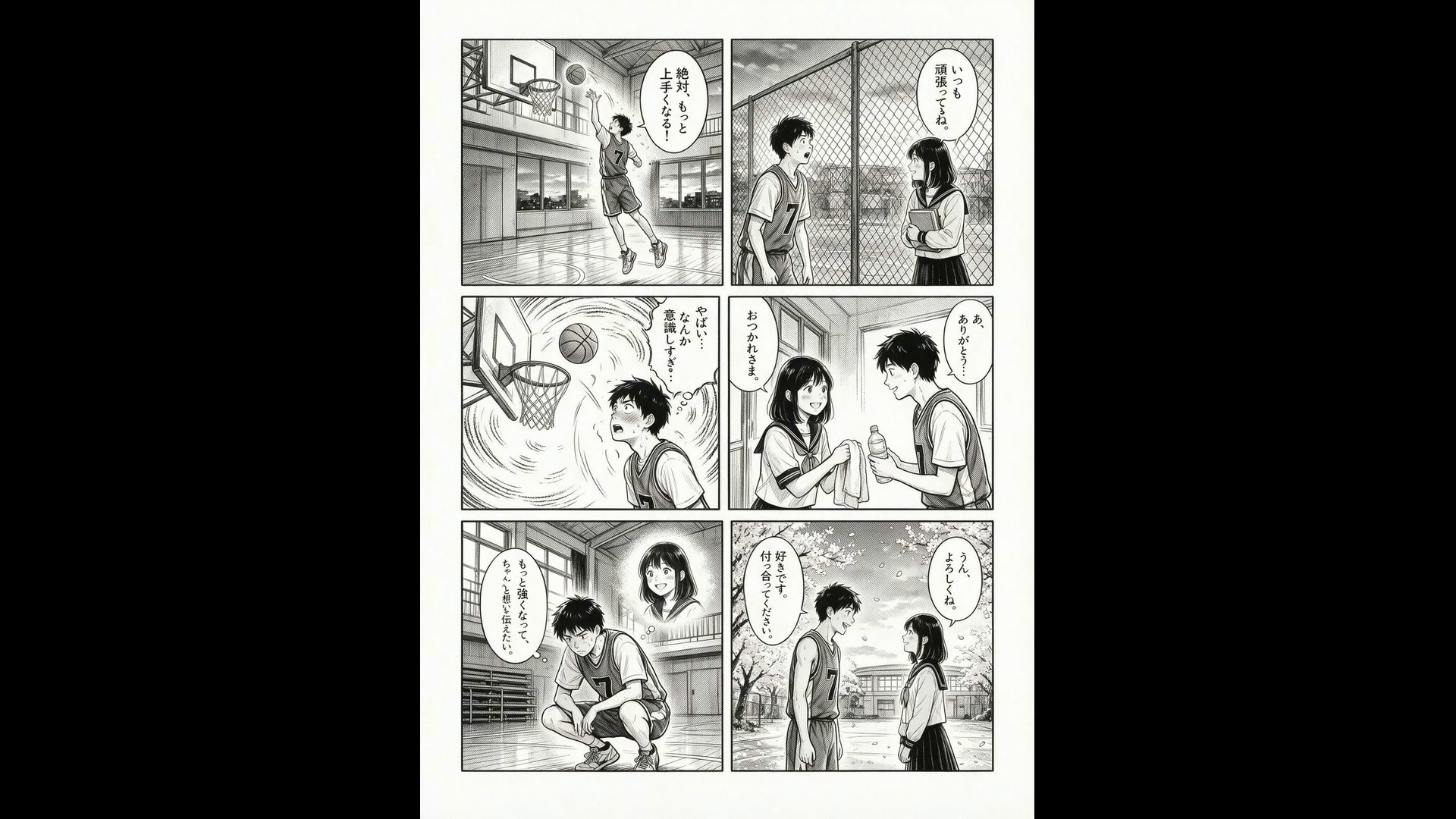
Try this promptSix-panel manga
Seedream 5.0 Pro · 3:4A Japanese six-panel manga about a high school boy who loves basketball, falls in love with a classmate and, through effort and growth, finally tells her how he feels. Black and white only, clean hand-drawn ink lines.
Source: ByteDance Seed · Seedream 5.0 Pro
Try this prompt
More Image and Video Models on Yovid
From a Still to a Clip
Turn a finished Seedream image into the first frame of a video.
FAQs
What is Seedream 5.5?
Can I use Seedream 5.5 on Yovid?
How much does Seedream 5.5 cost?
Does Seedream 5.5 support 4K?
Can Seedream 5.5 make transparent PNGs?
How do multi-round edits work?
Can Yovid split an image into layers with Seedream 5.5?
How is it different from Seedream 5.0 Pro?
Are the images on this page made with Seedream 5.5?
Start Editing with Seedream 5.5
Write a prompt or attach up to 10 references, then refine the result one change at a time.
Create with Seedream 5.5