Free AI Watermark Remover: Erase Watermarks from Photos Online

Paint over a watermark, caption, logo or date stamp, or let Yovid detect text and logos for you. The covered pixels are redrawn so the photo looks untouched. New accounts get free credits; each image costs 1 credit.

Result
Original
OriginalResultExample

Watermark-Free Photos Without Photoshop

A stamp in the corner or lettering across the middle can spoil an otherwise good shot. Upload the photo, mark what should disappear, and the AI repaints that area from the colours and textures around it. Use the brush for precise control, or switch to automatic text or logo detection when you would rather not select anything.

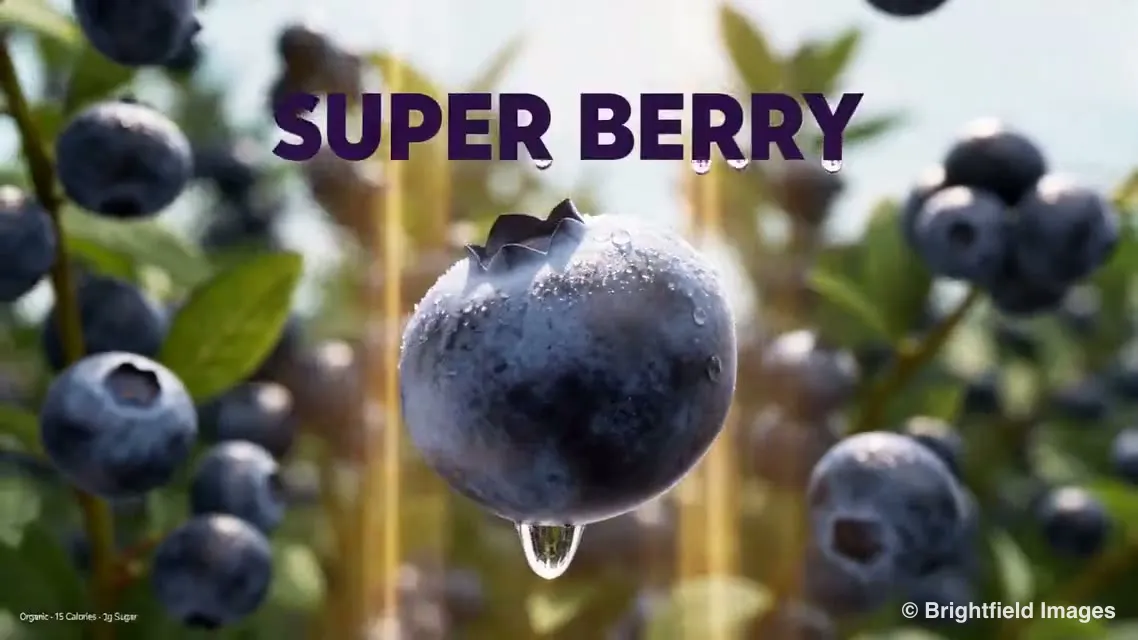
Blueberry close-up shown with and without its bold headline and copyright line: OriginalBlueberry close-up shown with and without its bold headline and copyright line: ResultOriginalResult

Pick your method

Brush exactly what you want gone, or let the Text and Logos modes locate the marks on their own.

Rebuilt, not smudged

Replacement pixels come from the surroundings, so walls, sky and fabric keep their pattern instead of turning into a blur.

One credit per image

Most runs finish in 10 to 20 seconds. When a run fails, its credit is returned straight away.

01

Clear Repeating Watermarks Across the Whole Frame

Stock previews often tile a faint word over the entire picture, which automatic detection can miss. Switch to Brush and sweep over each repeat in wide strokes. Only the painted strips are redrawn; every other pixel stays exactly as you uploaded it.

Red sports car photo before and after a tiled SAMPLE overlay was brushed away: OriginalRed sports car photo before and after a tiled SAMPLE overlay was brushed away: ResultOriginalResult

02

Remove Date Stamps and Burned-In Captions

The orange timestamp from an old camera, a location label, a subtitle baked into a frame: Text mode spots all of them by itself. There is nothing to select, so cleaning a batch of holiday snaps or screenshots goes quickly.

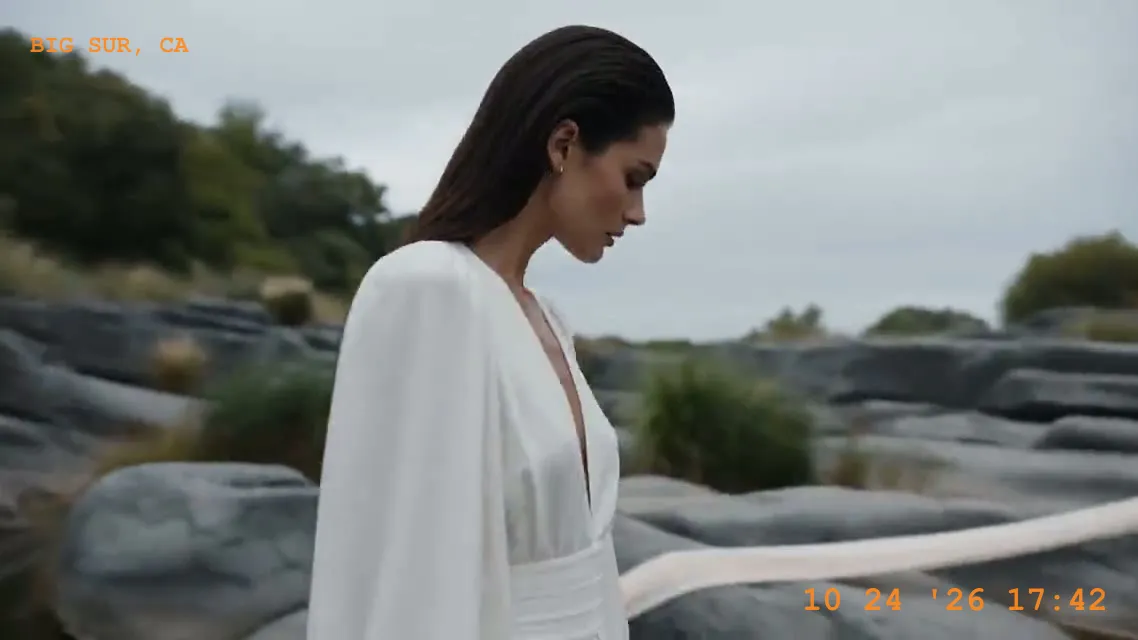
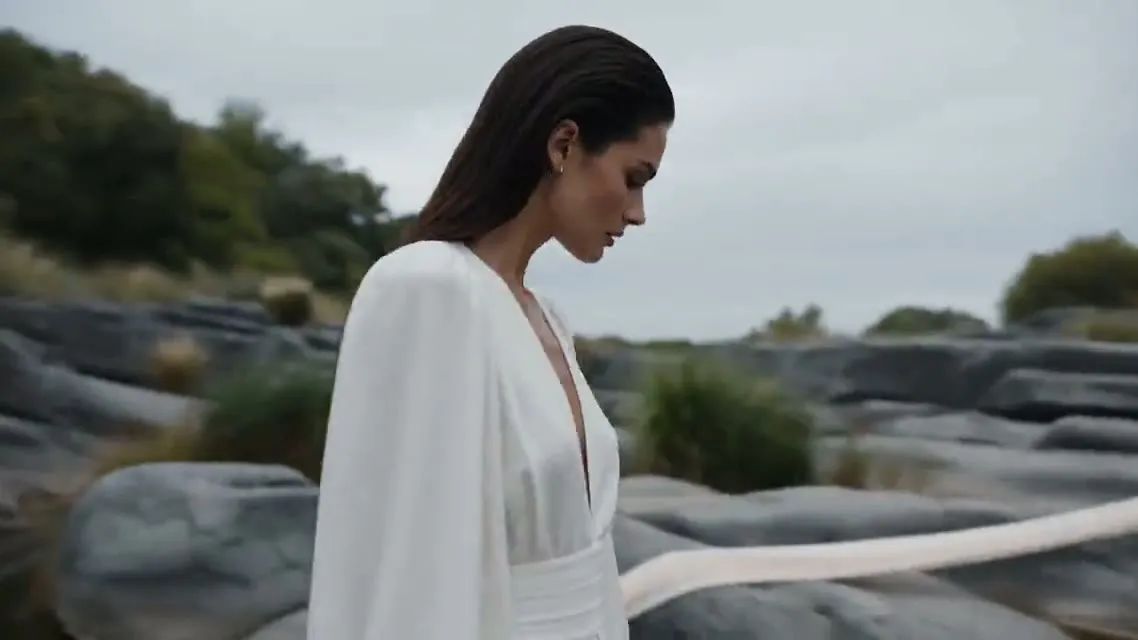
Portrait on a rocky coast with the orange date and place stamp cleared: OriginalPortrait on a rocky coast with the orange date and place stamp cleared: ResultOriginalResult

03

Strip Logos and Channel Badges

Logos mode looks for brand marks, play icons and channel bugs and removes only those, leaving the rest of the frame alone. It suits stills exported from your own videos, retired brand artwork, or licensed images that still carry a supplier mark.

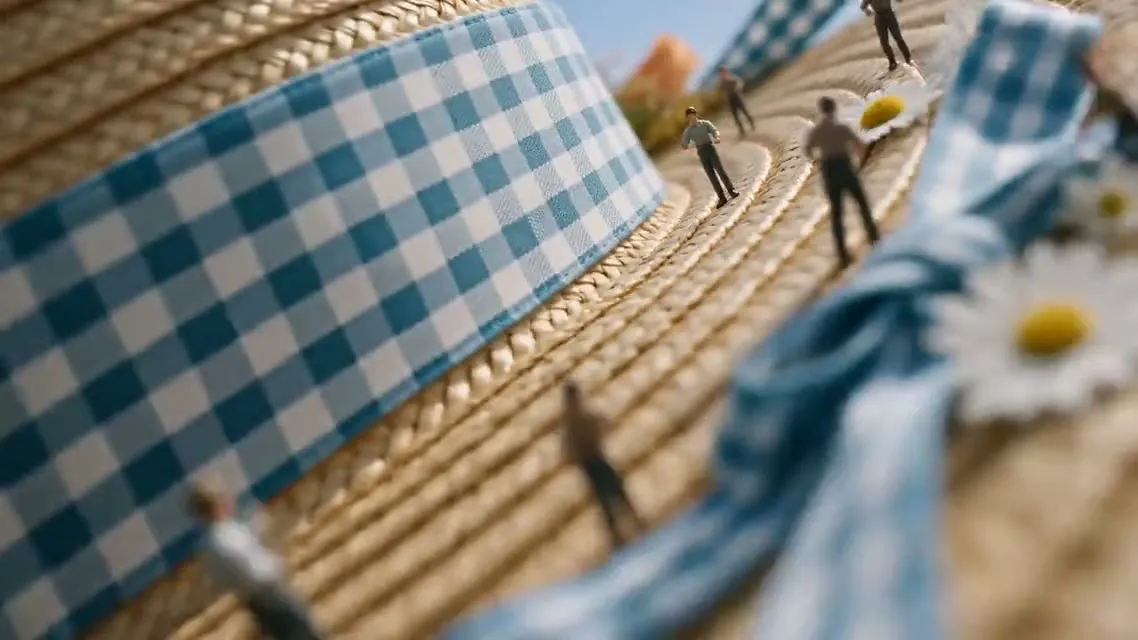
Straw hat close-up with the corner channel badge erased: OriginalStraw hat close-up with the corner channel badge erased: ResultOriginalResult

04

Erase Stickers, Signs and Photobombers

The brush is not limited to watermarks. Cover a price tag on a packshot, a passer-by behind your subject or a sign in the middle of a view, and the AI fills in what would plausibly sit behind it.

Chip bag packshot with the red price sticker taken off: OriginalChip bag packshot with the red price sticker taken off: ResultOriginalResult

When a Watermark Remover Comes in Handy

For pictures that are yours or that you have the right to edit, whenever a stray mark pulls attention away from the subject.

Shop and marketplace photos

Shop and marketplace photos

Drop old store logos, price tags and supplier stamps so buyers look at the product.

Personal photo archive

Personal photo archive

Take timestamps and place labels off your own trip and family pictures before printing them.

Repurposed social graphics

Repurposed social graphics

Strip captions and overlays from your own posts before reusing them in a new size or format.

Licensed stock and proofs

Licensed stock and proofs

Clear the preview mark from stock you have since paid for, or the DRAFT stamp from your own mock-ups.

Remove a Watermark in Three Steps

It all happens in the editor at the top of the page, and each result is kept in My Assets.

  1. 1

    Add your photo

    Click the upload area, drop a file in or paste from your clipboard. JPG, PNG or WebP, 20 MB max.

  2. 2

    Mark what should go

    With Brush, paint slightly past the edges of the mark. Or choose Text or Logos and let it be detected.

  3. 3

    Erase and save

    Press Erase, slide between original and result, then save the PNG or go over it once more.

Watermark Remover Questions

What it does, what it costs, which files it takes and when removing a mark is allowed.

Updated:

It takes overlays such as watermarks, logos, captions and date stamps off an image and redraws the area they covered. On Yovid the replacement pixels are generated from the scene around the mark, so the cleaned picture reads as one continuous photo.

Everything runs in your browser tab. Upload an image, paint over the mark or pick the Text or Logos mode, and the AI deletes what you selected and blends in matching detail. A typical image is ready in 10 to 20 seconds.

Yes. Every new Yovid account comes with free credits and one image costs 1 credit, so your first edits are on us. Failed runs are refunded automatically, and you can top up on the pricing page later.

Upload the photo in the editor above, cover the watermark with the brush (or select Text or Logos), then press Erase. Use the slider to check the result against the original and download the clean PNG. No app to install and no editing experience required.

JPG, PNG and WebP, 20 MB at most. Pictures over 2560 px wide or 1440 px tall are shrunk to fit before processing, and the cleaned image is saved as a PNG.

Yes. Paint over every mark before you press Erase, or use Text to clear all lettering at once. Patterns repeated across the frame come out cleanest with the brush. If a trace remains, choose Keep editing this result and erase that spot again.

That depends on who owns the image. Cleaning photos you took, bought a licence for or have permission to edit is normally fine. Taking the watermark off someone else’s work so you can use it without permission may break copyright law, so only use the tool on images you have rights to.

Just the marked areas are redrawn; the rest keeps its original pixels. Large files are shrunk before processing, so if you need more resolution afterwards, enlarge the result 2×, 4× or 8× with the image upscaler.

Cut out the subject with the background remover, give it a wider or taller frame in the AI image extender, or bring it into the AI image generator as a reference for new variations.

Yes. Open the AI video generator, use the photo as its first frame and write the motion you have in mind. Removing stray text first gives the video model a tidier frame to work from.

Not at the moment. The tool handles still images only. To fix a single frame from a clip, export that frame as a picture and upload it here.

Uploads and results are stored in My Assets under your account and are not shown to anyone else. You can delete them there whenever you like.

Watermark remover

Make Your Photos Mark-Free

Add a photo, paint the watermark or let AI find text and logos, and save a clean PNG.

Upload a Photo