
Direct answer: not quite. Signing up for Yovid is free and needs no credit card, and the free credits you get run the entry models such as Seedance 2.0 Mini. Kling 4.0 Flash itself unlocks on any paid plan (Lite and above) or with a Creator credit pack or larger. Once it is unlocked it is cheap: 1.8 credits per second at credit-pack rates, so a 3-second test costs 5 credits and a 5-second clip costs 9. Exports carry no watermark.
What Kling 4.0 Flash is
Kling 4.0 Flash is the fast, lower-cost tier of Kuaishou's Kling 4.0 video model. It went live on Yovid on November 5, 2026. On Yovid it does two things:
- Text to video: a prompt of up to 2,500 characters becomes a 3 to 20 second clip at 720p, in 16:9, 9:16, 1:1 or 21:9.
- Image to video: add one start frame and describe what happens next. The clip takes the shape of your image, so there is no aspect ratio to pick.
Every clip comes back with a stereo sound track: ambience, effects and, when you quote a line in the prompt, speech. There is no switch to turn sound off, and it costs nothing extra. In Yovid's test runs on November 4, a 5-second clip came back in 89 seconds when it ran alone, and five clips started together were all done within 192 seconds.
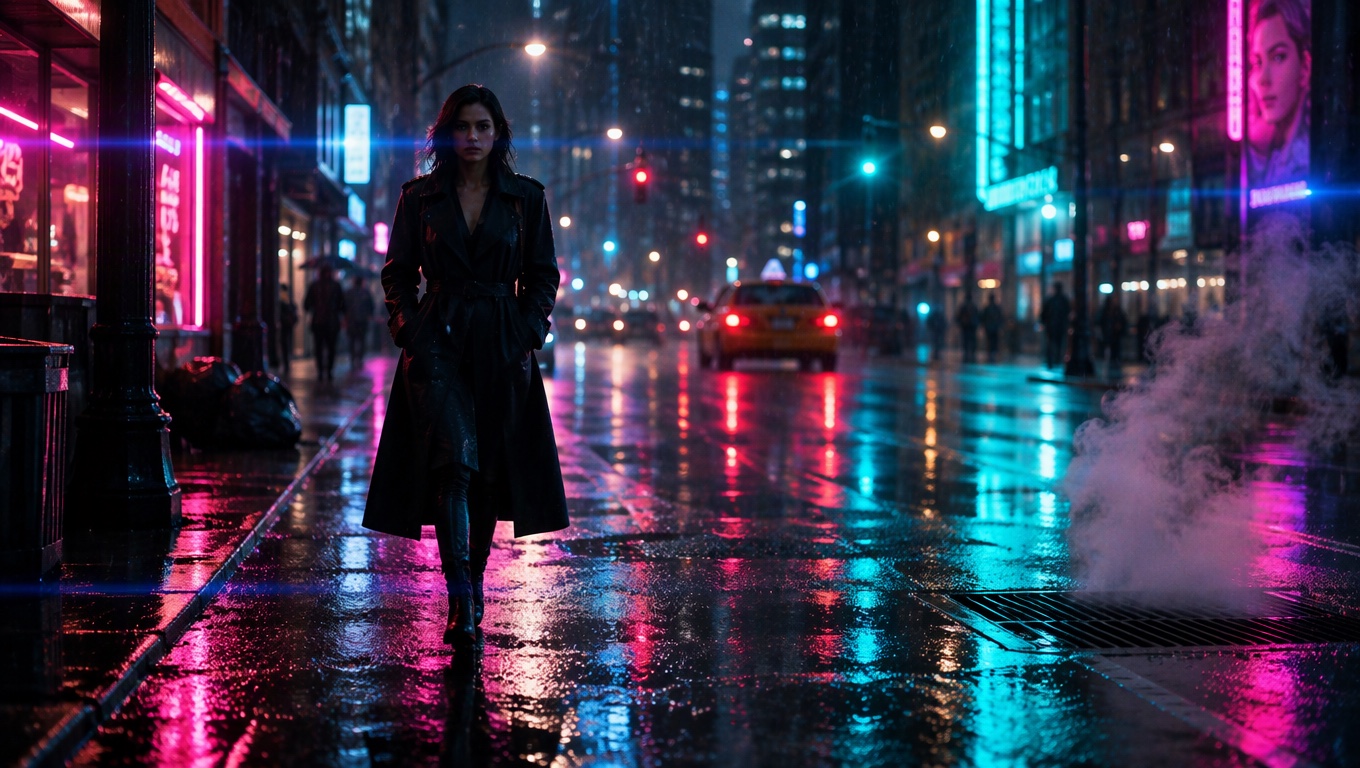
A 5-second, 16:9 text-to-video clip made with Kling 4.0 Flash on Yovid. At credit-pack rates it cost 9 credits.
Kling 4.0 Flash vs Kling 4.0
Flash trades range for speed and price. Every row below is read from the settings Yovid's generator offers for each model today.
| Kling 4.0 Flash | Kling 4.0 | |
|---|---|---|
| Clip length | 3 to 20 s | 3 to 30 s |
| Resolution | 720p | 720p or 1080p |
| Aspect ratios | 16:9, 9:16, 1:1, 21:9 | 16:9, 9:16, 1:1, 21:9 |
| Frames | Start frame only | Start frame, plus an optional last frame |
| References | None | Up to 10 images and 5 videos |
| Sound | Always on | Always on |
| Credits per second at 720p | 1.8 | 3 |
| A 5-second clip at 720p | 9 credits | 15 credits |
So Flash uses 40% fewer credits than Kling 4.0 at the same resolution. Use Flash for drafts, tests and format variants; switch to Kling 4.0 when the final cut needs 1080p, more than 20 seconds, a fixed last frame or reference images. Both models read the same style of prompt, so a draft that works in Flash carries over. For the full lineup, see AI video models compared.
Is Kling 4.0 Flash free on Yovid?
| Free account | Paid plan or credit pack | |
|---|---|---|
| Cost to join | Free, no credit card | Lite from $14.90 a month, or a one-time pack |
| Models | Entry models: Seedance 2.0 Mini, Seedance 1.5 Pro, Seedance 1 Pro Fast | Kling 4.0 Flash on Lite and above, or with a Creator pack or larger |
| Watermark | None after sign-up | None |
| Kling 4.0 Flash | Not included | Included |
You can try Yovid without an account, too: write a prompt in the AI video generator and Yovid renders one 4-second clip at 480p, once every 30 days. That trial runs on Seedance 2.0 Mini, not on Flash; the clip carries a watermark, and downloading it needs a free account.
The free credits are still useful before you pay for Flash. A prompt that works on Seedance 2.0 Mini tells you whether the idea, the camera move and the sound cue read well, and you can then run the keeper on Flash.
The cheapest way to try Kling 4.0 Flash
Two entry points unlock Flash:
- The Lite plan: $14.90 a month for 100 credits, with 10% off standard credit prices. At the 9-credit pack rate, 100 credits cover about eleven 5-second Flash clips, and a little more at Lite's lower rate. Monthly Lite does not include commercial use.
- The Creator credit pack: $49.90 once for 375 credits, valid for 365 days, with commercial use included. That is about 41 five-second Flash clips. The Starter pack does not include Kling models.
Pro and Premium also include Flash, with more monthly credits and lower per-second rates. Prices are as listed on November 5, 2026; the pricing page always has the current ones.
| Clip length | Kling 4.0 Flash | Kling 4.0 at 720p |
|---|---|---|
| 3 s | 5 credits | 9 credits |
| 5 s | 9 credits | 15 credits |
| 10 s | 18 credits | 30 credits |
| 20 s | 36 credits | 60 credits |
Credits are base credit-pack rates; subscribers pay less per second, and the composer shows the exact total before you start.
How to use Kling 4.0 Flash, step by step
- Open Kling 4.0 Flash. Use the composer at the top of the Kling 4.0 Flash page, or open the video generator and pick Kling 4.0 Flash under the Kling filter.
- Choose text or image. For text to video, pick an aspect ratio: 16:9 for YouTube, 9:16 for Reels and TikTok, 1:1 for the feed, 21:9 for a cinematic wide. For image to video, upload one start frame instead.
- Write the prompt. Name the subject, the action, the camera move and the sound you want. Put any spoken line in quotation marks.
- Pick a length. Anything from 3 to 20 seconds; 5 is the default. Start short while you test.
- Check the credits and generate. The total appears before you start, and the clip usually lands in two to three minutes.
- Download or iterate. Keep the take you like, or change one thing in the prompt and run it again. When a draft is right, rerun it on Kling 4.0 if you need 1080p or a longer cut.
Image to video with a start frame
A start frame keeps your subject, colors and lighting. The frame below is a still from another Flash clip; the prompt only described what the cat does next.
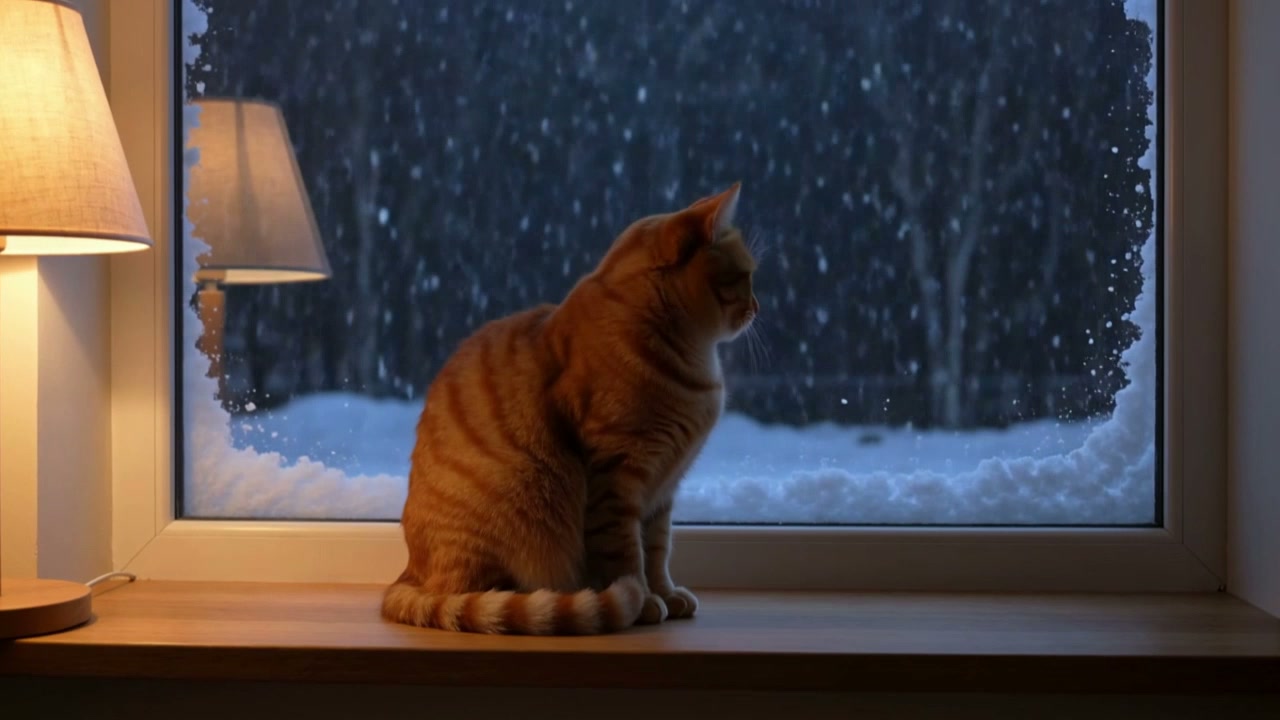
Prompt used with the start frame: "The orange cat hops down from the windowsill onto the floor, stretches, and trots toward the camera with its tail up, then sits and looks straight into the lens. Snow keeps falling outside the window. Warm lamp light, gentle handheld camera, soft purring and the thump of paws."
Flash takes a start frame only. If the shot has to end on a specific image, use Kling 4.0 with a first and last frame.
Prompt tips for Kling 4.0 Flash
- One shot, one main action. Every demo on the Flash page is a single clear beat in 5 to 10 seconds: a cat hops down, a surfer carves, chopsticks lift noodles. Save multi-step stories for longer clips.
- Say how the camera moves. "Tracks alongside him", "slow push-in" or "gentle handheld camera" changes the clip more than extra adjectives.
- Write the sound. Flash always generates audio, so tell it what to hear: "room tone and her voice only", "hooves, wind and horse breath".
- Quote dialogue. A short line in quotation marks, such as "Okay, this is the mug I drink from every single morning.", works better than describing speech.
- Reuse the prompt for every format. In Yovid's test, the surfer prompt run again in 9:16 came back reframed rather than cropped, so one idea can become several deliverables.
- Test at 3 to 5 seconds. Get the look right for 5 or 9 credits before you render 20 seconds.
The text-to-video prompt guide breaks prompts down shot by shot.
Watermarks and commercial use
Watermark: Flash clips made on a plan or a pack download as clean MP4 files with no visible watermark.
Commercial use: included with Pro, Premium, yearly plans and every one-time credit pack. Monthly Lite and the free plan do not include it. Either way, you are responsible for the rights to your prompts and frames, including faces, brands and music.
FAQ
Can I use Kling 4.0 Flash for free?
Not on Yovid's free plan. Free sign-up credits run the entry models such as Seedance 2.0 Mini. Kling 4.0 Flash needs the Lite plan or above, or a Creator, Studio, Max or Agency credit pack.
What is the cheapest Kling 4.0 Flash video?
A 3-second clip at 5 credits at credit-pack rates. A 5-second clip is 9 credits and the longest, 20 seconds, is 36.
Is there a Kling 4.0 Flash free trial without login?
No. The no-login trial on Yovid makes one 4-second Seedance 2.0 Mini clip at 480p every 30 days, with a watermark. Flash is not part of it.
Is Kling 4.0 Flash worse than Kling 4.0?
It is narrower rather than worse: 720p instead of up to 1080p, 20 seconds instead of 30, a start frame without a last frame, and no reference images or videos. In return it is faster and uses 40% fewer credits.
Does Kling 4.0 Flash have sound?
Yes. Every clip has a stereo track with ambience, effects and speech when the prompt includes a spoken line. Sound cannot be switched off.
Can I upload an image to Kling 4.0 Flash?
Yes, one start frame. The clip takes the shape of your image. Last frames and reference images are not supported on Flash.
Ready to start? Open the Kling 4.0 Flash page to write your first prompt, or compare plans on the pricing page.