
Direct answer: Three models on Yovid generate a full 30 seconds in a single clip: Seedance 2.5, Wan 3.0 and Kling 4.0. Every other model stops earlier. Kling 4.0 Flash reaches 20 seconds, MiniMax H3 and the Seedance 2.0 family reach 15, and Veo 3.1 stops at 8. So if you need an AI video generator longer than 15 seconds in one take, those three are the shortlist, and 30 seconds is the ceiling for one generation. At base credit-pack rates, a 30-second clip at 720p costs 72 credits on Wan 3.0, 90 on Kling 4.0 and 183 on Seedance 2.5. Anything longer than 30 seconds means extending a clip or stitching several together.
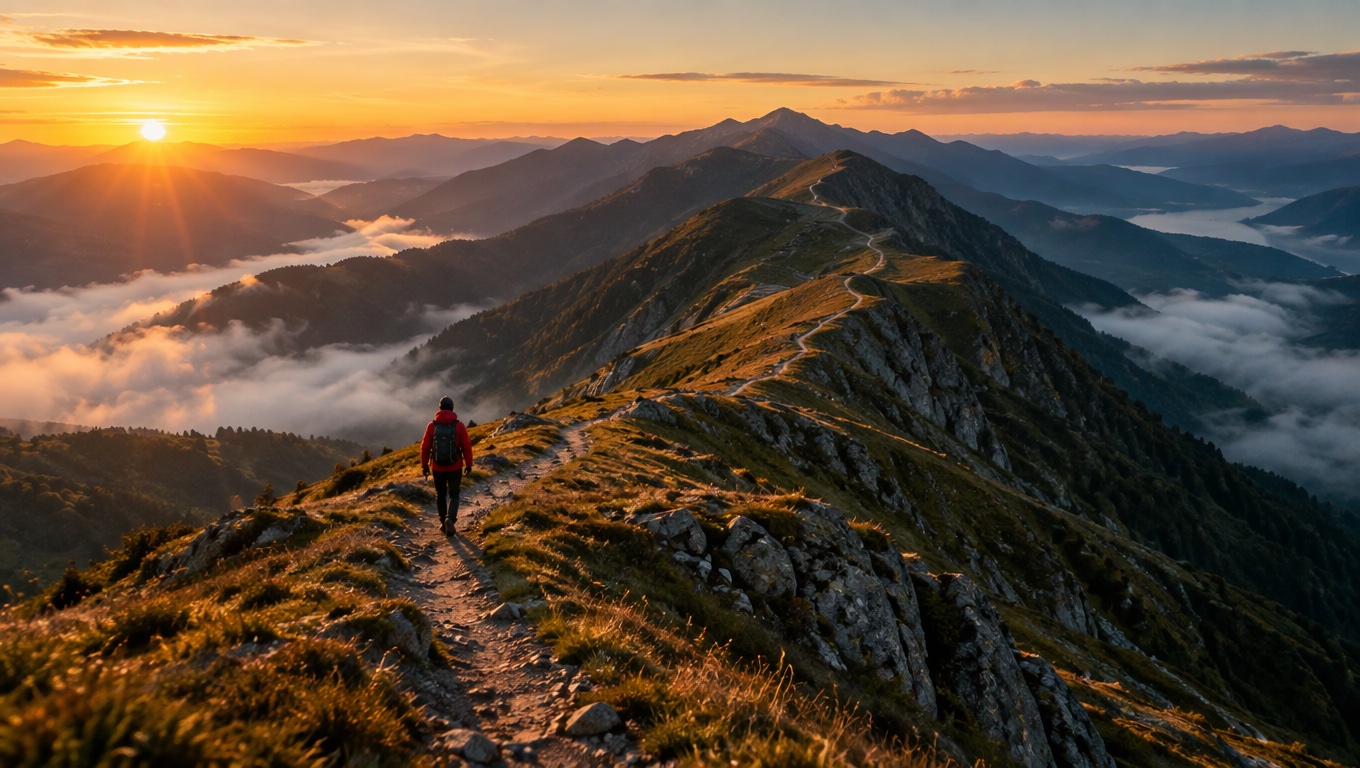
Image prompt: Cinematic film still of a lone hiker in a red jacket walking along a long mountain ridge trail at sunrise, the narrow path winding far into the distance across several peaks. Low golden light, long shadows, thin mist in the valleys below, wide establishing shot, 35mm anamorphic look, rich but natural colors, no signs and no lettering anywhere in the frame.
Which AI video models generate 30 seconds in one clip
Last verified: 2026-11-10
| Model | Longest single clip | Resolutions | Sound | Credits per second | 30-second clip |
|---|---|---|---|---|---|
| Seedance 2.5 | 30 s (from 4 s) | 480p, 720p, 1080p | Yes, Sound switch | 3.05 at 480p, 6.1 at 720p, 18 at 1080p | 92 credits at 480p, 183 at 720p, 540 at 1080p |
| Wan 3.0 | 30 s (from 2 s) | 480p, 720p, 1080p | Yes, Sound switch | 1.2 at 480p, 2.4 at 720p, 4.8 at 1080p | 36 credits at 480p, 72 at 720p, 144 at 1080p |
| Kling 4.0 | 30 s (from 3 s) | 720p, 1080p | Yes, always on | 3 at 720p, 5 at 1080p | 90 credits at 720p, 150 at 1080p |
| Kling 4.0 Flash | 20 s | 720p | Yes, always on | 1.8 | Not in one clip (36 credits for 20 s) |
| MiniMax H3 | 15 s | 2K | Yes, always on | 4.55 | Not in one clip (68 credits for 15 s) |
| Seedance 2.0 | 15 s | 480p, 720p, 1080p, 4K | Yes, Sound switch | 2 at 480p, 4 at 720p, 10 at 1080p, 23 at 4K | Not in one clip (60 credits for 15 s at 720p) |
| Seedance 2.0 Mini | 15 s | 480p, 720p | Yes, Sound switch | 1.16 at 480p, 2.5 at 720p | Not in one clip (17 credits for 15 s at 480p) |
| Veo 3.1 Fast | 8 s | 720p, 1080p, 4K | Yes, always on | 3 at 720p or 1080p, 10 at 4K | Not in one clip (24 credits for 8 s at 720p) |
| Veo 3.1 Pro | 8 s | 720p, 1080p | Yes, always on | 8 | Not in one clip (64 credits for 8 s) |
All figures are base credit-pack rates taken from the live credit calculator. Lite and Pro subscribers pay 10% and 30% less, and the Generate button shows the exact charge before you start. Turning the Sound switch off doesn't change the price on any model that has one. A few older models also stop short: Kling 3.0, Kling O3 and Seedance 2.0 Fast end at 15 seconds, and Seedance 1.5 Pro and Seedance 1 Pro Fast end at 12.
The three 30-second AI video models in detail
Seedance 2.5
ByteDance's Dreamina page for Seedance 2.5 says the model makes videos up to 30 seconds in standard mode and keeps characters, lighting, motion and scene consistent across longer sequences. The same page advertises a beta long-video mode that runs to 180 seconds, but that mode lives inside ByteDance's own app. As a model setting, one generation still ends at 30 seconds.
On Yovid a Seedance 2.5 clip runs 4 to 30 seconds at 480p, 720p or 1080p, with sound on by default. It is also the only model in this table with an extend mode, which matters once a scene needs more than 30 seconds. It is the most expensive of the three per second: a 30-second clip at 720p costs about 2.5 times what Wan 3.0 charges.
Best for: a single long take with dialogue or a soundtrack that has to follow the action, and scenes you may want to extend later. Not for: cheap pacing tests, where Wan 3.0 does the same length for a fraction of the credits.
Wan 3.0
Wan 3.0 is Alibaba's video model. On Yovid it runs anywhere from 2 to 30 seconds at 480p, 720p or 1080p, and it has the same Sound switch as Seedance 2.5, on by default.
It has the lowest per-second rate of the three: 1.2 credits at 480p, which puts a full 30-second draft at 36 credits. That makes it the practical choice when you are still testing timing or story beats and expect to throw a few takes away.
Best for: low-cost 30-second drafts and timing checks. Not for: clips you plan to extend later, because the extend mode is Seedance 2.5 only.
Kling 4.0
Kling's user guide lists 3 to 30 seconds per generation for Kling 4.0, with multi-shot on by default, so the model splits a long prompt into shots by itself. The guide also lists 4K output and an extension feature of up to 2 minutes, but the extension is marked as coming soon.
On Yovid, Kling 4.0 runs 3 to 30 seconds at 720p or 1080p with sound always on, and 4K is not offered for this model. At 3 credits per second at 720p, a 30-second clip costs 90 credits, a little more than Wan 3.0 at the same resolution.
Best for: 30-second sequences that benefit from automatic cuts between shots. Not for: one unbroken take, since the model may split the prompt into shots on its own, or 4K delivery.
Models that stop before 30 seconds
- Kling 4.0 Flash, 20 seconds. Kling's guide lists 3 to 20 seconds at 720p, which matches its settings here. Best for: cheap 15 to 20 second clips with sound, at 1.8 credits per second. Not for: anything that needs 1080p or a full 30 seconds.
- MiniMax H3, 15 seconds. 5 to 15 seconds, at 2K only. Best for: short, sharp shots at the highest resolution in this group. Not for: long takes.
- Seedance 2.0 and Seedance 2.0 Mini, 15 seconds. 4 to 15 seconds. Seedance 2.0 goes up to 4K, and Mini stops at 720p. Best for: 15-second clips, and Mini is the entry option. Not for: a single 30-second scene.
- Veo 3.1, 8 seconds. 4, 6 or 8 seconds. Veo 3.1 Fast goes up to 4K, and Veo 3.1 Pro stops at 1080p. Best for: short, polished shots. Not for: anything longer than 8 seconds in one generation.
How to write a 30-second AI video prompt
A 30-second prompt usually goes wrong when it describes one moment and leaves the model to fill the rest. Split the time into three or four beats, give each beat its own action and camera note, and say what the audience should hear. Writing each beat on its own line, starting with a time range such as 0–10s:, keeps the order clear for you and for the model.
The two examples below are written for Seedance 2.5 and Wan 3.0. They show how each model's settings shape the prompt, not which model wins.
A 30-second Seedance 2.5 prompt with dialogue
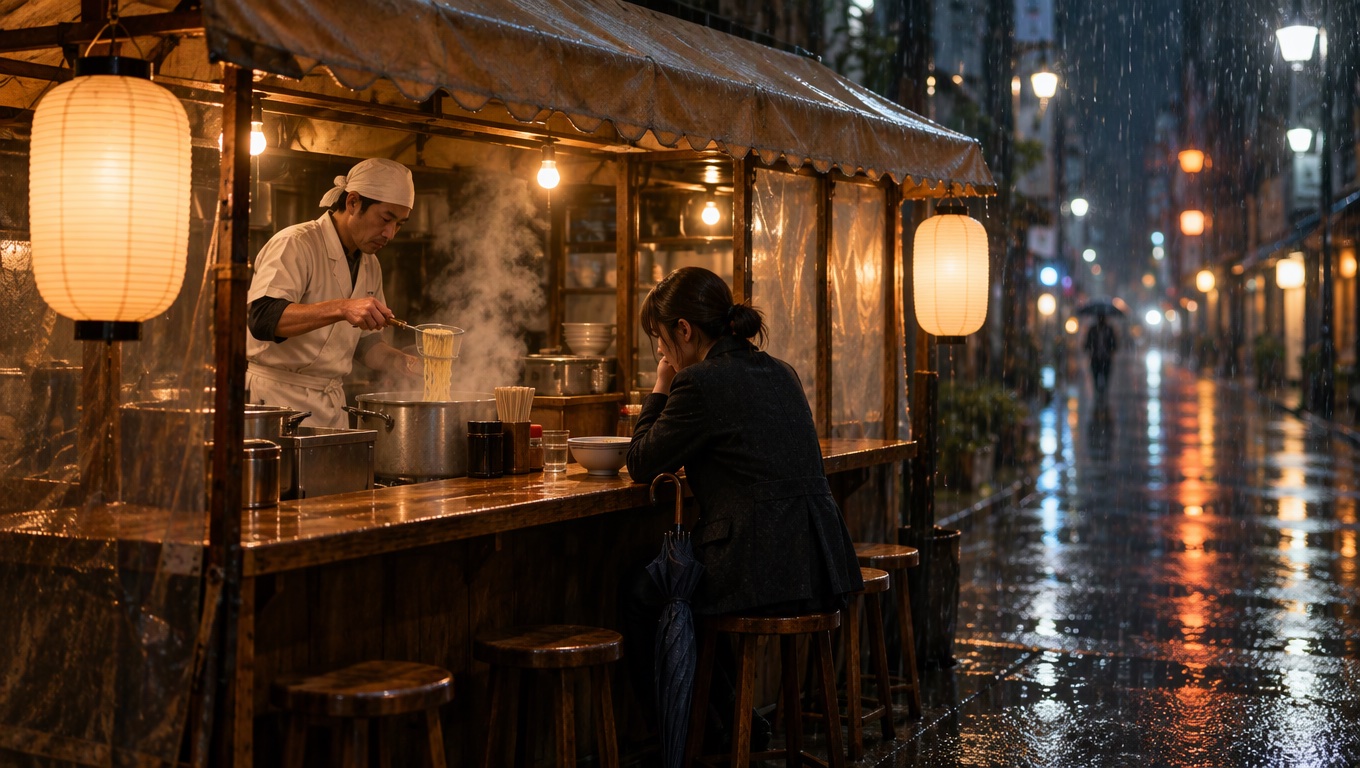
Image prompt: Cinematic film still of a small ramen stall on a rainy city side street at night. An adult cook in a white apron lowers noodles into a steaming pot while a tired office worker in a dark coat sits at the wooden counter under a canvas awning, a folded umbrella beside her. Warm tungsten light, rain streaks, wet reflections on the pavement, steam rising, medium wide shot, shallow depth of field, 35mm look, plain awning and blank lanterns, no lettering anywhere in the frame.
- 0–10sWide shot of a small ramen stall on a rainy side street at night, steam rising as the cook lowers noodles into boiling water, rain tapping on the canvas awning
- 10–20sMedium shot as a tired office worker ducks under the awning, folds her umbrella and sits at the counter. The cook glances up and says, "The usual?" She nods
- 20–30sClose-up as the bowl slides across the counter and she takes the first bite, then the camera slowly pulls back to the glowing stall in the rain. Street ambience and rain only, no music
Set the length to 30 seconds, 16:9 and 720p, with Sound on. Keep the dialogue to one or two short lines. A long speech squeezed into one beat tends to rush.
A 30-second Wan 3.0 prompt for a draft
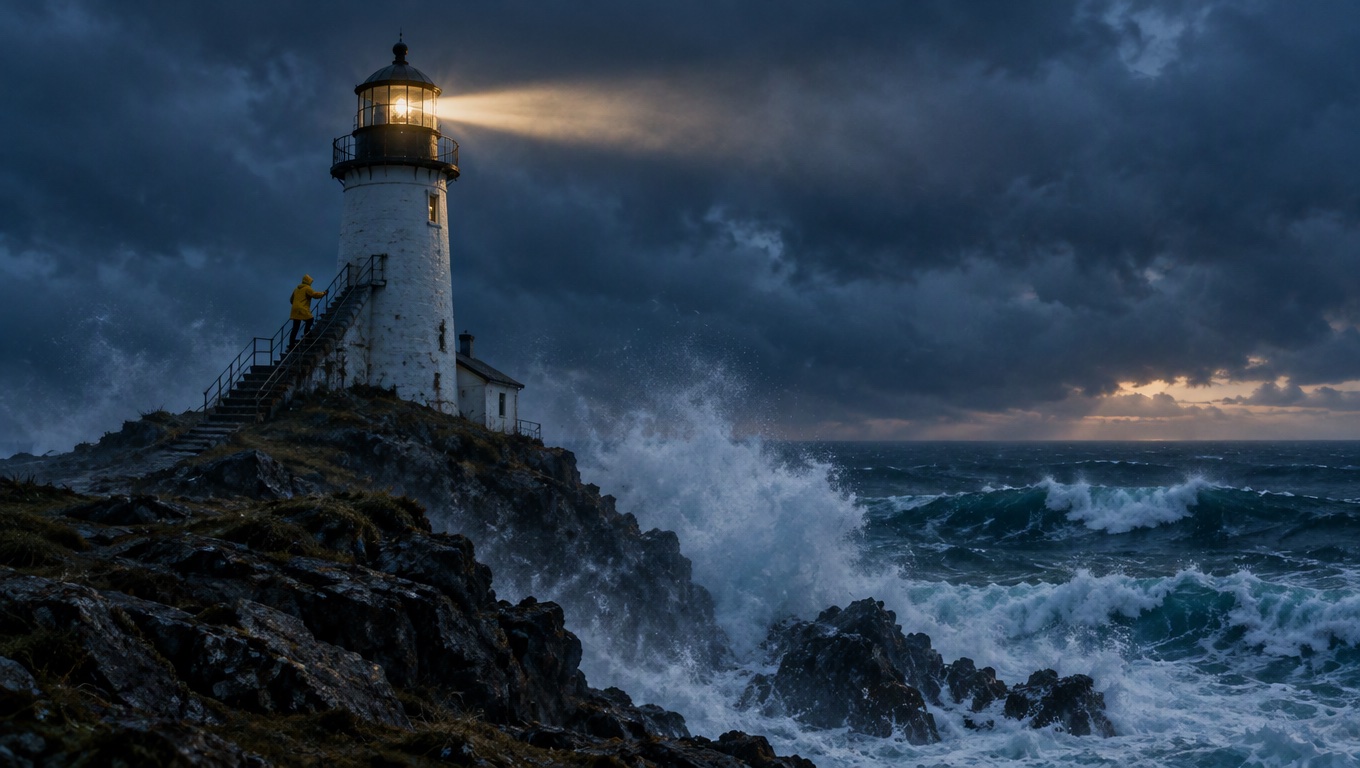
Image prompt: Cinematic film still of a white lighthouse on a rocky headland at stormy dusk, huge waves breaking against the rocks below and the beam just switching on through low clouds. A small adult figure in a yellow raincoat climbs the outside stairs holding the rail. Deep blue and slate grey palette with a warm glow from the lantern room, wind-blown spray, wide shot, 35mm look, no lettering anywhere in the frame.
- 0–8sWide shot of a white lighthouse on a rocky headland at stormy dusk, huge waves exploding on the rocks below, low clouds racing past
- 8–18sA keeper in a yellow raincoat climbs the outside stairs, gripping the rail as wind throws spray across the steps. The camera follows from below
- 18–30sThe lantern room lights up and the beam sweeps across the dark sea as the camera rises past the gallery. Howling wind, crashing surf and a low rumble of thunder, no music
Run the first pass at 480p for 36 credits. Once the timing works, render it again at 1080p for 144 credits.
When a 30-second AI video is the wrong length
Longer isn't automatically better. Billing is per second, so every retry of a 30-second clip costs the full 30 seconds.
| Clip | 8 seconds at 720p | 30 seconds at 720p |
|---|---|---|
| Wan 3.0 | 19 credits | 72 credits |
| Kling 4.0 | 24 credits | 90 credits |
| Seedance 2.5 | 49 credits | 183 credits |
- Ads and social hooks. One idea, one product, one line of copy usually fits in 6 to 10 seconds, and a short clip lets you test several versions for the price of one long take.
- Product shots and loops. A turntable spin or a pour shot repeats well at 5 to 8 seconds.
- Scenes where every shot matters. If you want control over each camera setup, generate short shots one at a time and cut them together, instead of hoping one long take gets every beat right.
For those, start with the text-to-video generator at 6 to 10 seconds and only go to 30 seconds when the scene really needs one continuous take.
Longer than 30 seconds: extend or stitch AI video clips
No model in the table makes more than 30 seconds in one generation, so a 45-second or one-minute scene has to be built in pieces. There are two ways to do it.
Extend with Seedance 2.5. Upload a source clip of 2 to 30 seconds, start the prompt with "Extend" and describe what happens next. The model returns a new segment of 4 to 30 seconds that picks up from the final moment and keeps the characters, set and light, and you join the two in an editor. To go further, upload the new segment as the next source and extend again. The AI video extender bills the source seconds plus the new seconds at Seedance 2.5's reference rate: 2.12 credits per second at 480p, 4.58 at 720p and 12.17 at 1080p. Extending an 8-second clip by 30 seconds at 720p costs 174 credits. The full walkthrough is in how to extend a video with Seedance 2.5.
Stitch clips from other models. Save the last frame of the first clip and use it as the start image of the next one in image to video, repeating the same description of the characters, wardrobe and light. Then join the clips in a video editor. Sound can change at the join, so cut on a natural pause or lay one music track across the whole sequence.
What a 30-second AI video costs per credit pack
This table converts the 30-second prices into whole clips per pack. It uses the Creator pack (375 credits for $49.90), the smallest pack that unlocks all three 30-second models.
| Model and resolution | Credits for 30 seconds | 30-second clips per Creator pack | About $ per clip at the Creator rate |
|---|---|---|---|
| Wan 3.0, 480p | 36 | 10 | $4.79 |
| Wan 3.0, 720p | 72 | 5 | $9.58 |
| Kling 4.0, 720p | 90 | 4 | $11.98 |
| Seedance 2.5, 480p | 92 | 4 | $12.24 |
| Wan 3.0, 1080p | 144 | 2 | $19.16 |
| Kling 4.0, 1080p | 150 | 2 | $19.96 |
| Seedance 2.5, 720p | 183 | 2 | $24.35 |
| Seedance 2.5, 1080p | 540 | 0 (one clip needs the 600-credit Studio pack) | $71.86 |
What each option unlocks:
- The Starter pack (200 credits for $29.90) covers Seedance 2.5 and Wan 3.0 but not Kling 4.0. Kling 4.0 needs a paid plan or a Creator pack or larger.
- Seedance 2.5 at 1080p needs Pro, Premium or any credit pack, because Lite stops Seedance models at 720p. Wan 3.0 and Kling 4.0 reach 1080p on every paid plan.
- Free sign-up credits only reach the entry models. Seedance 2.0 Mini tops out at 15 seconds, so free credits can't make a 30-second clip.
Plan details are on the pricing page. For more side-by-side data, browse model comparisons, including AI video models compared and AI video generators with sound.
FAQ
Can any AI video model make more than 30 seconds in one clip?
Not among the models listed here. None of them goes past 30 seconds in a single generation. ByteDance advertises a beta long-video mode for Seedance 2.5 in its Dreamina app, and Kling's guide lists extension up to 2 minutes as coming soon, but neither is a single generation longer than 30 seconds. For longer scenes, extend with Seedance 2.5 or stitch several clips.
How much more does a 30-second clip cost than a 10-second one?
Three times as much, because every model here bills per second. At 720p, 10 seconds costs 24 credits on Wan 3.0, 30 on Kling 4.0 and 61 on Seedance 2.5. At 30 seconds those become 72, 90 and 183.
Does quality drop in a 30-second clip?
No vendor publishes a benchmark that compares short and long clips for these models, so there is no public number to quote. ByteDance says Seedance 2.5 keeps characters and lighting consistent across longer sequences. In practice, render a cheap draft first, for example with Seedance 2.5 draft mode at 480p, and check the final beat as closely as the first, since that is where any drift in faces or props would show.
Does the sound stay consistent across 30 seconds?
Within one generation the soundtrack is rendered together with the picture, so there is no seam to hide. Seams appear when you join separate clips, because room tone or music can jump at the cut. A Seedance 2.5 extension is generated with sound to match the source clip, which makes the join easier to hide. For stitched clips from other models, one music track laid across the whole sequence covers the joins.
Can I generate a long video segment by segment?
Yes. With Seedance 2.5, extend the clip, then upload the new segment as the next source and extend again, paying for the source and new seconds each time. With other models, use the last frame of each clip as the start image of the next. Either way, you join the segments in a video editor.
To try one of these prompts, open the Yovid AI video generator, pick Seedance 2.5, Wan 3.0 or Kling 4.0, set the length to 30 seconds and paste the prompt. All three need a paid plan or a credit pack.