Direct answer: To control the camera in Seedance 2.5, name one move in plain film language, say where it starts and where it stops, and give it enough seconds to finish. Push-in, pull-back, pan, tracking, orbit, handheld and rack focus are all on ByteDance's list of terms the model understands. For moves that aren't on the list, such as a tilt or a whip pan, describe what the viewer should see. Keep the moves from contradicting each other, and in a long take give each time range its own move. On Yovid, open the text-to-video generator, choose Seedance 2.5, paste one of the 30 prompts below and pick a length of 4 to 30 seconds. A 5-second 720p clip costs about 31 credits at base rates. Seedance 2.5 is a paid model, so you need Lite, Pro, Premium or a credit pack.
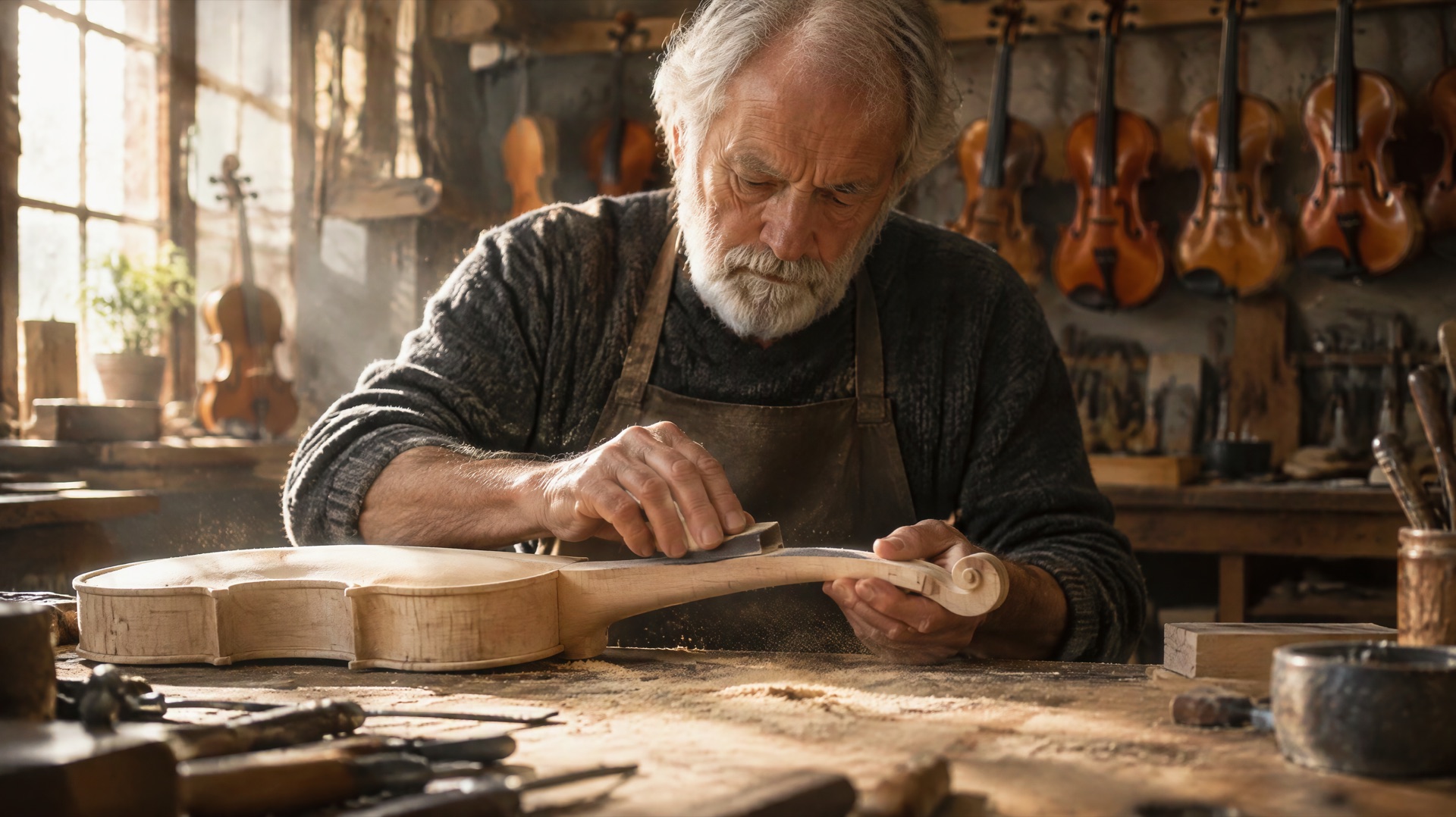
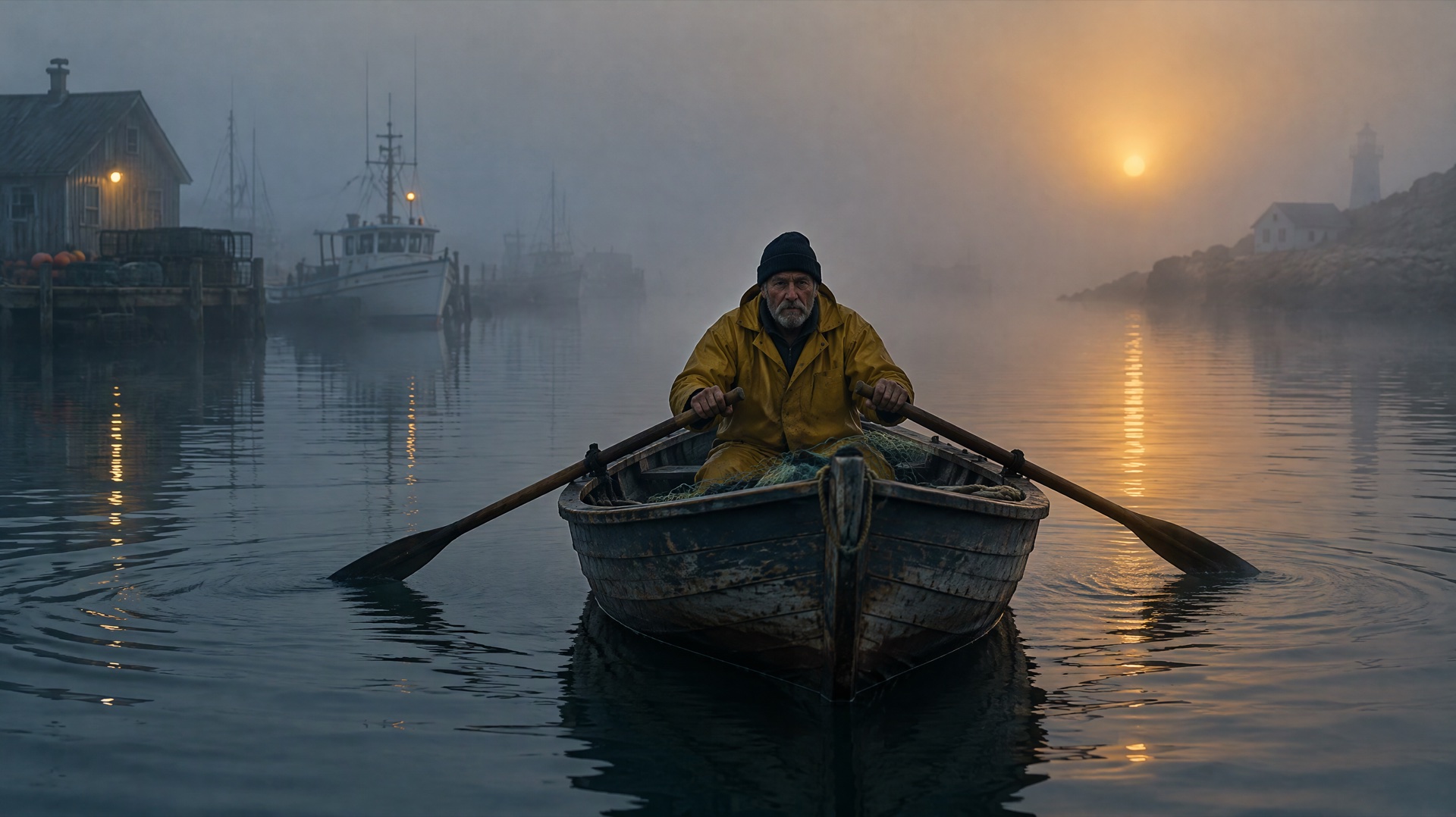
Image prompt: Cinematic film still of an elderly violin maker seated at a wooden workbench in a sunlit workshop, seen in a medium shot from straight ahead as if the camera were slowly dollying toward his hands. He sands the neck of an unfinished violin. Warm window light falls across hanging violins behind him, fine sawdust floats in the beam, shallow depth of field, 35mm film grain.
Last verified: 2026-11-08
Contents
- What Seedance 2.5 is good at with camera work
- Seedance 2.5 settings and credits on Yovid
- Camera words Seedance 2.5 understands
- Dolly shots: push in and pull back
- Pan and tilt
- Orbit and crane
- Handheld and tracking
- Transitions and whip pans
- How to compare camera moves on one subject
- Common camera prompt mistakes
- FAQ
What Seedance 2.5 is good at with camera work
ByteDance Seed names professional camera movement among the things Seedance 2.5 was built for, and says the model picks up framing and film language from reference videos. For prompting, that means ordinary film terms work, as long as the instructions agree with each other.
- Best for: single continuous shots of 4 to 30 seconds where one or two moves carry the scene, long takes with a timed sequence of moves, and copying a move from a reference clip.
- Not for: clips shorter than 4 seconds, masters above 1080p (Seedance 2.5 stops at 1080p on Yovid), camera speeds given as numbers, which ByteDance's guides don't document, and prompts that change the camera every second.
Seedance 2.5 settings and credits on Yovid
| Setting | On Yovid |
|---|---|
| Length | 4 to 30 seconds in whole seconds, 5 by default |
| Resolution | 480p, 720p or 1080p, 720p by default, plus a 480p Draft option |
| Aspect ratio | 16:9, 9:16, 1:1, 4:3, 3:4, 21:9 or adaptive. Image-to-video clips follow the shape of the image |
| Sound | On by default and generated with the picture, so every prompt below ends with a sound cue |
| Who can use it | Lite, Pro, Premium or a one-time credit pack. Free sign-up credits don't cover Seedance 2.5 |
| Top resolution by plan | Lite stops at 720p. Pro, Premium and credit packs reach 1080p |
Credits at base credit-pack rates:
| Length | 480p | 720p | 1080p |
|---|---|---|---|
| 5 seconds | 15 | 31 | 76 |
| 10 seconds | 31 | 61 | 151 |
| 30 seconds | 92 | 183 | 453 |
Subscription plans usually cost fewer credits per clip than these base rates, and the generator shows the exact cost before you start. Reference videos add their own seconds to the bill.
Camera words Seedance 2.5 understands
BytePlus, ByteDance's cloud business, publishes a guide to writing Seedance 2.5 prompts with a list of film terms the model understands. When a technique isn't on that list, the guide says to describe what the viewer should see. The table marks which is which.
| Move | What the camera does | On ByteDance's list? | Write it like this |
|---|---|---|---|
| Dolly in (push-in) | Travels toward the subject | Yes, as push-in | "slow push-in toward his hands" |
| Dolly out (pull-back) | Travels away from the subject | Yes, as pull-back | "slow pull-back until the whole room is visible" |
| Pan | Turns left or right from one spot | Yes | "pans slowly from left to right" |
| Tilt | Turns up or down from one spot | No, so describe it | "tilts up from her boots to her face" |
| Orbit | Circles around the subject | Yes | "half orbit clockwise around her" |
| Crane | Rises or lowers through the air | No, so describe it | "rises straight up to an overhead view" |
| Tracking | Moves alongside, ahead of or behind the subject | Yes | "tracks alongside her at the same speed" |
| Handheld | Follows with a small human shake | Yes | "handheld, slight natural shake" |
| Whip pan | Swings so fast the image blurs | No, so describe it | "swings quickly right, the frame blurs, then lands sharp on the grill" |
The list also covers wide shot, medium shot, close-up, low angle, overhead view, first-person view, aerial view and rack focus.
Each prompt below has a suggested length and aspect ratio in brackets. Set those in the generator, then paste the prompt. Inside each group the subject stays the same and only the camera changes, so you can run two prompts side by side and see what the move does. Prompts stay in English in every language version of this guide.
Dolly shots: push in and pull back
An elderly violin maker in his workshop, filmed six ways.
1. Slow push-in to the hands (6 s, 16:9)
Medium shot. An elderly violin maker sits at his workbench in a sunlit workshop, sanding the neck of an unfinished violin. The camera makes a slow push-in toward his hands and stops on a close-up. Fine sawdust floats in the light. Soft scrape of sandpaper, a clock ticking.
2. Fast push-in to the eyes (5 s, 16:9)
Medium shot. An elderly violin maker looks up from his workbench as a string snaps on the violin in front of him. The camera makes a fast push-in and stops on a close-up of his startled eyes. A sharp twang, then silence.
3. Slow pull-back reveal (8 s, 21:9)
Start on a close-up of an elderly violin maker's hands turning a tuning peg. The camera makes a slow pull-back until the whole sunlit workshop is visible, with dozens of violins hanging from the ceiling. A single note rings and fades.
4. Low-angle push-in (6 s, 16:9)
Low-angle shot from floor level. An elderly violin maker stands at his workbench, lifting a finished violin toward the window light. The camera makes a slow push-in, keeping him large against the ceiling beams. Creaking floorboards, soft street noise outside.
5. Dolly zoom, described in plain words (6 s, 16:9)
Medium close-up. An elderly violin maker freezes as he notices a crack running along the body of his violin. The camera moves backward while the lens zooms in, so his face stays the same size and the workshop behind him appears to stretch away. Low strings swell.
6. Push in, then hold still (7 s, 16:9)
Medium shot. An elderly violin maker draws a bow across a new violin for the first time. The camera makes a slow push-in for the first 4 seconds, then holds completely still on his face for the last 3 seconds. One long, warm note.
Pan and tilt
A woman in a green raincoat on a harbor pier at dawn. Tilts aren't on ByteDance's list, so these prompts say where the camera starts and where it stops.
7. Slow pan across the harbor (8 s, 21:9)
Wide shot at dawn. A woman in a green raincoat stands at the end of a wooden pier, looking out over a misty harbor. The camera pans slowly from left to right across the moored boats and stops with her at the center of the frame. Water lapping, distant gulls.
8. Pan that follows a boat (7 s, 21:9)
Wide shot at dawn. A small fishing boat crosses the harbor while a woman in a green raincoat watches from the pier. The camera pans from right to left, keeping the boat centered, and stops when she enters the frame. Low engine hum, water against the hull.
9. Tilt up from boots to face (6 s, 9:16)
Start on the wet boots of a woman standing on a wooden pier at dawn. The camera tilts up slowly past her green raincoat and stops on her face as she looks out to sea. Rain tapping on her hood.
10. Tilt down from the sky (6 s, 9:16)
Start on a pale dawn sky with a line of gulls crossing it. The camera tilts down slowly and stops on a woman in a green raincoat at the end of a wooden pier, small against the water. Gulls calling, gentle wind.
11. Hold, then pan at a set second (8 s, 16:9)
Wide shot. A woman in a green raincoat waits at the end of a wooden pier, holding a coiled rope. The camera stays still for 4 seconds. At 4 seconds it pans quickly to the right and stops on a boat drifting in toward her. Creaking wood, a faint horn.
12. Tilt up from a reflection (7 s, 9:16)
Start on the reflection of a woman in a green raincoat in still harbor water, rippling gently. The camera tilts up slowly from the water to the real woman standing on the pier above. Dripping water, soft wind.
Orbit and crane
A street dancer on a rooftop at sunset. Orbits need room, so these run longer than the other groups.
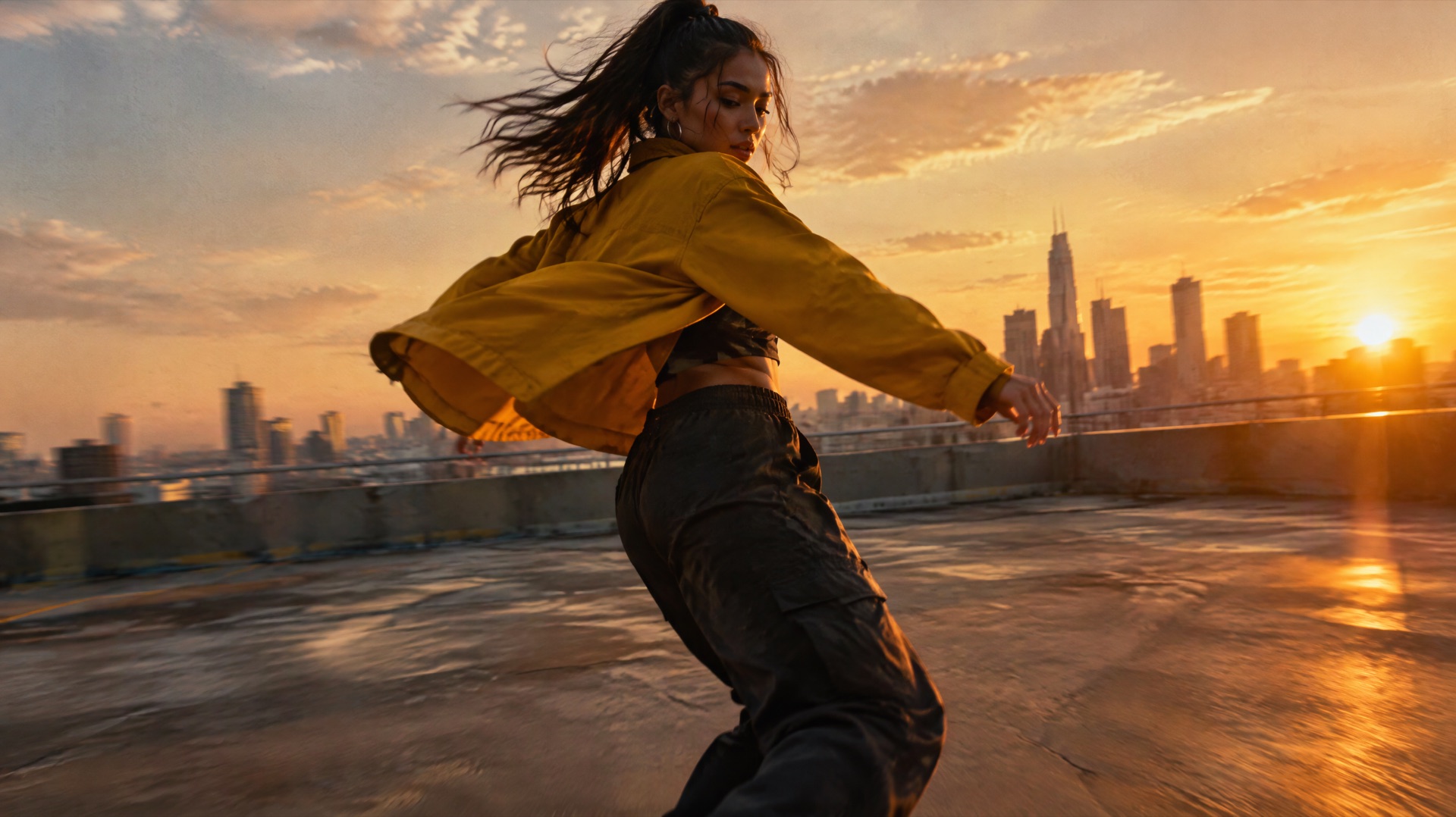
Image prompt: Cinematic film still of a young street dancer in a mustard yellow jacket caught mid-spin on an empty rooftop at sunset, the city skyline far behind her, seen from a low three-quarter angle as if the camera were circling her. Her jacket flares outward, long golden rim light, warm haze, slight motion blur in the background, anamorphic widescreen look, film grain.
13. Slow half orbit (10 s, 16:9)
Medium shot at sunset. A street dancer in a mustard yellow jacket holds a slow pose on an empty rooftop. The camera makes a slow half orbit clockwise around her and stops facing her with the skyline behind. Distant traffic and a soft bass line.
14. Low quarter orbit (8 s, 16:9)
Low-angle shot. A street dancer in a mustard yellow jacket spins once on an empty rooftop at sunset. The camera makes a quarter orbit to the left around her, staying low, and stops at her profile. Sneakers scuffing concrete.
15. Full 360-degree orbit (12 s, 1:1)
Medium shot at sunset. A street dancer in a mustard yellow jacket dances in place on an empty rooftop, arms moving slowly. The camera makes one full orbit around her at an even speed and ends where it began. Warm bass line, wind.
16. Crane up to an overhead view (8 s, 16:9)
A street dancer in a mustard yellow jacket starts a spin in the middle of an empty rooftop at sunset. The camera starts at eye level and rises straight up until she is seen from an overhead view, small against the concrete. Wind grows stronger.
17. Crane down to eye level (8 s, 16:9)
Start with an overhead view of an empty rooftop at sunset, with a street dancer in a mustard yellow jacket standing still at its center. The camera lowers straight down and stops at eye level with her as she starts to move. City hum, bass line fading in.
18. Three moves in one 30-second take (30 s, 16:9)
- 0–10sslow push-in toward a street dancer in a mustard yellow jacket as she starts moving on an empty rooftop at sunset, soft bass line
- 10–20sslow half orbit clockwise around her while she dances faster, skyline behind her, bass line growing
- 20–30sthe camera rises straight up to an aerial view as she finishes her routine and stands still, wind over the music
Handheld and tracking
A runner in a red hoodie moving through a morning market. Keep the shake small, and say so in the prompt.
19. Handheld follow (6 s, 9:16)
Handheld shot with slight natural shake. A young woman in a red hoodie runs through a crowded morning market, dodging crates and shoppers. The camera follows close behind her shoulder at her pace. Heavy breathing, vendors shouting.
20. Side tracking shot (7 s, 16:9)
Tracking shot. A young woman in a red hoodie jogs past a row of fruit stalls in a morning market. The camera tracks smoothly alongside her from the left at the same speed, keeping her at the center of the frame. Footsteps, market chatter.
21. Leading shot, moving backward (6 s, 9:16)
Tracking shot. A young woman in a red hoodie runs straight toward the camera through a narrow market lane. The camera moves backward ahead of her at the same pace, keeping her face in a medium close-up. Sneakers on wet stone.
22. First-person run (6 s, 9:16)
First-person view. Running through a crowded morning market, red hoodie sleeves at the edges of the frame, hands pushing aside hanging cloth while stalls rush past on both sides. The view bobs with each stride. Breathing, quick footsteps, voices passing by.
23. Handheld close-up at rest (5 s, 9:16)
Handheld close-up with gentle natural sway. A young woman in a red hoodie stops between two market stalls, catching her breath and glancing back over her shoulder. The camera stays close without moving forward. Breathing, distant market noise.
24. Tracking at ankle height (6 s, 16:9)
Low-angle tracking shot at ankle height. The sneakers of a young woman in a red hoodie splash through puddles in a morning market lane. The camera tracks just behind her feet at running speed. Water splashing, quick footfalls.
Transitions and whip pans
A chef at a night market stall. Each prompt is one continuous take, and the move does the job a cut would normally do.
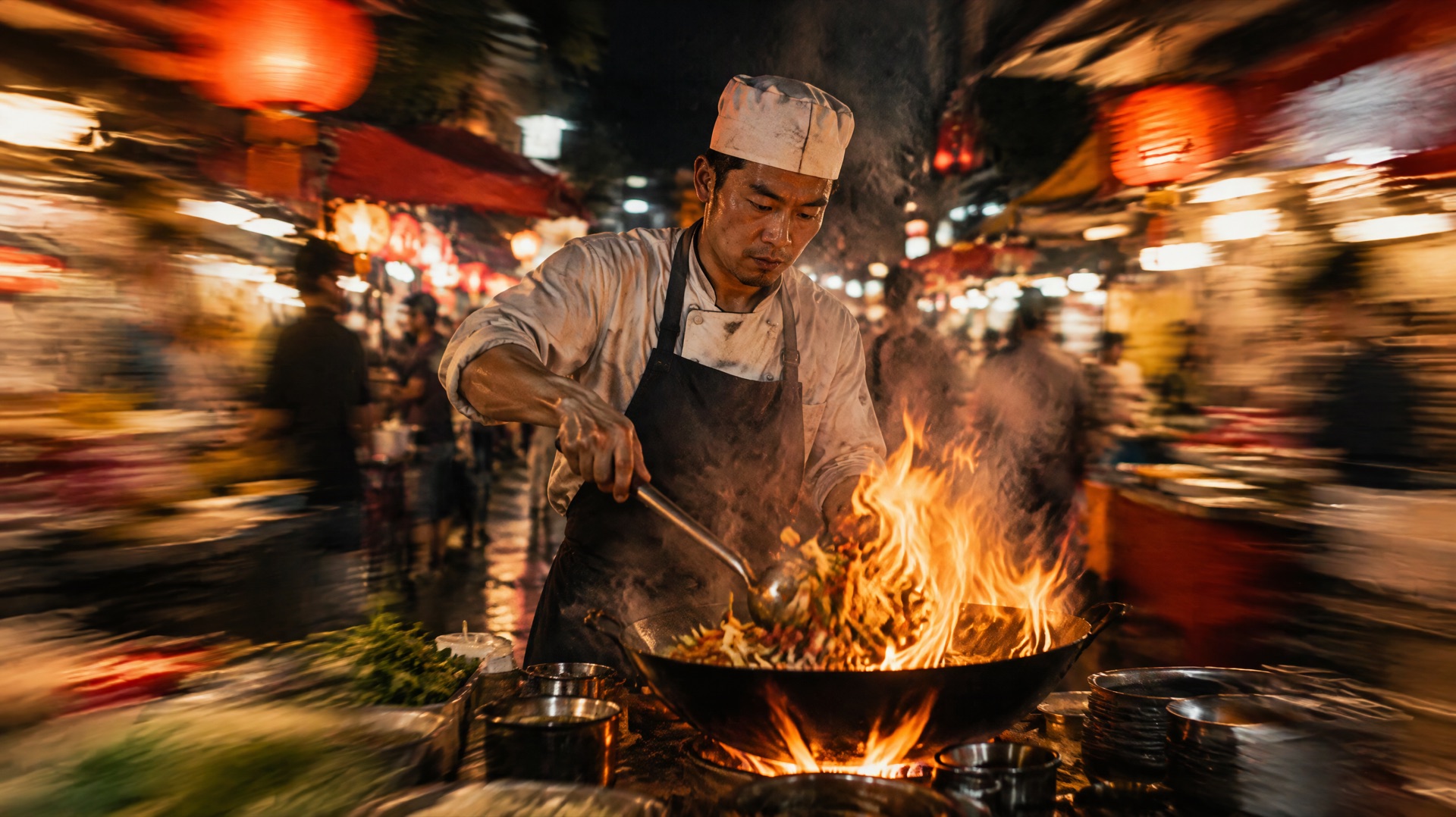
Image prompt: Cinematic film still of a chef at a wok station in a crowded night market, flames rising from the wok, with strong horizontal motion blur smearing the stalls and lanterns at both edges of the frame as if the camera had just whipped sideways and landed on him. Steam and warm orange light, the chef's face sharp at the center, film grain.
25. Whip pan to the flames (5 s, 16:9)
One continuous take. A chef in a busy night market tosses noodles in a wok. The camera swings quickly to the right, the frame blurs for a moment, then lands sharp on the flames of the next burner. Loud sizzle, then a rush of fire.
26. Whip pan from customer to chef (5 s, 16:9)
One continuous take. A customer at a night market stall raises a hand to order. The camera swings quickly to the left, the frame blurs for a moment, then lands sharp on a chef nodding back over his wok. Crowd noise, sizzling oil.
27. Quick upward swing to the lanterns (5 s, 16:9)
One continuous take. A chef at a night market stall flips food high out of a wok. The camera swings quickly upward, the frame blurs for a moment, then lands sharp on the glowing paper lanterns above him. Sizzle fading into the crowd.
28. Rack focus from chilies to chef (6 s, 16:9)
Close-up in one continuous take. Red chilies in a steel bowl are sharp in the foreground while a chef works behind them, out of focus. The focus racks from the chilies to the chef's face as he looks up. Oil crackling, crowd murmur.
29. Push through steam (6 s, 16:9)
One continuous take. The camera moves forward through a thick cloud of steam rising from a night market stall and comes out on a chef plating dumplings. The steam clears gradually. Hissing steam, plates clinking.
30. Passing cart as a wipe (6 s, 16:9)
One continuous take. A chef stirs a pot at a night market stall as a delivery cart rolls past close to the camera, filling the frame for a moment. When the cart clears, the chef is already holding out a finished bowl. Cart wheels rattling, ladle against metal.
How to compare camera moves on one subject
The quickest way to learn what a move does is to change nothing else.
- Pick one group above and set a fixed aspect ratio, such as 16:9, so the framing stays comparable between runs.
- Choose Draft in the resolution menu. A draft renders at 480p and bills at the 480p rate, about 15 credits for 5 seconds. The Seedance 2.5 draft mode guide has the details.
- Run the prompts in that group one at a time. If you write your own version, change only the sentence about the camera.
- Judge the path of the camera, its speed and where it lands. Seedance 2.5 has no seed control on Yovid, so faces and small details will shift between runs.
- When a draft works, use "Upgrade to 1080p" on the result within about 24 hours. The upgrade needs Pro, Premium or a credit pack on an account without a subscription.
Common camera prompt mistakes
| Mistake | What goes wrong | Rewrite |
|---|---|---|
| "Push in, pull back and orbit around her" | The moves contradict each other, and ByteDance's guides warn that mixing them makes the shot less stable | Pick one move for the shot, or give each move its own time range |
| "Slow full orbit" in a 5-second clip | Five seconds is too short for a slow circle | Use 12 seconds for a full orbit, or ask for a quarter orbit in 5 seconds |
| A new camera direction every second | BytePlus's Seedance 2.5 guide warns against repeated camera changes in a short stretch | Leave several seconds per move and tie each change to something the subject does |
| "The camera moves around" | There is no start point or end point | Say where the camera begins, which way it goes and where it stops |
| A prompt that disagrees with the reference video | Text and reference pull in different directions | Say what to take from the clip, for example "Reference the camera movement from Video 1", and remove the conflicting line |
FAQ
Can I control camera speed in Seedance 2.5?
Yes, with words like slow, even or fast. ByteDance's guides don't define numeric speeds, so stick to words. The length you set matters as well: the same half orbit is calmer at 10 seconds than at 5.
What happens if I put several camera moves in one prompt?
If they run at the same time, expect an unstable shot. BytePlus's Seedance 2.0 guide advises one type of move per shot, and its Seedance 2.5 guide asks that camera instructions don't contradict each other. Two or three moves can work in one prompt when they happen one after another, each with its own time range, as in prompt 18.
How do I write camera moves for image-to-video?
Upload the picture as the first frame in the image-to-video generator, then describe only what changes: the motion and the camera move. Don't describe what is already in the image. The aspect ratio follows the image, so crop it first if you want a different shape.
How do I plan camera moves inside a 30-second clip?
Split the clip into time ranges such as 0-10s, 10-20s and 20-30s, and give each range one move. BytePlus says Seedance 2.5 reads time instructions to the whole second. Prompt 18 above is a ready example, and the Seedance 2.5 prompt guide covers timed beats in more depth.
Do camera words have to be in English?
No, Seedance 2.5 accepts prompts in English and Chinese. English is still the safer choice for camera terms, because the terms in BytePlus's guides are written in English. Other prompt languages aren't documented, so if you try one, keep the camera words in English.
More collections, including Seedance 2.5 sound and music prompts, are in Prompt Guides. To try one of the 30 prompts above, open the Yovid AI video maker, choose Seedance 2.5, paste the prompt and render a 480p draft before you commit to 1080p.